
Introduction
This instruction manual provides comprehensive guidance for setting up, playing, and maintaining the Hasbro Monopoly Junior Electronic Crazy Cash game, model 00271. This electronic version of Monopoly Junior introduces an electronic money dispenser and mini credit cards, offering a modern twist on the classic game for younger players. Please read these instructions carefully before playing to ensure a smooth and enjoyable experience.
Setup
1. Unpack Components
Carefully remove all components from the box. Verify that all parts are present:
- Game Board
- Electronic Cash Machine
- Game Tokens (4)
- Property Cards
- Chance Cards
- Mini Credit Cards (4)
- Houses/Hotels (plastic pieces)
- Dice (1)
- Instruction Manual (this document)
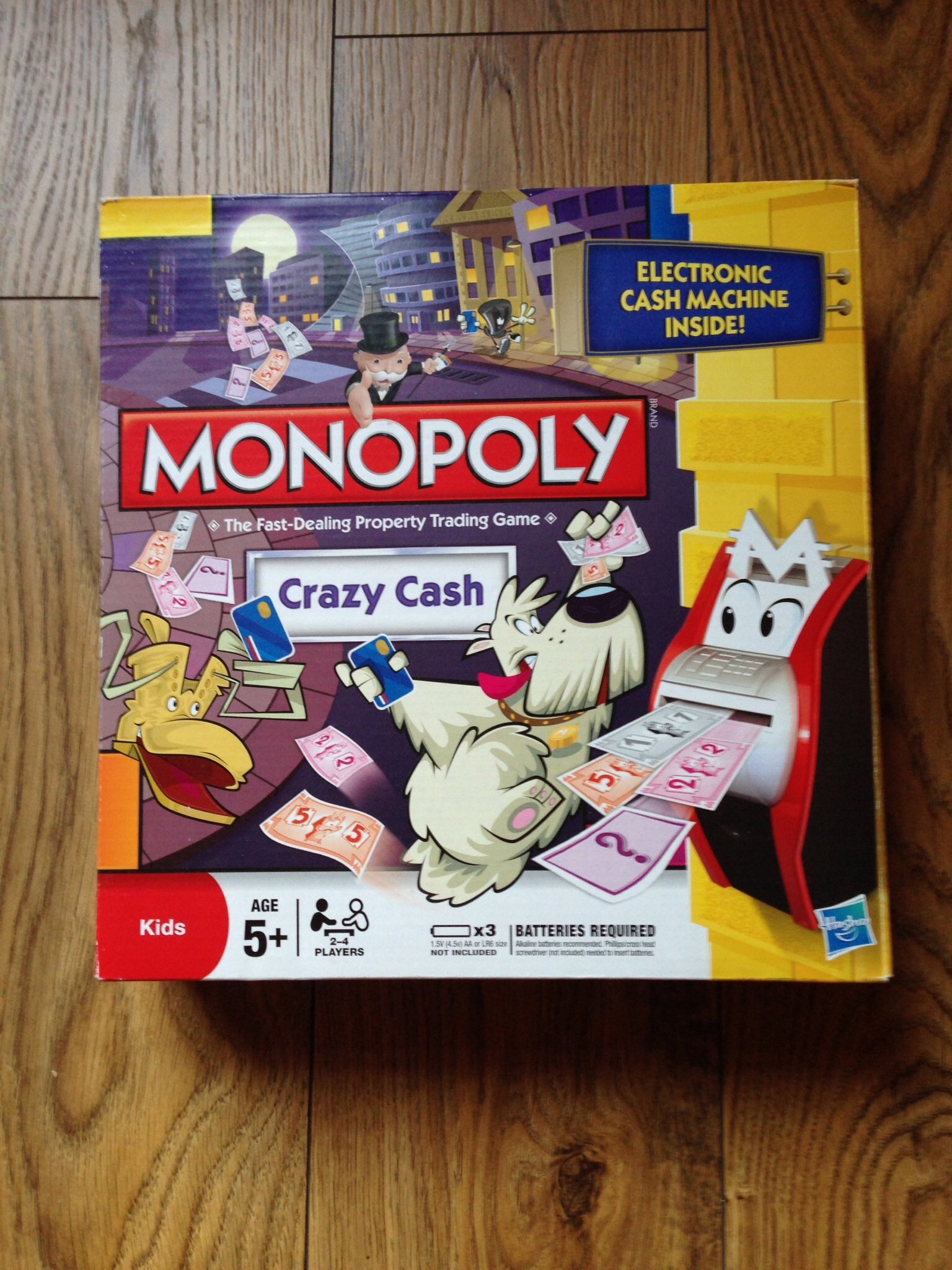
Image: All game components unboxed and ready for setup.
2. Install Batteries in Electronic Cash Machine
The Electronic Cash Machine requires 3x AA batteries (not included). To install:
- Locate the battery compartment on the underside of the Electronic Cash Machine.
- Using a Phillips head screwdriver, unscrew the battery compartment cover.
- Insert 3x AA batteries, ensuring correct polarity (+/-).
- Replace the battery compartment cover and secure with the screw.
Note: Always use new batteries and dispose of old batteries responsibly. Remove batteries if the game will not be used for an extended period.
3. Set Up the Game Board
- Unfold the game board and place it on a flat surface.
- Place the Electronic Cash Machine in the designated area on the board.
- Shuffle the Property Cards and place them face down in their designated space.
- Shuffle the Chance Cards and place them face down in their designated space.
- Place the plastic Houses/Hotels near the board, ready for players to purchase.
4. Player Setup
- Each player chooses a game token and places it on the "GO" space.
- Each player receives one Mini Credit Card.
- The Electronic Cash Machine will dispense starting money to each player. Follow the on-screen instructions or refer to the quick-start guide for initial amounts.
Operating Instructions
Game Objective
The goal of Monopoly Junior Electronic Crazy Cash is to be the player with the most money and properties when another player runs out of money and cannot pay their debts.
Playing the Game
- Starting the Game: The youngest player goes first, then play proceeds clockwise.
- Player Turn: On your turn, roll the die and move your token that many spaces clockwise around the board.
- Landing on a Space:
- Unowned Property: You must buy the property you land on. Insert your Mini Credit Card into the Electronic Cash Machine, select the property, and the machine will deduct the cost. Take the corresponding Property Card.
- Owned Property: If you land on a property owned by another player, you must pay rent. Insert your Mini Credit Card, then the owner's Mini Credit Card, and the machine will transfer the rent amount.
- Chance Space: Draw a Chance Card and follow its instructions. Some cards may require interaction with the Electronic Cash Machine.
- Go Space: When you pass or land on "GO", the Electronic Cash Machine will automatically give you money.
- Other Spaces: Follow the instructions on the space (e.g., "Go to Jail", "Free Parking").
- Building Houses/Hotels: Once you own both properties of the same color, you can build houses or hotels on them. Pay the cost using the Electronic Cash Machine.
- Running Out of Money: If you cannot pay a debt, you must sell properties back to the bank or to other players. If you still cannot pay, you are out of the game.
Winning the Game
The game ends when one player runs out of money and cannot pay their debts. The remaining player with the most money and property value wins the game.
Maintenance
Cleaning
To clean the game components, gently wipe them with a dry, soft cloth. Do not use abrasive cleaners or immerse the Electronic Cash Machine in water.
Storage
Store all game components in their original box in a cool, dry place away from direct sunlight. Ensure all cards and money are neatly organized to prevent damage or loss.
Battery Care
Remove batteries from the Electronic Cash Machine if the game will not be used for an extended period (e.g., several weeks or months) to prevent battery leakage and damage to the device.
Troubleshooting
- Electronic Cash Machine Not Turning On:
Check if batteries are correctly installed and fully charged. Replace with new AA batteries if necessary.
- Electronic Cash Machine Not Registering Cards:
Ensure Mini Credit Cards are inserted correctly and fully into the card slot. Check for any debris in the slot.
- Missing Game Pieces:
Carefully check the game box and surrounding area. If pieces are genuinely missing, contact Hasbro customer support.
- Confusion About Game Rules:
Refer back to the "Operating Instructions" section or the quick-start guide included in the box. Monopoly Junior rules are simplified for younger players.
Specifications
- Brand: Hasbro
- Model Number: 00271
- Material: Cardboard (for board and cards), Plastic (for tokens, houses, cash machine)
- Number of Players: 2-4
- Batteries Required: Yes (3x AA for Electronic Cash Machine)
- Assembly Required: No
- Educational Objective: Develop strategic thinking and problem-solving skills, basic financial literacy.
- Recommended Age: 5+ (as indicated on the box)
Warranty
This product is covered by Hasbro's standard limited warranty. For specific warranty terms and conditions, please refer to the documentation included in the original product packaging or visit the official Hasbro website. Keep your proof of purchase for warranty claims.
Support
For further assistance, missing parts, or technical support, please contact Hasbro Customer Service. Contact information can typically be found on the product packaging or on the official Hasbro website:
When contacting support, please have your product model number (00271) and purchase information ready.


