
Unitec 48110
Unitec 48110 Radio Remote Switch Set User Manual
Model: 48110
Introduction
The Unitec 48110 Radio Remote Switch Set allows you to convert standard electrical outlets into remotely controllable sockets. This set includes three indoor sockets and one remote control, enabling convenient management of various electrical appliances. Utilizing a self-learning function, the system simplifies pairing and offers control over devices from a distance of up to 25 meters. This system can contribute to energy savings by allowing easy power-off of devices in standby mode.

Image: The Unitec 48110 Radio Remote Switch Set, showing three white remote-controlled sockets and their corresponding white remote control unit.
Safety Instructions
- Ensure the product is used only indoors and in dry conditions.
- Do not exceed the maximum load capacity of 1000 watts (4.35 Amps).
- Do not connect multiple remote-controlled sockets in series.
- Keep the device away from water and high humidity.
- Do not open or attempt to repair the device yourself. Refer to qualified personnel for service.
- Always unplug the device from the power outlet before cleaning.
- This product is equipped with enhanced contact protection to prevent accidental contact with live parts, especially for children.

Image: A child reaching towards a Unitec remote socket, illustrating the enhanced safety features designed to prevent accidental contact with electrical components.
Package Contents
Your Unitec 48110 Radio Remote Switch Set includes:
- 3 x Radio Remote Controlled Sockets (Type F plug format)
- 1 x Remote Control Unit
Setup and Pairing
- Insert Remote Battery: Ensure the remote control has a working A23 battery installed. (Note: Some sets may include a pre-installed battery).
- Plug in Socket: Insert one of the remote-controlled sockets into a standard wall outlet. The LED indicator on the socket may flash briefly.
- Initiate Pairing: Within approximately 5 seconds of plugging in the socket, press and hold one of the "ON" buttons (A, B, C, or D) on the remote control.
- Confirm Pairing: The socket's LED indicator should flash rapidly and then turn off, or remain steadily lit, indicating successful pairing. This socket is now assigned to the corresponding button on your remote.
- Repeat for Other Sockets: Repeat steps 2-4 for the remaining sockets, assigning each to a different "ON" button (B, C, or D) if desired, or to the same button for simultaneous control.
- Connect Appliances: Plug your desired electrical appliances (lamps, TVs, etc.) into the remote-controlled sockets.
Note: The self-learning function allows you to re-pair sockets or assign them to different remote buttons at any time by repeating the pairing process.

Image: A detailed view of a Unitec remote socket, highlighting its features such as enhanced contact protection, up to 40m radio range (note: product description states 25m), and an LED status light.
Operating Instructions
Once your sockets are paired, operating them is straightforward:
- Turn On: Press the corresponding "ON" button (A, B, C, or D) on the remote control to activate the paired socket and the connected appliance.
- Turn Off: Press the corresponding "OFF" button (A, B, C, or D) on the remote control to deactivate the paired socket and turn off the connected appliance.
- Range: The remote control operates effectively up to a distance of 25 meters in open areas. Obstacles like walls and furniture may reduce this range.

Image: A Unitec remote socket plugged into a wall, with icons representing common appliances like lamps, televisions, audio systems, and fans, demonstrating its versatile application.
Maintenance
- Cleaning: Disconnect the socket from the power supply before cleaning. Wipe the surfaces with a dry, soft cloth. Do not use liquid cleaners or abrasive materials.
- Battery Replacement (Remote Control): If the remote control's range decreases or it becomes unresponsive, the A23 battery may need replacement. Open the battery compartment on the back of the remote, replace the old battery with a new A23 12V battery, observing polarity, and close the compartment.
- Storage: Store the devices in a cool, dry place when not in use for extended periods.
Troubleshooting
| Problem | Possible Cause | Solution |
|---|---|---|
| Socket does not respond to remote. |
|
|
| Connected appliance does not turn on/off. |
|
|
| Remote control buttons operate wrong sockets or multiple sockets simultaneously. |
|
|
Specifications
| Model Number | 48110 |
| Brand | Unitec |
| Voltage | 230 Volts |
| Max. Wattage | 1000 Watts |
| Max. Amperage | 4.35 Amps |
| Material | Plastic |
| Radio Frequency | Standard (not specified, typical for remote switches) |
| Operating Range | Up to 25 meters (in open areas) |
| Plug Format | Type F (Schuko) |
| Switch Type | 1-way, Button |
| Remote Battery Type | A23 12V (typically included or required for remote) |
| Package Dimensions | 15.8 x 12.1 x 5.9 cm |
| Item Weight | 0.37 Kilograms |
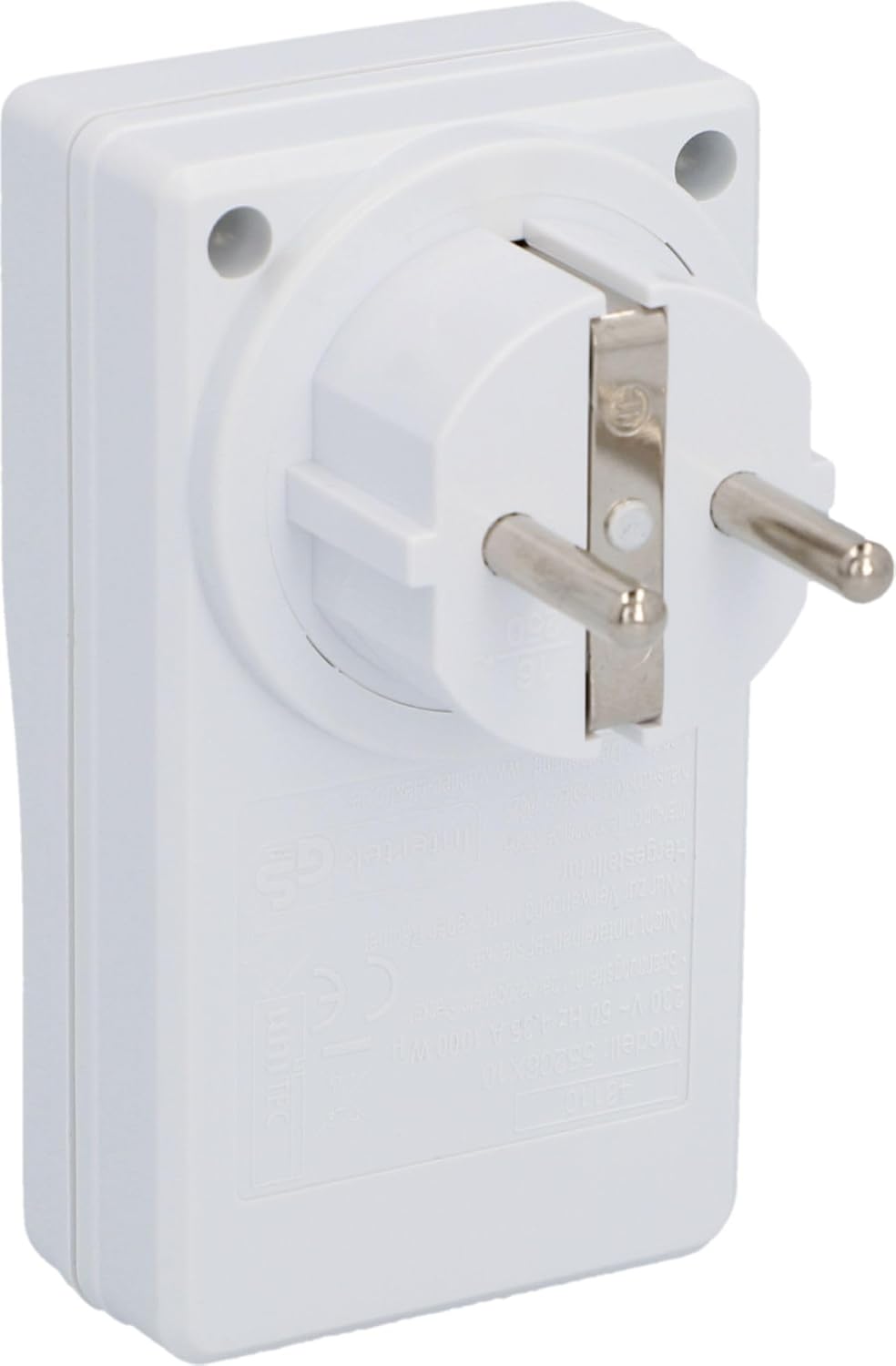
Image: The rear view of a Unitec remote socket, displaying its Type F plug and printed technical specifications.
Warranty and Support
Specific warranty information for the Unitec 48110 Radio Remote Switch Set is not provided in this manual. Please refer to the manufacturer's official website or contact your retailer for detailed warranty terms and conditions.
For technical support or further assistance, please visit the official Unitec website or contact their customer service department. Contact details can typically be found on the product packaging or the manufacturer's website.
Ask a question about this manual
Ask about setup, troubleshooting, compatibility, parts, safety, or missing instructions. Manuals+ will review the question and use this page’s manual context to help answer it.