
BOSS VE-20
BOSS VE-20 Vocal Effects Processor Instruction Manual
Model: VE-20
Introduction
The BOSS VE-20 Vocal Effects Processor is designed specifically for vocalists, offering a wide range of high-quality vocal effects in a durable, easy-to-use floor unit. This manual provides essential information for setting up, operating, maintaining, and troubleshooting your VE-20 to ensure optimal performance.
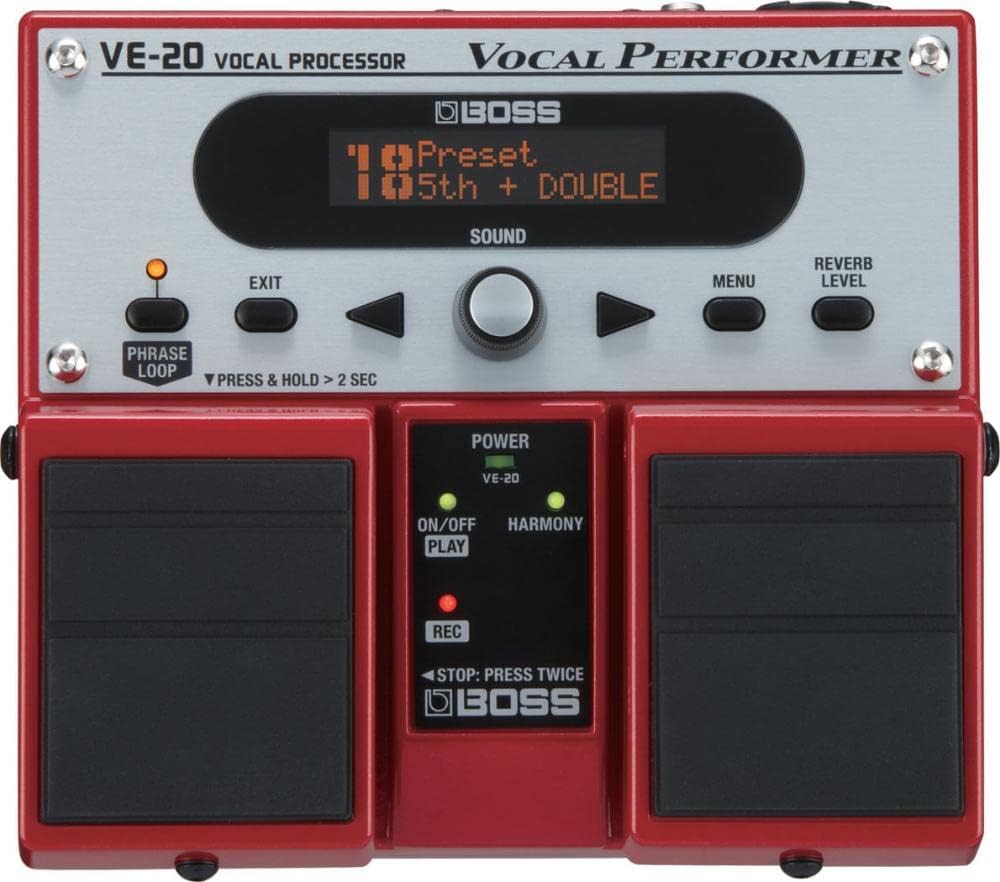
Figure 1: Front view of the BOSS VE-20 Vocal Effects Processor, showcasing its compact design and footswitches.
Setup
Proper setup ensures the best performance from your VE-20. Follow these steps to connect your device.
What's in the Box:
- BOSS VE-20 Vocal Effects Processor
- AC adapter
- 6 AA batteries (included for immediate use)
- Instruction Manual (this document)
Powering the VE-20:
The VE-20 can be powered by either an AC adapter or AA batteries, offering flexibility for various performance environments.
- AC Power: Connect the included AC adapter to the DC IN jack on the rear panel of the VE-20 and plug it into a standard power outlet.
- Battery Power: Open the battery compartment on the underside of the unit. Insert 6 AA batteries, ensuring correct polarity.
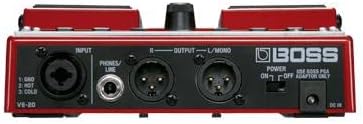
Figure 2: Underside of the VE-20, illustrating the battery compartment for portable operation.
Connecting Your Microphone and Output Devices:
The VE-20 features XLR and 1/4-inch TRS phone connectors for versatile connectivity.
- Microphone Input: Connect your microphone to the INPUT XLR jack. The VE-20 provides phantom power for condenser microphones.
- Output to Mixer/PA: Connect the OUTPUT L/MONO and R XLR jacks to your mixer or PA system. Use the L/MONO output for mono setups.
- Headphones/Line Output: For monitoring or connecting to other line-level devices, use the PHONES/LINE 1/4 inch TRS phone jack.

Figure 3: Rear panel of the VE-20, highlighting the XLR input/output and 1/4-inch phone jacks for various connections.
Operating the VE-20
The VE-20 is designed for intuitive operation, allowing vocalists to easily access and manipulate effects.
Basic Controls:
- Display Screen: Shows current preset, effect parameters, and menu options.
- Sound Knob: Used to select presets and navigate menus.
- Menu Button: Accesses the main menu for deeper settings.
- Exit Button: Returns to the previous screen or main display.
- Reverb Level Knob: Adjusts the overall reverb amount.
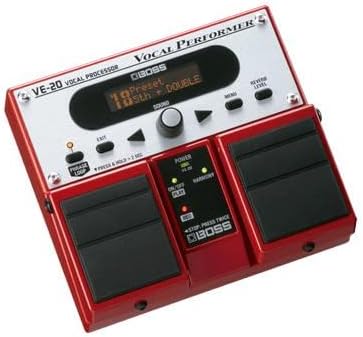
Figure 4: Detailed view of the VE-20's display screen and control knobs for effect selection and parameter adjustment.
Footswitch Functions:
The three footswitches provide hands-free control during performance.
- Left Footswitch (PHRASE LOOP): Activates and controls the Phrase Looper. Press and hold for more than 2 seconds to access advanced looper functions.
- Middle Footswitch (ON/OFF PLAY): Toggles effects on/off and controls playback for the looper.
- Right Footswitch (HARMONY REC): Activates harmony effects and initiates recording for the Phrase Looper.
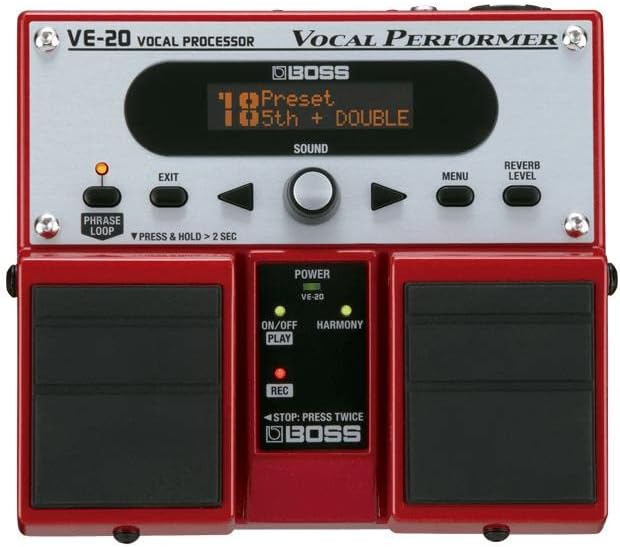
Figure 5: Close-up of the VE-20's robust footswitches, essential for live performance control.
Key Features and Effects:
The VE-20 offers a comprehensive suite of vocal effects to enhance your performance.
- Harmony & Double-Track: Create lush vocal layers and harmonies (up to 3-part).
- Realtime Pitch-Correction: Tools for subtle or dramatic pitch adjustments.
- Dynamics: Compression and gating to control vocal levels.
- Reverb & Delay: Essential spatial effects for vocal presence.
- Special FX: Includes Distortion, Radio, and Strobe for creative vocal textures.
- Phrase Looper: Onboard looper with 38 seconds (mono) of recording time for real-time layering.
Video 1: Official product video demonstrating the various vocal effects and features of the BOSS VE-20 Vocal Performer, including harmonies, pitch correction, and the phrase looper.
Maintenance
Regular maintenance helps prolong the life of your VE-20 and ensures consistent performance.
- Cleaning: Use a soft, dry cloth to wipe down the unit. Avoid abrasive cleaners or solvents.
- Battery Replacement: If using batteries, replace all 6 AA batteries when the low battery indicator appears or when performance degrades. Always use alkaline batteries for best results.
- Storage: Store the unit in a cool, dry place away from direct sunlight and extreme temperatures.
- Firmware Updates: Check the official BOSS website periodically for any available firmware updates to ensure your unit has the latest features and bug fixes.
Troubleshooting
If you encounter issues with your VE-20, refer to the following common problems and solutions.
| Problem | Possible Cause | Solution |
|---|---|---|
| No sound output. | Incorrect connections, low battery, unit off. | Check all cable connections. Replace batteries or use AC adapter. Ensure power switch is ON. |
| Distorted or noisy sound. | Input level too high, faulty cable, incorrect effect settings. | Adjust microphone input level. Try a different cable. Reset effect settings or select a different preset. |
| Looper not recording/playing back. | Incorrect looper mode, memory full. | Refer to the looper section in the detailed manual for correct operation. Clear existing loops if memory is full. |
| Phantom power not working. | Phantom power switch off, unit not powered by AC. | Ensure phantom power is enabled in settings. Phantom power requires AC adapter, not battery power. |
If the problem persists, please contact BOSS customer support.
Specifications
- Model: VE-20
- Dimensions (L x W x H): 9.15 x 7.75 x 3.9 inches (approx. 232 x 197 x 99 mm)
- Weight: 2.64 pounds (approx. 1.2 kg)
- Body Material: Plastic, Metal
- Color: RED
- Power Source: AC adapter (PSA series, sold separately) or 6 AA batteries (included)
- Battery Type: Alkaline
- Voltage: 20 Volts (AC adapter)
- Connector Type: XLR (Input/Output), 1/4 inch TRS phone (Phones/Line), DC IN
- Signal Format: Analog
- Phrase Looper Recording Time: 38 seconds (mono)
- Effects Included: Harmony, Double-Track, Dynamics, Reverb, Delay, Distortion, Radio, Strobe, Pitch-Correction.
Warranty and Support
For warranty information and technical support, please refer to the official BOSS website or contact your local BOSS distributor. Keep your purchase receipt as proof of purchase for warranty claims.
Legal Disclaimer: Sale is final.
Related Documents - VE-20
 |
BOSS VE-500 Editor Owner's Manual User manual for the BOSS VE-500 Editor software, detailing installation, connection, parameter editing, and patch management for the VE-500 Vocal Performer. |
 |
BOSS VE-500 Vocal Performer Owner's Manual Comprehensive owner's manual for the BOSS VE-500 Vocal Performer, detailing its features, connections, operation, patch editing, system settings, and synchronization capabilities for vocalists and guitarists. |
 |
BOSS VE-22 Vocal Performer Reference Manual Explore the BOSS VE-22 Vocal Performer with this comprehensive reference manual. Learn about its features, vocal effects, performance tools, connectivity, and specifications for vocalists and musicians. |
 |
BOSS VE-1 Vocal Echo: Owner's Manual and Features Comprehensive guide to the BOSS VE-1 Vocal Echo, detailing its features, operation, connections, specifications, and safe usage. Learn how to enhance your vocals with effects like echo, double-tracking, and pitch correction. |
 |
BOSS VE-500 Vocal Performer Owner's Manual This manual provides comprehensive instructions for operating the BOSS VE-500 Vocal Performer, detailing its features, connections, operation, and system settings. |
 |
BOSS CL-50 Compressor Limiter Owner's Manual Comprehensive guide to the BOSS CL-50 Compressor Limiter, covering its features, operation, connections, panel descriptions, setup examples, and technical specifications for musicians and audio engineers. |
Ask a question about this manual
Ask about setup, troubleshooting, compatibility, parts, safety, or missing instructions. Manuals+ will review the question and use this page’s manual context to help answer it.