
Fellowes 3213501
Fellowes Powershred P-35C Shredder User Manual
Model: 3213501
Product Overview
The Fellowes Powershred P-35C is a compact and efficient cross-cut shredder designed for personal and light-duty office use. It offers enhanced security for your sensitive documents and media.
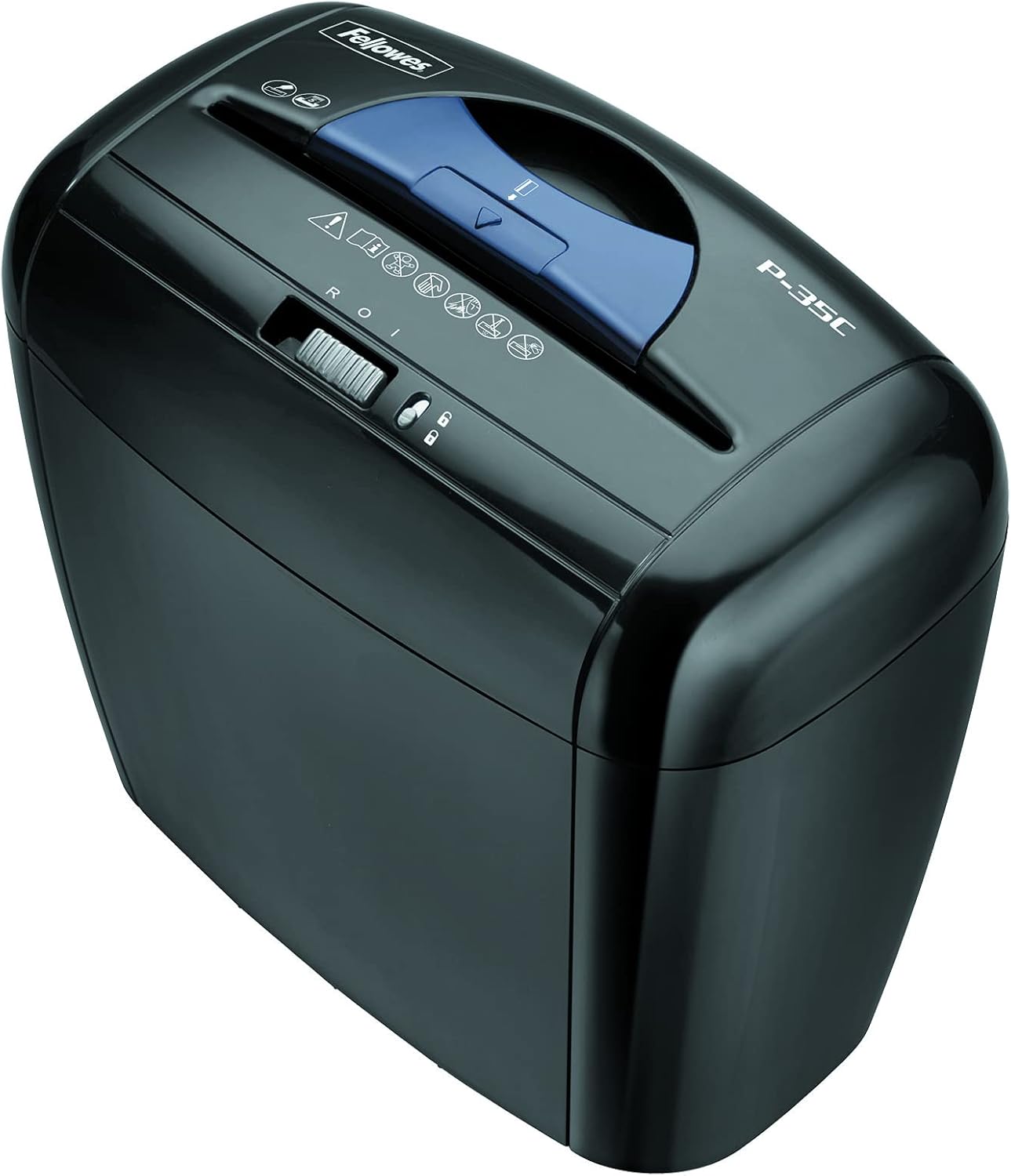
Image: Top-down view of the Fellowes Powershred P-35C shredder, showcasing its compact design and control panel.
Key Features:
- Shreds up to 5 sheets of paper per pass into 5/32” x 1-1/2” (Security Level P-4) cross-cut particles.
- Capable of shredding staples, credit cards, and paper clips.
- Features a patented SafetyLock to disable the shredder and prevent accidental activation.
- Designed for reliable, light-duty shredding, ideal for deskside placement.
- Equipped with a 3-gallon bin and an easy lift-off head for convenient waste emptying.
- Runs for up to 2 minutes before a cool-down period is required.
Setup
- Unpacking: Carefully remove the shredder from its packaging. Ensure all components are present, including the shredder head and the waste bin.
- Placement: Position the shredder on a flat, stable surface near a power outlet. Its compact design allows it to fit easily under most desks.
- Assembly: Place the shredder head securely onto the 3-gallon waste bin. Ensure it is properly seated to allow for correct operation.
- Power Connection: Plug the power cord into a standard electrical outlet.
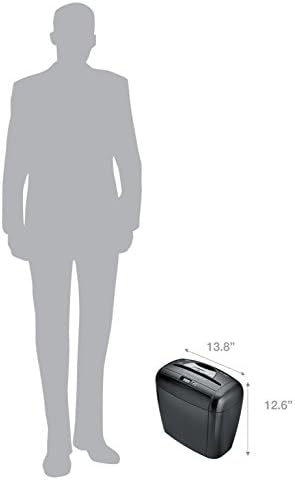
Image: Diagram illustrating the compact dimensions of the shredder (13.8" x 12.6") in comparison to an average person, highlighting its suitability for deskside use.
Operating Instructions
Powering On/Off and SafetyLock:
- Locate the control switch on the top of the shredder.
- To activate, slide the switch to the "On" position. The shredder is now ready for use.
- To engage the SafetyLock feature, slide the switch to the "Lock" position. This disables the shredder and prevents accidental activation, enhancing safety, especially in homes with children or pets.
- To turn off the shredder, slide the switch to the "Off" position.

Image: Close-up view of the shredder's control panel, showing the SafetyLock switch in its locked position, indicated by a padlock icon.
Shredding Paper:
- Ensure the shredder is powered on and the SafetyLock is disengaged.
- Insert up to 5 sheets of paper (standard 20 lb bond paper) into the paper entry slot. The shredder will automatically start and shred the paper.
- For optimal performance and to prevent jams, do not exceed the maximum sheet capacity.
- The shredder has a continuous run time of up to 2 minutes. After this period, it will require a cool-down period to prevent overheating.

Image: A hand inserting a single sheet of paper into the shredder's feed slot, demonstrating the ease of use.

Image: A hand inserting a small stack of papers into the shredder, illustrating its multi-sheet capacity.
Shredding Credit Cards:
- The P-35C can shred one credit card at a time.
- Insert the credit card into the center of the paper entry slot. The shredder will process the card into secure cross-cut particles.
Maintenance
Emptying the Waste Bin:
- When the waste bin is full, the shredder will stop operating.
- To empty, ensure the shredder is turned off and unplugged.
- Lift the shredder head off the waste bin using the built-in handle.
- Dispose of the shredded material.
- Replace the shredder head securely onto the bin.
General Care:
- Keep the shredder clean by wiping the exterior with a soft, dry cloth.
- Do not use abrasive cleaners or solvents.
- Regularly check the paper entry slot for any debris or paper dust and clear it carefully when the shredder is unplugged.
Troubleshooting
| Problem | Possible Cause | Solution |
|---|---|---|
| Shredder does not turn on. | Not plugged in, SafetyLock engaged, or shredder head not properly seated. | Ensure power cord is securely plugged in. Disengage SafetyLock. Re-seat the shredder head firmly on the bin. |
| Shredder stops during operation. | Overheating, paper jam, or waste bin is full. | Allow the shredder to cool down for at least 10-15 minutes. Clear any paper jams (see below). Empty the waste bin. |
| Paper jam. | Too many sheets inserted, or paper not inserted straight. | Turn off and unplug the shredder. Carefully remove excess paper from the entry slot. If possible, use the reverse function (if available on your model, though not explicitly listed for P-35C, it's a common feature) to clear the jam. If not, gently pull the paper out. |
Specifications
- Brand: Fellowes
- Model: P-35C (3213501)
- Cut Type: Cross-Cut
- Sheet Capacity: 5 sheets (20 lb bond paper)
- Shred Size: 5/32” x 1-1/2”
- Security Level: P-4
- Shreds: Paper, staples, paper clips, credit cards
- Bin Capacity: 3 Gallons
- Run Time: Up to 2 minutes continuous operation
- Cool-down Period: Approximately 10-15 minutes after continuous use
- Product Dimensions: 8 x 13 x 14 inches
- Item Weight: 7.95 pounds
- Special Features: SafetyLock, Automatic Start-Stop
Product Videos
Product Demonstration Video
This video provides a brief demonstration of the Fellowes Powershred P-35C shredder, highlighting its compact size, ease of emptying the waste bin, and the SafetyLock feature. It shows the shredder in action, processing paper.
Fellowes - The World's Toughest Shredders
This video showcases the durability and performance of Fellowes shredders, emphasizing their robust construction and ability to handle various shredding tasks, including paper and CDs. It highlights innovative features designed for consumer needs.
Warranty and Support
For detailed warranty information, please refer to the official product documentation included with your shredder or visit the Fellowes official website. If you require technical assistance or have questions regarding your Fellowes Powershred P-35C shredder, please contact Fellowes customer support.
You can also find additional support and resources on the Fellowes Brand Store on Amazon.
Related documents3213501


Ask a question about this manual
Ask about setup, troubleshooting, compatibility, parts, safety, or missing instructions. Manuals+ will review the question and use this page’s manual context to help answer it.