
1. Introduction
This manual provides instructions for the proper use and maintenance of the Fowler 54-440-775-1 Digi-Level Pro Digital Protractor. This electronic protractor is designed for fast and accurate angular measurements, featuring embedded magnets on its 12-inch blades for versatile applications. It is suitable for fabricators and machinists requiring precise angle determination.
2. Product Overview
The Fowler Digi-Level Pro Digital Protractor is a precision instrument equipped with a digital display for clear angle readings. Its robust design includes two 12-inch blades and embedded magnets for secure positioning during measurements. Key features include:
- Digital Display: Provides clear and precise angle readings.
- 12-inch Blades: Two blades for measuring various angles.
- Embedded Magnets: Located on both blades for secure attachment to ferrous surfaces.
- 360° Range: Capable of measuring angles across a full circle.
- Accuracy: ± 0.2° for reliable measurements.
- Resolution: 0.1° for fine adjustments.
- Repeatability: ± 0.05° ensures consistent results.
- Functions: On/Off, Zero Set, Hold, and Reverse Display.
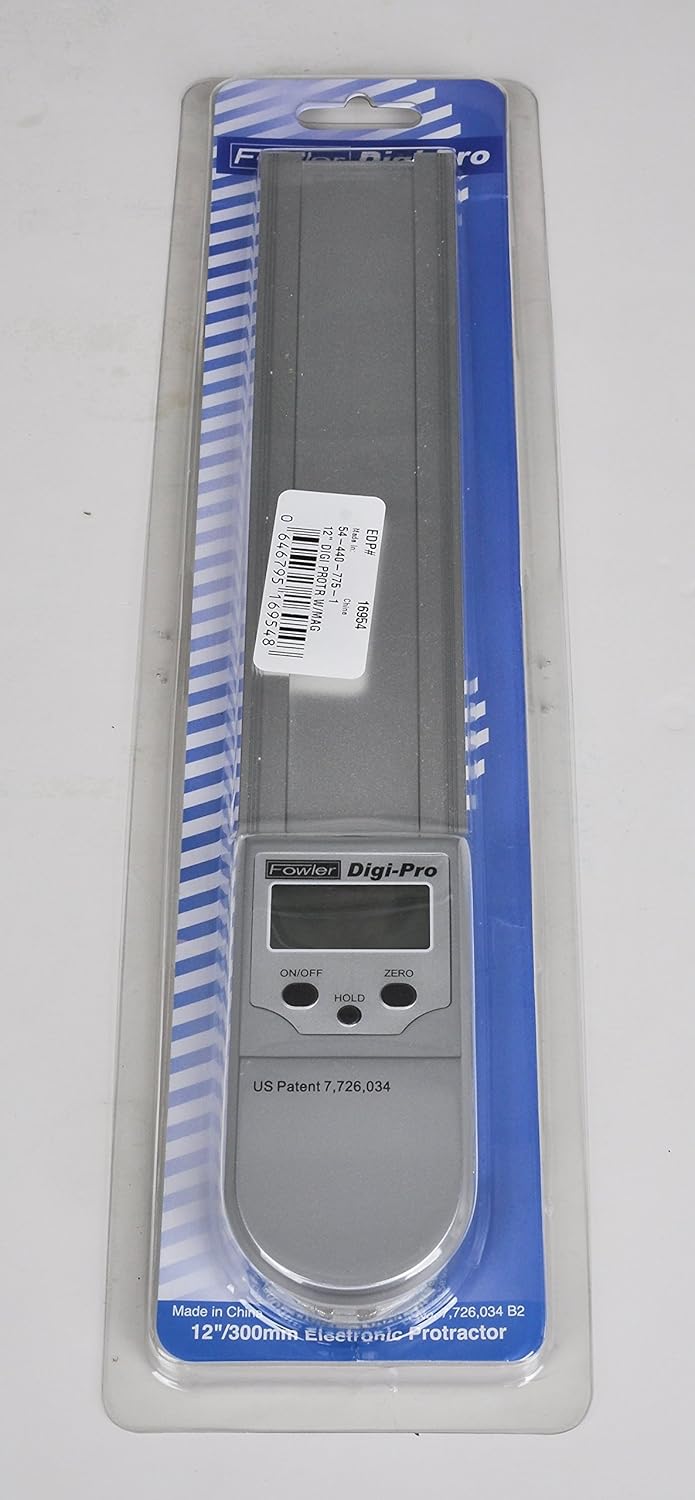
Figure 2.1: The Fowler Digi-Level Pro Digital Protractor in its original packaging, showing the device and spare batteries.
3. Setup
Before first use, ensure the batteries are correctly installed and the device is ready for operation.
- Battery Installation: The protractor requires two 3V lithium batteries. Locate the battery compartment, typically on the back or side of the main unit. Insert the batteries according to the polarity indicators.
- Initial Power On: Press the ON/OFF button to power on the device. The digital display should illuminate.
- Zero Setting: Close the blades completely so they are parallel. Press the ZERO button to set the display to 0.0°. This establishes the reference point for subsequent measurements.
4. Operating Instructions
Follow these steps for accurate angle measurement using your digital protractor.
- Power On: Press the ON/OFF button to turn on the protractor.
- Zero Reference: Ensure the blades are closed and press ZERO to establish a 0.0° reference. For relative measurements, you can set zero at any desired angle.
- Measure Angle: Open the blades to match the angle you wish to measure. The angle will be displayed digitally. The embedded magnets can assist in holding the blades in position on magnetic surfaces.
- Hold Function: To freeze the current reading on the display, press the HOLD button. Press it again to release the hold.
- Reverse Display: If the protractor is inverted or held in an awkward position, the display can be reversed for easier reading. Consult the device for a dedicated reverse display button or function.
- Blade Lock: Use the blade lock mechanism (if present, typically a screw or lever) to secure the blades at a specific angle for transfer or marking.

Figure 4.1: A hand demonstrating the use of the protractor to measure an angle, showing a reading of 57.8 degrees on the digital display.

Figure 4.2: A close-up view of the protractor's digital display, showing an angle measurement of 27.0 degrees.
Video 4.1: An official product video demonstrating the features and basic operation of the Fowler Digi-Level Pro Digital Protractor, including its on/off, hold, zero functions, and the use of its 12-inch blades and embedded magnets.
5. Maintenance
Proper care and maintenance will ensure the longevity and accuracy of your digital protractor.
- Cleaning: Wipe the protractor with a soft, dry cloth after each use. Avoid using abrasive cleaners or solvents that could damage the display or finish.
- Storage: Store the protractor in its protective case in a dry, dust-free environment when not in use.
- Battery Replacement: Replace batteries promptly when the display indicates low power or becomes dim. Ensure correct battery type (3V lithium) and polarity.
- Calibration: While the device is factory calibrated, periodic checks against known angles are recommended for critical applications.
6. Troubleshooting
Refer to the following common issues and their solutions:
| Problem | Possible Cause | Solution |
|---|---|---|
| Display does not turn on. | Dead or incorrectly installed batteries. | Replace batteries with new 3V lithium cells, ensuring correct polarity. |
| Inaccurate readings. | Incorrect zero setting; debris in hinge; damaged blades. | Perform a zero-set calibration. Clean the hinge area. Inspect blades for damage. |
| Display freezes or malfunctions. | Electronic glitch; low battery. | Turn the device off and on again. Replace batteries. |
7. Specifications
| Feature | Detail |
|---|---|
| Model Number | 54-440-775-1 |
| Blade Length | 12 inches |
| Angle Range | 0-360° |
| Accuracy | ± 0.2° |
| Resolution | 0.1° |
| Repeatability | ± 0.05° |
| Power Source | 2 x 3V Lithium Metal batteries |
| Item Weight | 15.8 ounces |
| Product Dimensions | 14 x 3 x 1 inches |
8. Warranty and Support
The Fowler 54-440-775-1 Digi-Level Pro Digital Protractor is backed by a full one-year warranty. For warranty claims, technical support, or service inquiries, please contact Fowler High Precision directly or visit their official website.
For more information and support, visit the Fowler Store on Amazon.