
1. Introduction
This manual provides essential information for the safe and effective use of your HQRP replacement Li-Ion batteries. These batteries are designed to be compatible with various Olympus Stylus digital camera models, including 850 SW, 1040, 1050 SW, 1060, 1200, and 7000. Each battery features a voltage of 3.7V and a capacity of 750 mAh, offering reliable power for your camera.

Image 1.1: HQRP Li-Ion batteries and packaging. The package indicates 'High quality replacement parts' and 'USA Seller'.
HQRP batteries are engineered with high-quality cells, supporting over 1000 charge-discharge cycles. They are designed for safe, reliable, and long-lasting performance, ensuring consistent power delivery to your device.

Image 1.2: Infographic highlighting key features of HQRP batteries, including high-quality cells, over 1000 charge cycles, safety, reliability, and stable performance.
2. Setup
2.1 Initial Charging
Before first use, fully charge the batteries. Insert the HQRP battery into a compatible charger designed for Olympus Li-Ion batteries. The charging indicator on your charger will typically show when the battery is fully charged. It is recommended to charge the battery for at least 4-6 hours initially to ensure optimal performance.
2.2 Inserting the Battery into Your Camera
- Ensure your camera is turned off.
- Locate the battery compartment on your Olympus digital camera. This is usually on the bottom or side of the camera.
- Open the battery compartment cover.
- Insert the HQRP battery into the compartment, ensuring the contacts align correctly with the camera's terminals. The battery should click into place or be held securely by a latch.
- Close the battery compartment cover firmly.
3. Operating Instructions
3.1 Charging the Battery
To charge the HQRP battery, use a charger compatible with Olympus Li-Ion batteries. The batteries have no memory effect, meaning they can be recharged at any time without reducing their overall capacity or lifespan. Always ensure the charger is suitable for 3.7V Li-Ion batteries.
3.2 Battery Life
Battery life varies depending on camera usage, settings, and environmental conditions. To maximize battery life during use, consider reducing screen brightness, limiting flash usage, and turning off the camera when not actively taking photos or videos.
4. Maintenance and Safety
4.1 General Care
- Keep battery contacts clean. Use a dry, soft cloth to wipe them if necessary.
- Store batteries in a cool, dry place away from direct sunlight and extreme temperatures.
- If storing for extended periods, charge the batteries to approximately 50% capacity.
4.2 Safety Warnings
Failure to follow these safety instructions may result in fire, electric shock, injury, or damage to the product or property.

Image 4.1: Back of the HQRP Li-Ion battery showing printed safety warnings.
- Do not attempt to open, disassemble the battery pack.
- Do not crush, puncture, short external contacts or dispose of in fire or water.
- Do not expose to temperature above 60°C (140°F).
- Replace only with the battery pack designed for this product.
- Dispose of used batteries according to local regulations. Do not dispose of with household waste.
5. Troubleshooting
5.1 Battery Not Charging
- Ensure the battery is correctly inserted into the charger.
- Verify the charger is properly connected to a power source.
- Check if the charger's indicator light is functioning.
- Clean the battery contacts and charger terminals with a dry, soft cloth.
5.2 Camera Not Powering On
- Confirm the battery is fully charged.
- Ensure the battery is correctly inserted into the camera's battery compartment.
- Check for any visible damage to the battery or camera contacts.
- Try using the second battery provided to rule out a faulty battery.
5.3 Short Battery Life
- Ensure the battery has been fully charged before use.
- Review camera settings that consume more power (e.g., high screen brightness, frequent flash use, continuous shooting).
- Battery performance can be affected by cold temperatures.
- If the battery consistently provides significantly shorter life, it may be nearing the end of its lifespan.
6. Specifications
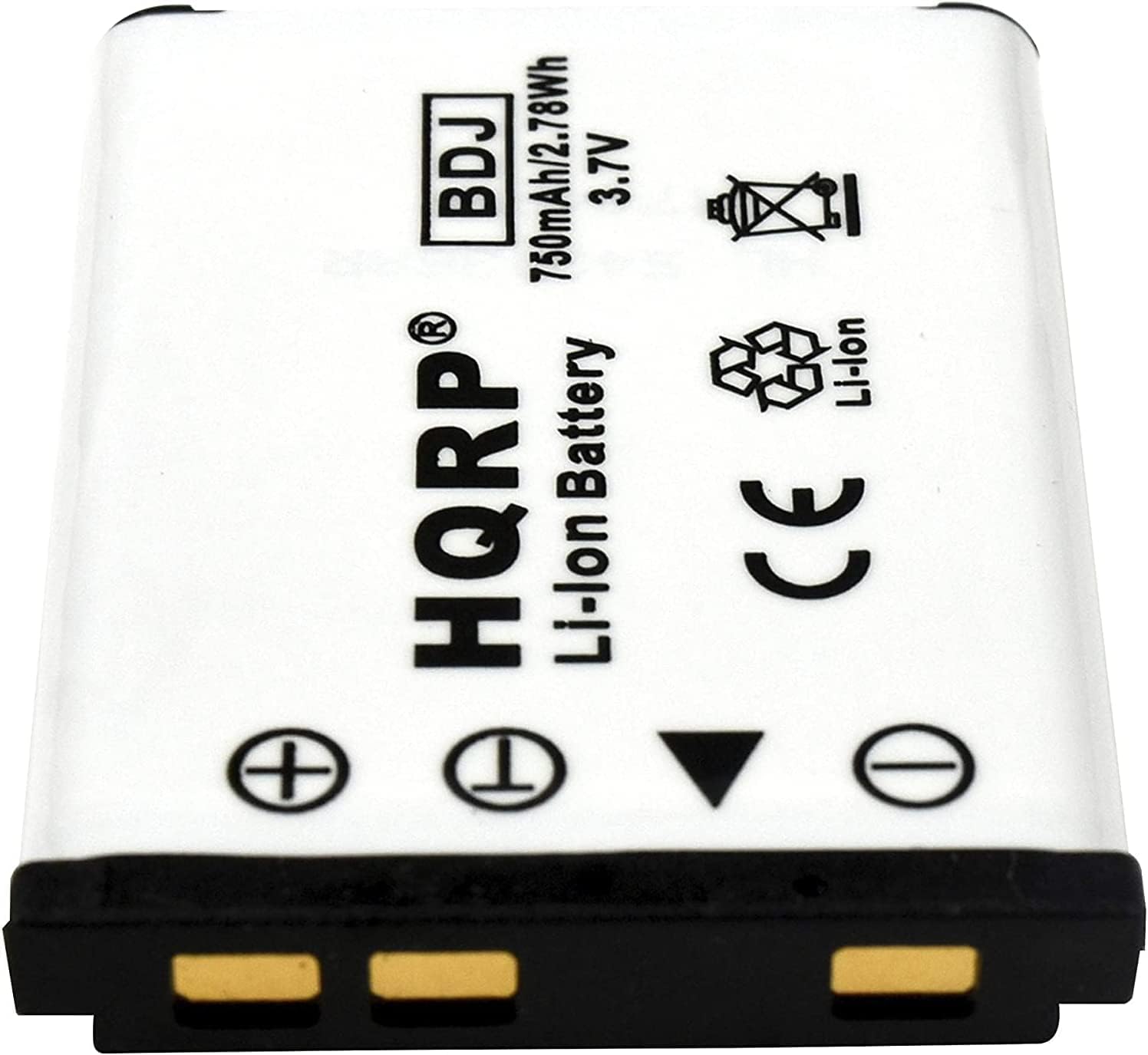
Image 6.1: Front view of the HQRP Li-Ion battery, displaying its brand, model, voltage, and capacity.
| Brand | HQRP |
| Battery Cell Composition | Lithium Ion (Li-Ion) |
| Voltage | 3.7 Volts |
| Capacity | 750 mAh (2.78 Wh) |
| Reusability | Rechargeable |
| Unit Count | 2.0 Count |
| Compatible Camera Models | Olympus Stylus 850 SW, 1040, 1050 SW, 1060, 1200, 7000 |
7. Warranty and Support
7.1 Warranty Information
HQRP provides a 1-Year Warranty for these replacement batteries. Please retain your proof of purchase for warranty claims.
7.2 Customer Support
For any questions, technical assistance, or warranty inquiries, please contact HQRP customer support through the retailer where the product was purchased. Provide your product details and purchase information for efficient service.