Introduction
This manual provides comprehensive instructions for the installation, operation, and maintenance of your NAGAOKA MP-110 Record Cartridge. Please read this manual thoroughly before use to ensure optimal performance and longevity of your cartridge.
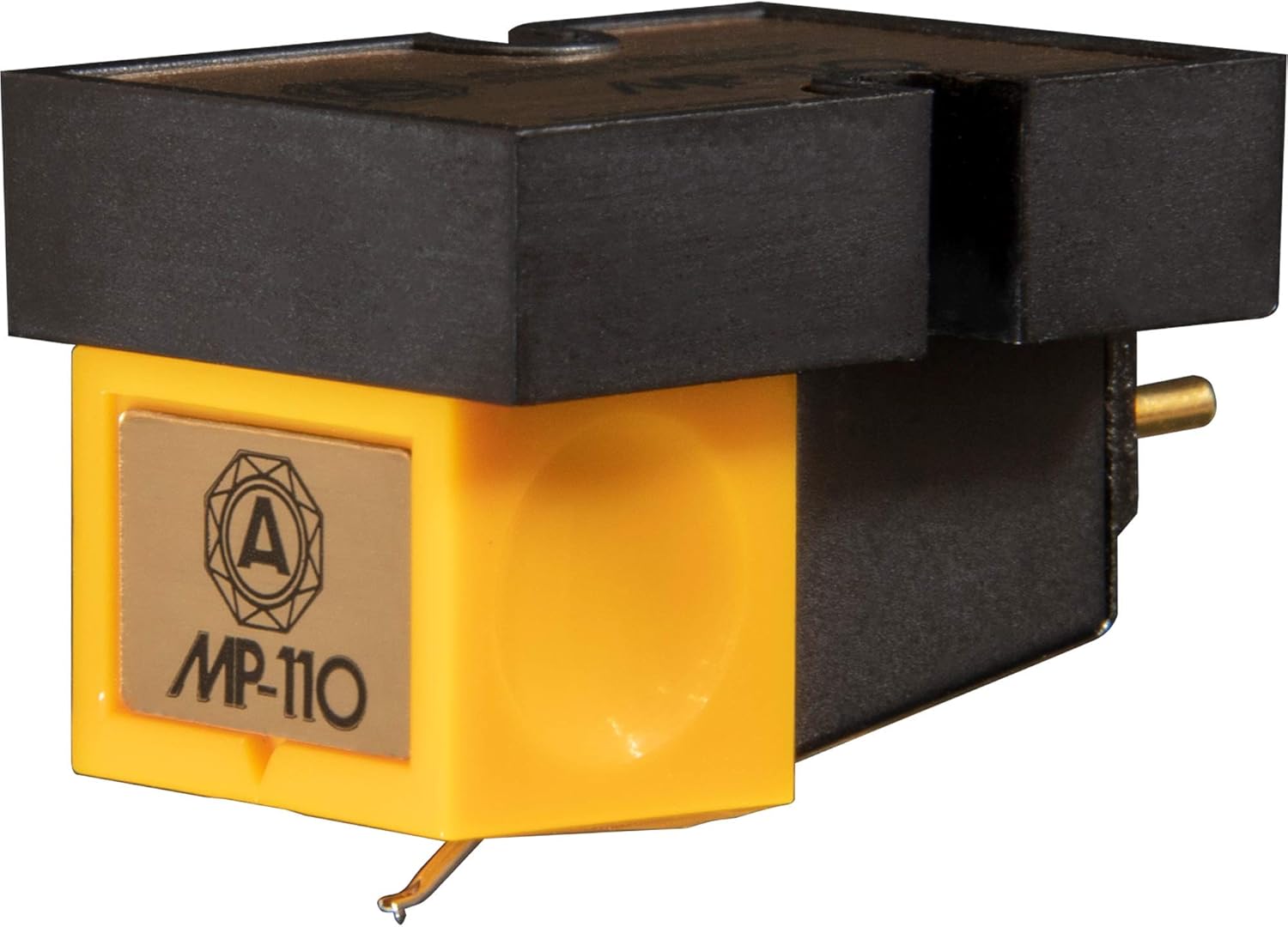
Image: Front view of the NAGAOKA MP-110 Record Cartridge, showcasing its yellow body and black housing.
Product Features
- Produces crystal clear clarity over every sound frequency.
- Offers fluidity across the frequency spectrum for a balanced audio experience.
- Constructed with up-to-date modern materials for enhanced durability and performance.
- Delivers a full dynamic range, capturing the nuances of your vinyl records.
Setup and Installation
Proper installation is crucial for the performance of your MP-110 cartridge. Follow these steps carefully.
1. Unpacking
Carefully remove the cartridge from its packaging. Retain all packaging materials for future storage or transport.
2. Mounting the Cartridge
- Ensure your turntable is powered off and unplugged.
- Attach the cartridge to your tonearm's headshell using the provided screws and nuts. Ensure the cartridge is securely fastened but do not overtighten.
- Connect the four color-coded wires from the tonearm to the corresponding pins on the cartridge.
- Red: Right Channel Hot (R+)
- Green: Right Channel Ground (RG)
- White: Left Channel Hot (L+)
- Blue: Left Channel Ground (LG)

Image: Side view of the NAGAOKA MP-110 Record Cartridge, showing the connection pins and stylus assembly.
3. Alignment and Tracking Force
Accurate alignment and tracking force are critical for sound quality and record preservation.
- Use a cartridge alignment protractor to ensure the stylus is correctly aligned with the record grooves.
- Set the tracking force using your tonearm's counterweight. The recommended tracking force for the MP-110 is typically between 1.5g and 2.0g. Refer to your turntable's manual for specific instructions on setting tracking force.
- Adjust the anti-skate setting on your tonearm to match the tracking force.

Image: Technical diagram showing the dimensions of the NAGAOKA MP-110 cartridge in millimeters, crucial for precise mounting and alignment.
Operating Instructions
Once installed and aligned, your NAGAOKA MP-110 cartridge is ready for use.
- Place a clean vinyl record on the turntable platter.
- Gently lower the tonearm onto the record's lead-in groove using the cueing lever. Avoid dropping the tonearm directly onto the record.
- After playback, raise the tonearm using the cueing lever and return it to its rest.
Note: Always handle the stylus with extreme care. Avoid touching the stylus tip with your fingers.
Maintenance
Regular maintenance will prolong the life of your cartridge and ensure consistent sound quality.
Stylus Cleaning
Clean the stylus regularly to remove dust and debris that can accumulate during playback.
- Use a soft stylus brush, brushing gently from back to front (from the base of the cantilever towards the stylus tip).
- For stubborn dirt, a specialized stylus cleaning fluid can be used sparingly with the brush.
Cartridge Body Cleaning
Wipe the cartridge body with a soft, dry, lint-free cloth. Do not use harsh chemicals or solvents.
Stylus Replacement
The stylus is a consumable part and will wear out over time. Replace the stylus when you notice a degradation in sound quality or after approximately 300-500 hours of playback, depending on record condition and cleaning habits. Replacement styli for the MP-110 are available from authorized NAGAOKA dealers.
Troubleshooting
| Problem | Possible Cause | Solution |
|---|---|---|
| Distorted Sound / Poor Tracking | Incorrect tracking force, misaligned cartridge, dirty stylus, worn stylus. | Verify tracking force and alignment. Clean stylus. If problem persists, consider stylus replacement. |
| No Sound or Weak Sound from One Channel | Loose or incorrect wiring, damaged cartridge pin, faulty phono input. | Check cartridge wiring connections. Ensure cables are securely connected to the phono preamp/receiver. Test with another cartridge if possible. |
| Humming or Buzzing Noise | Grounding issue, proximity to electrical interference, faulty cables. | Ensure turntable is properly grounded to the phono preamp. Move turntable away from power supplies or other electronics. Check and replace audio cables if necessary. |
Specifications
| Feature | Detail |
|---|---|
| Model Number | MP-110 |
| Cartridge Type | Moving Permalloy (MP) |
| Stylus Type | Elliptical |
| Item Weight | 2.4 ounces (approx. 68 grams) |
| Product Dimensions | 2.17 x 1.77 x 2.76 inches (approx. 5.5 x 4.5 x 7 cm) |
| ASIN | B002SDU67Y |
| Date First Available | August 7, 2012 |
| Color Screen | No |
Warranty and Support
NAGAOKA products are manufactured to high standards and are backed by a limited warranty. For specific warranty terms and conditions, please refer to the documentation included with your purchase or visit the official NAGAOKA website.
For technical support, replacement parts, or further assistance, please contact your authorized NAGAOKA dealer or visit the NAGAOKA Store on Amazon.

Image: The NAGAOKA brand logo, representing the manufacturer of the cartridge.


