
Inter Link 99800760
Interlink Display Cabinet Acquario User Manual
Model: 99800760 | Brand: Inter Link
Introduction
This manual provides comprehensive instructions for the assembly, operation, and maintenance of your Interlink Display Cabinet Acquario. Please read this manual thoroughly before beginning assembly or use to ensure safe and proper handling of the product. Keep this manual for future reference.
Important Safety Information
WARNING: Assembly required. Do not exceed the maximum weight capacity of 500 grams per shelf. Overloading can lead to structural failure and potential injury. Ensure all components are securely fastened before use. If mounting to a wall, use appropriate hardware for your wall type and ensure it can support the cabinet's weight plus contents.
Setup and Assembly
The Interlink Display Cabinet Acquario requires assembly. All necessary components and an instruction manual are included in the packaging. Follow the step-by-step instructions provided with your product for proper assembly.
- Unpack all components and verify against the parts list.
- Assemble the main frame according to the diagrams.
- Install shelves. The cabinet features adjustable shelves, allowing customization of display space. Use the provided stickers to cover any unused shelf holes for a clean finish.
- Carefully install the sliding glass doors. Note that the glass doors need to be installed in a specific orientation to fit correctly and slide smoothly. Refer to the detailed diagrams in the included manual for precise installation.
- Decide on mounting: The cabinet can be floor-mounted or wall-mounted. If wall-mounting, ensure the wall can support the cabinet's weight (approximately 10.2 kg empty) plus the weight of your displayed items.
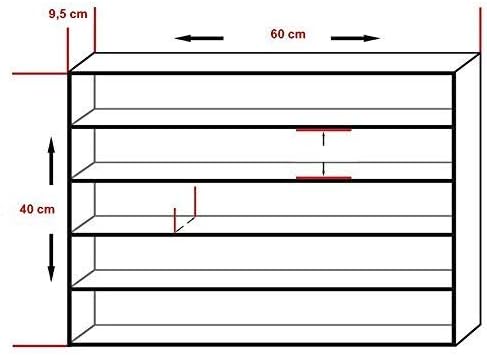
Figure 1: Cabinet Dimensions. The cabinet measures approximately 60 cm in width, 9.5 cm in depth, and 80 cm in height. This diagram illustrates the overall dimensions for planning placement.
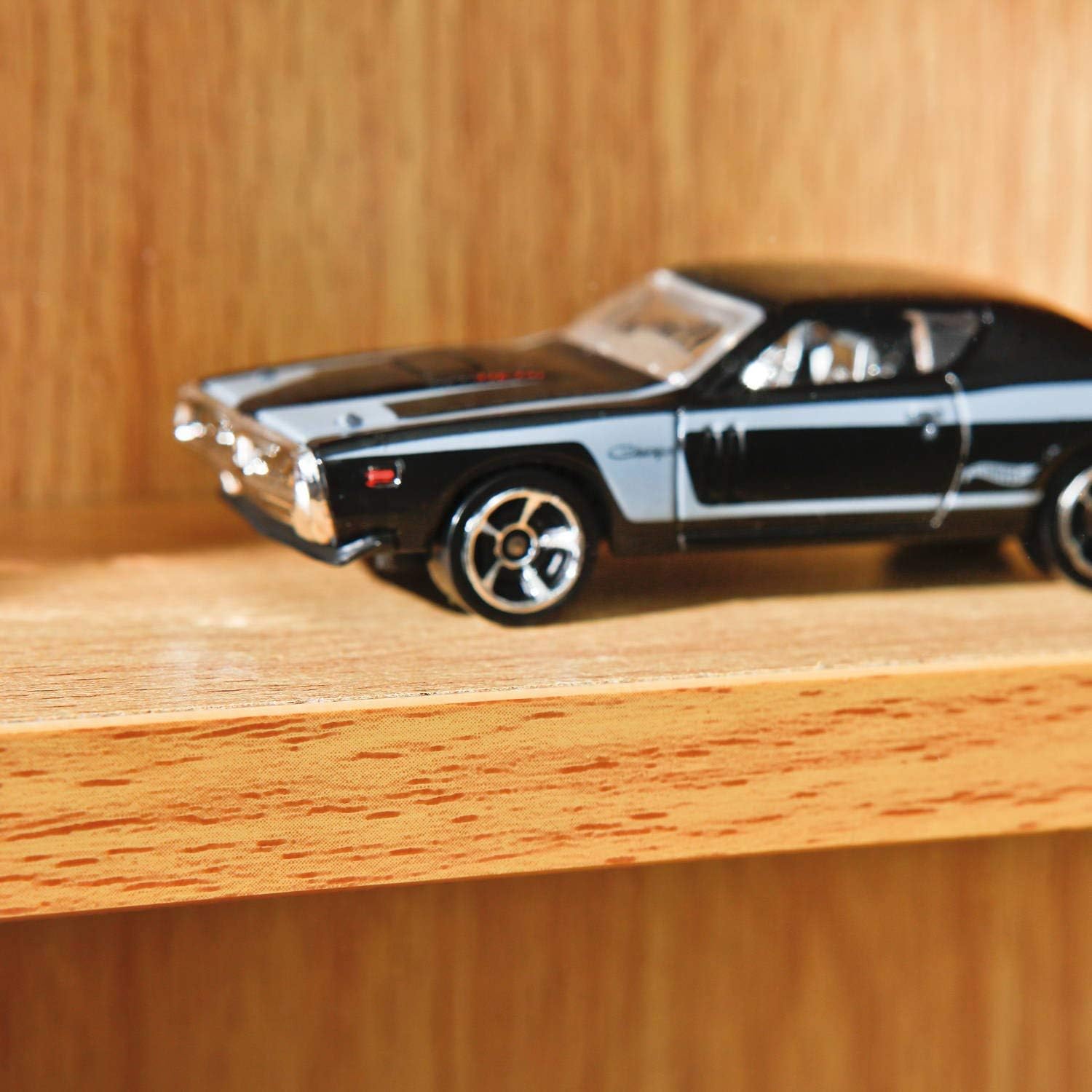
Figure 2: Wall Mounting Detail. This image shows the top corner of the cabinet with a metal bracket, indicating how it can be secured to a wall for stability or display.

Figure 3: Glass Door Track. A detailed view of the track system at the bottom of the cabinet, where the sliding glass doors are inserted and glide.
Operating the Display Cabinet
The Interlink Display Cabinet Acquario is designed to showcase various items while protecting them behind sliding glass doors. To place or remove items, gently slide the glass doors to the side.
- Loading Items: Distribute the weight evenly across the shelves. Do not place heavy items on a single point.
- Weight Capacity: Each shelf has a maximum weight capacity of 500 grams. Exceeding this limit may cause shelves to sag or break.
- Adjusting Shelves: If you wish to change the height of the shelves, carefully remove the items, lift the shelf, and reposition the shelf pins into the desired holes.
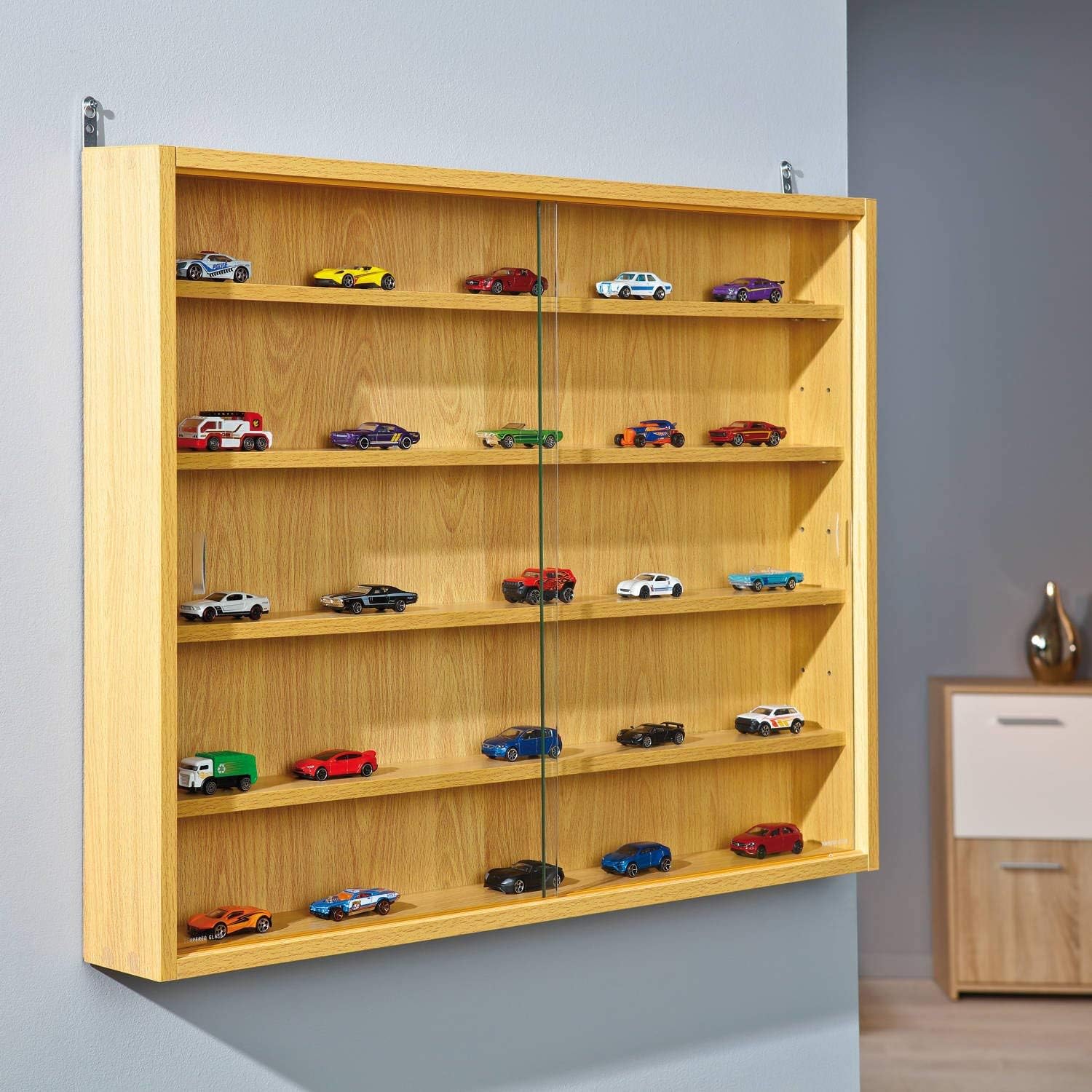
Figure 4: Cabinet in Use. This image demonstrates the display cabinet mounted on a wall, showcasing a collection of small items, illustrating its functional purpose.

Figure 5: Shelf Detail. A close-up view of one of the cabinet's shelves, highlighting the smooth, lacquered beech wood surface and its capacity for displaying individual items.
Maintenance and Care
To ensure the longevity and appearance of your Interlink Display Cabinet Acquario, follow these care guidelines:
- Cleaning: Wipe the beech wood surfaces with a soft, damp cloth. Avoid abrasive cleaners or harsh chemicals. The cabinet is waterproof, allowing for easy cleaning of spills.
- Glass Cleaning: Use a standard glass cleaner for the sliding glass doors. Spray cleaner onto a cloth first, then wipe the glass to avoid overspray on the wood.
- Dusting: Regularly dust the interior and exterior surfaces to prevent buildup.
- Avoid Direct Sunlight: Prolonged exposure to direct sunlight may cause the wood finish to fade over time.
Troubleshooting
| Problem | Possible Cause | Solution |
|---|---|---|
| Glass doors do not slide smoothly or fall out. | Incorrect installation of glass doors. | Ensure the glass doors are inserted into the tracks in the correct orientation. Refer to the assembly instructions for detailed diagrams. |
| Shelves sag or break. | Exceeded weight capacity. | Reduce the weight on the shelf. Ensure no single item exceeds 500 grams. Distribute weight evenly. |
| Cabinet feels unstable. | Improper assembly or not secured to wall (if applicable). | Verify all screws and fasteners are tightened. If wall-mounted, ensure appropriate wall anchors are used and the cabinet is securely attached. |
Specifications
| Feature | Detail |
|---|---|
| Brand | Inter Link |
| Model Number | 99800760 |
| Product Dimensions (L x W x H) | 60 x 9.5 x 80 cm |
| Item Weight | 10.2 kg |
| Maximum Weight Capacity (per shelf) | 500 Grams |
| Material | Beech Wood |
| Finish Type | Lacquered |
| Special Feature | Waterproof |
| Mounting Type | Floor Mount (also wall-mountable) |
| Room Type | Living Room (suitable for various rooms) |
| Included Components | Instruction Manual, Assembly Hardware |
Warranty and Support
For warranty information or technical support regarding your Interlink Display Cabinet Acquario, please refer to the documentation included with your purchase or contact Inter Link customer service directly. Contact details can typically be found on the manufacturer's official website or on the product packaging.
For further assistance, you may visit the product page on Amazon.ca.
Ask a question about this manual
Ask about setup, troubleshooting, compatibility, parts, safety, or missing instructions. Manuals+ will review the question and use this page’s manual context to help answer it.