
1. Introduction and Overview
This manual provides essential instructions for the safe and effective operation, maintenance, and troubleshooting of your Sanitaire Tradition Wide Track Upright Commercial Vacuum, model SC899G. Please read this manual thoroughly before using the appliance and retain it for future reference. This commercial-grade vacuum is designed for robust cleaning performance in demanding environments, featuring an extended life motor and a wide cleaning path.

Image 1: Front view of the Sanitaire Tradition Wide Track Upright Commercial Vacuum SC899G, showcasing its red and chrome design.
2. Important Safety Instructions
When using an electrical appliance, basic precautions should always be followed, including the following:
- Read all instructions before using this vacuum cleaner.
- To reduce the risk of electric shock, do not use outdoors or on wet surfaces.
- Do not allow to be used as a toy. Close attention is necessary when used by or near children.
- Use only as described in this manual. Use only manufacturer's recommended attachments.
- Do not use with damaged cord or plug. If appliance is not working as it should, has been dropped, damaged, left outdoors, or dropped into water, return it to a service center.
- Do not pull or carry by cord, use cord as a handle, close a door on cord, or pull cord around sharp edges or corners. Do not run appliance over cord. Keep cord away from heated surfaces.
- Do not unplug by pulling on cord. To unplug, grasp the plug, not the cord.
- Do not handle plug or vacuum cleaner with wet hands.
- Do not put any object into openings. Do not use with any opening blocked; keep free of dust, lint, hair, and anything that may reduce airflow.
- Keep hair, loose clothing, fingers, and all parts of body away from openings and moving parts.
- Turn off all controls before unplugging.
- Use extra care when cleaning on stairs.
- Do not use to pick up flammable or combustible liquids, such as gasoline, or use in areas where they may be present.
- Do not pick up anything that is burning or smoking, such as cigarettes, matches, or hot ashes.
- Do not use without dust bag and/or filters in place.
3. Package Contents
Verify that all components are present and in good condition upon opening the package.
- Sanitaire Tradition Wide Track Upright Commercial Vacuum (SC899G)

Image 2: Angled view of the Sanitaire SC899G vacuum, showing the handle and dust bag.
4. Assembly and Setup
Your Sanitaire SC899G vacuum requires minimal assembly. Follow these steps to prepare your vacuum for use:
- Handle Attachment: Insert the handle assembly into the main body of the vacuum until it clicks securely into place. Ensure all screws or locking mechanisms are tightened if applicable.
- Dust Bag Installation: Ensure the shake-out dust bag is properly installed and secured. Refer to the 'Maintenance' section for detailed instructions on bag installation and removal.
- Power Cord: Unwind the commercial-grade 50-foot power cord and secure it in the cord clips on the handle.
5. Operating Instructions
Follow these steps for effective operation of your Sanitaire SC899G vacuum:
5.1 Powering On/Off
- Plug the power cord into a suitable electrical outlet.
- Locate the power switch, typically on the main body or handle, and press it to the 'ON' position to start the vacuum.
- To turn off, press the power switch to the 'OFF' position and unplug the vacuum from the outlet.
5.2 Height Adjustment
The vacuum features a manual height adjustment to optimize cleaning for various carpet pile heights. Adjust the height setting by rotating the adjustment knob on the front of the vacuum base. Select a setting that allows the brush roll to agitate the carpet without excessive drag or lifting the vacuum head too high, which can reduce suction.
5.3 Cleaning Procedure
- Ensure the dust bag is not full before beginning.
- Adjust the vacuum height to match the carpet type.
- Push the vacuum forward and pull it back in overlapping passes to ensure thorough cleaning. The 16-inch wide cleaning path allows for efficient coverage.
- For heavily soiled areas, multiple passes may be required.

Image 3: Close-up of the vacuum head highlighting its 16-inch wide cleaning path for efficient operation.
6. Maintenance
Regular maintenance ensures optimal performance and extends the life of your Sanitaire SC899G vacuum. Always unplug the vacuum before performing any maintenance.
6.1 Emptying the Shake-Out Dust Bag
The large-capacity shake-out bag holds up to 18 quarts of debris. Empty the bag when it is full or when suction power decreases.
- Unplug the vacuum from the power outlet.
- Release the metal clip bag release system to detach the bag from the vacuum body.
- Take the bag to a waste receptacle and shake out the accumulated dirt and debris.
- Reattach the bag, ensuring it is securely fastened with the metal clip.
6.2 Brush Roll and Belt Replacement
The chrome brush roll features replaceable bristle strips. The belt may also require periodic replacement.
- Unplug the vacuum.
- Lay the vacuum flat to access the underside.
- The brush roll and belt are designed for tool-free replacement. Follow the diagrams on the vacuum base for specific instructions on releasing the brush roll and replacing the belt.
- Ensure new bristle strips or belts are installed correctly before reassembling.
6.3 Quick Kleen Fan Chamber
The Quick Kleen Fan Chamber allows for easy inspection and clearing of clogs.
- Unplug the vacuum.
- Access the fan chamber, typically located near the brush roll.
- Remove any accumulated debris or clogs.
- Ensure the chamber is clear before resuming operation.
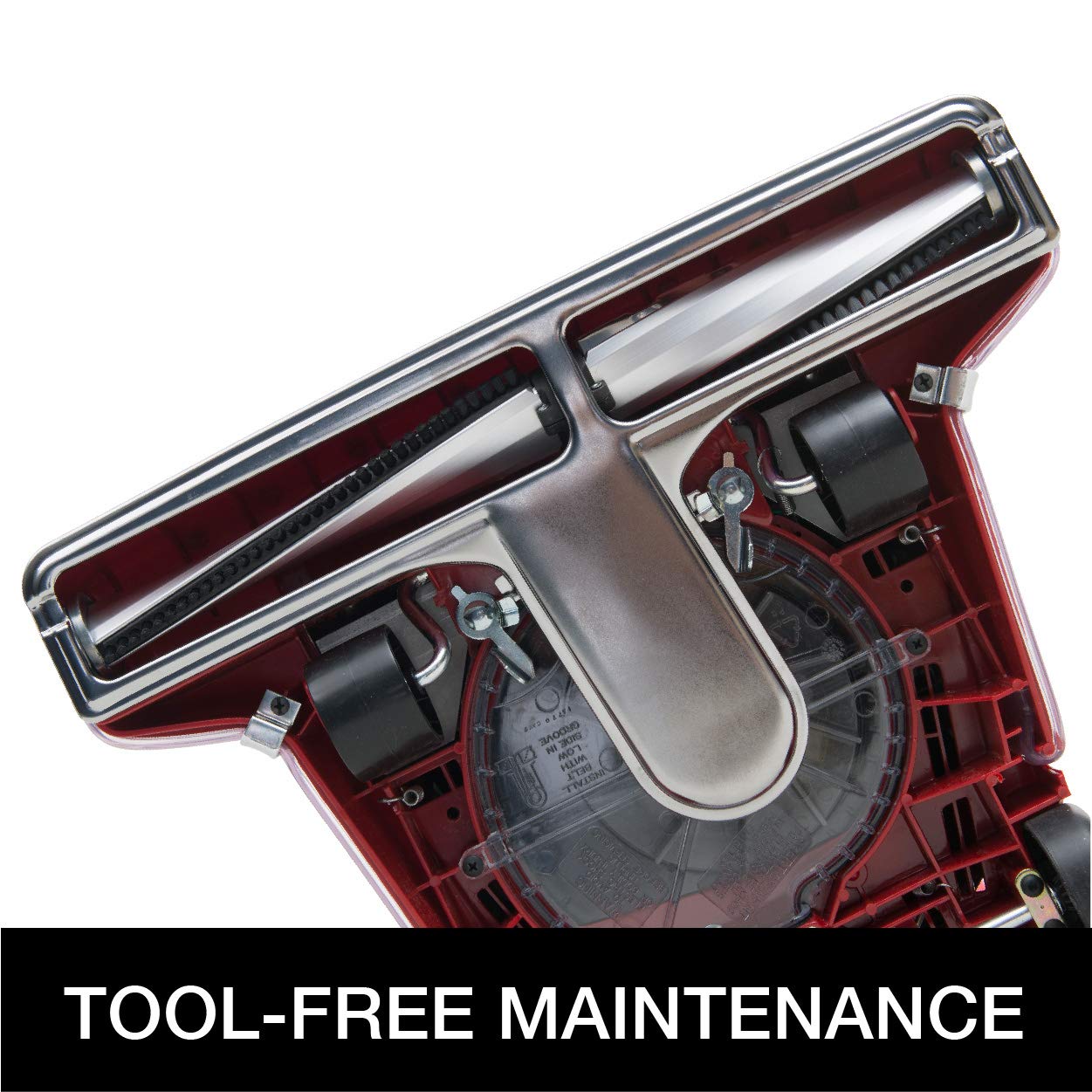
Image 4: View of the vacuum's underside, illustrating the brush roll and fan chamber, designed for tool-free maintenance.
7. Troubleshooting
Review the following common issues and solutions before contacting customer support.
| Problem | Possible Cause | Solution |
|---|---|---|
| Vacuum does not turn on | No power to outlet; Power cord not plugged in; Blown fuse/tripped breaker; Faulty switch | Check outlet with another appliance; Ensure cord is fully plugged in; Reset breaker/replace fuse; Contact service center if switch is faulty |
| Loss of suction | Full dust bag; Clog in fan chamber or hose; Worn belt; Incorrect height setting | Empty dust bag; Clear clogs from fan chamber; Replace belt; Adjust height setting |
| Brush roll not spinning | Belt broken or dislodged; Debris wrapped around brush roll; Motor issue | Replace or re-seat belt; Remove debris from brush roll; Contact service center |
| Unusual noise | Object caught in brush roll or fan; Worn motor bearings; Loose parts | Inspect and remove foreign objects; Contact service center for motor or loose parts |
8. Specifications
Key technical specifications for the Sanitaire Tradition Wide Track Upright Commercial Vacuum, model SC899G.
- Model Name: SC899G
- Brand: Sanitaire
- Manufacturer: Sanitaire
- Product Dimensions: 16.5 x 13.75 x 45 inches
- Item Weight: 21.6 Pounds
- Color: Red
- Motor Life: Over 2,000 hours (Extended Life Motor)
- Cleaning Path: 16 inches wide
- Dust Bag Capacity: 18 quarts (Shake-out bag)
- Power Cord: 50-foot commercial-grade
- Maintenance Features: Chrome Brush Roll with replaceable bristle strips, Quick Kleen Fan Chamber, Tool-free brush roll and belt replacement, Metal clip bag release system.

Image 5: Detail highlighting the vacuum's extended life motor, providing over 2,000 hours of operation.
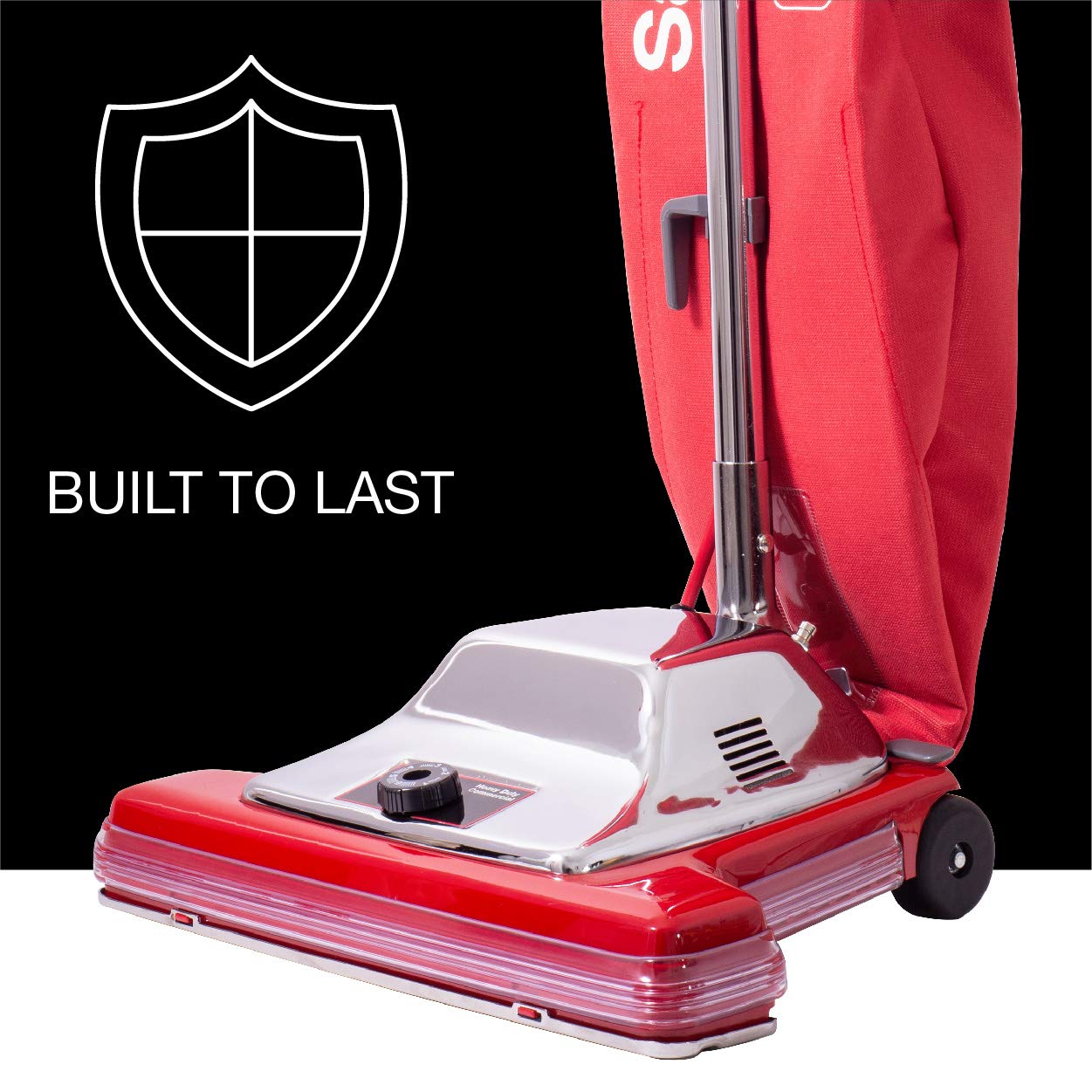
Image 6: Visual representation emphasizing the durable construction of the Sanitaire SC899G vacuum.
9. Warranty and Support
For warranty information or technical support, please contact Sanitaire customer service. Keep your purchase receipt as proof of purchase for any warranty claims.
Visit the official Sanitaire website for the most current support contact details and product information: Sanitaire Store