
1. Introduction
This manual provides comprehensive instructions for the proper use, maintenance, and troubleshooting of your Stabilo XL 10 ml Correction Pen. Please read this manual carefully before using the product to ensure optimal performance and longevity.
2. Product Overview
The Stabilo XL 10 ml Correction Pen is designed for precise and efficient correction of written errors. Its sleek design and seamless functionality make it an essential tool for office, school, or home use.
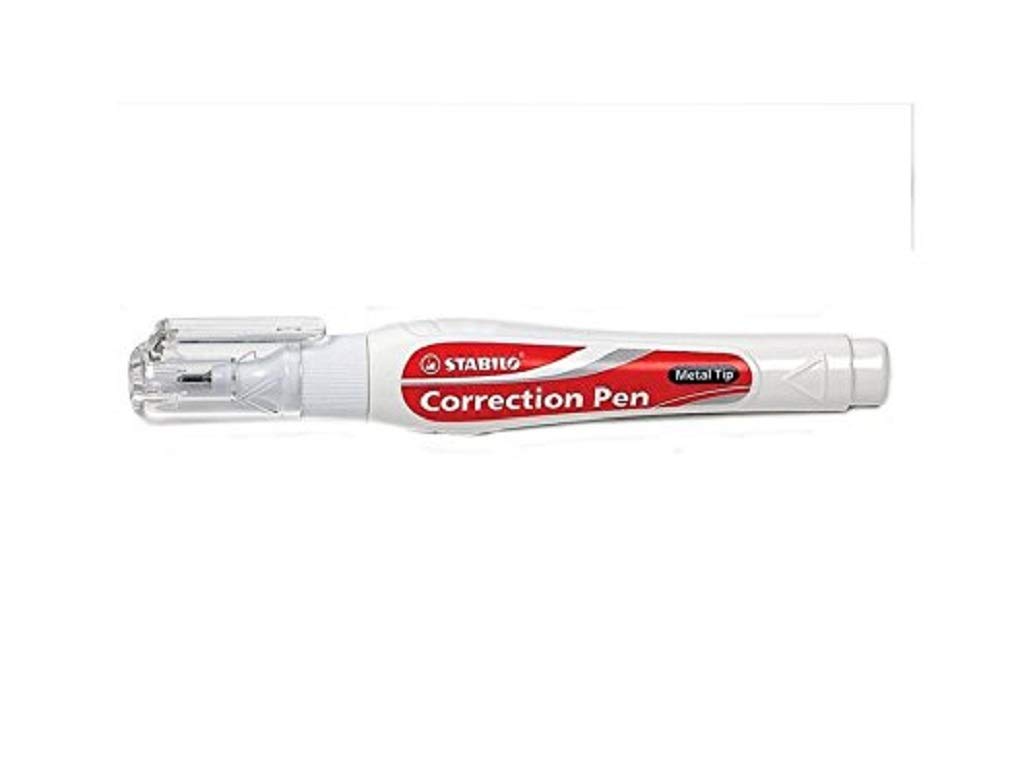
Figure 2.1: The Stabilo XL 10 ml Correction Pen. This image displays the white correction pen with a red and grey label, indicating "STABILO" and "Correction Pen" with a "Metal Tip". The pen features a clear cap revealing the metal tip mechanism.
Key Features:
- Brand: Stabilo
- Type: Liquid Correction Pen
- Capacity: 10 ml
- Design: Sleek and ergonomic
- Functionality: Seamless and precise application
- Tip: Durable metal tip for smooth flow
3. Setup
Before first use, prepare your Stabilo XL Correction Pen as follows:
- Shake Well: With the cap securely on, shake the pen vigorously for approximately 10-15 seconds to ensure the correction fluid is thoroughly mixed. This prevents clogging and ensures an even flow.
- Prime the Tip: Remove the cap. Gently press the metal tip onto a scrap piece of paper several times until the correction fluid begins to flow smoothly. Do not press excessively hard.
4. Operating Instructions
To achieve optimal correction results, follow these steps:
- Positioning: Hold the pen at a slight angle to the surface you are correcting.
- Application: Gently press the metal tip onto the area to be corrected and apply an even, thin layer of fluid over the error. Avoid applying too much pressure or too thick a layer, as this can prolong drying time.
- Drying: Allow the correction fluid to dry completely before writing over it. Drying time may vary depending on humidity and the thickness of the applied layer.
- Recap: Immediately recap the pen after each use to prevent the fluid from drying out and the tip from clogging.
5. Maintenance
Proper maintenance ensures the longevity and consistent performance of your correction pen:
- Storage: Store the pen horizontally or with the tip facing downwards to keep the fluid ready for use. Avoid extreme temperatures.
- Tip Cleaning: If the tip becomes clogged, gently wipe it with a damp cloth. Do not use harsh chemicals or sharp objects to clear the tip.
- Shaking: If the fluid appears separated or uneven, shake the pen well before use as described in the Setup section.
6. Troubleshooting
If you encounter issues with your Stabilo XL Correction Pen, refer to the following common problems and solutions:
| Problem | Possible Cause | Solution |
|---|---|---|
| Fluid not flowing | Clogged tip, fluid separation, or pen not primed. | Shake the pen vigorously. Prime the tip by pressing it on scrap paper. Gently clean the tip with a damp cloth. |
| Uneven application | Insufficient shaking, improper angle, or dried fluid on tip. | Shake well before use. Ensure proper angle during application. Clean the tip. |
| Fluid dries too slowly | Too thick a layer applied, high humidity. | Apply a thinner, even layer. Allow adequate drying time in a well-ventilated area. |
7. Specifications
| Attribute | Detail |
|---|---|
| Manufacturer | Stabilo |
| Brand | STABILO |
| Model Number | 888PM12 |
| Package Dimensions | 12.4 x 1.4 x 1 cm |
| Manufacturer Part Number | 888PM12 |
| Item Weight | 20 g |
| ASIN | B002NERHAC |
| Date First Available | 19 September 2013 |
8. Warranty and Support
For information regarding product warranty, returns policy, or further assistance, please refer to the official STABILO website or contact their customer support. You can also visit the STABILO Store on Amazon for more details.
Please retain your proof of purchase for any warranty claims.