
Bosch TAS2001
Bosch TAS2001 Tassimo Coffee Machine User Manual
Model: TAS2001 | Brand: Bosch
Introduction
This user manual provides comprehensive instructions for the safe and efficient operation, setup, and maintenance of your Bosch TAS2001 Tassimo Coffee Machine. Please read this manual thoroughly before first use and keep it for future reference.
Safety Instructions
Always observe the following safety precautions to prevent injury or damage to the appliance:
- Ensure the appliance is connected to a grounded power outlet.
- Do not immerse the appliance, power cord, or plug in water or other liquids.
- Keep hands and fingers away from hot surfaces and steam during operation.
- Unplug the machine before cleaning or when not in use for extended periods.
- Do not operate the machine if the power cord or plug is damaged.
- This appliance is for household use only.
Package Contents
Verify that all components are present in the packaging:
- Bosch TAS2001 Tassimo Coffee Machine
- Removable Water Tank (1.5 L capacity)
- Adjustable Cup Stand / Drip Tray
- Cleaning T-Disc (usually stored in the machine)
- User Manual (this document)
Product Overview
Familiarize yourself with the main parts of your Tassimo coffee machine:

Figure 1: Front view of the Bosch TAS2001 Tassimo coffee machine, showing the brewing unit, water tank, and adjustable cup stand. A glass with a layered latte is placed on the stand, demonstrating its use.

Figure 2: Front view of the Bosch TAS2001 Tassimo coffee machine, illustrating the machine's design without a cup on the stand. This view highlights the compact and sleek appearance of the appliance.
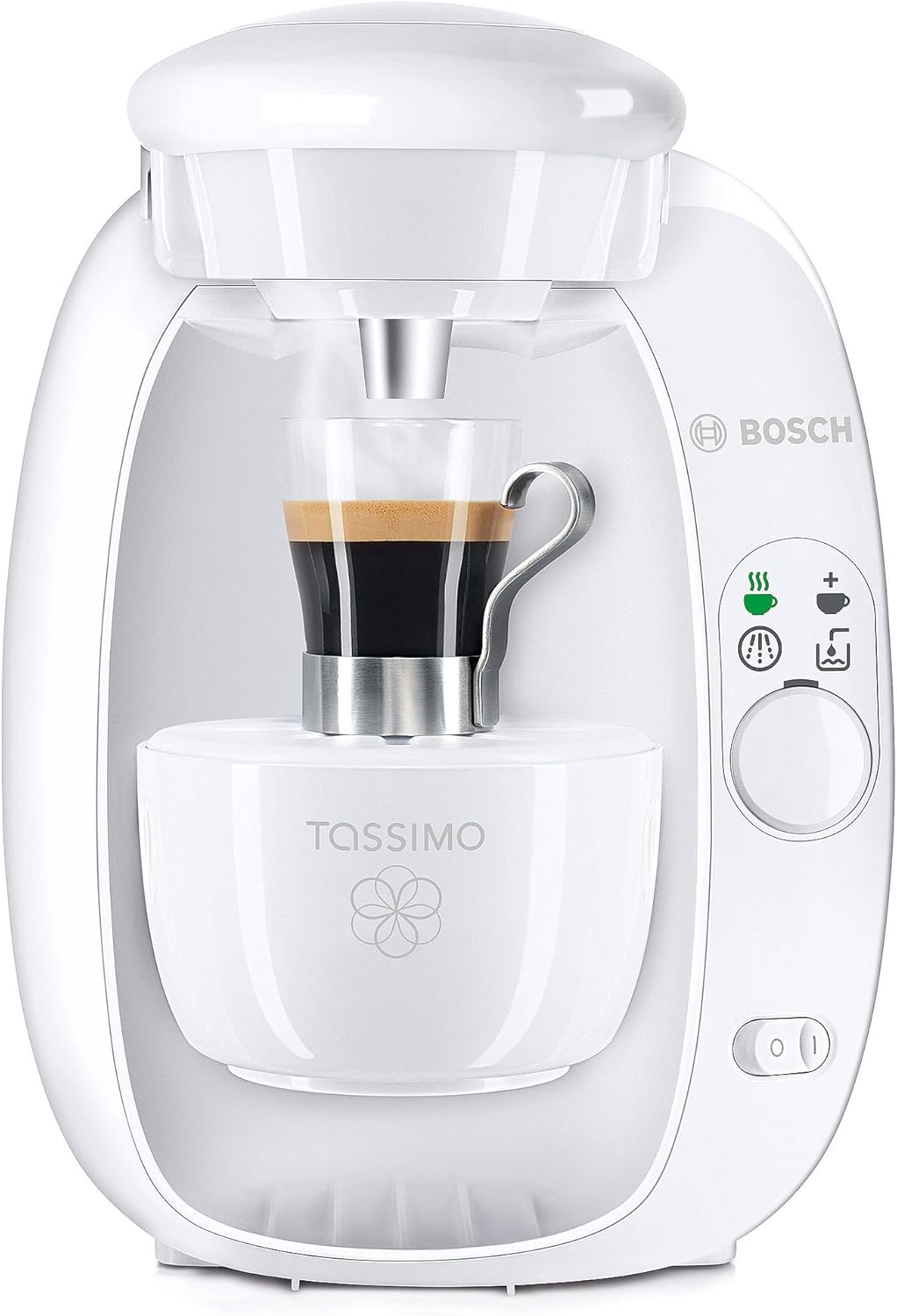
Figure 3: Front view of the Bosch TAS2001 Tassimo coffee machine, with a small espresso cup positioned on the adjustable cup stand. This demonstrates the machine's versatility for different cup sizes.
Setup
- Unpacking: Carefully remove the coffee machine and all accessories from the packaging. Retain packaging for future transport or storage.
- First Use Cleaning: Before first use, perform a cleaning cycle. Fill the water tank with fresh water. Insert the yellow cleaning T-Disc (usually found in a compartment on the side or back of the machine) into the T-Disc holder. Place a cup under the dispenser and press the start button. The machine will run a cleaning cycle. Repeat this process 2-3 times.
- Filling Water Tank: Remove the water tank from the back of the machine. Fill it with fresh, cold tap water up to the MAX mark. Replace the water tank securely.
- Positioning: Place the machine on a stable, level surface, away from heat sources and direct sunlight. Ensure adequate ventilation around the appliance.
Operating Instructions
- Power On: Plug the machine into a suitable power outlet. Press the power button to turn on the machine. The status light will illuminate.
- Insert T-Disc: Open the brewing unit by lifting the lid. Insert your desired T-Disc into the T-Disc holder with the barcode facing down. Close the lid firmly until it clicks.
- Place Cup: Adjust the height of the cup stand if necessary and place your cup on the drip tray directly under the dispenser.
- Brewing: Press the start/stop button. The machine will read the barcode on the T-Disc and automatically prepare your beverage with the correct amount of water, brewing time, and temperature.
- Manual Adjustment (Optional): For some beverages, you can manually adjust the volume by pressing and holding the start/stop button during brewing. Release the button when the desired volume is reached.
- After Brewing: Once brewing is complete, the status light will change. Carefully remove the used T-Disc and dispose of it. Close the brewing unit lid.
Maintenance
Regular cleaning and maintenance ensure optimal performance and longevity of your Tassimo machine.
- Daily Cleaning:
- Empty and clean the drip tray and cup stand after each use. These parts are usually dishwasher safe or can be washed with warm soapy water.
- Wipe the exterior of the machine with a damp cloth.
- Water Tank Cleaning: Clean the water tank regularly with warm soapy water and rinse thoroughly.
- Brewing Unit Cleaning: Periodically clean the T-Disc holder and piercing unit with a soft brush or damp cloth to remove any coffee residue.
- Descaling: The descaling indicator light will illuminate when descaling is required. Use a Tassimo-approved descaling solution and follow the instructions provided with the descaling product. This process typically involves running a descaling cycle with the solution, followed by several rinsing cycles with fresh water.
Troubleshooting
Refer to this section for common issues and their solutions:
| Problem | Possible Cause | Solution |
|---|---|---|
| Machine does not turn on. | No power supply. | Check if the power cord is securely plugged into the machine and the wall outlet. Test the outlet with another appliance. |
| No beverage dispensed. | Water tank empty; T-Disc not inserted correctly; Brewing unit blocked. | Fill the water tank. Ensure the T-Disc is correctly placed. Clean the brewing unit and piercing needle. |
| Beverage tastes unusual or weak. | Machine needs descaling; T-Disc expired or damaged; Residue in brewing unit. | Perform a descaling cycle. Use a fresh T-Disc. Clean the brewing unit thoroughly. |
| Water leaks from the machine. | Water tank not seated correctly; Drip tray full or misplaced. | Ensure the water tank is securely in place. Empty and correctly position the drip tray. |
Specifications
| Feature | Detail |
|---|---|
| Brand | Bosch |
| Model Number | TAS2001 |
| Color | Red |
| Dimensions (L x W x H) | 37 x 26.3 x 31.5 cm |
| Weight | 3.3 Kilograms |
| Water Tank Volume | 1.5 Liters |
| Power | 1300 W |
| Special Features | Removable water tank, adjustable cup stand |
| Compatibility | Tassimo T-Discs |
Warranty and Support
For warranty information and customer support, please refer to the warranty card included with your product or visit the official Bosch website. Keep your proof of purchase for warranty claims.
For further assistance, you may contact Bosch customer service through their official channels. Contact details can typically be found on the manufacturer's website or on the product packaging.
Ask a question about this manual
Ask about setup, troubleshooting, compatibility, parts, safety, or missing instructions. Manuals+ will review the question and use this page’s manual context to help answer it.