
PHILIPS DC315/37
Philips DC315/37 Speaker System
User Instruction Manual
Model: DC315/37 | Brand: PHILIPS
Introduction
The Philips DC315/37 is a versatile speaker system designed for 30-Pin iPod/iPhone devices, featuring an LED clock radio and dual alarms. This manual provides comprehensive instructions for setting up, operating, and maintaining your device, ensuring optimal performance and longevity.

Image: The Philips DC315/37 unit with a docked iPhone, showcasing its clock and speaker design.
Important Safety Information
Please read these safety instructions carefully before using your device. Keep this manual for future reference.
- Do not expose the device to rain or moisture.
- Do not place any sources of danger on the device (e.g., liquid filled objects, lit candles).
- Ensure proper ventilation around the device.
- Only use attachments/accessories specified by the manufacturer.
- Unplug the device during lightning storms or when unused for long periods.
Package Contents
Verify that all items are present in your package:
- DC315 main unit
- Power cord
- AC adaptor
- MP3 link cable
- User manual (this document)
- Quick start guide
Setup
1. Power Connection
- Connect the AC adaptor to the DC IN socket on the back of the unit.
- Plug the power cord into a wall outlet.
- The unit will power on and the clock display will activate.
2. Docking an iPod/iPhone
The DC315/37 is compatible with most 30-Pin iPod and iPhone models.
- Carefully align your iPod or iPhone with the 30-pin connector in the docking cradle.
- Gently push the device down until it is securely seated in the dock.
- The device will begin charging automatically.
- To remove, gently pull the device upwards from the dock.

Image: An iPhone docked into the Philips DC315/37, ready for playback and charging.
3. Connecting External Audio Devices (MP3 Link)
Use the provided MP3 link cable to connect other audio devices.
- Connect one end of the 3.5mm audio cable to the MP3 LINK input on the DC315/37.
- Connect the other end to the headphone jack or audio output of your external device (e.g., MP3 player, CD player).
- Select the MP3 Link source on the unit to play audio from the connected device.
Operating Instructions
1. Basic Controls
- Power Button: Located on the left side. Press to turn the unit on or off.
- Volume Controls: Use the '+' and '-' buttons to adjust the volume level.
- Source Button: Cycle through available audio sources: iPod/iPhone, FM Radio, MP3 Link.

Image: User interaction with the Philips DC315/37, demonstrating its placement in a bedroom setting.
2. Setting the Clock and Alarms
The DC315/37 features a digital clock and dual alarms with weekday/weekend settings.
- Setting the Clock: Refer to the quick start guide for detailed instructions on initial clock setup. The unit may automatically sync time when an iPhone is docked.
- Dual Alarms: Two independent alarms (Alarm 1 and Alarm 2) can be set.
- Alarm Source: Choose to wake up to your docked iPod/iPhone music or FM radio.
- Gentle Wake-up: The alarm volume gradually increases to provide a gentle awakening.
- Weekday/Weekend Settings: Configure alarms to activate on weekdays (Monday-Friday), weekends (Saturday-Sunday), or all seven days.
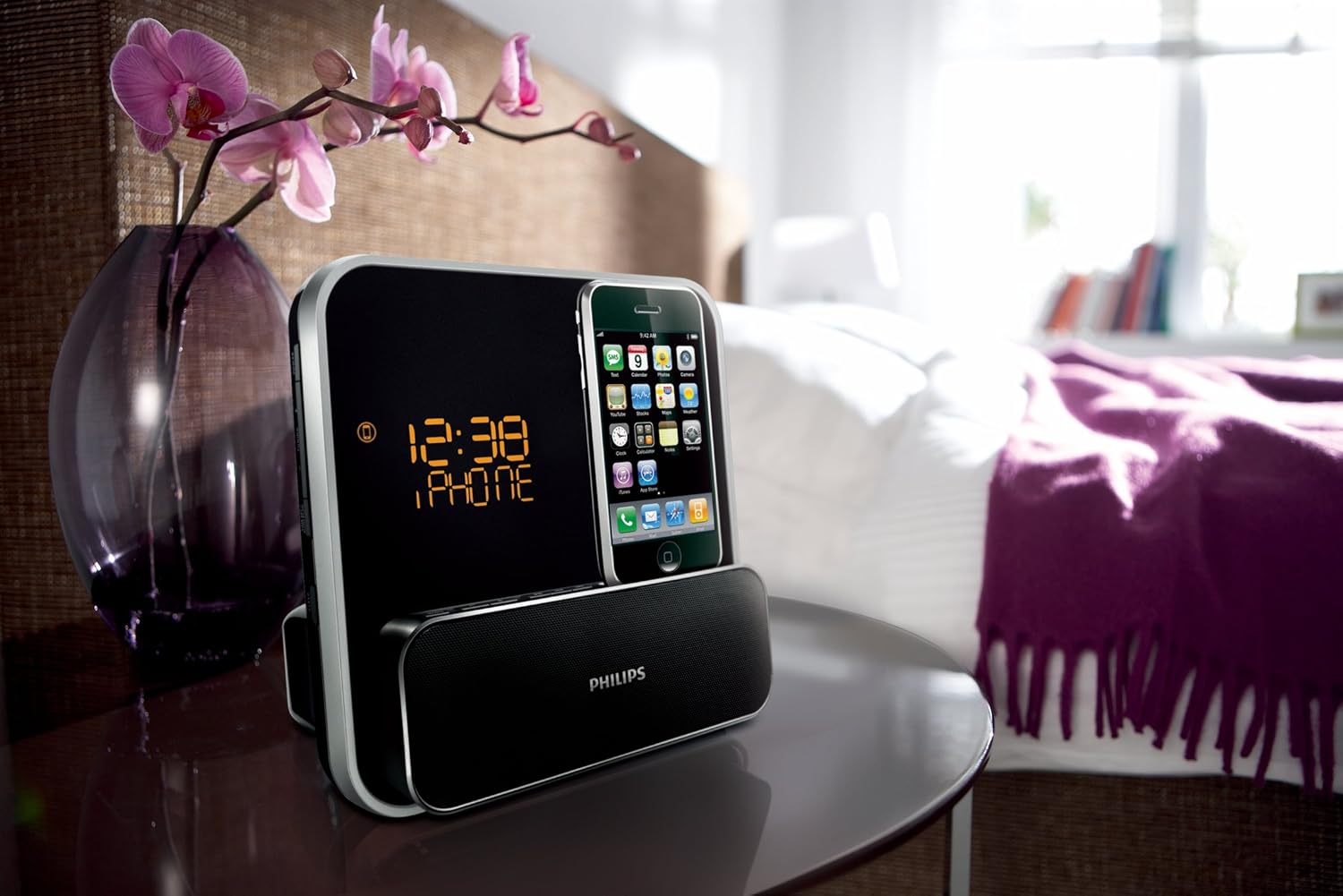
Image: The Philips DC315/37 displaying time, emphasizing its clock and dual alarm capabilities.
3. FM Radio Operation
- Tuning: Use the tuning buttons to scan for FM radio stations.
- Presets: Press and hold the preset button to memorize a frequency for quick access to your favorite radio stations. The unit supports digital FM tuning with presets.
4. Display Brightness
The LCD display has multiple brightness settings. Adjust as desired for optimal visibility in different lighting conditions.
Maintenance
- Cleaning: Use a soft, dry cloth to clean the exterior of the unit. Do not use abrasive cleaners or solvents.
- Dock Connector: Keep the 30-pin dock connector free of dust and debris to ensure proper connection.
- Storage: If storing the unit for an extended period, unplug it from the power outlet.
Troubleshooting
If you encounter issues with your Philips DC315/37, refer to the following common solutions:
| Problem | Solution |
|---|---|
| No power | Ensure the AC adaptor is securely connected to the unit and a working power outlet. |
| No sound from iPod/iPhone | Ensure the device is properly docked. Check the volume level on both the unit and the iPod/iPhone. Ensure the correct source is selected. |
| Poor FM radio reception | Adjust the position of the FM antenna. Try moving the unit to a different location. |
| Alarm does not sound | Verify that the alarm is enabled and set to the correct time and source. Check the alarm volume. |
| Display too dim/bright | Adjust the display brightness settings. |
Specifications
- Model: DC315/37
- Product Dimensions: 5.12 x 7.2 x 7.2 inches (13 x 18.3 x 18.3 cm)
- Item Weight: 2.16 pounds (0.98 kg)
- Output Power (RMS): 2 x 4 Watts (Total 8 Watts)
- Compatibility: iPod classic, iPod mini, iPod nano (1st-4th gen), iPod touch (1st-2nd gen), iPhone, iPhone 3G (30-pin connector)
- Audio Input: 3.5mm MP3 Link auxiliary input
- Tuner: FM Digital Tuner with Presets
- Clock: Digital LED display with Dual Alarms (Weekday/Weekend settings, Gentle Wake-up)
- Power: AC Adaptor
The Bass Reflex Speaker System is designed to deliver a powerful, deeper bass experience from a compact loudspeaker box system. It features a bass pipe acoustically aligned to the woofer to optimize low frequency response, resulting in deeper controlled bass and lower distortion.

Image: Side view of the Philips DC315/37, illustrating its speaker design and compact form factor.
Warranty and Support
The Philips DC315/37 comes with a limited one-year warranty. For warranty claims, technical support, or service inquiries, please refer to the contact information provided in your quick start guide or visit the official Philips support website.
Online Resources: For additional support and FAQs, please visit the Philips Store on Amazon or the official Philips website.
Ask a question about this manual
Ask about setup, troubleshooting, compatibility, parts, safety, or missing instructions. Manuals+ will review the question and use this page’s manual context to help answer it.