
1. Introduction
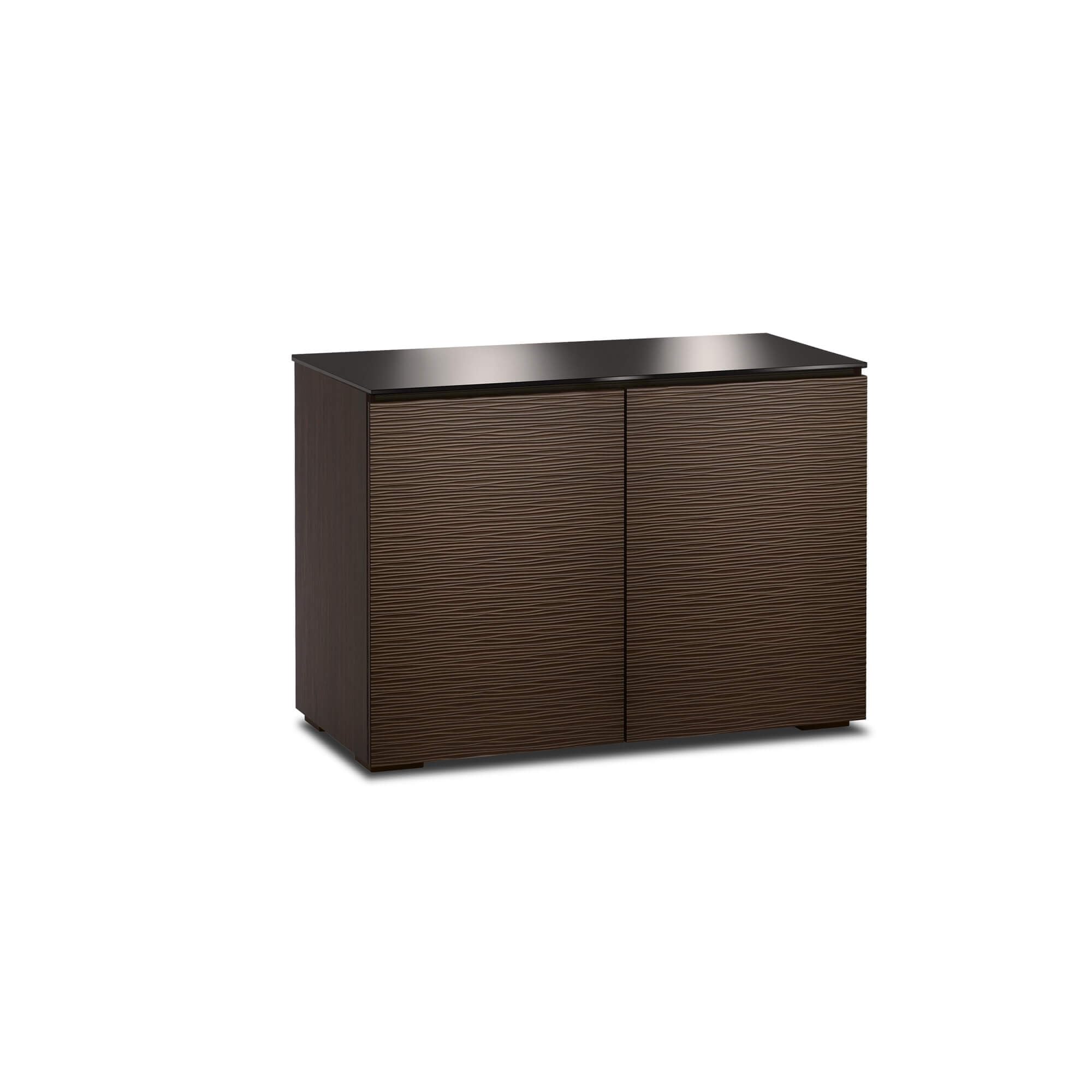
This manual provides essential information for the safe and efficient setup, operation, and maintenance of your Salamander Designs Sonoma C/SO323/AC TV Cabinet. The Sonoma cabinet features a mission-influenced style with doors that combine vertical wooden strips and black, micro-perforated metal inserts, finished in American Cherry. Please read all instructions carefully before assembly and use.
Safety Information
- Ensure all components are present and undamaged before assembly.
- Assembly should be performed on a soft, clean surface to prevent scratches.
- Due to the weight of the cabinet (approximately 154 pounds), it is recommended that two or more people assist with lifting and positioning.
- Do not overload shelves or the cabinet top. Refer to specifications for weight limits.
- Keep small parts away from children during assembly.
2. Package Contents
Verify that all the following items are included in your package:
- Salamander Designs Sonoma C/SO323/AC TV Cabinet Frame
- Shelves (quantity as specified)
- Adjustable shelf pegs
- Rear panels
- Designer feet with leveling bolts
- Hardware pack (screws, connectors, etc.)
If any items are missing or damaged, please contact Salamander Designs customer support.
3. Setup and Assembly
The Salamander Designs Sonoma C/SO323/AC TV Cabinet arrives largely pre-assembled. The primary steps involve attaching the feet, installing shelves, and securing the rear panels.
- Unpacking: Carefully remove the cabinet from its packaging. It is recommended to have assistance due to the cabinet's weight. Place the cabinet on a soft, clean surface to protect its finish.
- Attaching Feet: Locate the designer feet and attach them to the designated points on the bottom of the cabinet. The feet include leveling bolts. These bolts may require needle-nose pliers for easier adjustment. For hardwood floors, consider placing felt pads or wood blocks under the feet to distribute weight and prevent indentations.
- Installing Shelves: Insert the adjustable shelf pegs into the desired holes within the cabinet compartments. Place the shelves onto these pegs. The cabinet offers multiple standard holes for flexible shelf placement.
- Securing Rear Panels: The cabinet features pinch-out rear panels designed for easy removal and access to components and wiring. Position the panels into their respective slots and secure them. Ensure cables are routed through the designated openings before fully securing the panels.
4. Operating Instructions
Your Sonoma TV cabinet is designed for optimal functionality and integration with your audio/video equipment.
- Door Operation: The cabinet features solid wood doors equipped with soft-close dampeners for smooth and quiet operation. Open and close doors gently to engage the dampening mechanism.
- Remote Control Functionality: The front door panels incorporate black mesh screen inserts between the wooden slats. This design allows infrared (IR) remote control signals to pass through, enabling control of your components without needing an IR repeater.
- Ventilation: To prevent overheating of electronic components, the cabinet includes ventilation louvers built into the bottoms of the cabinet segments. The screened front panels and removable rear panels also contribute to airflow. Ensure adequate space around the cabinet for proper air circulation.
- Cable Management: The removable rear panels provide ample space for routing and managing cables. Organize cables neatly to prevent tangles and improve airflow.
5. Maintenance
Proper care will ensure the longevity and appearance of your Salamander Designs Sonoma TV Cabinet.
- Cleaning: Dust the cabinet regularly with a soft, dry, lint-free cloth. For deeper cleaning, use a slightly damp cloth with a mild wood cleaner, then immediately wipe dry. Avoid abrasive cleaners or harsh chemicals.
- Spills: Wipe up spills immediately with a soft, dry cloth to prevent staining or damage to the wood finish.
- Sunlight Exposure: Avoid prolonged exposure to direct sunlight, which can cause fading or discoloration of the wood.
- Humidity: Maintain a consistent humidity level in the room to prevent wood from expanding or contracting, which can lead to cracking or warping.
6. Troubleshooting
This section addresses common issues you might encounter with your TV cabinet.
- Cabinet is not level: Use the adjustable leveling bolts located on the bottom of each foot. Turn the bolts clockwise to raise a corner and counter-clockwise to lower it. Pliers may be helpful for easier adjustment. Ensure the cabinet is stable and does not wobble.
- Remote control not working through doors: Verify that your remote control uses infrared (IR) signals. Ensure there are no obstructions directly in front of the mesh screen inserts on the doors.
- Components overheating: Ensure that the cabinet's ventilation louvers are not blocked. Check that the rear panels are properly positioned to allow airflow and that there is sufficient space behind the cabinet for heat dissipation.
7. Specifications
| Feature | Detail |
|---|---|
| Brand | Salamander Designs |
| Model Number | C/SO323/AC |
| Style | Sonoma |
| Color | American Cherry |
| Material | Wood |
| Product Dimensions | 44 x 21.25 x 31.25 inches (W x D x H) |
| Item Weight | 154 Pounds |
| Mounting Type | Floor Mount |
| Installation Type | Freestanding |
| Included Components | Shelves |
| Door Style | Wood with black steel inserts |
| Back Material Type | Wood (removable panels) |
| GTIN/UPC | 634878010573 |
8. Warranty and Support
Salamander Designs products are crafted with quality and durability in mind. For specific warranty details, please refer to the warranty card included with your purchase or visit the official Salamander Designs website. For technical support, replacement parts, or any inquiries regarding your Sonoma C/SO323/AC TV Cabinet, please contact Salamander Designs customer service directly.
Contact Information: Please refer to the manufacturer's website or your purchase documentation for the most current contact details.


