
Introduction
This manual provides instructions for the proper use and care of your Case Logic CLRS-117 Security Friendly Rolling 17-Inch Laptop Case. Designed for convenience and organization, this case accommodates laptops up to 17 inches and offers multiple compartments for accessories, files, and overnight essentials.

Figure 1: Front view of the Case Logic CLRS-117 Rolling Laptop Case with its telescoping handle extended.
Setup and Initial Use
- Laptop Placement: Locate the dedicated laptop compartment. This case is designed to fit laptops up to 16.1 x 12.2 x 1.7 inches. The removable sleeve (see Figure 2) can be used for added protection and ease of removal during security checks.
- Organizing Files and Accessories: Utilize the front file compartment for documents, folders, and loose papers. The smart organization panel provides dedicated pockets for electronics, gadgets, and smaller accessories (see Figure 3).
- Overnight Storage: The large rear compartment is suitable for a change of clothes for short business trips (see Figure 4). Secure items using the internal straps if available.

Figure 2: The removable padded sleeve for your laptop, designed for quick access and security screening.

Figure 3: The front compartment with various pockets for organizing files, pens, and small electronic devices.
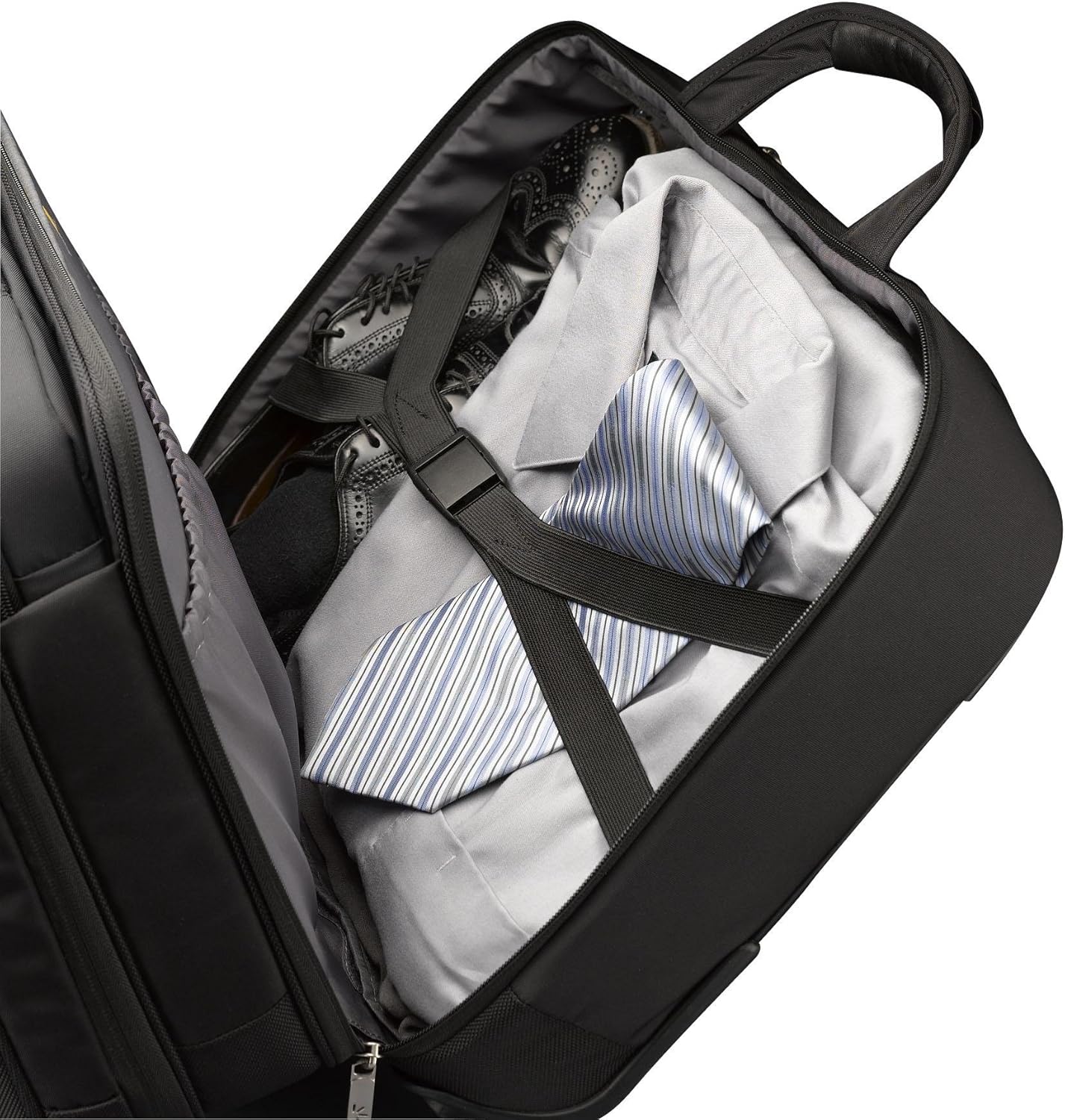
Figure 4: The rear compartment, ideal for packing a change of clothes or bulkier items.
Operating the Case
- Telescoping Handle: To extend the handle, press the button located on the top of the handle and pull upwards. Ensure it locks into place. To retract, press the button again and push downwards until fully collapsed.
- Rolling Functionality: The integrated wheels allow for smooth transport. When rolling, ensure the handle is fully extended for optimal balance and control.
- Security Friendly Design: This case is designed to comply with TSA guidelines, allowing your laptop to remain in the case during airport security screening in many instances. Follow specific airport security instructions.
- Attaching to Other Luggage: A strap on the back of the case allows it to be securely attached to the extended handle of other rolling luggage for consolidated travel (see Figure 5).

Figure 5: Rear view illustrating the strap for securing the case to other rolling luggage handles.
Maintenance
- Cleaning: For general cleaning, wipe the exterior fabric with a damp cloth and mild soap. Avoid harsh chemicals. For tougher stains, spot clean gently. Allow to air dry completely.
- Zippers: Periodically check zippers for debris. If a zipper becomes stiff, apply a small amount of zipper lubricant or wax.
- Wheels: Inspect wheels regularly for wear and tear. Remove any accumulated dirt or hair from the wheel axles to ensure smooth rolling.
- Handle: Keep the telescoping handle mechanism clean and free of obstructions. Avoid forcing the handle if it feels stuck.
Troubleshooting
- Handle is loose or wobbly: Over time, the telescoping handle may develop some play. This is often normal wear. Ensure all locking mechanisms engage fully when extended. If the handle becomes excessively loose or fails to extend/retract, contact customer support.
- Wheels are not rolling smoothly: Check for debris (e.g., hair, lint) wrapped around the wheel axles. Carefully remove any obstructions. If wheels are damaged or excessively worn, replacement may be necessary.
- Zippers are sticking: Apply a small amount of zipper lubricant, graphite from a pencil, or wax to the zipper teeth. Gently work the zipper back and forth to distribute the lubricant.
Specifications
| Feature | Detail |
|---|---|
| Model Number | CLRS-117 |
| Product Dimensions | 18.6 x 16.7 x 10.5 inches |
| Item Weight | 7.45 pounds |
| Laptop Compartment Dimensions | 16.1 x 12.2 x 1.7 inches (fits up to 17-inch laptops) |
| Security Feature | TSA Security Friendly design |
| Compartments | File compartment, Smart Organization panel, Large rear overnight compartment |
Warranty and Support
Case Logic products are manufactured to high-quality standards. For information regarding warranty coverage, product registration, or customer support, please visit the official Case Logic website or contact their customer service department directly. Keep your purchase receipt as proof of purchase.
For further assistance, you may visit the Case Logic Store on Amazon.