
Product Overview
The Howard Miller 645-693 Weather View Alarm Clock is a satin silver-finished square LCD clock designed for table placement. It features rounded corners and a brushed aluminum face plate, offering both functionality and a sleek aesthetic. This clock provides essential information at a glance, including indoor temperature, relative humidity, current date, moon phase, and time.
Key features include a selectable 12-hour or 24-hour time format, a weather trend indicator, and an alarm with a convenient snooze function. The clock operates on a quartz movement and is powered by a single AAA-sized battery, which is included.
Video: An animated overview of the Howard Miller Weather View Alarm Clock's features and specifications.
Setup
- Battery Installation:
Locate the battery compartment on the back of the clock. Insert one AAA-sized battery, ensuring correct polarity (+/-). The clock will power on and the display will activate. - Initial Time Setting:
Press the 'MODE' button to cycle through display modes until the time is shown. Press and hold the 'SET' button until the time digits begin to flash. Use the 'ADJ' button to adjust the hours, then press 'SET' to confirm and move to minutes. Repeat for minutes. - Date and Calendar Setting:
After setting the time, continue pressing 'SET' to cycle through year, month, and day settings. Use the 'ADJ' button to change values and 'SET' to confirm each. - Temperature Unit Selection:
Press the '°C/°F' button to toggle between Celsius and Fahrenheit display for the indoor temperature. - Alarm Setting:
Press 'MODE' until the alarm time is displayed (often indicated by an alarm icon). Press and hold 'SET' to enter alarm setting mode. Use 'ADJ' to set the desired alarm hour and minute, then 'SET' to confirm. Press 'ADJ' again to activate or deactivate the alarm (an alarm icon will appear or disappear on the display).
Operating Instructions
- Display Modes:
Press the 'MODE' button to switch between displaying the current time, alarm time, and calendar information. - Snooze Function:
When the alarm sounds, press the 'SNZ' (Snooze) button to temporarily silence the alarm. The alarm will sound again after a short interval (typically 5-10 minutes). - Weather Trend Indicator:
The display includes a weather trend indicator, which uses icons (e.g., sun, clouds, rain) to suggest upcoming weather changes based on atmospheric pressure trends. This is an indication and not a precise forecast. - Maximum/Minimum Temperature & Humidity:
Press the 'MAX/MIN' button to view the recorded maximum and minimum indoor temperature and humidity values since the last reset. Press 'MAX/MIN' again to return to the current readings. To reset these values, press and hold 'MAX/MIN' while viewing them.
Maintenance
- Cleaning:
Wipe the clock's surface with a soft, dry cloth. For stubborn marks, a slightly damp cloth can be used, followed by immediate drying. Avoid abrasive cleaners or solvents, as these can damage the finish and display. - Battery Replacement:
When the display dims or functions become erratic, it is time to replace the battery. Use a fresh AAA-sized battery. - Placement:
Place the clock on a stable, flat surface away from direct sunlight, extreme temperatures, and high humidity to ensure accurate readings and longevity.
Troubleshooting
- No Display or Dim Display:
Check if the battery is inserted correctly with the correct polarity. Replace the battery with a fresh AAA-sized battery. - Incorrect Time/Date:
Refer to the 'Setup' section for instructions on how to manually set the time and date. Ensure all steps are followed correctly. - Alarm Not Sounding:
Verify that the alarm function is activated (check for the alarm icon on the display). Ensure the alarm time is set correctly. - Inaccurate Temperature/Humidity:
Ensure the clock is placed in a location free from direct heat sources, vents, or direct sunlight, which can affect sensor readings. Allow some time for the sensors to stabilize after initial setup or relocation.
Specifications
| Feature | Detail |
|---|---|
| Model Number | 645-693 |
| Brand | Howard Miller |
| Item Weight | 0.4 Pounds |
| Finish Type | Satin Silver / Brushed Aluminum |
| Display Type | LCD |
| Power Source | Battery Powered (1x AAA included) |
| Special Features | Alarm, Snooze, Indoor Temperature (°C/°F), Relative Humidity, Calendar, Moon Phase, Weather Trend Indicator |
| Assembly Required | No |
| Recommended Use | Home, Timekeeping, Weather Monitoring |
Product Dimensions
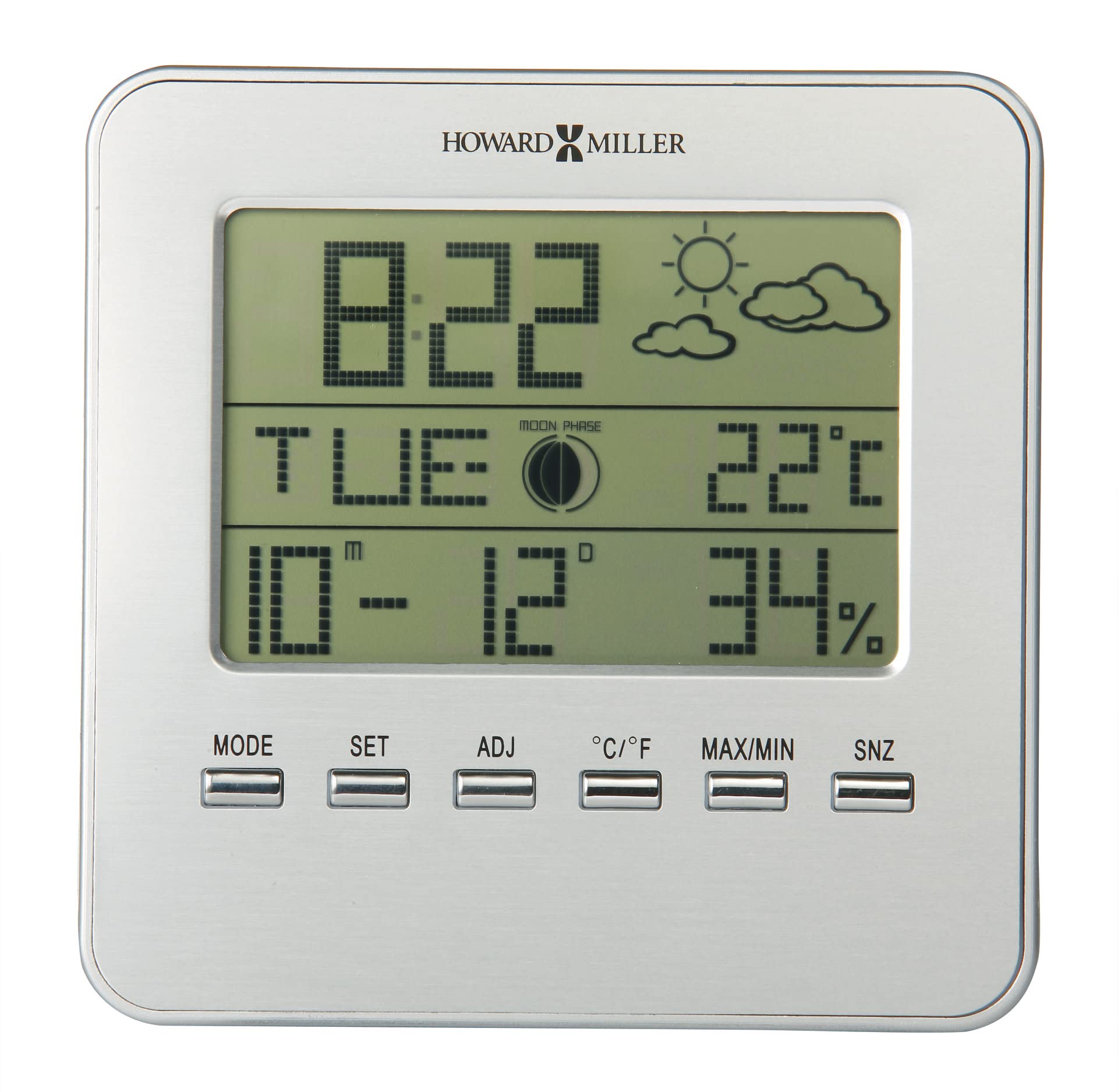
Image: The Howard Miller 645-693 Weather View Alarm Clock shown next to a human silhouette, illustrating its compact size. The clock measures approximately 5 inches (13 cm) in height.
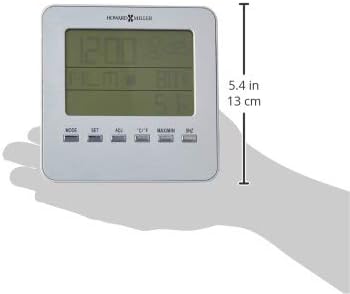
Image: The clock held in a hand, demonstrating its width of approximately 5.4 inches (13 cm).

Image: A side profile of the clock, highlighting its slim depth, suitable for various surfaces.
Warranty and Support
For warranty information and customer support, please refer to the documentation included with your product packaging or visit the official Howard Miller website. Keep your purchase receipt as proof of purchase for any warranty claims.