
Samsung BN59-00678A
User Manual for Samsung TV Remote Control
Model: BN59-00678A
1. Introduction
This manual provides comprehensive instructions for the proper use and maintenance of your Genuine Samsung TV Remote Control, model BN59-00678A. This remote is designed to be compatible with various Samsung TV models, including HL61A510J1F, HL67A510J1F, LN19A330J1D, and many others listed in the compatibility section. It serves as a direct replacement or additional remote for your Samsung television, ensuring seamless control over your viewing experience.
2. Safety Information
Please read and understand all safety precautions before using this product. Failure to follow these instructions may result in injury or damage to the device.
- Battery Safety:
- Do not mix old and new batteries.
- Do not mix alkaline, standard (carbon-zinc), or rechargeable (nickel-cadmium) batteries.
- Always insert batteries correctly, observing the positive (+) and negative (-) polarity markings.
- Remove batteries if the remote control will not be used for an extended period to prevent leakage.
- Dispose of used batteries according to local regulations.
- General Use:
- Keep the remote control away from direct sunlight, heat sources, and moisture.
- Avoid dropping the remote control or subjecting it to strong impacts.
- Do not attempt to disassemble or modify the remote control.
3. Package Contents
Verify that all items are present in the package:
- 1 x Genuine Samsung TV Remote Control (Model: BN59-00678A)
- (Batteries are typically not included and must be purchased separately.)
4. Setup
4.1. Installing Batteries
The remote control requires two AAA batteries (not included). Follow these steps to install them:
- Locate the battery compartment cover on the back of the remote control.
- Press down on the tab and slide the cover downwards to open the compartment.
- Insert two AAA batteries, ensuring the positive (+) and negative (-) ends align with the markings inside the compartment.
- Slide the battery cover back into place until it clicks securely.
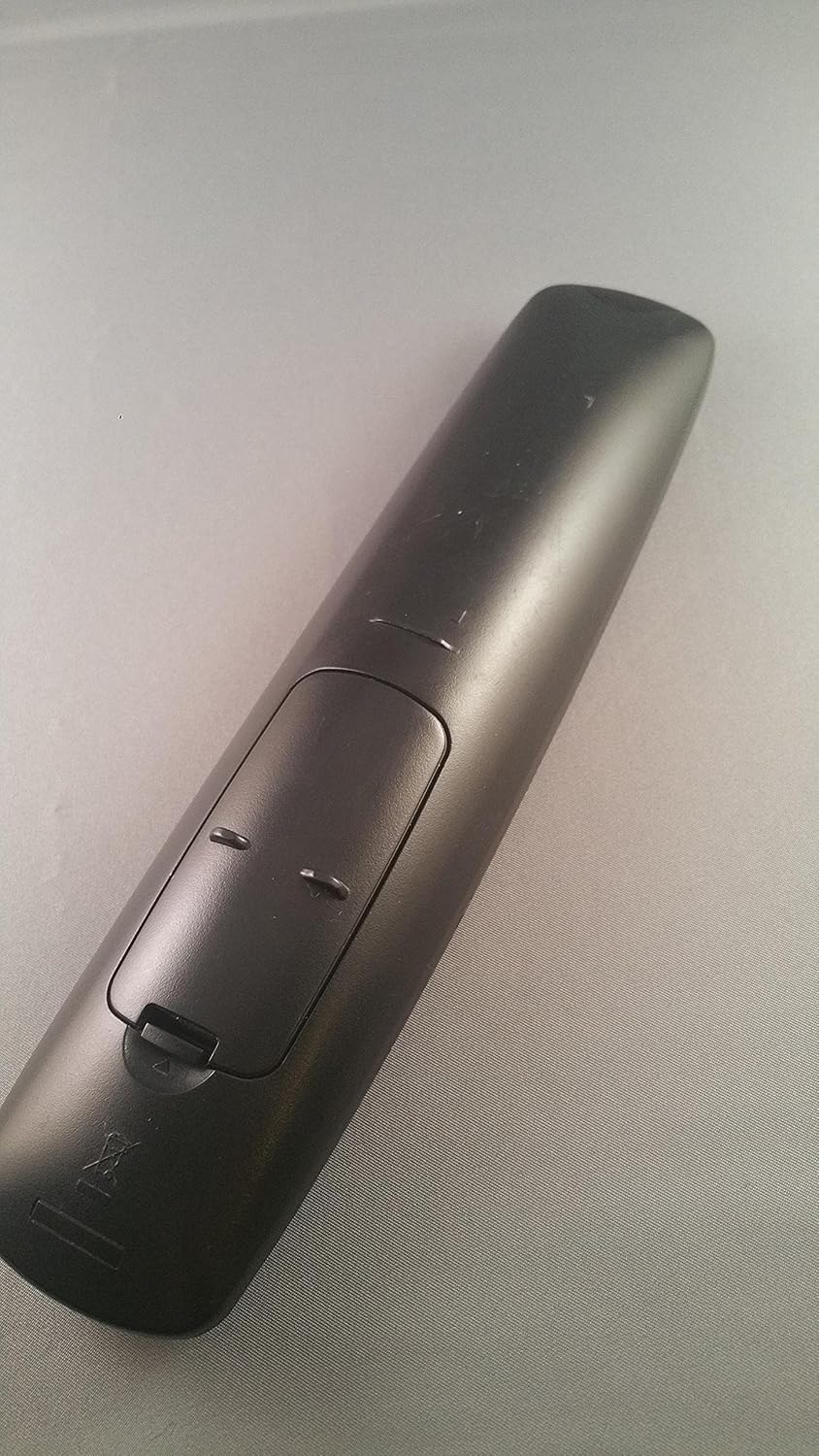
Image: Rear view of the Samsung BN59-00678A remote control, showing the battery compartment. The cover is partially open, revealing the slots for two AAA batteries.
4.2. Initial Use
This remote control is designed to work with compatible Samsung TVs without requiring any programming. Once batteries are installed, simply point the remote at your television and press the POWER button to turn on or off your TV.
5. Operating Instructions
Familiarize yourself with the various buttons and their functions:

Image: Front view of the Samsung BN59-00678A remote control, displaying its array of buttons for various TV functions.
| Button | Function |
|---|---|
| POWER | Turns the TV on or off. |
| SOURCE | Cycles through available input sources (HDMI, AV, Component, TV). |
| VOL +/- | Adjusts the volume level up or down. |
| CH +/- | Changes the channel up or down. |
| MUTE | Mutes or unmutes the TV audio. |
| MENU | Opens the TV's main menu for settings and options. |
| EXIT | Exits the current menu or on-screen display. |
| TOOLS | Accesses quick settings or context-sensitive options. |
| INFO | Displays information about the current program or input. |
| Number Buttons (0-9) | Directly enters channel numbers. |
| Directional Pad (Up/Down/Left/Right) & ENTER | Navigates through menus and confirms selections. |
For specific functions related to your TV model, refer to your television's user manual.
6. Maintenance
6.1. Cleaning the Remote Control
To keep your remote control in optimal condition:
- Wipe the surface with a soft, dry cloth.
- For stubborn dirt, slightly dampen the cloth with water or a mild, non-abrasive cleaner. Do not spray cleaner directly onto the remote.
- Avoid using harsh chemicals, solvents, or abrasive cleaning pads, as these can damage the finish or internal components.
6.2. Battery Replacement
Replace batteries when the remote control's response becomes sluggish or stops working. Refer to Section 4.1 for battery installation instructions.
6.3. Storage
If the remote control will not be used for an extended period, remove the batteries to prevent potential leakage and damage.
7. Troubleshooting
If you experience issues with your remote control, try the following solutions:
| Problem | Possible Cause / Solution |
|---|---|
| Remote control is not working. |
|
| Remote control works intermittently. |
|
| Specific buttons are not responding. |
|
If the problem persists after trying these steps, contact Samsung customer support or a qualified service technician.
8. Specifications
| Feature | Detail |
|---|---|
| Model Number | BN59-00678A |
| Brand | Samsung |
| Connectivity Technology | Infrared (IR) |
| Compatible Devices | Television (Various Samsung models including HL61A510J1F, HL67A510J1F, LN19A330J1D, LN19A330J1H, LN19A450C1D, LN19A650A1D, LN22A330J1D, LN22A450C1, LN22A450C1D, LN22A450C1H, LN22A650A1D, LN26A330J1, LN26A330J1D, LN32A300J1D, LN32A330J1, LN32A330J1D, LN32A330J1N, LN37A330J1D, LN40A330J1, LN40A330J1D, LS23CFUKFYD, LS24TDNSUVD, PL42A410C1D, PL42A410C2D, PL50A410C1D, PN42A400C2D, PN42A410C1D, PN50A400C2D, PN50A410C1D, T200HD, T220HD, T240HD, T260HD, 2333HD) |
| Power Source | 2 x AAA Batteries (not included) |
| Product Dimensions | 6 x 2 x 1.3 inches (approximately) |
| Item Weight | 4 ounces (approximately) |
| Special Feature | Ergonomic design |
9. Warranty Information
This product is manufactured by Samsung. For detailed warranty information, including terms, conditions, and duration, please refer to the warranty card included with your original product purchase or visit the official Samsung support website. Warranty coverage typically applies to manufacturing defects and does not cover damage caused by misuse, accidents, or unauthorized modifications.
10. Support
For further assistance, technical support, or to inquire about replacement parts, please contact Samsung customer service through their official channels:
- Samsung Official Website: www.samsung.com/us/support/
- Customer Service Phone: Refer to the Samsung support website for regional contact numbers.
- Online Chat Support: Available on the Samsung support website.
When contacting support, please have your product model number (BN59-00678A) and any relevant purchase information ready.
Ask a question about this manual
Ask about setup, troubleshooting, compatibility, parts, safety, or missing instructions. Manuals+ will review the question and use this page’s manual context to help answer it.