
1. Product Overview
The ACCEL 201122B Electronic Voltage Regulator is engineered to provide precise control over your vehicle's charging system. This unit features a robust hybrid design with heavy-duty solid-state circuitry, ensuring enhanced reliability and long-lasting performance. It is specifically designed for various Harley-Davidson models, including Electra Glides, Softails, Fat Boys, Tour Glides, Dyna Glides, Low Riders, Super Glides, Low Glides, and Sport Glides.
Key features include:
- Ensures precise control of the charging system.
- Requires no rewiring or special mounting for installation.
- Hybrid design with a black finish for a sleek appearance.
- Features heavy-duty solid-state circuitry for durability.
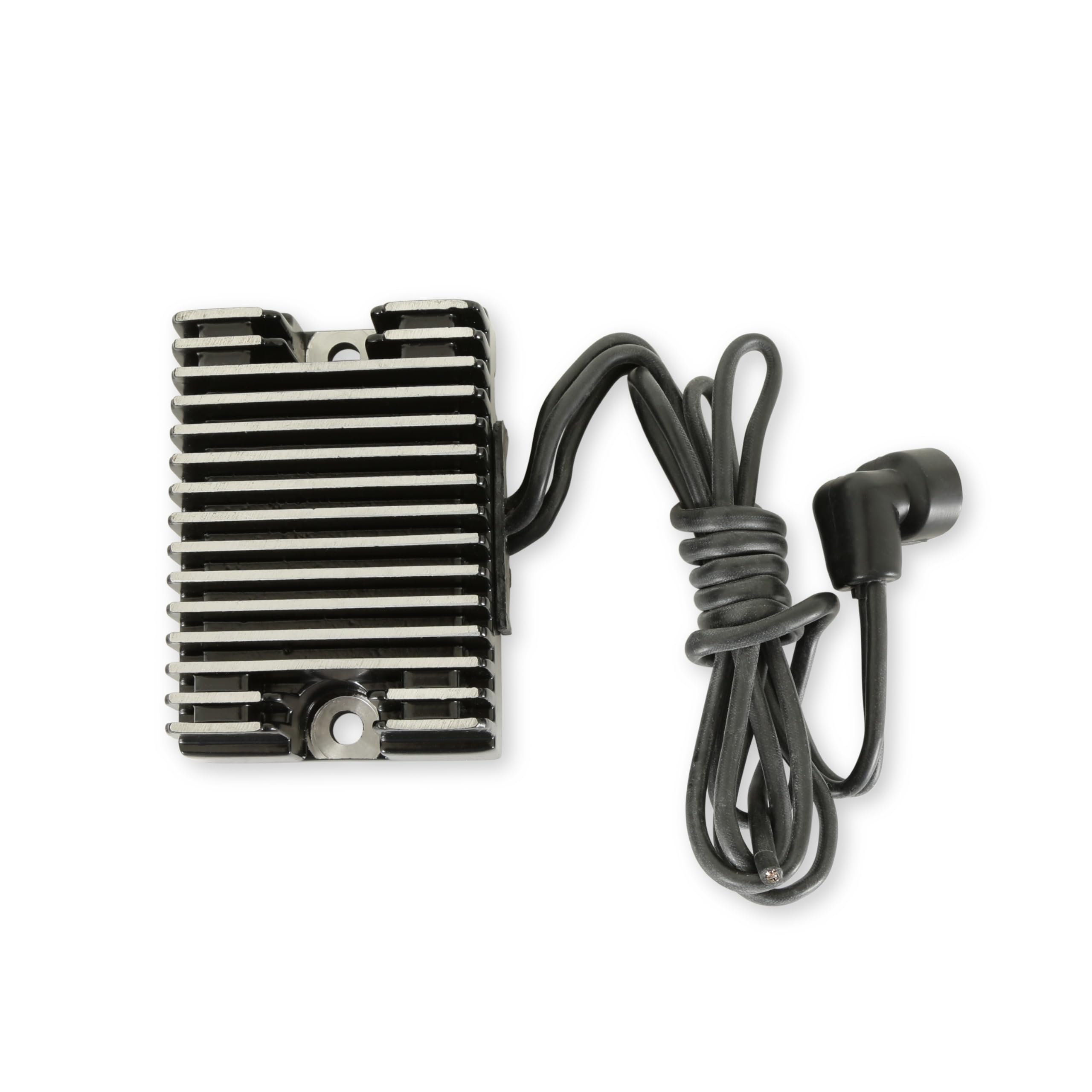
Image 1: Top view of the ACCEL 201122B Electronic Voltage Regulator, showing its compact black housing and integrated wiring harness.
2. Installation and Setup
This voltage regulator is designed for straightforward installation, requiring no complex rewiring or specialized mounting procedures. Always ensure the vehicle's battery is disconnected before beginning any electrical work.
2.1 Safety Precautions
- Disconnect the negative battery terminal before installation.
- Wear appropriate personal protective equipment, including safety glasses.
- Ensure the engine is cool before handling components.
- Refer to your vehicle's service manual for specific component locations and torque specifications.
2.2 Installation Steps
- Locate the existing voltage regulator on your motorcycle.
- Carefully disconnect the electrical connector(s) from the old regulator.
- Unbolt and remove the old voltage regulator from its mounting position.
- Position the new ACCEL 201122B regulator in the same location.
- Secure the new regulator using the original mounting hardware. Ensure it is firmly attached.
- Connect the electrical connector(s) from the vehicle's wiring harness to the new regulator. Ensure connections are secure and fully seated.
- Reconnect the negative battery terminal.
- Start the engine and verify proper charging system operation using a voltmeter. The charging voltage should typically be between 13.5V and 14.8V at idle.

Image 2: The ACCEL 201122B regulator showing the integrated wiring harness and connector, ready for installation.
3. Operating Principles
The ACCEL 201122B Electronic Voltage Regulator is a critical component of your motorcycle's charging system. Its primary function is to regulate the voltage output from the alternator to a stable level, typically around 14.2-14.8 volts. This stable voltage is essential for properly charging the battery and powering all electrical accessories without overcharging or undercharging.
The solid-state circuitry continuously monitors the system voltage and adjusts the alternator's output as needed. This ensures that your battery receives the correct charge, extending its lifespan and maintaining optimal electrical system performance.
4. Maintenance
The ACCEL 201122B Electronic Voltage Regulator is designed for minimal maintenance. However, periodic checks of the charging system can help ensure its longevity and proper function.
- Visual Inspection: Periodically inspect the regulator and its wiring for any signs of damage, corrosion, or loose connections. Ensure the mounting bolts are secure.
- Cleanliness: Keep the regulator free from excessive dirt, oil, and debris. A clean surface aids in heat dissipation.
- Battery Health: A healthy battery is crucial for the charging system. Ensure your battery terminals are clean and tight, and the battery itself is in good condition. A failing battery can put undue stress on the voltage regulator.
- Charging System Check: If you suspect an issue, perform a charging system test using a multimeter to verify the voltage output at the battery terminals while the engine is running.

Image 3: Rear view of the ACCEL 201122B regulator, highlighting the cooling fins designed for efficient heat dissipation.
5. Troubleshooting
If you experience issues with your motorcycle's charging system, the following steps can help diagnose potential problems related to the voltage regulator.
| Symptom | Possible Cause | Solution |
|---|---|---|
| Battery not charging / Low voltage | Faulty voltage regulator, weak battery, faulty stator/alternator, loose/corroded connections. | Check battery health. Inspect all wiring and connections for corrosion or looseness. Test stator output. If other components are good, replace voltage regulator. |
| Battery overcharging / High voltage | Faulty voltage regulator. | Immediately disconnect battery to prevent damage. Replace voltage regulator. |
| Intermittent charging | Loose connections, intermittent fault in regulator or stator. | Inspect all connections thoroughly. Perform charging system test under various engine RPMs. |
| Headlights dimming/brightening with RPM | Voltage regulator not maintaining stable output. | Test charging voltage. If unstable, replace voltage regulator. |
Note: Always consult a qualified mechanic if you are unsure about diagnosing or repairing electrical systems.
6. Specifications
| Attribute | Detail |
|---|---|
| Model Name | ACCEL Motorcycle 201122B ELECTRONIC VOLTAGE REGULATOR |
| Part Number | 201122B |
| Brand | ACCEL |
| Manufacturer | ACCEL |
| Material | Plastic (housing), Solid-state circuitry |
| Color | Black (Note: 'Multi Color' is listed in some specifications, but the product is black) |
| Item Weight | 0.15 Pounds (approx. 0.07 kg) |
| Package Dimensions (L x W x H) | 5 x 3.74 x 3.27 inches |
| Included Components | ACCEL Motorcycle 201122B ELECTRONIC VOLTAGE REGULATOR |
| UPC | 743047943014, 030999943019 |
7. Warranty Information
The ACCEL 201122B Electronic Voltage Regulator is backed by ACCEL's limited lifetime warranty. This warranty covers defects in materials and workmanship under normal use and service. For specific terms, conditions, and claim procedures, please refer to the official ACCEL warranty documentation or contact ACCEL customer support.
Note: Warranty coverage may vary based on region and specific product terms. Always retain your proof of purchase.
8. Customer Support
For technical assistance, troubleshooting guidance, or warranty inquiries, please contact ACCEL customer support through their official website or the contact information provided with your product packaging.
- Online Resources: Visit the official ACCEL website for FAQs, product information, and support contacts.
- Contact: Refer to your product packaging or the ACCEL website for phone numbers or email addresses for direct support.