
1. Introduction
This manual provides essential instructions for the safe and effective use of your HQRP CA-560 AC Adapter. This adapter is designed to provide continuous power to compatible Canon digital camcorders, allowing for extended operation without battery reliance. Please read this manual thoroughly before use and retain it for future reference.
2. Product Overview
The HQRP CA-560 AC Adapter kit includes the main adapter unit, a detachable power cord for standard USA outlets, and a Euro plug adapter for international use.
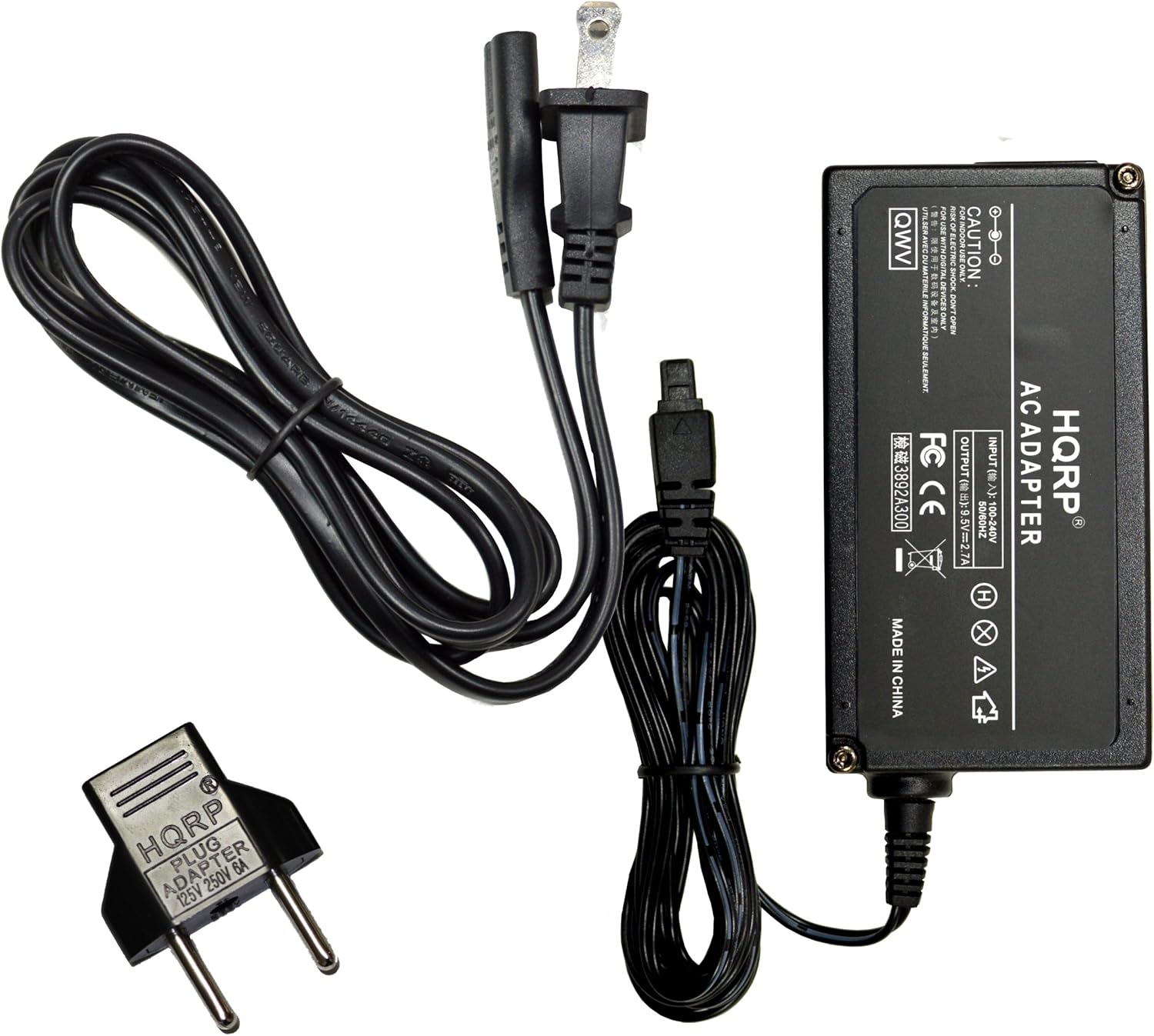
This image displays the complete HQRP CA-560 AC Adapter kit, including the main adapter unit, the detachable power cord for the USA, and the additional Euro plug adapter.
3. Compatibility
The HQRP CA-560 AC Adapter is compatible with the following Canon Digital Camcorder models:
- Canon ZR10, ZR20, ZR25MC, ZR30MC, ZR40, ZR45MC, ZR50MC
- Canon MV3iMC, MV300, MV300i, MV500, MV500i, MV550i
- Canon Optura ZR10, ZR20, ZR25MC, ZR30MC
4. Safety Information
Your HQRP AC Adapter is designed with multiple safety features to ensure reliable operation and protection for your devices. Observe all caution labels on the adapter unit.

A detailed view of the HQRP AC Adapter unit, displaying its input voltage range (100-240V AC) and output specifications (9.5V, 2.7A DC), along with safety warnings and certifications.
Key Safety Features:
- Automatic Overload Cut-off: Protects against excessive current draw.
- Automatic Thermal Cut-off: Prevents overheating of the adapter.
- Short Circuit Protection: Safeguards against damage from electrical shorts.
- Over Voltage Protection: Shields connected devices from voltage spikes.
- Low Interference & Noise: Ensures stable power delivery.

An internal view of the HQRP AC Adapter's circuit board, illustrating the components responsible for high-quality performance and safety features such as over-voltage, short-circuit, and automatic overload protection.
5. Setup and Connection
Follow these steps to properly connect your HQRP CA-560 AC Adapter to your camcorder and power source:
- Connect the Power Cord: Insert the detachable power cord into the AC input port on the HQRP adapter unit. Ensure it is firmly seated.
- Connect to Camcorder: Insert the barrel connector of the adapter's output cable into the DC input jack on your compatible Canon camcorder.
- Connect to Power Outlet: Plug the other end of the power cord into a standard electrical wall outlet (110V-240V AC). If using in Europe, attach the provided Euro plug adapter to the USA plug before inserting into the wall outlet.

This image shows the HQRP AC Adapter with the detachable power cord securely connected to its input port.

The HQRP AC Adapter is shown with its integrated output cable, terminating in a barrel connector.
6. Operating Instructions
Once the HQRP CA-560 AC Adapter is correctly connected to both the power outlet and your camcorder, your camcorder will receive power directly from the adapter. You can now operate your camcorder without relying on its internal battery, or use the adapter to charge the camcorder's battery if the camcorder supports in-camera charging.
- Ensure all connections are secure before powering on your camcorder.
- Refer to your camcorder's instruction manual for specific power-on procedures and charging indicators.
7. Maintenance and Care
To ensure the longevity and optimal performance of your HQRP CA-560 AC Adapter, follow these maintenance guidelines:
- Storage: Store the adapter in a cool, dry place away from direct sunlight and extreme temperatures.
- Cleaning: Disconnect the adapter from all power sources before cleaning. Use a soft, dry cloth to wipe the exterior. Do not use liquid cleaners or solvents.
- Handling: Avoid dropping the adapter or subjecting it to strong impacts. Do not bend or crimp the cables excessively.
- Ventilation: Ensure the adapter has adequate ventilation during use. Do not cover it or place it in enclosed spaces that could restrict airflow.
- Inspection: Periodically inspect the adapter and cables for any signs of damage, such as frayed wires or cracked casing. Discontinue use if damage is observed.
8. Troubleshooting
If you encounter issues with your HQRP CA-560 AC Adapter, consider the following common solutions:
- No Power to Camcorder:
- Ensure the power cord is securely plugged into both the adapter and the wall outlet.
- Verify the barrel connector is fully inserted into the camcorder's DC input jack.
- Test the wall outlet with another device to confirm it is functional.
- Check for any visible damage to the adapter or cables.
- Intermittent Power:
- Check all connections for looseness.
- Ensure the adapter is not overheating. Allow it to cool if it feels excessively warm.
- Camcorder Not Charging:
- Confirm your camcorder model supports in-camera charging via an AC adapter.
- Refer to your camcorder's manual for specific charging instructions and indicators.
If problems persist after attempting these steps, discontinue use and contact HQRP customer support for assistance.
9. Specifications
| Feature | Specification |
|---|---|
| Input Voltage | 110V-240V AC |
| Output Voltage | 9.5V DC |
| Output Current | 2.7 Amps |
| Wattage | 25.65 Watts |
| Connector Type | Barrel Connector |
| Item Weight | 8.8 ounces (approx. 250g) |
| Package Dimensions | 6.8 x 3.2 x 2.1 inches |
10. Legal Disclaimer
This product is a replacement part manufactured by HQRP. It is not an Original Equipment Manufacturer (OEM) product. All brand names and logos mentioned are registered trademarks of their respective owners. Any use of brand names or model designations for this product is made solely for purposes of demonstrating compatibility.