
Fisher Labs CZ21-8
Fisher CZ21-8 Underwater Metal Detector User Manual
Model: CZ21-8 | Brand: Fisher Labs
Introduction
This manual provides detailed instructions for the assembly, operation, and maintenance of your Fisher CZ21-8 Underwater Metal Detector. Designed for both saltwater and freshwater environments, the CZ21-8 offers advanced features for effective target detection up to 250 feet deep. Please read this manual thoroughly before using your detector to ensure optimal performance and longevity.

Figure 1: The Fisher CZ21-8 Underwater Metal Detector, showcasing its main components including the control housing, shaft, search coil, and headphones.
Setup and Assembly
Proper assembly is crucial for the detector's performance and your comfort during use. Follow these steps carefully.
1. Battery Installation
The CZ21-8 requires 4 AA batteries (included). Ensure the battery compartment is dry before opening.
- Locate the battery compartment on the control housing.
- Carefully open the compartment cover.
- Insert 4 AA batteries, observing the correct polarity (+/-) as indicated inside the compartment.
- Securely close the battery compartment cover to maintain its waterproof seal.
2. Assembling the Detector
The detector consists of the control housing, shaft, search coil, and armrest.
- Attach the search coil to the lower shaft using the provided bolt and nut. Ensure it is securely fastened but allows for slight angle adjustment.
- Connect the lower shaft to the middle shaft, and then the middle shaft to the upper shaft, adjusting the length for comfortable operation.
- Slide the armrest onto the upper shaft and secure it in a comfortable position for your forearm.
- Mount the control housing onto the upper shaft, ensuring it is firmly attached.
- Wrap the search coil cable snugly around the shaft, leaving enough slack for coil adjustment, and plug the connector into the control housing. Ensure the connection is tight to prevent water ingress.
- Connect the waterproof headphones to the designated port on the control housing.
Operating Instructions
Familiarize yourself with the controls and operating modes for effective metal detection.
Control Panel Overview

Figure 2: Detailed view of the CZ21-8 control panel, highlighting the various adjustment knobs and the pinpoint button.
- BOOST/VOLUME: Adjusts audio volume and provides an audio boost for faint signals.
- SENSITIVITY (SENS): Controls the detector's depth and responsiveness to targets. Higher settings increase depth but may also increase noise.
- DISCRIMINATION (DISC): Allows the user to filter out unwanted metals (e.g., iron) and focus on desired targets.
- GROUND: Manual ground balance control to eliminate false signals from mineralized ground.
- PINPOINT: A push-button feature for precise location of detected targets.
- BATT TEST: Indicates battery level.
- AUTO TUNE: Engages the all-metal auto-tune mode.
Basic Operation
- Power On: Turn the BOOST/VOLUME knob clockwise to power on the detector and set your desired volume.
- Sensitivity Adjustment: Start with a moderate SENS setting (e.g., 5-7). Increase if you need more depth, decrease if the detector is unstable.
- Ground Balance: This is a critical step, especially in mineralized soil or saltwater.
- Find a clear spot of ground with no metal.
- Set the DISC knob to '0' (all metal).
- Pump the search coil up and down over the ground from about 1 inch to 6 inches.
- Adjust the GROUND knob until the audio signal remains constant as you pump the coil. This indicates a balanced ground setting.
- Discrimination: After ground balancing, adjust the DISC knob to filter out unwanted targets. Higher settings will reject more ferrous items.
- Sweeping the Coil: Sweep the search coil slowly and steadily from side to side, keeping it parallel to the ground and as close as possible without touching.
- Target Identification: The CZ21-8 uses a 3-Tone Audio Target ID system:
- Low Tone: Typically indicates ferrous (iron) targets.
- Medium Tone: Often indicates foil, pull tabs, or small gold items.
- High Tone: Usually indicates coins, larger gold, or silver items.
- Pinpointing: Once a target is detected, press and hold the PINPOINT button. Move the coil slowly over the target area. The loudest and most stable signal indicates the center of the target.
Underwater Operation
The CZ21-8 is submersible up to 250 feet. Ensure all connections are securely tightened before entering water.
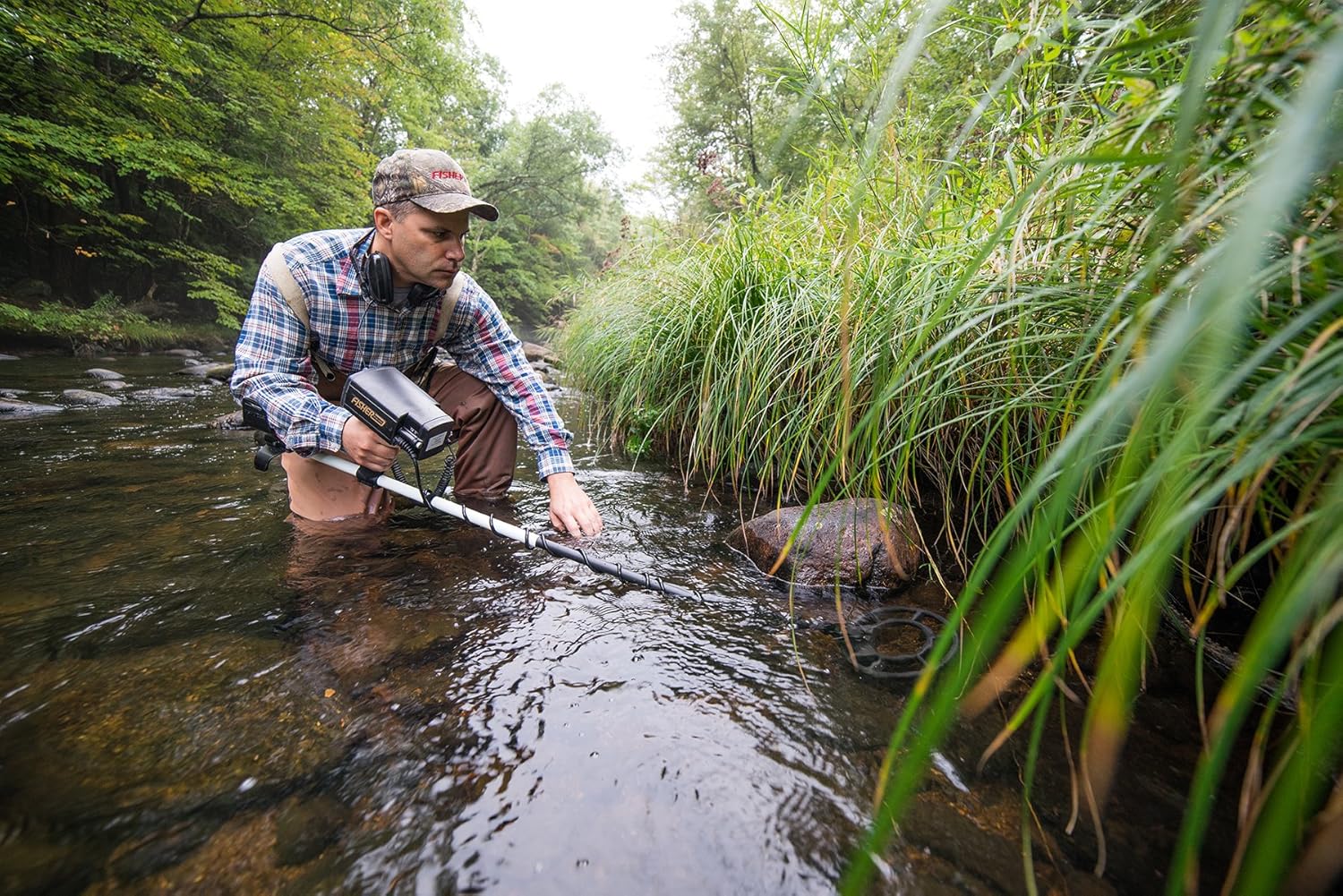
Figure 3: An individual demonstrating the use of the CZ21-8 in a shallow river environment.
- Waterproof Integrity: Double-check all seals and connections (battery compartment, coil cable, headphone jack) to ensure they are fully sealed before submersion.
- Ground Balance in Water: Perform ground balancing as described above, but with the coil submerged in the water you will be searching. Saltwater is highly mineralized and requires careful ground balancing.
- Headphones: The included headphones are waterproof and designed for underwater use.
- Currents and Debris: Be mindful of strong currents and underwater debris that could interfere with detection or damage the coil.

Figure 4: A diver utilizing the CZ21-8 metal detector for underwater exploration.
Maintenance
Proper care extends the life of your metal detector.
- Cleaning: After each use, especially in saltwater, rinse the entire detector with fresh water. Wipe down the control housing and coil with a soft, damp cloth. Do not use abrasive cleaners or solvents.
- Battery Care: Remove batteries if the detector will not be used for an extended period to prevent leakage.
- Storage: Store the detector in a cool, dry place, away from direct sunlight and extreme temperatures.
- Cable Inspection: Regularly inspect the coil cable and headphone cable for any signs of wear or damage.
Troubleshooting
If you encounter issues, refer to this section before contacting support.
| Problem | Possible Cause | Solution |
|---|---|---|
| No power | Dead or incorrectly installed batteries. | Check battery polarity; replace with fresh batteries. |
| Erratic signals/Chattering | High sensitivity, improper ground balance, electrical interference. | Reduce sensitivity; re-ground balance; move away from power lines or other electronics. |
| Poor depth detection | Low sensitivity, incorrect ground balance, highly mineralized soil. | Increase sensitivity; re-ground balance carefully; sweep slower. |
| Detector not waterproof | Battery compartment or coil cable not sealed properly. | Ensure all seals are clean and covers are securely tightened before submersion. |
Specifications
- Model: CZ21-8
- Operating Frequency: 5 and 15 kHz (Dual Frequency Fourier Domain Signal Analysis)
- Submersion Depth: Up to 250 feet
- Power Source: 4 AA batteries (included)
- Battery Life: Approximately 100 hours
- Search Coil Size: 8 inches (standard, 10-inch option available)
- Material: ABS Plastic
- Item Weight: 6.6 pounds
- Product Dimensions: 12 x 6 x 21 inches
- International Protection Rating: IP54 (Note: While submersible, the product description states "submersible up to 250 feet", which implies a higher water resistance than standard IP54. Always ensure seals are intact for full submersion.)
- Features: Touch-button VCO no motion pinpointing, manual ground balance, all-metal auto-tune mode, large target alert / faint target audio boost, 3-Tone Audio Target ID, removable control housing for belt mount.
Warranty Information
Fisher Labs products are manufactured to high-quality standards. Specific warranty details are typically provided with your purchase documentation or can be found on the official Fisher Labs website. Please retain your proof of purchase for warranty claims.
For detailed warranty terms and conditions, please visit the Fisher Labs Official Store or contact their customer service.
Customer Support
For technical assistance, parts, or service inquiries, please contact Fisher Labs customer support.
- Manufacturer: First Texas (Fisher Labs is a brand of First Texas Products)
- Online Resources: Visit the Fisher Labs Store on Amazon for additional product information and support.
- Contact: Refer to the contact information provided in your product packaging or on the official Fisher Labs website for direct support.
Ask a question about this manual
Ask about setup, troubleshooting, compatibility, parts, safety, or missing instructions. Manuals+ will review the question and use this page’s manual context to help answer it.