
Prepac BMA-0960
Prepac Triple Width Wall Media Storage Cabinet (Model BMA-0960) User Manual
Brand: Prepac | Model: BMA-0960
1. Introduction
Thank you for choosing the Prepac Triple Width Wall Media Storage Cabinet, Model BMA-0960. This cabinet is designed to provide organized storage for your media collection, including CDs, DVDs, and Blu-rays. Its library-style design features three compartments with fully adjustable shelves, allowing for flexible organization as your collection expands. This manual provides essential information for safe assembly, proper use, and maintenance of your new media storage cabinet.
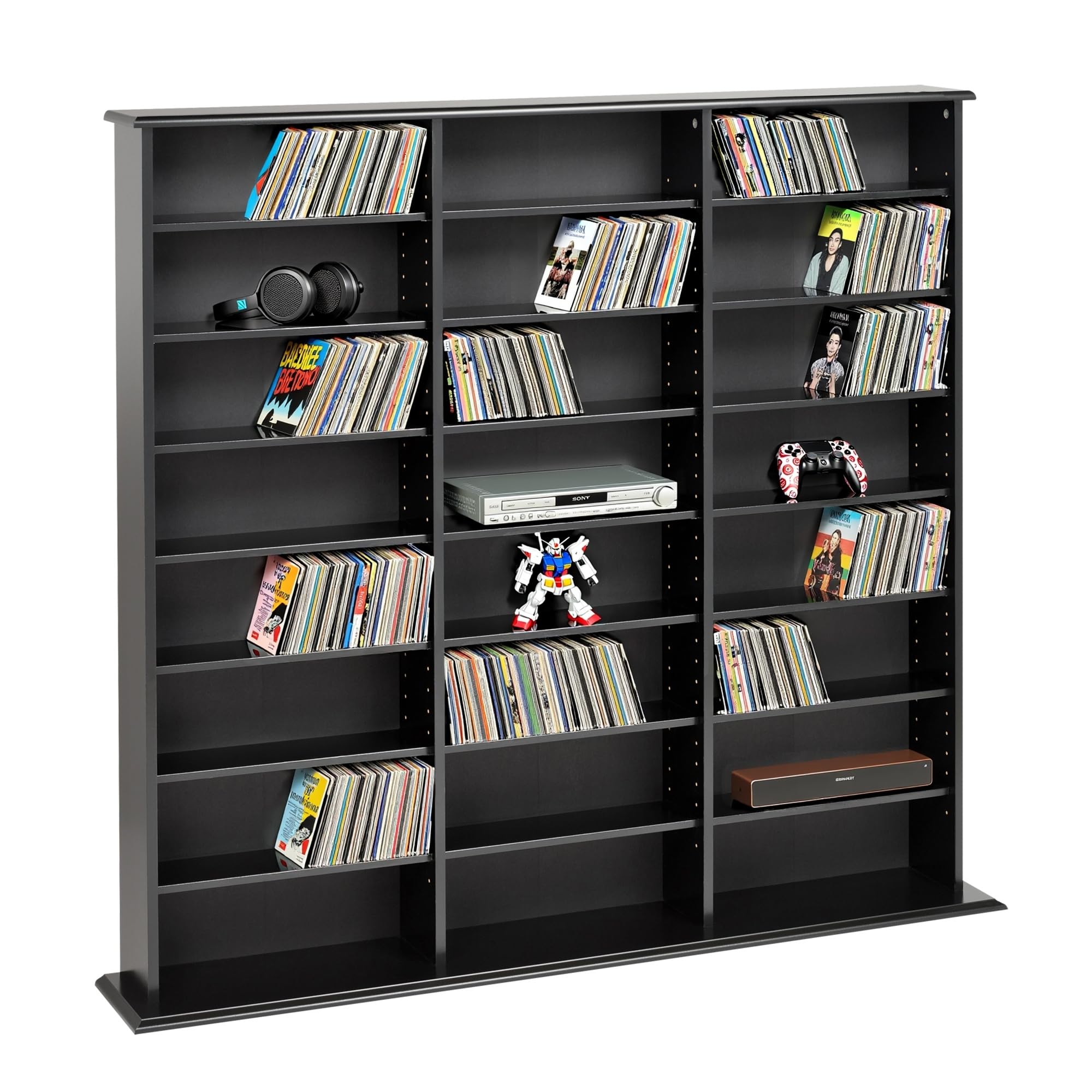
Figure 1.1: Prepac Triple Width Wall Media Storage Cabinet (Model BMA-0960) in black finish, shown filled with various media.
2. Safety Information
Please read and understand all safety instructions before assembling or using this product. Failure to follow these instructions may result in injury or damage to the product.
- Adult Assembly Required: This product requires adult assembly. Keep small parts away from children during assembly.
- Tip-Over Hazard: To prevent tip-over, which can cause serious injury or death, this unit must be securely anchored to a wall using the provided wall anchor kit.
- Weight Distribution: Distribute weight evenly across shelves. Place heavier items on lower shelves to improve stability. Do not overload shelves.
- Surface Stability: Ensure the cabinet is placed on a flat, level, and stable surface.
- Avoid Climbing: Do not allow children to climb on the cabinet.
- Proper Tools: Use appropriate tools for assembly as specified in the instructions.
- Chemical Warning: This product may contain chemicals known to the State of California to cause cancer and birth defects or other reproductive harm.
3. Parts List
Before beginning assembly, ensure all parts and hardware are present and undamaged. Refer to the included hardware packet for a complete list of components. Below are some key components:
- Laminate Panels: Main cabinet body, shelves, top, and base.
- Adjustable Shelves: 21 shelves for customizable storage.
- Hardware: Includes cam-lock fasteners, connector rods, dowels, and wall anchor kit.
- Backer Boards: Engineered wood panels for the cabinet back.
- Plastic Feet: For base stability and floor protection.

Figure 3.1: Common hardware components used in Prepac furniture assembly.
4. Assembly Instructions
Assembly is required for this media storage cabinet. Follow the step-by-step instructions provided in the packaging. A Phillips head screwdriver is generally required. It is recommended to have a second person for assistance during certain steps, especially when handling larger panels.
4.1. Hardware Overview
Prepac products utilize high-quality, precise hardware for easy and durable assembly. Familiarize yourself with the common hardware types:
- Connector Rods: These are threaded rods (green, black, or blue) that screw into panels.
- Cam Locks: Metal discs that insert into panels and lock onto connector rods when turned clockwise.
- Dowels: Black plastic dowels used to secure decorative moldings.
Video 4.1: This video demonstrates how to use common Prepac hardware components for assembly, including connector rods, cam locks, and dowels.
4.2. General Assembly Tips
- Work on a Soft Surface: Assemble on a carpeted or soft surface to prevent scratching the laminate finish.
- Do Not Overtighten: Overtightening screws can damage the particle board.
- Wall Anchoring: Always install the provided wall anchor to prevent accidental tip-over.
- Backer Boards: When attaching backer boards, ensure the unit is square. Pilot holes for nails are recommended to prevent bending.

Figure 4.1: Assembly information, indicating an estimated assembly time of 60 minutes and requiring two people.
5. Operation
The Prepac Triple Width Wall Media Storage Cabinet is designed for versatile media organization.
5.1. Adjustable Shelves
The cabinet features 21 adjustable shelves. These shelves can be repositioned to accommodate various media sizes, such as CDs, DVDs, Blu-rays, or video games. Simply remove the shelf pins, adjust the shelf to the desired height, and reinsert the pins to secure the shelf.
- Capacity: The cabinet can hold approximately 960 CDs, 405 DVDs, 240 videos, or 210 Disney videos, or a combination thereof.
- Horizontal Storage: The design facilitates horizontal storage, making it easy to browse and add to your collection.
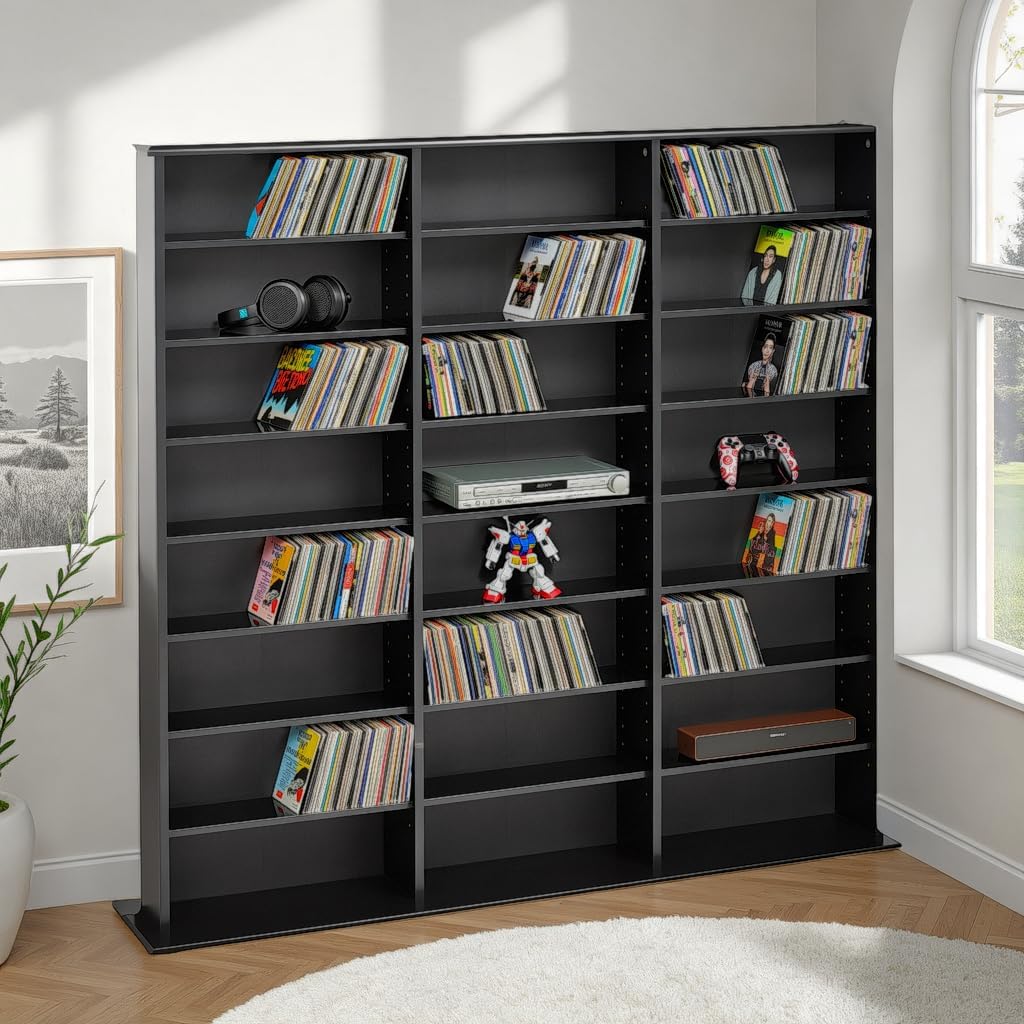
Figure 5.1: The media cabinet organized with CDs, DVDs, and other items, demonstrating adjustable shelf usage.
6. Maintenance
Proper care will ensure the longevity and appearance of your Prepac media storage cabinet.
- Cleaning: Wipe surfaces with a soft, damp cloth. Avoid harsh chemicals or abrasive cleaners, as these can damage the laminate finish.
- Dusting: Regularly dust the cabinet to prevent buildup.
- Inspection: Periodically check all hardware connections to ensure they remain tight. Retighten if necessary.
- Sunlight Exposure: Avoid prolonged exposure to direct sunlight, which can cause fading or discoloration.
- Moisture: Protect the cabinet from excessive moisture and humidity.
7. Troubleshooting
If you encounter issues with your media storage cabinet, refer to the following common solutions:
| Problem | Possible Cause | Solution |
|---|---|---|
| Cabinet feels unstable or wobbly. | Uneven floor; loose hardware; wall anchor not installed. | Ensure the cabinet is on a level surface. Tighten all cam locks and connector rods. Install the wall anchor kit as per instructions. |
| Shelves do not fit properly or are loose. | Shelf pins not fully inserted; incorrect shelf placement. | Ensure shelf pins are fully seated in the pre-drilled holes. Verify shelves are placed correctly. |
| Missing or damaged parts. | Packaging error or transit damage. | Contact Prepac customer support immediately for replacement parts. Do not attempt to assemble with missing or damaged components. |
| Backer board not flush or nails bending. | Unit not square during backer board installation; improper nailing technique. | Ensure the cabinet frame is square before nailing the backer board. Use a small hammer and apply gentle, even pressure. Consider pre-drilling small pilot holes for nails if difficulty persists. |
8. Specifications
Key specifications for the Prepac Triple Width Wall Media Storage Cabinet (Model BMA-0960):
- Model Name: Triple Width Wall Storage
- Model Number: BMA-0960
- Brand: Prepac
- Color: Black
- Material: Engineered Wood, Wood
- Product Dimensions: 8.75"D x 56"W x 51"H
- Item Weight: 61.6 Pounds (26 Kilograms)
- Weight Limit: 216 Pounds
- Number of Shelves: 21 (Adjustable)
- Number of Compartments: 19
- Mounting Type: Floor Mount
- Installation Type: Freestanding (Wall anchor recommended)
- Assembly Required: Yes
- Storage Options: CDs, DVDs, Blu-rays, Videos

Figure 8.1: Dimensional diagram of the media storage cabinet.
9. Warranty & Support
Prepac products are designed and manufactured in North America with a commitment to quality. For specific warranty details, please refer to the documentation included with your product or visit the official Prepac website.
9.1. Customer Support
If you have any questions, require assistance with assembly, or need to report missing/damaged parts, please contact Prepac customer support. Contact information can typically be found on the manufacturer's website or on the packaging materials.
Note: Amazon offers 30-day easy returns and customer support for purchases made through their platform.
Ask a question about this manual
Ask about setup, troubleshooting, compatibility, parts, safety, or missing instructions. Manuals+ will review the question and use this page’s manual context to help answer it.