
Introduction
This manual provides comprehensive instructions for the safe and effective use of your K-Tek KE-79 Avalon Series Boom Pole. Please read this manual thoroughly before operating the device and retain it for future reference. The K-Tek KE-79 is a lightweight, durable, and versatile 6-section aluminum boom pole designed for professional audio recording applications, offering an extended reach while maintaining a compact form factor for transport.
Product Overview
The K-Tek KE-79 boom pole features a robust aluminum construction with six telescoping sections, allowing for precise length adjustments. It incorporates K-Tek's proprietary jam-resistant collar coupling system for secure and effortless extension and retraction.

Figure 1: The K-Tek KE-79 Avalon Series Boom Pole in its collapsed state, showcasing its compact design. This image displays the full length of the pole when retracted, highlighting the K-Tek branding near the top.
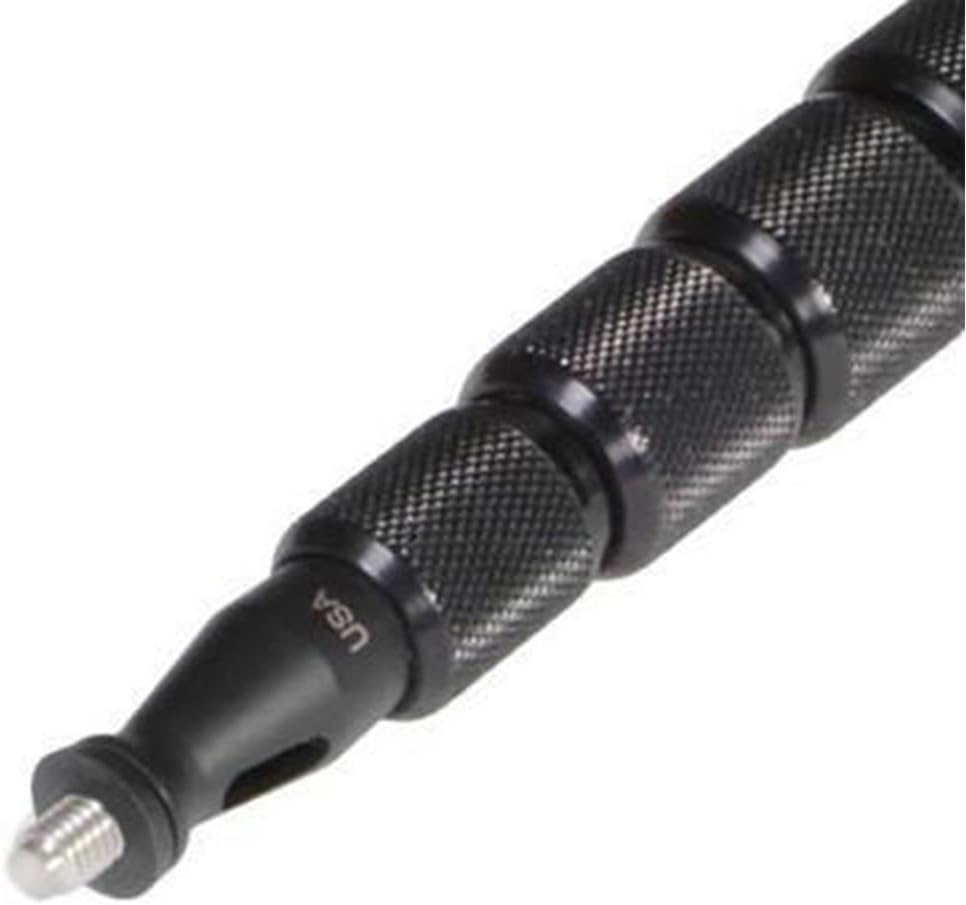
Figure 2: A detailed view of the boom pole's threaded tip, used for attaching microphones or accessories, and the knurled locking collars that secure each section. The "USA" engraving is visible near the tip.

Figure 3: A close-up of the K-Tek Avalon KE-79 label located on the main section of the boom pole, confirming the model and brand.
Setup
- Unpacking: Carefully remove the boom pole from its packaging. Inspect for any signs of damage.
- Attaching Microphone/Accessory: The tip of the boom pole features a standard threaded mount. Screw your microphone shock mount or other compatible accessory onto this thread until secure. Do not overtighten.
- Extending Sections: To extend the boom pole, grasp the base section firmly. Loosen the first locking collar by twisting it counter-clockwise. Gently pull out the next section to the desired length. Tighten the collar by twisting it clockwise until it is secure. Repeat this process for subsequent sections until the desired overall length is achieved.
- Collapsing Sections: To collapse the boom pole, loosen each locking collar by twisting it counter-clockwise. Gently push the extended section back into the previous one. Tighten the collar. Repeat for all sections until the pole is fully collapsed.
Note: Always ensure all locking collars are securely tightened before use to prevent accidental collapse or rotation of sections.
Operating Instructions
The K-Tek KE-79 boom pole is designed for precise microphone placement in various recording environments.
- Handling: Hold the boom pole firmly but comfortably. Avoid gripping the locking collars during operation to prevent accidental loosening.
- Microphone Positioning: Position the microphone attached to the boom pole as close as possible to the sound source while remaining out of the camera frame.
- Cable Management: If running a microphone cable through or along the boom pole, ensure it is secured to prevent tangling or noise from cable movement.
- Environmental Awareness: Be mindful of your surroundings to avoid hitting objects or individuals with the extended boom pole.
Maintenance
- Cleaning: Wipe down the boom pole with a soft, dry cloth after each use to remove dust and dirt. For stubborn grime, a slightly damp cloth can be used, followed by immediate drying.
- Inspection: Regularly inspect all sections and locking collars for any signs of wear, damage, or loose components.
- Lubrication: The internal mechanisms of the locking collars are designed for smooth operation. Avoid applying lubricants unless specifically recommended by K-Tek, as this can attract dirt and impair function.
- Storage: Store the boom pole in its collapsed state in a clean, dry environment, preferably in a protective case, to prevent damage.
Troubleshooting
| Problem | Possible Cause | Solution |
|---|---|---|
| Sections not extending/retracting smoothly | Dirt or debris in locking mechanism; overtightened collars. | Clean sections and collars. Ensure collars are only tightened enough to secure the section. |
| Sections slipping after tightening | Collar not tightened sufficiently; worn internal components. | Ensure collars are tightened firmly. If problem persists, contact K-Tek support for inspection. |
| Microphone wobbles on tip | Microphone/accessory not securely attached. | Ensure the microphone shock mount or accessory is fully screwed onto the threaded tip. |
Specifications
- Model: K-Tek KE-79 Avalon Series
- Material: Aluminum
- Number of Sections: 6
- Collapsed Length: 1.8 feet (21.6 inches)
- Extended Length: 6.7 feet (80.4 inches)
- Product Dimensions: 23.8 x 1.4 x 0.3 inches (collapsed)
- Item Weight: Approximately 0.01 ounces (Note: Product description states 1.237 lbs, this specification might be an error in source data. Refer to product packaging for accurate weight.)
- ASIN: B001GNQQLM
- Item Model Number: KE79
- Manufacturer: K-Tek
What's in the Box
- 1x K-Tek KE-79 Avalon Series Boom Pole
Warranty and Support
For warranty information, technical support, or service inquiries, please refer to the official K-Tek website or contact K-Tek customer service directly. Keep your purchase receipt as proof of purchase.
K-Tek Official Website: www.ktekbooms.com (Example link, actual link may vary)