
1. Introduction
The Pontec PondoPress 10000 Pressure Filter Kit is designed to ensure clear and healthy water in your garden pond. This comprehensive system combines a pressure filter, a powerful filter pump, and an integrated UVC pre-clarifier to effectively remove coarse dirt particles, nutrients, and other impurities from the pond water. It is suitable for ponds up to 10,000 liters without fish stock or 5,000 liters with fish stock.
This manual provides detailed instructions for the safe installation, operation, and maintenance of your PondoPress 10000 Pressure Filter Kit to ensure optimal performance and longevity.

Figure 1: Complete Pontec PondoPress 10000 Pressure Filter Kit, including the main filter unit, submersible pump, and coiled hose.
2. Safety Instructions
Please read these safety instructions carefully before operating the device. Failure to follow these instructions may result in electric shock, fire, or serious injury.
- Always disconnect the power supply before performing any maintenance or cleaning.
- Ensure that the electrical outlet is protected by a ground fault circuit interrupter (GFCI) for outdoor use.
- Do not operate the device if the power cord or plug is damaged.
- Keep children and pets away from the pond area and the filter system during operation.
- Do not immerse the filter unit in water; only the pump is designed for submersion.
- Ensure all connections are secure and watertight to prevent leaks.
- Only use original spare parts and accessories.
3. Components List
The Pontec PondoPress 10000 Pressure Filter Kit includes the following main components:
- PondoPress 10000 Pressure Filter Unit with integrated 9W UVC pre-clarifier
- Filter Pump (2500 l/h)
- 5.0 m long hose
- Necessary connectors and clamps

Figure 2: Pressure Filter Unit
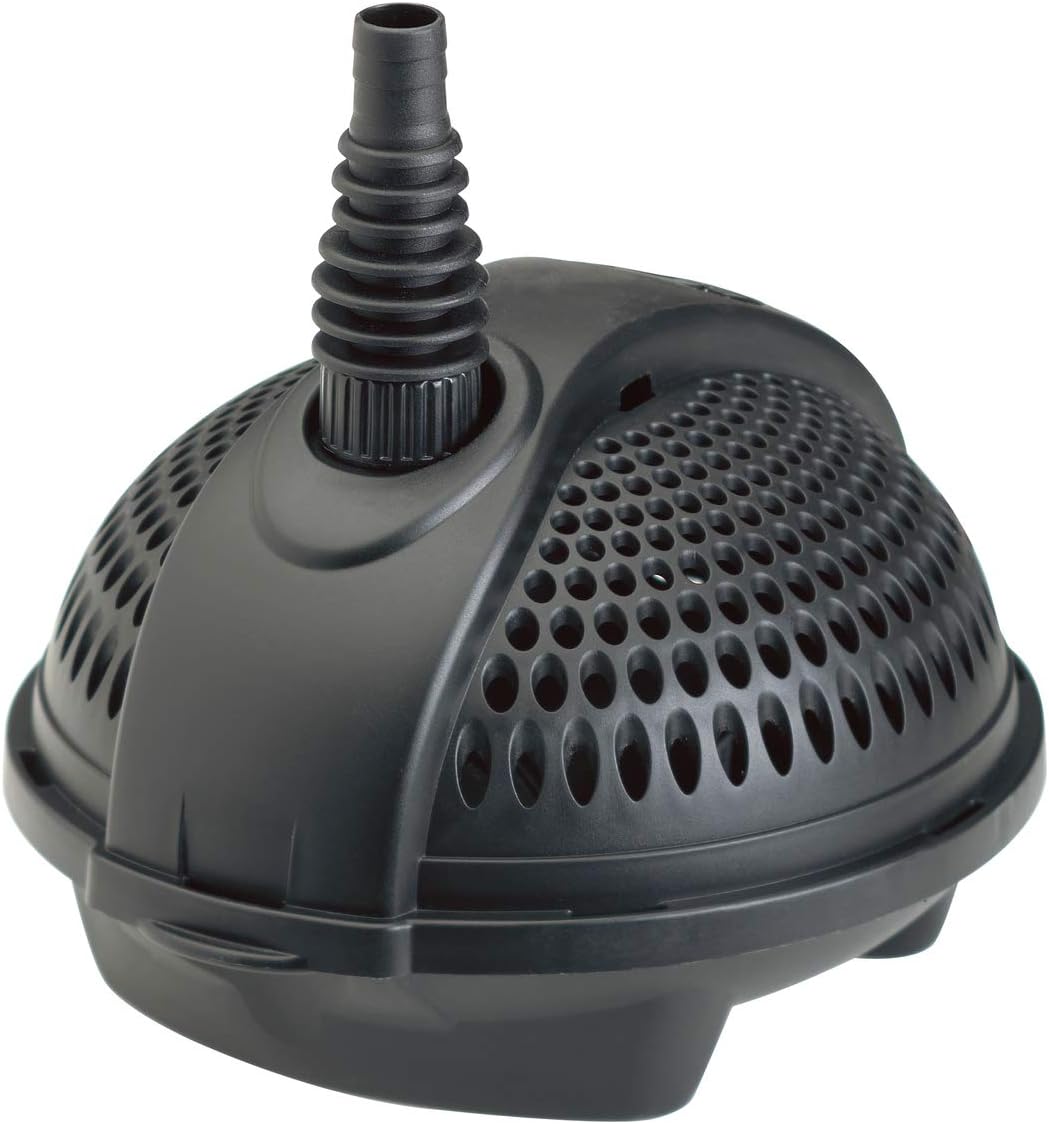
Figure 3: Filter Pump
4. Setup and Installation
Follow these steps to properly set up your PondoPress 10000 Pressure Filter Kit:
- Filter Unit Placement: Position the pressure filter unit on a stable, level surface near the pond. It can be partially buried up to the lid for discreet integration into your garden landscape. Ensure it is easily accessible for maintenance.
- Pump Placement: Place the filter pump directly into the pond, ensuring it is fully submerged and positioned on a stable surface, away from the deepest sludge areas if possible, but where it can draw water effectively.
- Hose Connection:
- Connect one end of the 5.0 m hose to the outlet of the filter pump. Secure it with a hose clamp.
- Connect the other end of the hose to the inlet connection on the pressure filter unit. Secure it with a hose clamp.
- Connect the clean water outlet of the filter unit to your desired return point in the pond, such as a waterfall or stream, using additional hose if necessary. The filter can transport water up to 1 meter high.
- Electrical Connection: Before connecting to power, ensure all components are correctly assembled and positioned. Connect the power cords of both the pump and the filter unit (for the UVC) to a weather-protected, GFCI-protected outdoor electrical outlet.
5. Operating Instructions
Once the setup is complete, you can begin operating your PondoPress 10000 system:
- Initial Startup: Plug in the power cords for both the pump and the filter unit. The pump will begin to draw water from the pond into the filter. The UVC lamp inside the filter will also activate.
- Water Flow: Observe the water flow from the clean water outlet back into the pond. It may take a few minutes for the filter to fill and for a steady flow to be established.
- Continuous Operation: For optimal water clarity, the filter system should operate continuously, 24 hours a day, 7 days a week, during the pond season.
- Monitoring: Regularly check the water clarity and the flow rate. A reduced flow rate or cloudy water may indicate that the filter requires cleaning.
6. Maintenance
Regular maintenance is crucial for the efficient operation and longevity of your filter system.
6.1. Filter Cleaning
The PondoPress 10000 features a convenient cleaning mechanism. Refer to the images below for visual guidance.
- Disconnect Power: Always unplug the filter and pump from the power supply before cleaning.
- Activate Cleaning Function: The filter unit has a handle on top (see Figure 5) and latches (see Figure 4) that allow for easy cleaning of the filter sponges without opening the unit. Follow the specific instructions in the included quick-start guide for your model's cleaning mechanism. Typically, this involves rotating or pumping the handle to squeeze the sponges and flush out debris.
- Drain Dirty Water: Direct the dirty water outlet to a suitable drainage area (e.g., garden bed, not back into the pond).
- Rinse: Continue the cleaning process until the water running from the dirty water outlet is clear.
- Reconnect Power: Once cleaning is complete, close the dirty water outlet and reconnect the power supply.

Figure 4: Filter unit latch for secure closure.

Figure 5: Top of the filter unit showing the cleaning handle.
6.2. Pump Cleaning
Periodically, the pump impeller may become clogged with debris. Disconnect power, remove the pump from the pond, and open its casing to clean the impeller and pump housing. Rinse thoroughly with clean water.
6.3. UVC Lamp Replacement
The UVC lamp has a limited lifespan (typically 8,000 operating hours or about 12 months of continuous use) and should be replaced annually, ideally at the start of the pond season, to maintain its effectiveness. Refer to the detailed instructions in the full product manual for safe UVC lamp replacement procedures.
7. Troubleshooting
If you encounter issues with your PondoPress 10000, consult the table below for common problems and solutions.
| Problem | Possible Cause | Solution |
|---|---|---|
| No water flow from pump. | Pump not plugged in, power outage, clogged impeller, damaged pump. | Check power connection, check circuit breaker, clean pump impeller, inspect pump for damage. |
| Reduced water flow. | Clogged filter sponges, clogged pump, kinked hose. | Perform filter cleaning, clean pump, check hose for obstructions. |
| Pond water remains cloudy/green. | Filter needs cleaning, UVC lamp ineffective/old, pond overloaded, insufficient filtration time. | Clean filter regularly, replace UVC lamp annually, reduce fish stock/feeding, ensure 24/7 operation. |
| Water leaking from filter. | Improperly sealed lid, damaged O-ring, loose hose connection. | Ensure lid is securely latched, check and replace O-ring if damaged, tighten hose clamps. |
8. Specifications
| Feature | Detail |
|---|---|
| Model Number | 57146 |
| Brand | Pontec |
| Dimensions (L x W x H) | 38 x 38 x 52 cm |
| Weight | 90 Grams (Note: This weight seems unusually low for a filter kit, likely refers to packaging or a specific component. Please verify with product packaging.) |
| Voltage | 230 Volts |
| UVC Power | 9 Watts |
| Max Flow Rate (Pump) | 2500 Liters per hour |
| Suitable Pond Size (No Fish) | Up to 10,000 Liters |
| Suitable Pond Size (With Fish) | Up to 5,000 Liters |
| Max Head Height (Filter) | 1 meter (for watercourse supply) |
| Hose Length Included | 5.0 meters |
| Material | Plastic |
| Country of Origin | Germany |
9. Warranty and Support
Pontec products are designed for durability and performance. Spare parts for this model are available for 5 years within the EU.
For technical support, warranty claims, or to order spare parts, please contact your local Pontec dealer or visit the official Pontec website. Always have your model number (57146) and purchase information ready when contacting support.


