
Product Overview
The Drive Medical Duet is a versatile mobility aid designed to function as both a rollator walker and a transport chair. This innovative 2-in-1 device provides support for independent ambulation and offers the convenience of being pushed by a caregiver when needed. It features a comfortable padded seat, adjustable handles, and a durable frame, making it suitable for various indoor and outdoor environments.

Image: The Drive Medical 795BU Duet Rollator and Transport Chair, showcasing its primary configuration in burgundy.
Important Safety Information
Before using the Drive Medical Duet, please read and understand all instructions and warnings. Failure to do so may result in injury. Always ensure all components are securely fastened and in proper working order before each use. This product is designed to support individuals up to 300 pounds.
- Always engage the locking brakes when sitting on the seat or when the unit is stationary.
- Do not exceed the maximum weight capacity of 300 pounds.
- Ensure the unit is fully unfolded and locked into position before use.
- Exercise caution on uneven or sloped surfaces.
- When using as a transport chair, ensure the footrests are properly deployed and the caregiver is in control.
Setup and Assembly
The Drive Medical Duet requires minimal assembly. Follow these steps to prepare your unit for use:
- Unfolding the Unit: Carefully remove the Duet from its packaging. Stand the unit upright and push the side frames outwards until they lock into place. Ensure the cross brace is fully extended.
- Attaching Handles: Insert the handgrips into the frame tubes. Adjust the height of the handles to a comfortable position where your arms are slightly bent when standing upright. Secure the handles using the self-threading knobs.
- Deploying Footrests (Transport Chair Mode): For transport chair use, pull out the footrests located at the front of the unit. Ensure they are securely extended.
- Backrest Adjustment: The backrest can be moved from the front to the back to convert between rollator and transport chair modes. Ensure it is in the desired position and securely latched.

Image: The Duet Rollator illustrating its dimensions and the tool-free handle assembly process.

Image: An exploded diagram detailing the various components and their numbering for the Drive Medical 795BU Duet.
Operating Your Duet Rollator and Transport Chair
Rollator Mode
To use the Duet as a rollator, ensure the backrest is positioned for walking support. Adjust the handles to your preferred height. Walk behind the unit, pushing it forward. The 8-inch casters provide stability and ease of movement over various terrains.
Transport Chair Mode
To convert the Duet into a transport chair:
- Move Backrest: Shift the backrest from the front to the rear position.
- Flip Up Armrests: Lift the armrests into their upright, locked position.
- Lower Footrests: Pull down the footrests into their extended position.
Once converted, the user can sit comfortably while a caregiver pushes the chair. To revert to rollator mode, reverse these steps and stow away the armrests and footrests.
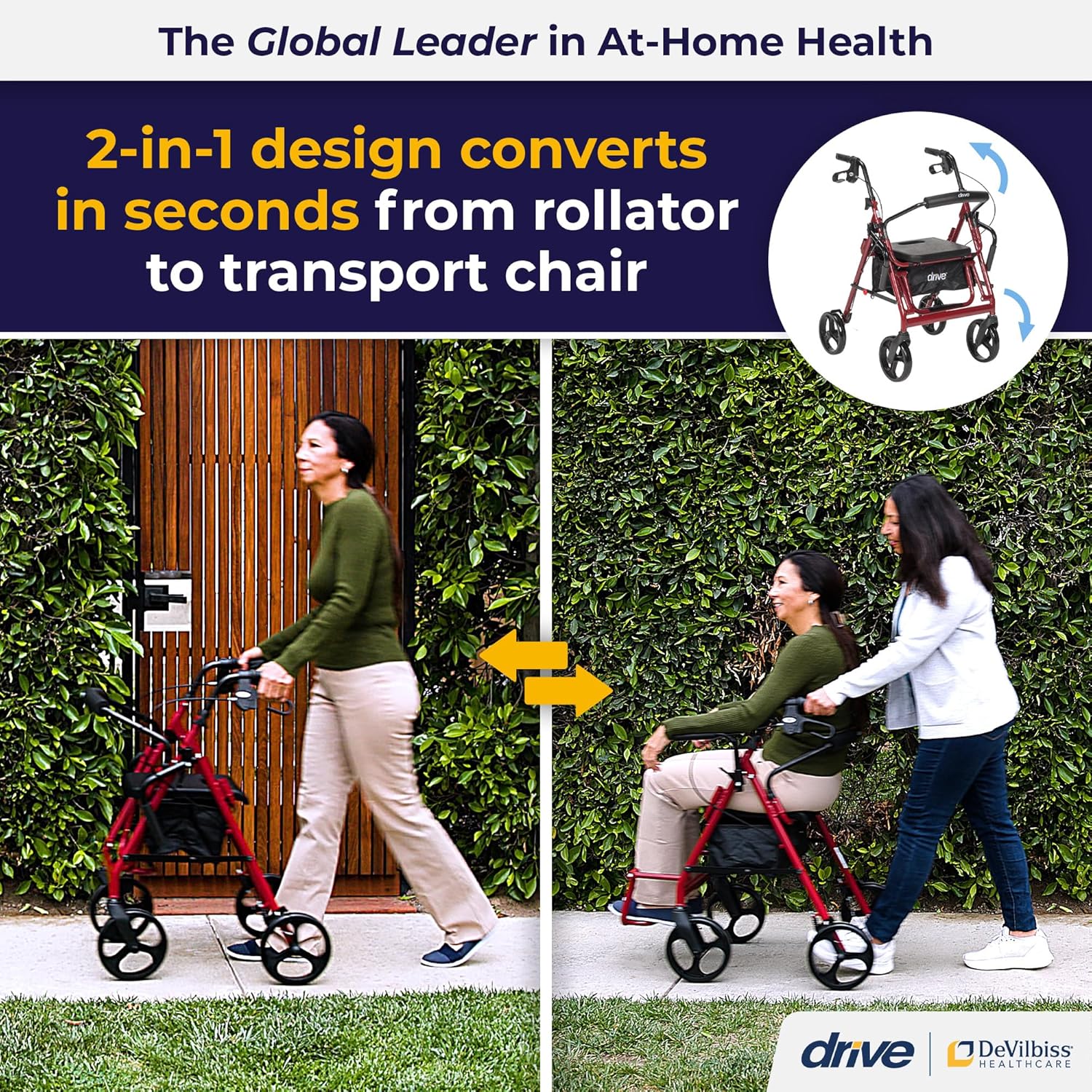
Image: Demonstrates the 2-in-1 design, showing a user walking with the Duet as a rollator and then being pushed in it as a transport chair.
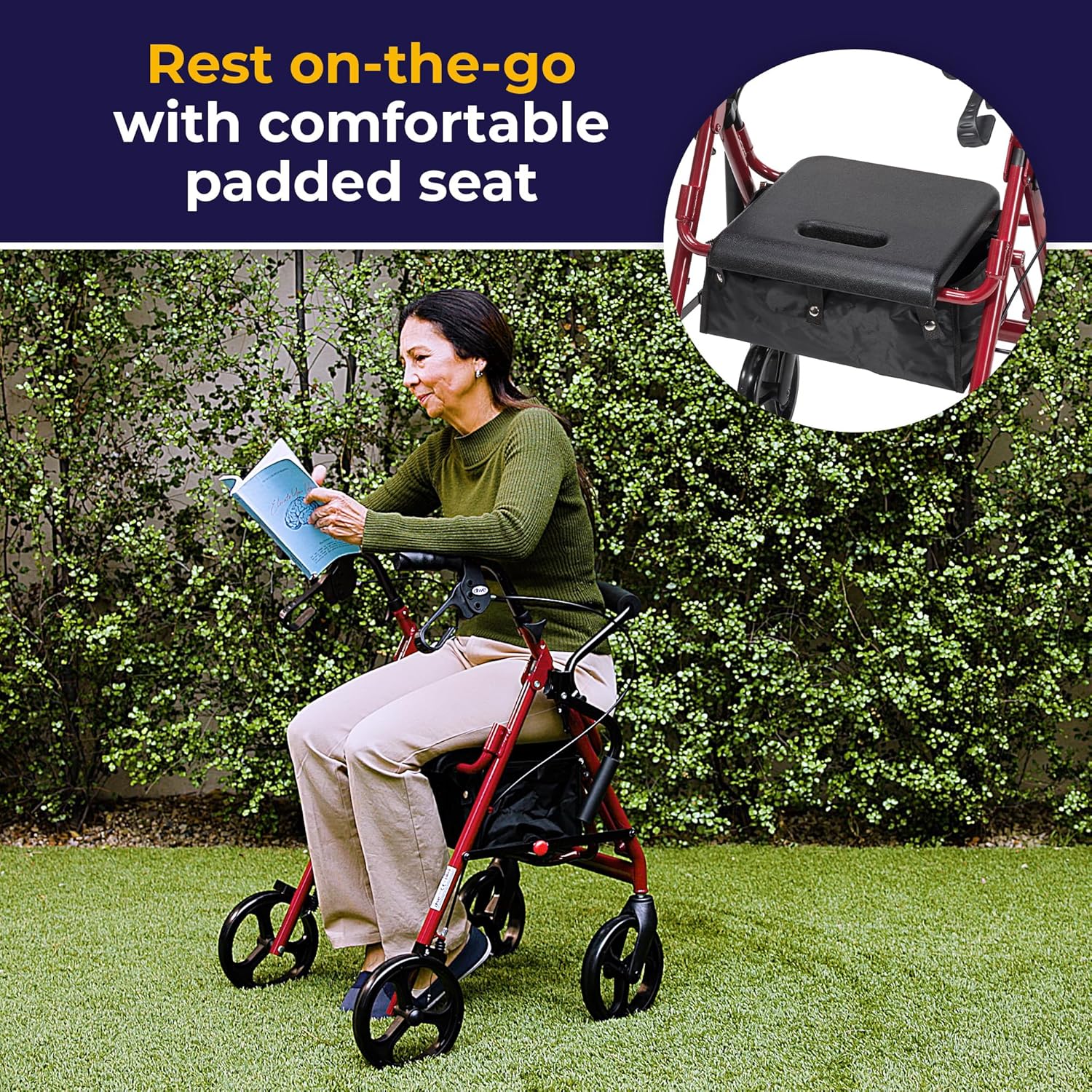
Image: A user resting comfortably on the padded seat of the Duet Rollator.
Braking System
The Duet is equipped with ergonomic handgrips and loop brakes for comfortable control. Squeeze the brake levers to slow down or stop. Push the levers down to engage the parking brakes, which lock the wheels in place for stability when sitting or stationary.

Image: Detailed view of the height-adjustable handles and the easy-to-operate loop brakes.
Folding and Storage
To fold the Duet for storage or transport, ensure the footrests are stowed and the backrest is in the rollator position. Pull up on the seat handle to collapse the unit. The lightweight, foldable frame allows for easy storage in a car trunk or closet.
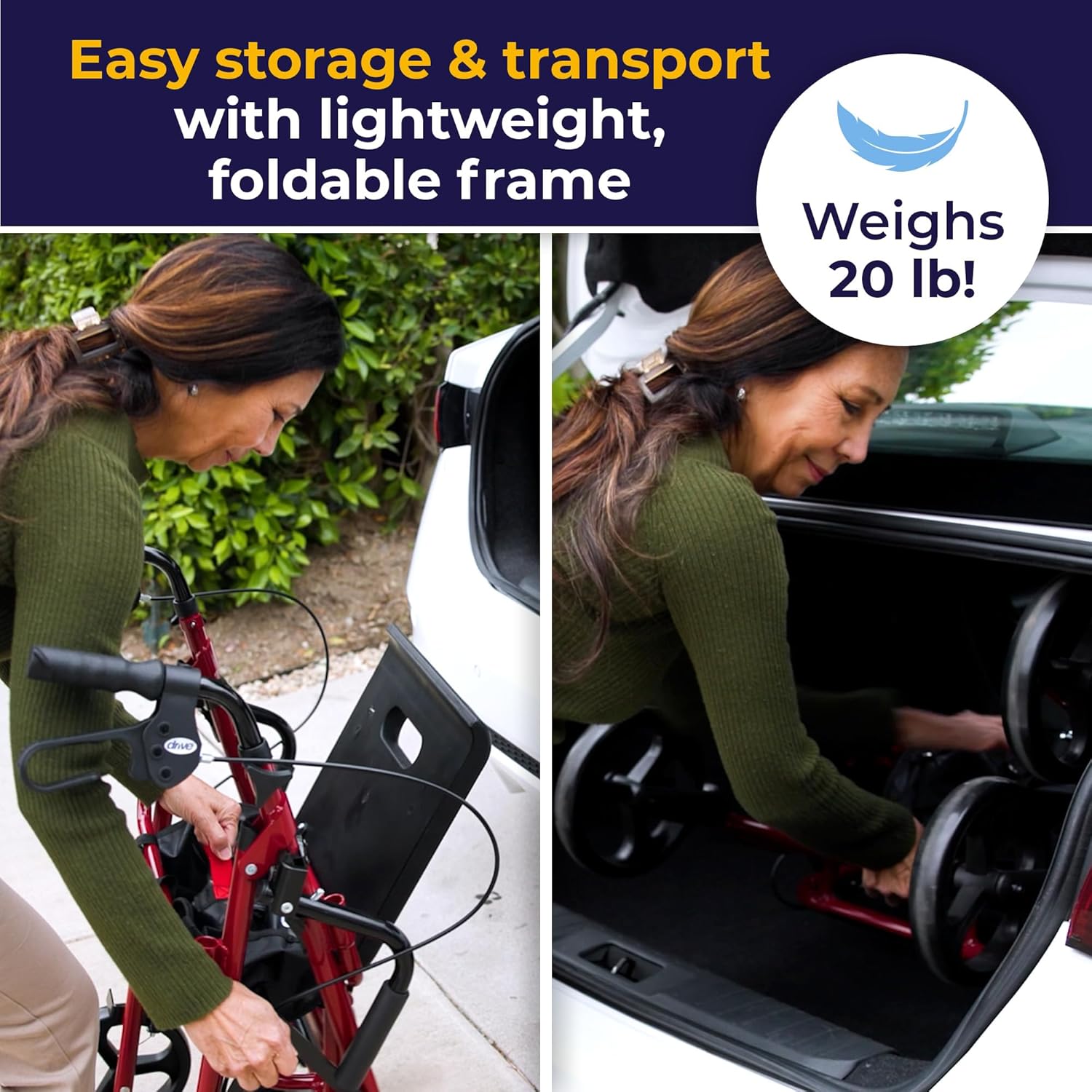
Image: A user demonstrating the easy folding and transport of the Duet into a car trunk.
Under-Seat Storage
The Duet includes a large, removable under-seat storage pouch. This pouch is ideal for securely carrying personal belongings or other items while using the rollator or transport chair.
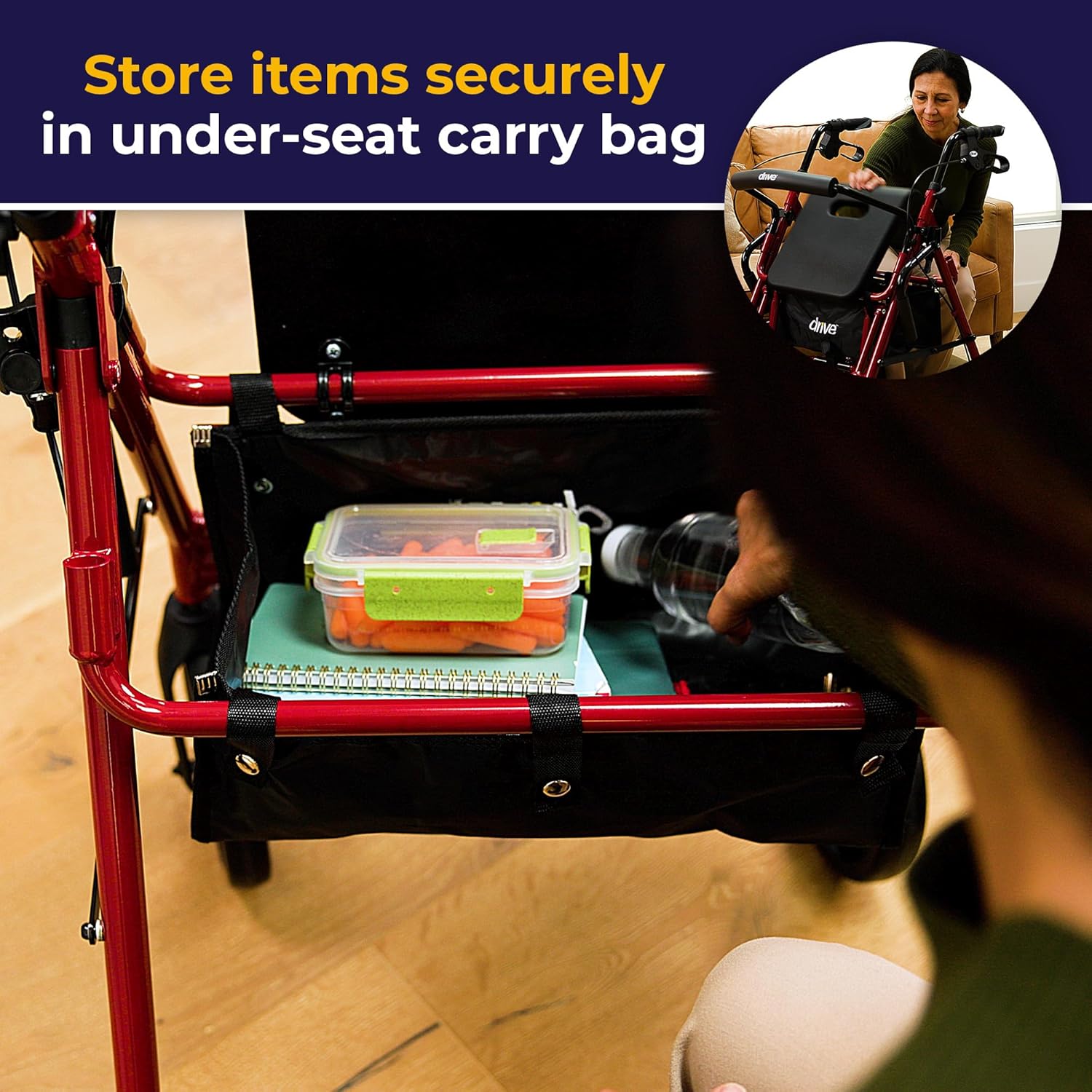
Image: A close-up view of the spacious under-seat carry bag, showing items stored inside.
Care and Maintenance
Regular care and maintenance will ensure the longevity and safe operation of your Drive Medical Duet.
- Cleaning: Wipe down the frame and seat with a damp cloth and mild detergent. Do not use abrasive cleaners.
- Inspection: Periodically check all nuts, bolts, and fasteners to ensure they are tight. Inspect the wheels and brakes for wear and proper function.
- Storage: Store the unit in a dry place away from extreme temperatures.
Troubleshooting
If you encounter any issues with your Drive Medical Duet, refer to the following common solutions:
- Brakes not engaging: Check the brake cables for proper tension. If loose, they may need adjustment by a qualified technician. Ensure the brake levers are fully pushed down to engage the parking brake.
- Difficulty folding: Ensure the seat is fully lifted and the backrest is in the correct position for folding. Check for any obstructions.
- Unit feels unstable: Verify that all frame components are securely locked into place and that the handles are tightened. Ensure wheels are free of debris.
For issues not resolved by these steps, please contact Drive Medical customer support.
Product Specifications
| Feature | Specification |
|---|---|
| Model Number | 795BU |
| Material | Aluminum |
| Item Weight | 20 Pounds |
| Product Dimensions (Overall) | 26"D x 25.5"W x 37"H |
| Handle Height Adjustment | 31.5" - 37" |
| Wheel Size | 8-inch casters |
| Weight Capacity | 300 Pounds |
| Color | Burgundy |
Warranty and Customer Support
The Drive Medical Duet Folding Transport Wheelchair and Rollator Walker is backed by a limited lifetime warranty from Drive Medical. For specific warranty details, please refer to the documentation included with your product or visit the official Drive Medical website.
Legal Disclaimer: It is solely the buyer's responsibility to choose the correct item. Please note our policies are set by the manufacturers we represent. No return will be accepted after 14 calendar days from the purchase date and without a valid RMA#. Returns are subject to a 15% restock fee plus the cost of outbound & inbound shipping costs. Any return request after the 14 day period will be decided on a case by case basis depending on the product & circumstances & is subject to a restocking fee up to 60%.
For customer support, technical assistance, or to inquire about replacement parts, please contact Drive Medical directly through their official channels.