
1. Introduction
This manual provides instructions for the installation, operation, and maintenance of your Broan RCPB749 Wireless Door Chime Button. This wireless button is designed to work seamlessly with compatible Broan wireless chime units, offering a convenient and customizable doorbell solution for your home.
The RCPB749 features user-selectable codes to prevent interference from other wireless devices and allows for differentiation between multiple entry points by signaling different chime patterns on the receiver unit.
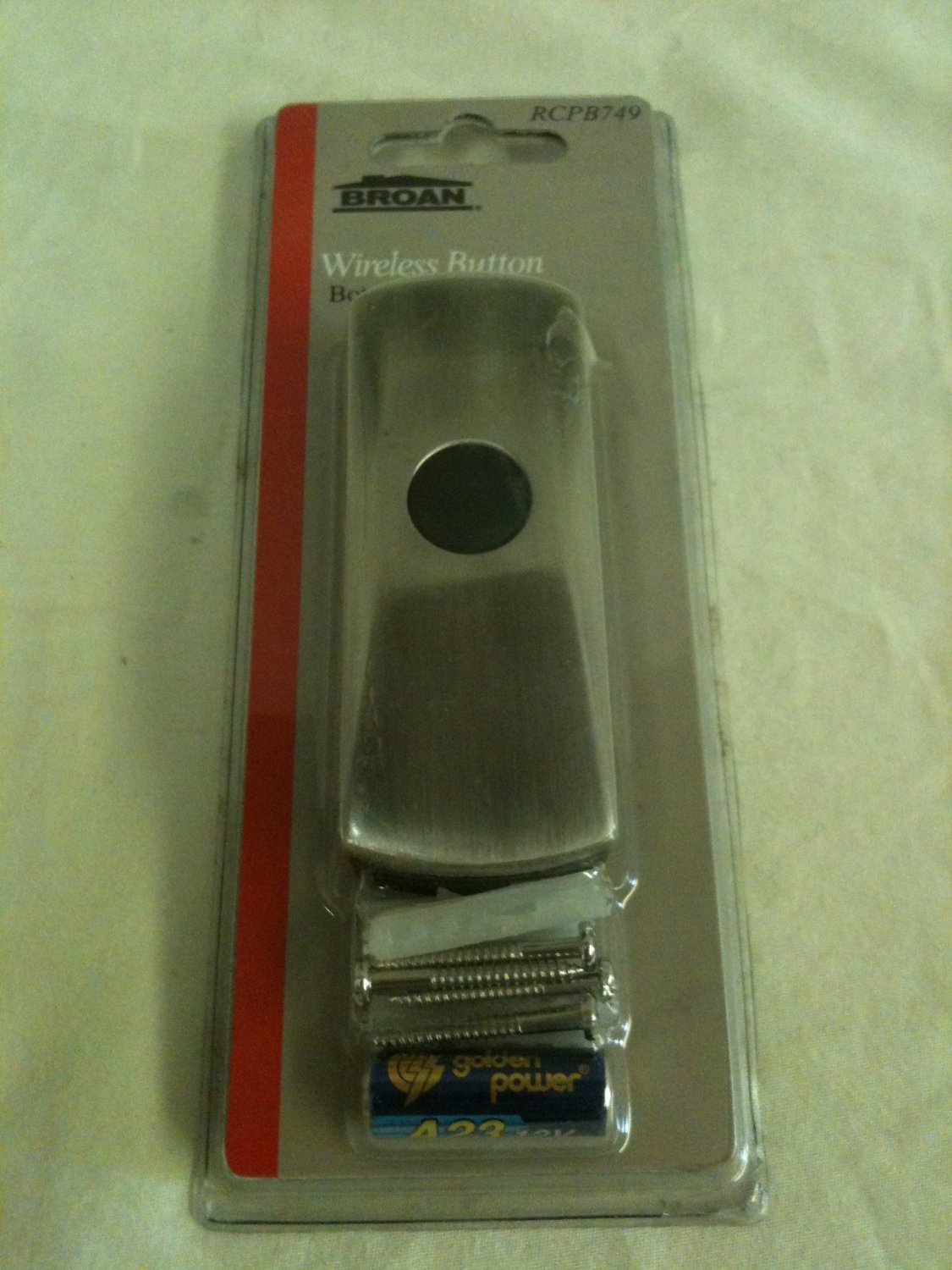
Image: The Broan RCPB749 Wireless Door Chime Button, a compact unit designed for exterior mounting near a door.
2. Setup
2.1. Package Contents
- Broan RCPB749 Wireless Door Chime Button
- Mounting hardware (screws, anchors)
- Instruction Manual (this document)
Note: Batteries are not included and must be purchased separately. Please check the device or its packaging for the required battery type, typically a coin cell battery.
2.2. Battery Installation
- Carefully open the casing of the wireless door chime button. This may involve removing a small screw or prying open a tab.
- Insert the required battery, ensuring correct polarity (+/-).
- Close the casing securely.
2.3. Setting User Selectable Codes
To prevent interference with other wireless chimes in your vicinity, your RCPB749 button and its compatible Broan wireless chime unit (e.g., RC510, RC515, RC516, RC520, RC521, RC522, RC532, RC533, and other 500 series models) must be set to the same code. Refer to your chime unit's manual for specific instructions on how to set its code.
- Locate the code setting switches or jumpers inside both the RCPB749 button and your Broan wireless chime unit.
- Adjust the switches/jumpers on the RCPB749 button to match the code setting of your chime unit.
- Test the connection by pressing the button. The chime unit should ring. If not, recheck the code settings on both devices.
2.4. Mounting the Button
Choose a suitable location near your door, typically at a comfortable height for visitors. Ensure the surface is clean and dry.
- Mark the desired mounting holes using the button's backplate as a template.
- Drill pilot holes if necessary, especially for wood or masonry. Insert wall anchors if mounting into drywall.
- Secure the button's backplate to the surface using the provided screws.
- Attach the front cover of the button to the backplate. Consider the orientation of the cover screw; if mounting on the right side of a door, you may need to adjust placement to avoid obstruction by the door jamb.
3. Operating Instructions
Once installed and paired with your Broan wireless chime unit, operating the RCPB749 button is straightforward:
- Simply press the button firmly to activate the chime unit.
- If you have multiple RCPB749 buttons for different doors, you can configure your compatible Broan chime unit to play a different number of notes for each button. This allows you to identify which door a visitor is at without needing to see them. Refer to your chime unit's manual for instructions on setting distinct chime patterns.
4. Maintenance
4.1. Battery Replacement
The battery in your RCPB749 button will eventually need replacement. A common indicator of a low battery is the chime unit ringing repeatedly or erratically without the button being pressed. Replace the battery as soon as this occurs to ensure reliable operation.
- Open the button casing as described in the "Battery Installation" section.
- Remove the old battery and dispose of it properly according to local regulations.
- Insert a new battery of the correct type and polarity.
- Close the casing securely.
4.2. Cleaning
To clean the exterior of the button, use a soft, damp cloth. Avoid using abrasive cleaners or solvents, as these can damage the finish or internal components.
5. Troubleshooting
| Problem | Possible Cause | Solution |
|---|---|---|
| Chime unit does not ring when button is pressed. |
|
|
| Chime unit rings repeatedly or erratically. |
|
|
| Short range or intermittent operation. |
|
|
6. Specifications
- Model Number: RCPB749
- Part Number: RCPB749
- Item Weight: 4 ounces
- Product Dimensions: 0.5 x 3 x 6.75 inches
- Compatibility: Works with Broan Wireless Chime models RC510, RC515, RC516, RC520, RC521, RC522, RC532, RC533, and other 500 series wireless chimes.
- Approvals: FCC and DOC approved
- Batteries: Not included (typically requires a coin cell battery, check device for specific type)
7. Warranty and Support
For detailed warranty information, please refer to the documentation included with your original product purchase or visit the official Broan website. Broan provides customer support for their products.
If you require further assistance or have questions not covered in this manual, please visit the official Broan website or contact their customer service department. You can typically find contact information on the manufacturer's website or product packaging.