
1. Introduction
This manual provides essential information for the proper setup, operation, and maintenance of your Celestion G12-65 Heritage Guitar Speaker (16 Ohm). Please read these instructions carefully before installation and use to ensure optimal performance and longevity of your speaker.
The Celestion G12-65 Heritage is a 12-inch electric guitar speaker, faithfully recreating one of the most widely regarded speakers. It is handmade in the UK using original manufacturing techniques and materials, ensuring a high-quality product. This speaker is designed to deliver high power with a tight low end, a tuned mid-range, and a crisp top end, making it suitable for various musical styles and amplifier setups.
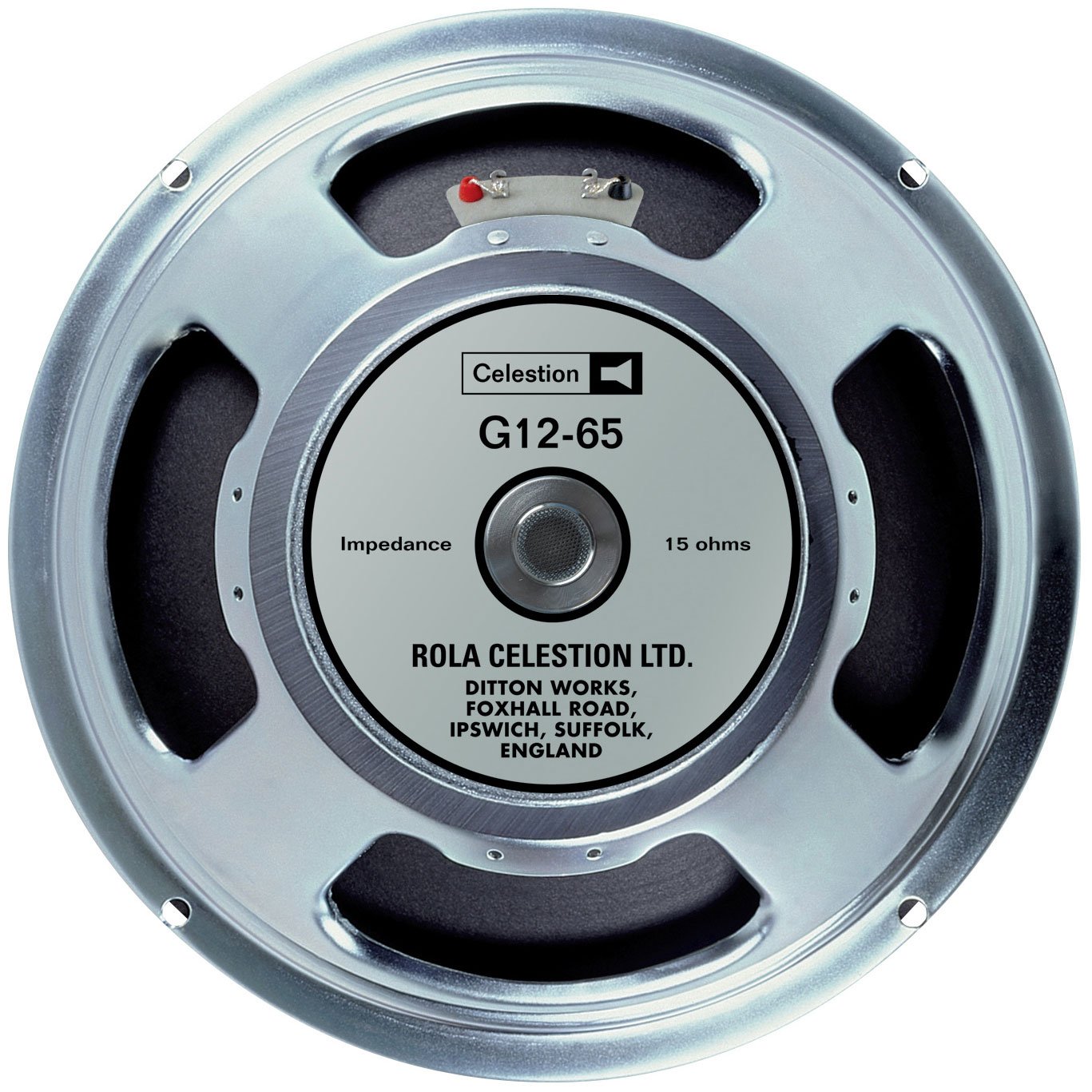
Image 1.1: The Celestion G12-65 Heritage Guitar Speaker (16 Ohm) shown from a top-down perspective, highlighting its classic design and branding.
2. Setup
2.1 Unpacking and Inspection
Carefully remove the speaker from its packaging. Inspect the speaker for any signs of physical damage that may have occurred during transit. If any damage is found, contact your retailer immediately.
2.2 Impedance Matching
This speaker is a 16 Ohm variant. It is crucial to match the speaker's impedance with the output impedance of your amplifier. Connecting a speaker with an incorrect impedance can lead to amplifier damage or poor sound quality. Always consult your amplifier's manual for its recommended output impedance.
2.3 Mounting
Mount the speaker securely into your amplifier cabinet or speaker enclosure. Ensure all mounting screws are tightened evenly to prevent vibration and ensure proper acoustic coupling. Avoid over-tightening, which can damage the speaker frame.
2.4 Wiring Connections
Connect the speaker terminals to your amplifier's speaker output using appropriate speaker cables. Ensure correct polarity: positive (+) terminal on the speaker to the positive (+) output on the amplifier, and negative (-) to negative (-). Incorrect polarity can result in phase issues and reduced sound quality.
2.5 Break-in Period
New speakers, including the G12-65 Heritage, often require a break-in period to achieve their full tonal characteristics. This typically involves playing the speaker at moderate volumes for several hours. During this period, the speaker's suspension components will loosen, allowing for a more dynamic and responsive sound.
3. Operating
3.1 General Usage
The Celestion G12-65 Heritage speaker is designed for electric guitar amplification. Connect it to a suitable guitar amplifier with a matched impedance. Always ensure your amplifier is turned off before connecting or disconnecting speakers.
3.2 Power Handling
This speaker has a maximum output power of 65 Watts. Ensure that the amplifier's output power does not exceed the speaker's power handling capacity to prevent damage. For multi-speaker cabinets, calculate the total power handling capacity of the cabinet.
3.3 Performance Characteristics
The G12-65 Heritage is known for its balanced midrange, tight low end, and crisp high frequencies. It delivers a versatile tone suitable for various genres, from clean jazz to high-gain rock. Its ceramic magnet contributes to its robust and articulate sound.
Video 3.1: A comparison video showcasing the tonal differences between the Celestion Heritage G12-65 and the G12M-65 Creamback speakers. This video provides an auditory demonstration of the G12-65's sound profile.
4. Maintenance
4.1 Cleaning
To clean your speaker, use a soft, dry cloth. Do not use liquid cleaners, solvents, or abrasive materials, as these can damage the cone, surround, or finish of the speaker.
4.2 Storage
If storing the speaker for an extended period, keep it in a dry, temperature-controlled environment, away from direct sunlight and extreme humidity. Original packaging can provide good protection.
4.3 Regular Inspection
Periodically inspect the speaker for any signs of wear, such as tears in the cone, loose connections, or damage to the frame. Address any issues promptly to prevent further damage.
5. Troubleshooting
5.1 No Sound Output
- Check all cable connections between the amplifier and speaker. Ensure they are secure and correctly wired.
- Verify the amplifier is powered on and functioning correctly.
- Confirm the speaker cable is not damaged. Try a different cable if available.
5.2 Distorted or Poor Sound Quality
- Ensure the speaker's impedance (16 Ohm) matches the amplifier's output impedance.
- Check amplifier settings; excessive gain or volume can cause distortion.
- Inspect the speaker cone for any tears, punctures, or voice coil rub.
- Verify that the speaker is not being overdriven beyond its 65-Watt power handling capacity.
5.3 Reduced Volume or Intermittent Sound
- Check for loose wiring connections at both the speaker and amplifier terminals.
- Examine the speaker cable for any breaks or shorts.
- If using multiple speakers, check the wiring and condition of other speakers in the cabinet.
6. Specifications
Detailed specifications for the Celestion G12-65 Heritage Guitar Speaker (16 Ohm):
| Feature | Detail |
|---|---|
| Model Name | T3054 |
| Brand | CELESTION |
| Speaker Type | Woofer |
| Recommended Uses | For Guitar / Electric Guitar Amplification |
| Speaker Size | 12 Inches |
| Impedance | 16 Ohms |
| Output Wattage | 65 Watts |
| Material | Ceramic, Round copper |
| Item Weight | 9 Pounds |
| Product Dimensions | 13"D x 13"W x 6"H |
| Connectivity Technology | Coaxial (for internal wiring) |
| Audio Output Mode | Analog Stereo (when used in stereo setups) |
| Mounting Type | Flush Mount |
7. Warranty
The Celestion G12-65 Heritage Guitar Speaker comes with a Limited Warranty. For specific terms, conditions, and duration of the warranty, please refer to the warranty documentation included with your purchase. Retain your proof of purchase for any warranty claims.
8. Support
For technical assistance, replacement parts, or further inquiries regarding your Celestion G12-65 Heritage Guitar Speaker, please contact Celestion customer support directly. When contacting support, ensure you have your model number (T3054) and purchase details available to facilitate a quicker resolution.
It is recommended that any complex installation or repair work be performed by a qualified technician.