
1. Product Overview
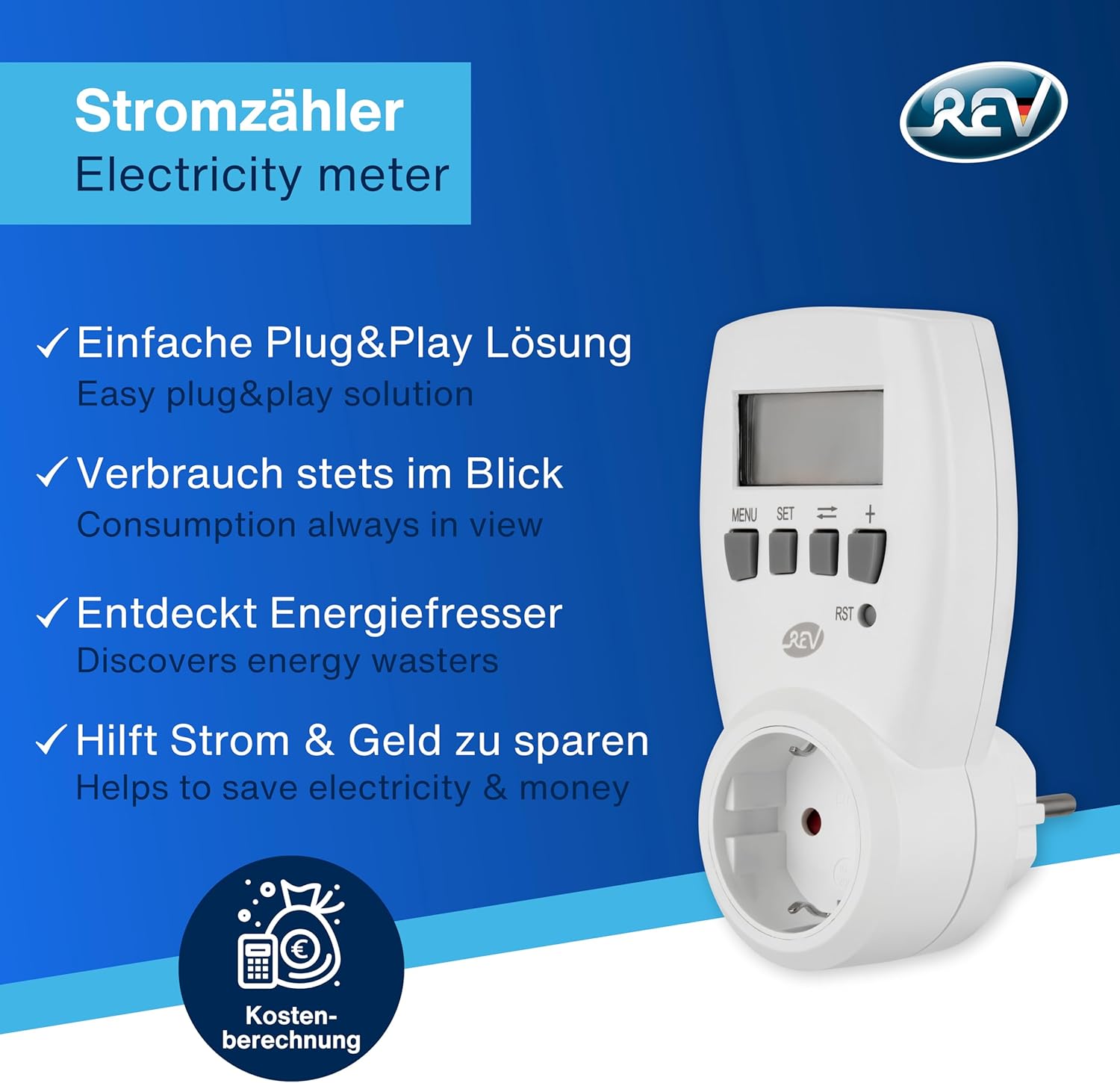
The REV 002580 Ritter Energy Meter is a compact and user-friendly device designed to measure and monitor the power consumption of electrical appliances. It helps identify energy-wasting devices, allowing you to optimize your electricity usage and save on energy costs. This device features an integrated child protection mechanism for enhanced safety.
Key features include:
- Compact Design: Space-saving and easy to integrate into any socket.
- User-Friendly Operation: Simple controls for easy setup and monitoring.
- Power Consumption Monitoring: Accurately measures and displays energy usage.
- Automatic Data Storage: Retains data even during power outages.
- Integrated Child Protection: Ensures safety in households with children.
- LCD Display: Clear display for readings between 4 – 3680 W.
2. Safety Information
Please read all safety instructions carefully before using the device. Failure to follow these instructions may result in electric shock, fire, or serious injury.
- This device is designed for indoor use only.
- Do not expose the device to moisture, rain, or extreme temperatures.
- Ensure the device is properly plugged into a grounded socket.
- Do not overload the socket or the energy meter. Refer to the specifications for maximum load.
- Keep out of reach of children. The device features integrated child protection.
- Do not disassemble or attempt to repair the device yourself. Contact qualified personnel for service.
- Unplug the device from the wall socket before cleaning.
3. Setup
The REV 002580 Energy Meter is designed for simple plug-and-play operation.
- Unpack the Device: Carefully remove the energy meter from its packaging.
- Plug into Wall Socket: Insert the energy meter's plug into a standard wall socket. Ensure it is securely seated.
- Connect Appliance: Plug the appliance you wish to monitor into the socket on the front of the energy meter.
- Initial Display: The LCD display will illuminate, showing initial readings or prompting for settings.

4. Operating Instructions
The energy meter features a simple button interface for navigation and settings.

Button Functions:
- MENU: Press to switch between different display functions (e.g., current power, total consumption, cost).
- SET: Use this button to enter settings mode, typically for setting tariff rates or kWh values.
- ↔ (Arrow Left/Right): In SET mode, use these buttons to switch between digits or selection options.
- + (Plus): In SET mode, use this button to increase the value of the selected digit or option.
- RST (Reset): Press this button to reset the measured data. Note that data remains intact during a power outage, but RST will clear it.
Monitoring Power Consumption:
Once an appliance is plugged into the energy meter, the device will immediately begin measuring its power consumption. Use the MENU button to cycle through various display modes to view real-time power (Watts), cumulative energy consumption (kWh), and estimated cost (if tariff is set).

5. Maintenance
To ensure the longevity and accurate operation of your REV 002580 Energy Meter, follow these simple maintenance guidelines:
- Cleaning: Disconnect the device from the power supply before cleaning. Use a soft, dry cloth to wipe the exterior. Do not use abrasive cleaners or solvents.
- Storage: When not in use for extended periods, store the device in a cool, dry place away from direct sunlight and extreme temperatures.
- Inspection: Periodically check the device and its plug for any signs of damage. If damage is found, discontinue use and contact customer support.
6. Troubleshooting
If you encounter issues with your energy meter, try the following troubleshooting steps:
- No Display/No Power:
- Ensure the energy meter is securely plugged into a live wall socket.
- Check if the wall socket itself is functioning by plugging in another device.
- Incorrect Readings:
- Ensure the appliance is fully plugged into the energy meter.
- Verify that the tariff settings (if applicable) are correctly entered.
- Perform a reset using the RST button and re-monitor.
- Buttons Unresponsive:
- Unplug the device from the wall socket, wait a few seconds, and plug it back in.
If the problem persists after trying these steps, please contact customer support.
7. Specifications
Detailed technical specifications for the REV 002580 Ritter Energy Meter:
| Specification | Value |
|---|---|
| Brand | REV |
| Model Number | 002580 |
| Model Name | Energiemessgerät (Energy Meter) |
| Voltage | 230 Volt |
| Wattage | 1 Watt (for own consumption, range 4-3680W) |
| Current | 16 A |
| Frequency | 50 Hz |
| Own Consumption | 0.8 W (Not part of the measurement) |
| Material Type | Plastic |
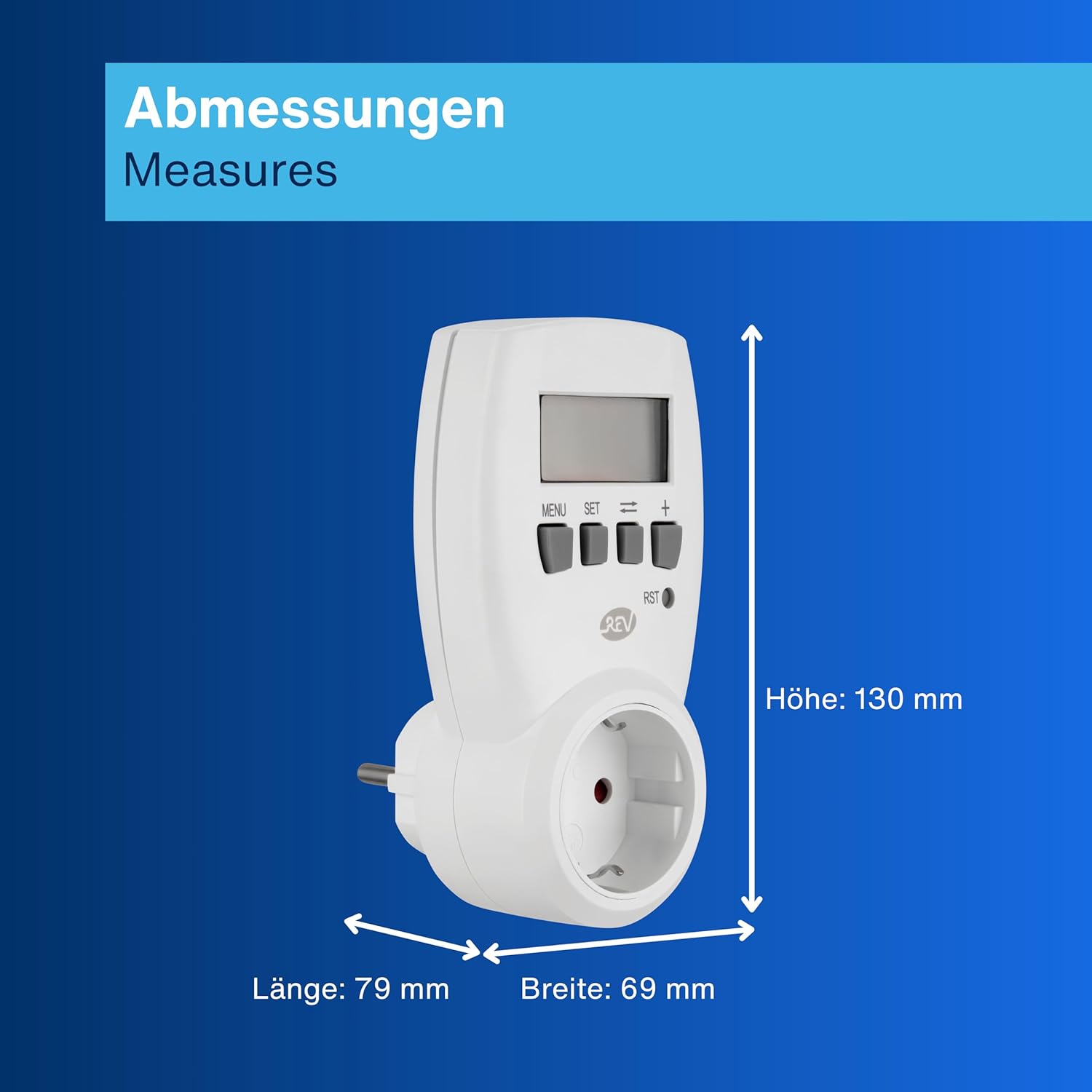
| Product Dimensions | 7.6 x 7.6 x 7.5 cm |
| Product Weight | 130 grams |
| Display Diagonal | 4.2 cm |
| Batteries Included | No |
| Batteries Required | No |


8. Warranty and Support
For warranty information, technical support, or service inquiries, please refer to the contact details provided with your purchase or visit the official REV website. Keep your proof of purchase for warranty claims.