
Introduction
Thank you for choosing the Fossil FS4359 Chronograph Watch. This manual provides essential information for the proper setup, operation, maintenance, and troubleshooting of your timepiece. Please read these instructions carefully to ensure optimal performance and longevity of your watch.
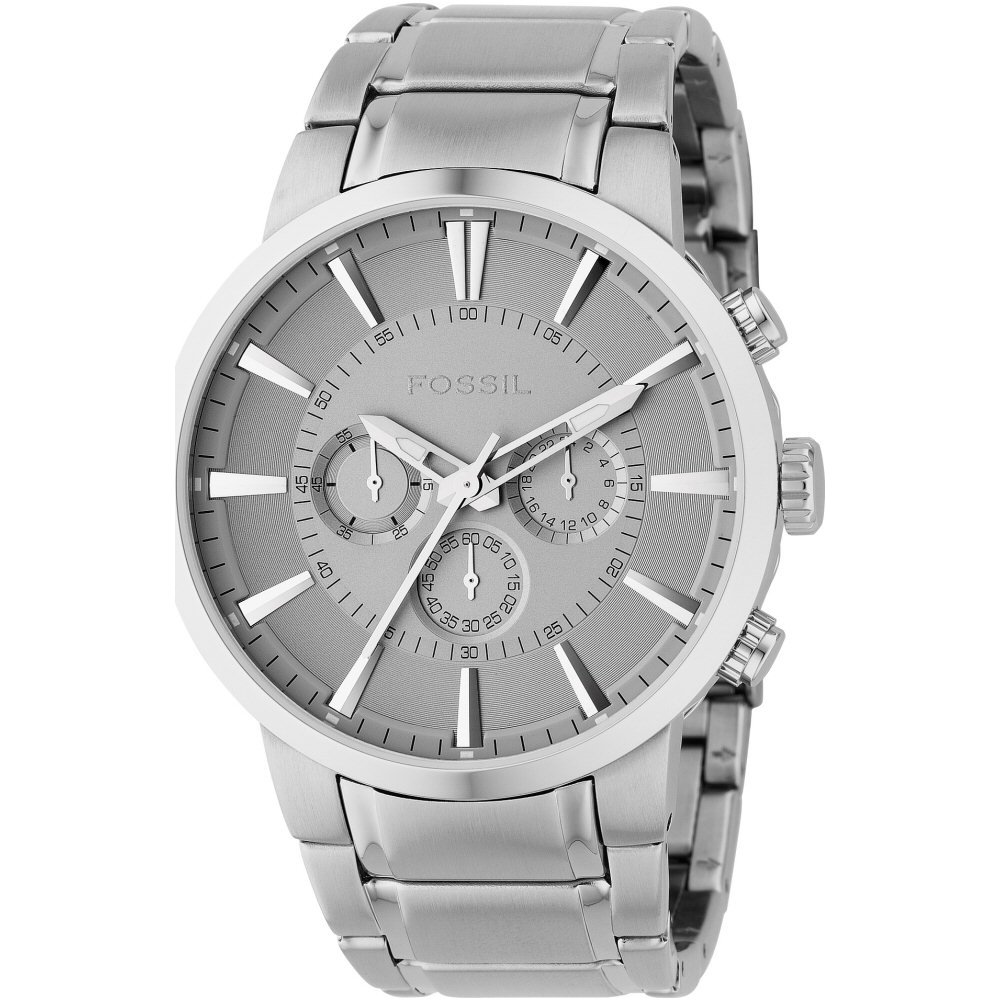
Image: Fossil FS4359 Chronograph Watch. This image displays the watch's silver dial, three subdials, and stainless steel case and bracelet.
Setup
1. Setting the Time
- Pull the crown (located on the right side of the watch case) out to position 2.
- Rotate the crown clockwise or counter-clockwise to set the hour and minute hands to the desired time.
- Push the crown back into position 1 to start the watch.
2. Adjusting the Bracelet
The stainless steel bracelet is designed for a comfortable fit. If adjustment is needed, it is recommended to visit a professional jeweler or watch repair service. They can add or remove links to ensure the watch fits securely on your wrist.
Operating the Chronograph
Your Fossil FS4359 watch features a chronograph function for measuring elapsed time.
1. Starting and Stopping the Chronograph
- Press the upper pusher (button) to start the chronograph. The chronograph second hand will begin to move.
- Press the upper pusher again to stop the chronograph. The elapsed time will be displayed.
2. Resetting the Chronograph
- After stopping the chronograph, press the lower pusher (button) to reset all chronograph hands to their zero positions.
- Note: Do not press the reset pusher while the chronograph is running, as this may cause damage to the movement.
Maintenance
1. Cleaning
Wipe the watch case and bracelet regularly with a soft, dry cloth to remove dust and dirt. For stainless steel, a slightly damp cloth can be used, followed by immediate drying. Avoid using harsh chemicals or abrasive materials.
2. Water Resistance
This watch has a water resistance rating of 50 meters (5 ATM). This means it is suitable for short periods of recreational swimming, but not for diving or snorkeling. Avoid operating the crown or pushers when the watch is wet or submerged, as this can compromise the water resistance.
3. Battery Replacement
The watch is powered by a quartz movement and requires a battery. When the battery runs low, the watch may stop or the second hand may skip. Battery replacement should be performed by a qualified watch technician to ensure proper sealing and maintain water resistance.
4. Storage
When not wearing your watch, store it in a cool, dry place away from direct sunlight and extreme temperatures. Keep it away from magnetic fields, which can affect the accuracy of quartz movements.
Troubleshooting
- Watch not running: Check if the crown is pushed in completely to position 1. If the watch still does not run, the battery may need replacement.
- Incorrect time: Reset the time as described in the 'Setting the Time' section. If the time continues to be inaccurate, the watch may require servicing.
- Chronograph hands not resetting to zero: If the chronograph hands do not return to their 12 o'clock position after resetting, they may need calibration. Consult a professional watch technician for adjustment.
Specifications
| Model Number | FS4359 |
| Movement Type | Quartz |
| Display Type | Chronograph |
| Case Diameter | 47 Millimetres |
| Case Thickness | 12 Millimetres |
| Band Width | 24 Millimetres |
| Water Resistance Depth | 50 Metres (5 ATM) |
| Band Material | Stainless Steel |
| Case Material | Stainless Steel |
| Crystal Material | Crystal |
| Clasp Type | Foldover Clasp with Push-Button |
| Item Weight | 290 g (0.64 Pounds) |
| Power Source Type | Battery Powered |
Warranty Information
This Fossil watch is covered by a manufacturer's warranty. The specific terms and duration of the warranty may vary by region. For detailed information regarding your warranty coverage, including terms, conditions, and how to make a claim, please refer to the official Fossil website or the warranty card included with your purchase. Keep your proof of purchase for warranty validation.
Customer Support
Should you require further assistance, have questions not covered in this manual, or need service for your Fossil FS4359 watch, please contact Fossil customer support. You can find contact information, including phone numbers and email addresses, on the official Fossil website (www.fossil.com).


