
Oral-B MD20
Oral-B Oxyjet MD20 Oral Irrigator User Manual
Model: MD20 | Brand: Oral-B
Introduction
The Oral-B Oxyjet MD20 Oral Irrigator is designed to enhance your daily oral hygiene routine. It utilizes micro-bubble technology to clean between teeth and below the gumline, helping to remove plaque and food particles for a fresh and clean feeling. This manual provides essential information for the safe and effective use of your device.
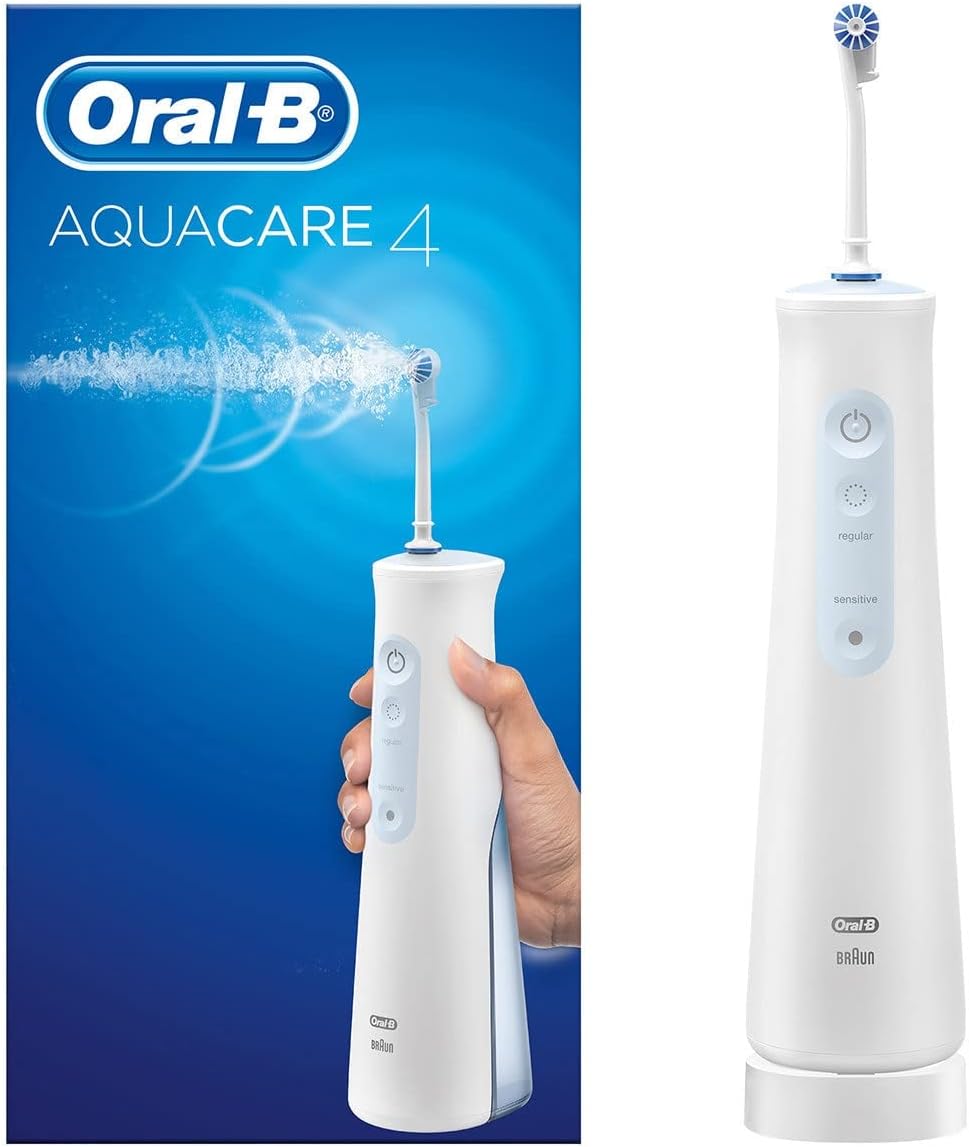
Figure 1: Oral-B Oxyjet MD20 Oral Irrigator. This image displays the complete Oral-B Oxyjet MD20 device, showcasing its sleek design and the attached nozzle.
Safety Information
Please read all safety instructions carefully before using the Oral-B Oxyjet MD20. Failure to follow these instructions may result in injury or damage to the product.
- This appliance is not suitable for children under 3 years of age. It contains small parts that could be swallowed.
- The device is battery-powered. Use only original replacement parts.
- Keep the device dry and away from heat sources.
- Avoid contact with water and moisture to prevent electrical hazards.
- Do not immerse the device in water.
- If the device is damaged, discontinue use immediately.
Setup
Follow these steps to set up your Oral-B Oxyjet MD20 for first use:
- Unpack the Device: Carefully remove all components from the packaging. Ensure all parts, including the main unit and nozzle, are present.
- Charge the Battery: Before first use, fully charge the device. Connect the charger to a power outlet and place the irrigator on the charging base. The charging indicator will show the charging status.
- Fill the Water Reservoir: Open the water reservoir cap and fill it with lukewarm water. You may also add mouthwash as recommended by your dental professional. Close the cap securely.
- Attach the Nozzle: Select an Oxyjet nozzle and firmly insert it into the handle until it clicks into place.

Figure 2: Oxyjet Cleaning System Components. This image illustrates the Oxyjet cleaning system and a single Oxyjet nozzle, highlighting the key parts included in the package for assembly.
Operating Instructions
To use your Oral-B Oxyjet MD20 for effective cleaning:
- Power On: Press the power button to turn on the device.
- Select Mode: The device offers different pressure settings. Start with a lower pressure setting, such as 'sensitive', and gradually increase to a comfortable level.
- Position the Nozzle: Lean over a sink and place the nozzle tip between your teeth and gums. Keep your mouth slightly open to allow water to flow into the sink.
- Begin Cleaning: Guide the water stream along your gumline, pausing briefly between each tooth. The Oxyjet technology delivers a spiral water stream enriched with micro-bubbles for targeted cleaning.
- Duration: Continue until you have cleaned all areas of your mouth or the reservoir is empty.
- Power Off: Press the power button again to turn off the device.

Figure 3: Oxyjet Technology. This graphic explains the core feature of the device, illustrating how OxyJet technology enriches water with micro-bubbles to promote gum health and enhance cleaning efficiency.
Maintenance
Regular cleaning and maintenance will ensure the longevity and optimal performance of your Oral-B Oxyjet MD20.
- Empty and Rinse Reservoir: After each use, empty any remaining water from the reservoir and rinse it thoroughly with clean water. Allow it to air dry.
- Clean the Nozzle: Remove the nozzle from the handle and rinse it under running water. Replace nozzles every 3-6 months, or sooner if they become worn.
- Wipe Down Unit: Wipe the exterior of the main unit with a soft, damp cloth. Do not use abrasive cleaners or immerse the unit in water.
- Descaling: If you live in an area with hard water, mineral deposits may build up. Periodically descale the unit by filling the reservoir with a solution of one part white vinegar to two parts water. Run half of the solution through the unit, then let it sit for 20 minutes before running the rest. Rinse thoroughly with clean water afterwards.
Troubleshooting
If you encounter issues with your Oral-B Oxyjet MD20, refer to the following common problems and solutions:
| Problem | Possible Cause | Solution |
|---|---|---|
| No water flow or weak pressure. | Empty reservoir, clogged nozzle, or mineral buildup. | Refill reservoir, clean or replace nozzle, perform descaling procedure. |
| Device does not turn on. | Battery is discharged. | Place the device on the charging base and allow it to charge fully. |
| Water leaks from the unit. | Reservoir cap not securely closed, or damaged seal. | Ensure reservoir cap is tightly closed. If leaking persists, contact customer support. |
Specifications
Key technical specifications for the Oral-B Oxyjet MD20 Oral Irrigator:
- Model Number: MD20 (Oxyjet)
- Brand: Oral-B
- Power Source: Battery Powered (1 Lithium-ion battery required)
- Battery Life: Lasts longer than 2 weeks on a single charge.
- Product Dimensions (L x W x H): 14 x 12 x 19 cm
- Net Product Weight: 717.02 Grams
- Material Feature: Durable
- Special Feature: Pressure Sensor
- Age Range (Description): Adult

Figure 4: Extended Battery Life. This image highlights the device's long-lasting Lithium-ion battery, capable of providing over two weeks of use on a single charge.
Warranty and Support
Oral-B is committed to product quality and customer satisfaction.
- 30-Day Trial Period: Your Oral-B Oxyjet MD20 may be eligible for a 30-day trial period. If you are not satisfied with the product within this period, a money-back guarantee may apply. Please refer to the specific terms and conditions provided at the time of purchase or on the official Oral-B website for details.
- Satisfaction Guarantee: Oral-B offers a satisfaction guarantee on many of its products. For detailed information regarding the terms, conditions, and eligibility for any satisfaction guarantee or warranty claims, please visit the official Oral-B website or contact their customer service.
- Customer Support: For further assistance, troubleshooting not covered in this manual, or warranty inquiries, please contact Oral-B customer support through their official website or the contact information provided with your product packaging.

Figure 5: 30-Day Trial Period. This image indicates a 30-day trial period, offering a money-back guarantee if the user is not satisfied with the product.
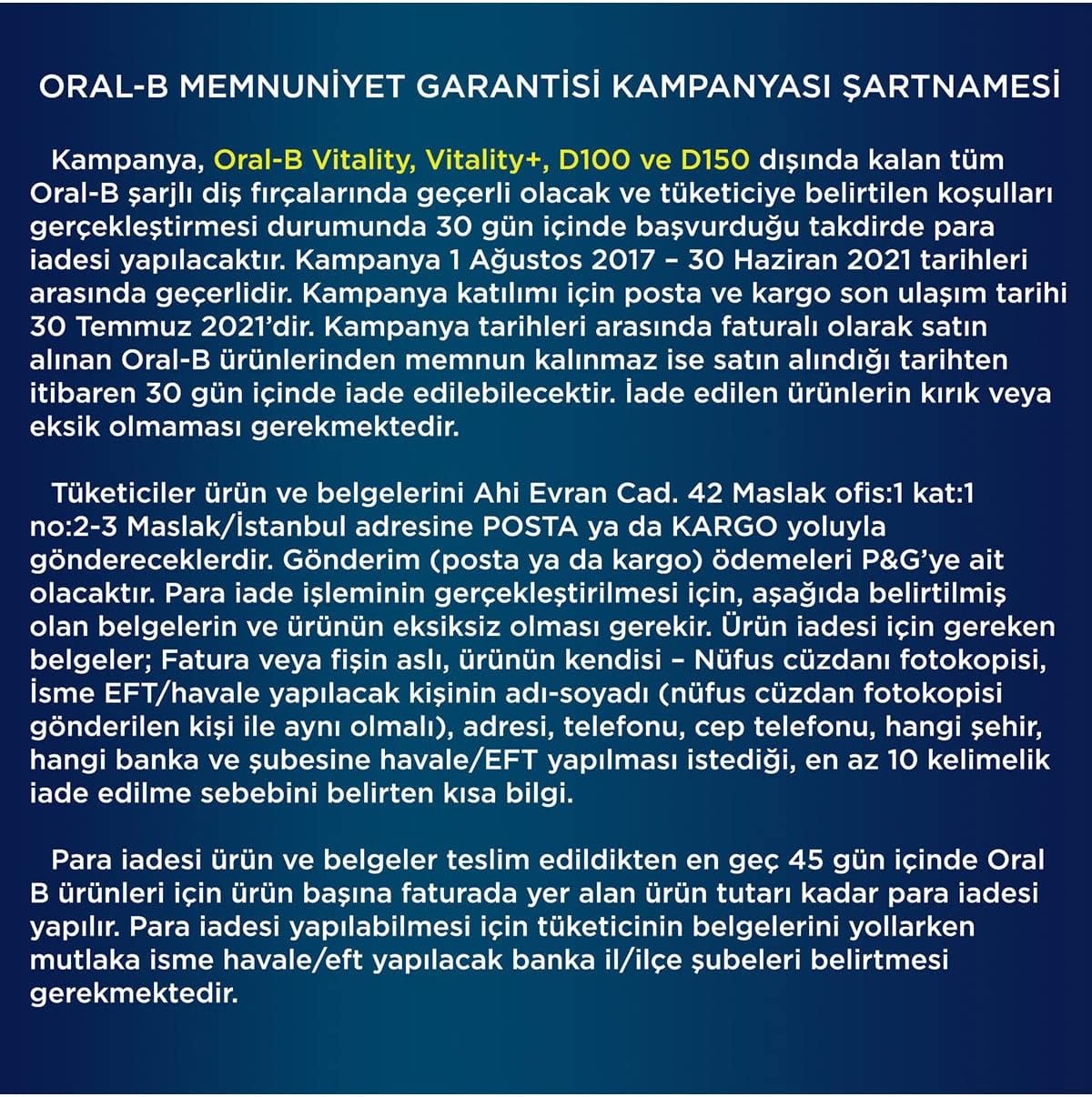
Figure 6: Oral-B Satisfaction Guarantee. This image refers to the terms and conditions of the Oral-B satisfaction guarantee campaign, advising users to consult official sources for full details.