1. Introduction
This manual provides comprehensive instructions for the safe and effective operation, maintenance, and troubleshooting of your Midtronics EXP-1000-HD-AMP Battery and Electrical System Analyzer. This device is designed for testing 6V and 12V batteries, including conventional automotive, Group 31, other commercial batteries, AGM, and Gel types. It also tests 12V and 24V starting and charging systems, making it suitable for heavy-duty and fleet applications.
2. Safety Information
Always observe the following safety precautions to prevent injury or damage to the analyzer or vehicle:
- Wear appropriate eye protection and protective clothing when working with batteries.
- Ensure proper ventilation in the work area to disperse any battery gases.
- Avoid sparks or open flames near batteries, as they can produce explosive gases.
- Do not touch live electrical components.
- Keep the analyzer dry and clean. Do not expose it to rain or moisture.
- Refer to the vehicle manufacturer's service manual for specific safety procedures related to the vehicle's electrical system.
3. Product Overview
The Midtronics EXP-1000-HD-AMP is a robust diagnostic platform equipped with an inductive amp-clamp for heavy-duty applications. It features a clear display and intuitive controls for efficient testing.
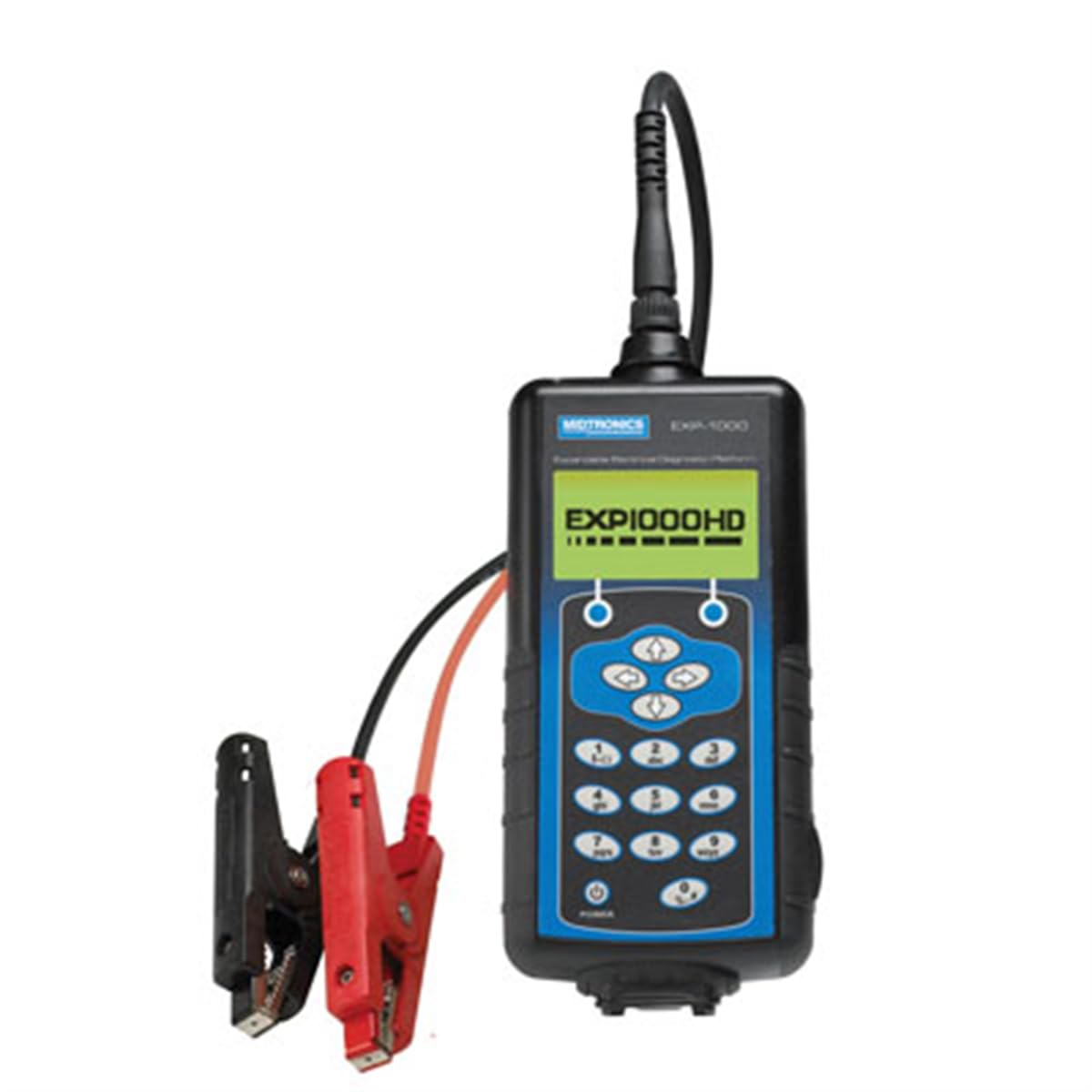
Figure 1: Midtronics EXP-1000-HD-AMP Battery and Electrical System Analyzer. The device features a digital display, control buttons, and attached cables with red and black clamps for connecting to battery terminals.
4. Setup
Before operating the analyzer, ensure it is properly prepared for use.
- Inspect the Analyzer: Check the analyzer and its cables for any signs of damage. Do not use if damaged.
- Clean Battery Terminals: Ensure battery terminals are clean and free of corrosion for accurate readings.
- Connect Clamps:
- Connect the red positive (+) clamp to the positive battery terminal.
- Connect the black negative (-) clamp to the negative battery terminal.
- Power On: The analyzer will typically power on automatically once connected to a battery.
5. Operating Instructions
The EXP-1000-HD-AMP offers various testing capabilities for batteries and electrical systems.
5.1. Battery Test Routine
This routine is designed for multiple-battery vehicles, allowing you to pack-test up to 6 batteries in parallel without disconnection.
- Select Battery Test: From the main menu, use the navigation buttons to select the 'Battery Test' option and press Enter.
- Select Battery Type: Choose the appropriate battery type (e.g., Conventional, AGM, Gel) from the options displayed.
- Enter Battery Rating: Input the battery's Cold Cranking Amps (CCA) or other specified rating as indicated on the battery label.
- Follow On-Screen Prompts: The analyzer will guide you through the testing process, providing instructions for each step.
- Review Results: The display will show the battery's condition (e.g., Good, Recharge, Replace) and other relevant parameters.
5.2. Electrical System Test (Starting and Charging)
This test evaluates the vehicle's starting and charging systems (12V and 24V).
- Select System Test: From the main menu, select 'System Test' and press Enter.
- Starting System Test: Follow prompts to crank the engine. The analyzer will measure cranking voltage and current.
- Charging System Test: Follow prompts to run the engine at specified RPMs. The analyzer will measure alternator output, ripple, and voltage regulation.
- Review Results: The analyzer will provide a diagnosis of the starting and charging system performance.
5.3. Cable-Drop Test
This test simultaneously calculates the voltage drop across the positive and negative sides of any circuit and the total circuit drop without requiring the engine to run.
- Select Cable-Drop Test: Navigate to and select the 'Cable-Drop Test' option.
- Connect to Circuit: Follow the on-screen instructions to connect the analyzer's clamps to the specific circuit points you wish to test.
- Initiate Test: Press the designated button to start the measurement.
- Interpret Results: The display will show voltage drop values for both positive and negative sides, as well as the total drop, helping to identify resistance issues in the wiring.
6. Maintenance
Proper maintenance ensures the longevity and accuracy of your analyzer.
- Cleaning: Wipe the analyzer's casing with a soft, damp cloth. Do not use abrasive cleaners or solvents.
- Cable Inspection: Regularly inspect cables and clamps for cuts, fraying, or corrosion. Replace damaged components immediately.
- Storage: Store the analyzer in a clean, dry environment away from extreme temperatures and direct sunlight.
- Calibration: Refer to Midtronics support for information on recommended calibration intervals.
7. Troubleshooting
If you encounter issues with your analyzer, refer to the table below for common problems and solutions.
| Problem | Possible Cause | Solution |
|---|---|---|
| Analyzer does not power on. | Poor connection to battery; battery completely discharged. | Ensure clamps are securely connected. Check battery voltage with a voltmeter; if extremely low, charge battery before testing. |
| Inaccurate test results. | Corroded battery terminals; incorrect battery type/rating entered. | Clean battery terminals. Verify correct battery type and rating input. |
| Error message displayed. | Specific error condition. | Refer to the analyzer's on-screen help or contact Midtronics support with the specific error code. |
8. Specifications
- Battery Types: 6V and 12V (Conventional Automotive, Group 31, Commercial, AGM, Gel)
- System Voltage: 12V and 24V starting and charging systems
- Dimensions: 19.5 x 16.5 x 6.8 inches
- Item Weight: 1.6 ounces (Note: Product description states 12.75 pounds for overall product weight, 1.6 ounces for item weight. Please verify actual device weight.)
- Manufacturer: Midtronics
- Model Number: EXP-1000-HD-AMP
9. Warranty Information
The Midtronics EXP-1000-HD-AMP Battery and Electrical System Analyzer typically comes with a limited warranty covering repairs for up to one year from the date of purchase. This warranty generally covers defects in materials and workmanship under normal use. For specific terms, conditions, and to initiate a warranty claim, please retain your proof of purchase and contact Midtronics customer support.
10. Support
For technical assistance, service, or questions regarding your Midtronics EXP-1000-HD-AMP analyzer, please visit the official Midtronics website or contact their customer support department. Ensure you have your model number and any relevant purchase information available when seeking support.
Midtronics Official Website: www.midtronics.com


