
KODAK C713
Kodak Easyshare C713 Digital Camera User Manual
Model: C713 | Brand: KODAK
1. Introduction and Overview
The Kodak Easyshare C713 is a 7.0-megapixel digital camera designed for ease of use and exceptional image quality. Featuring a 3x optical zoom lens and Kodak Color Science, it captures crisp, vibrant photos. This manual provides detailed instructions to help you get the most out of your camera.
Key Features:
- 7.0-megapixel resolution for high-quality prints.
- KODAK AF 3x Optical Aspheric Zoom Lens (35 mm equivalent: 36–108 mm).
- 5x digital zoom for extended reach.
- Digital image stabilization to reduce blur.
- 2.4-inch indoor/outdoor color display.
- High ISO (up to 1250) for low-light conditions.
- HD still capture for viewing on HDTVs.
- Continuous VGA video (640 x 480 at 15 fps) with audio.
- 16 programmed scene modes and 3 color modes.
- Kodak PERFECT TOUCH Technology for enhanced photos.
- On-camera editing features: cropping, blurry picture alert, undo-delete.
- 16 MB internal memory with SD card expansion slot.
- Exclusive on-camera Share button for easy sharing.
2. Setup
2.1. Installing Batteries
The Kodak Easyshare C713 camera requires 1 Lithium Ion battery, or can use AA/Lithium/Ni-MH batteries. Ensure batteries are inserted with the correct polarity as indicated inside the battery compartment.

Figure 2.1: Bottom view of the camera, illustrating the battery and memory card compartment.
2.2. Inserting a Memory Card
The camera supports SD/SDHC memory cards (not included). Open the battery/memory card compartment cover and insert the memory card into the slot until it clicks into place. Ensure the card is inserted in the correct orientation.
The camera has 16 MB of internal memory, allowing you to capture a few photos even without a memory card. However, for extended use, an SD card is recommended.
3. Operating the Camera
3.1. Powering On/Off
To turn the camera on, press the On/Off button located on the top of the camera. Press it again to turn the camera off.

Figure 3.1: Top view of the camera, highlighting the power button and mode dial.
3.2. Taking Photos
Point the camera at your subject. Use the zoom controls (W/T) to frame your shot. Press the shutter button halfway to focus, then press it fully to capture the image. The 7.0-megapixel sensor and Kodak Color Science ensure bright, beautiful colors.

Figure 3.2: Front view of the Kodak Easyshare C713 camera.
3.3. Using Zoom
The camera features a 3x optical zoom lens for clear magnification without loss of quality, and a 5x digital zoom for further enlargement. Use the W (Wide) and T (Telephoto) buttons, typically located near the shutter button, to adjust the zoom level.
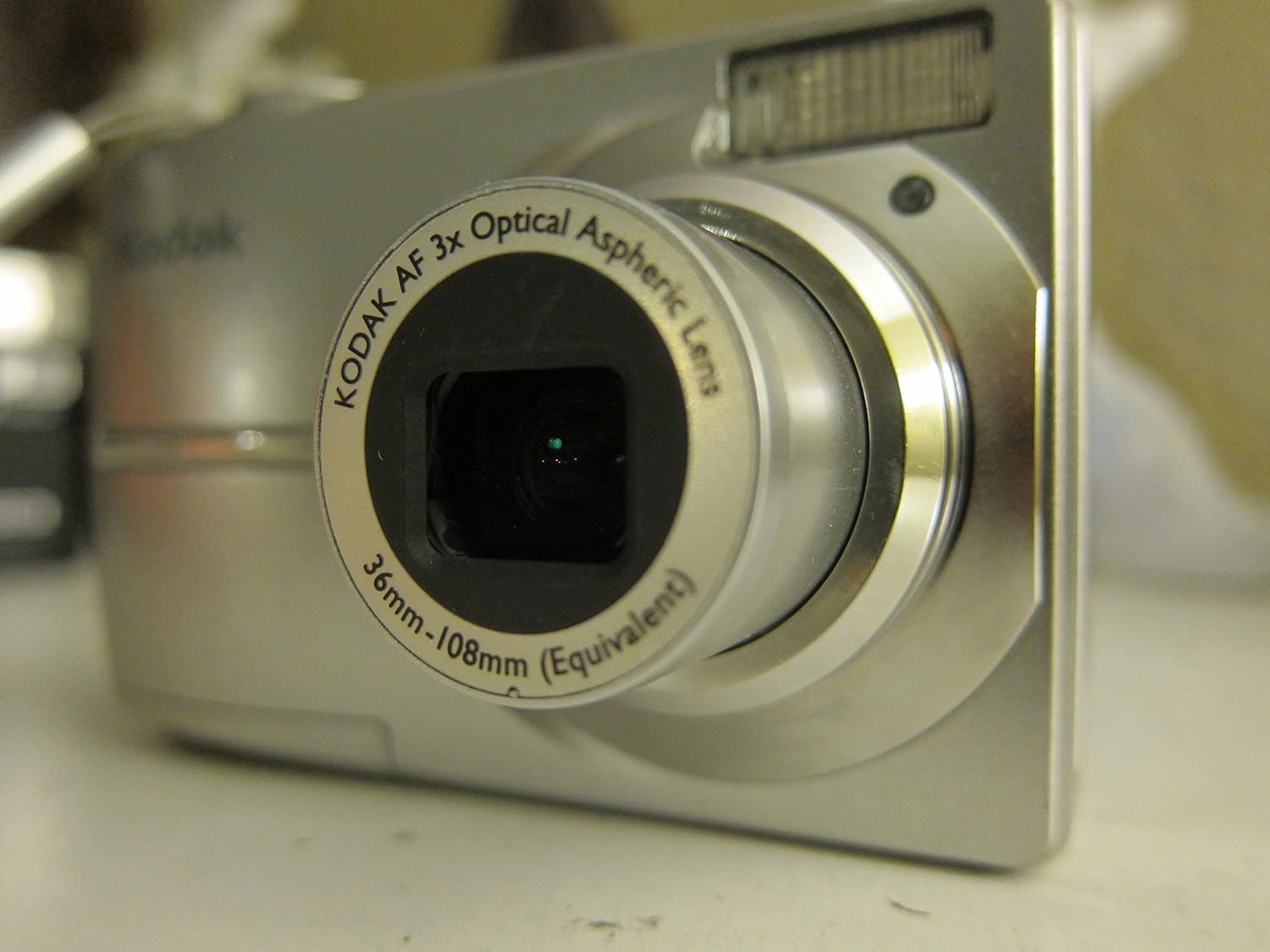
Figure 3.3: Angled front view of the camera with the lens extended, demonstrating optical zoom.
3.4. Digital Image Stabilization
The camera incorporates digital image stabilization to minimize blur caused by camera shake or subject movement, resulting in clearer pictures, especially in challenging conditions.
3.5. Display and Navigation
The 2.4-inch color display allows you to frame shots and review captured images and videos. Use the directional pad and OK button to navigate menus and settings. The Menu button accesses camera settings, and the Review button switches to playback mode.

Figure 3.4: Back view of the camera, displaying the LCD screen and control buttons.

Figure 3.5: The camera's LCD screen displaying a captured image.
3.6. Scene and Color Modes
Select from 16 programmed scene modes (e.g., auto, sport, portrait, snow, fireworks, backlight, party) to optimize settings for various shooting conditions. Experiment with 3 different color modes: color, black & white, and sepia, to add creative effects to your photos.
3.7. Video Recording
Capture life in motion with continuous VGA video (640 x 480 at 15 fps) with audio. The camera also supports on-camera video editing. You can create video prints in layouts of 1, 4, 9, or 16 frames, and view or share single frames from your videos.
3.8. Kodak PERFECT TOUCH Technology
This built-in technology enhances your pictures, making them more vivid and brighter. It helps to clear up dark shadows and bring out richer details, ensuring your memories are captured with exceptional quality.
3.9. Picture Enhancing and Editing Features
The camera offers convenient on-camera editing tools, including cropping, a blurry picture alert to notify you of potential issues, and an undo-delete function to recover accidentally deleted photos.
3.10. The Share Button
The exclusive on-camera Share button simplifies sharing your photos. Tag pictures directly on the camera for easy printing or emailing later. Use the Favorites feature to quickly access your most cherished images.
4. Maintenance
4.1. Cleaning the Camera
- Lens: Use a soft, lint-free cloth specifically designed for camera lenses. Gently wipe the lens in a circular motion. Avoid using harsh chemicals or abrasive materials.
- LCD Screen: Wipe the screen with a soft, dry cloth. For stubborn smudges, a slightly dampened cloth with water can be used, followed by a dry wipe.
- Camera Body: Use a soft, dry cloth to clean the camera body. For dirt or grime, a slightly damp cloth can be used, ensuring no moisture enters openings.
4.2. Battery Care
- Always use the recommended battery types (Lithium Ion, AA/Lithium/Ni-MH).
- Remove batteries if the camera will not be used for an extended period to prevent leakage.
- Store batteries in a cool, dry place.
4.3. Storage
When not in use, store the camera in a dry, dust-free environment, preferably in a camera bag or case to protect it from impacts and scratches.
5. Troubleshooting
5.1. Camera Does Not Turn On
- Check if the batteries are inserted correctly with the correct polarity.
- Ensure the batteries are fully charged or replace them with new ones.
- Clean the battery contacts inside the camera and on the batteries.
5.2. Blurry Photos
- Ensure the digital image stabilization feature is active.
- Hold the camera steady when taking pictures. Use a tripod if necessary, especially in low light.
- Check the focus. Press the shutter button halfway to allow the camera to focus before fully pressing it.
- Verify that the lens is clean and free from smudges.
5.3. "Memory Full" Error
- Delete unwanted photos or videos from the camera's internal memory or memory card.
- Transfer photos to a computer or other storage device to free up space.
- Insert a new or empty SD/SDHC memory card.
5.4. Lens Not Extending/Retracting
- Ensure there are no obstructions around the lens.
- Check battery level; low power can sometimes prevent lens movement.
- If the issue persists, contact customer support.
6. Specifications
| Feature | Detail |
|---|---|
| Model Name | Kodak Easyshare C713 |
| Brand | KODAK |
| Product Dimensions | 3.58 x 1.46 x 2.6 inches |
| Item Weight | 0.16 ounces |
| Item Model Number | 1849769 |
| Batteries | 1 Lithium Ion battery required (compatible with AA/Lithium/Ni-MH) |
| Photo Sensor Technology | CCD |
| Supported File Format | JPEG |
| Image Stabilization | Digital |
| Maximum Focal Length | 108 Millimeters |
| Optical Zoom | 3x |
| Expanded ISO Minimum | 100 |
| Metering Description | Multi-Zone/Evaluative |
| Manufacturer | Kodak |
| Date First Available | November 20, 2005 |
7. What's in the Box
Upon purchase, the Kodak Easyshare C713 typically includes the following items:
- 1 Lithium-ion Battery & Charger
Note: Additional accessories such as SD memory cards, USB cables, or wrist straps may be sold separately or included depending on the specific retail package.
8. Warranty and Support
For information regarding product warranty, technical support, or service, please refer to the official Kodak website or contact Kodak customer service directly. Keep your proof of purchase for any warranty claims.
You can often find support resources, FAQs, and driver downloads on the manufacturer's official support pages.
Related Documents - C713
 |
Kodak EasyShare C713/C813/CD703 Zoom Digital Camera User Guide User guide for Kodak EasyShare C713, C813, CD703 digital cameras. Covers setup, shooting, media management, and troubleshooting. |
 |
KODAK EASYSHARE M853 Zoom Digital Camera: Features, Specifications, and Accessories Comprehensive overview of the KODAK EASYSHARE M853 Zoom Digital Camera, detailing its key features, technical specifications, package contents, system requirements, and available accessories for enhanced photography and printing. |
 |
Kodak EasyShare C713 LCD Replacement Guide Step-by-step instructions for replacing the LCD screen on a Kodak EasyShare C713 digital camera. |
 |
Kodak EasyShare M1063 Digitalkamera Bedienungsanleitung Diese Bedienungsanleitung bietet detaillierte Anweisungen zur Installation, Bedienung und Wartung Ihrer Kodak EasyShare M1063 Digitalkamera, einschließlich Tipps zur Aufnahme, Bearbeitung und Übertragung von Bildern und Videos. |
 |
Kodak EasyShare DX4530 Zoom : Guide d'utilisation Guide d'utilisation complet pour l'appareil photo numérique Kodak EasyShare DX4530 Zoom. Apprenez à maîtriser toutes ses fonctions, de la prise de photos et vidéos à la gestion de vos fichiers et personnalisation des réglages. Idéal pour les photographes amateurs. |
 |
Kodak EasyShare CX6330 User Manual: Digital Camera Guide & Features Comprehensive user guide for the Kodak EasyShare CX6330 zoom digital camera. Covers setup, taking photos and videos, reviewing, sharing, software installation, and troubleshooting. Visit www.kodak.com for support. |