
1. Introduction
The Pyle PCA1 is a compact mini stereo power amplifier designed to provide amplified audio output for various home audio setups. It delivers up to 15 watts per channel at 4 ohms, making it suitable for powering bookshelf speakers or other passive speakers. This amplifier features RCA inputs for connecting audio sources such as CD players, tuners, or MP3 devices, and push-type terminals for speaker connections. Its compact design and versatile voltage selection (110V/220V) make it a flexible solution for enhancing your audio experience.
2. Safety Instructions
- Power Source: Ensure the voltage selector switch is set to the correct voltage (110V or 220V) for your region before connecting the power adapter. Incorrect voltage selection can damage the unit.
- Ventilation: Do not block any ventilation openings. Install in accordance with the manufacturer's instructions.
- Water and Moisture: Do not expose this appliance to rain or moisture. Do not place objects filled with liquids, such as vases, on the appliance.
- Heat: Do not install near any heat sources such as radiators, heat registers, stoves, or other apparatus (including amplifiers) that produce heat.
- Cleaning: Clean only with a dry cloth.
- Servicing: Refer all servicing to qualified service personnel. Servicing is required when the apparatus has been damaged in any way, such as power-supply cord or plug is damaged, liquid has been spilled or objects have fallen into the apparatus, the apparatus has been exposed to rain or moisture, does not operate normally, or has been dropped.
3. Package Contents
Please check that all items are present upon unpacking:
- Pyle PCA1 Mini Stereo Power Amplifier
- RCA Cable (attached)
- Power Adapter
- User Manual (this document)
4. Product Overview
Familiarize yourself with the components and connections of your Pyle PCA1 amplifier.
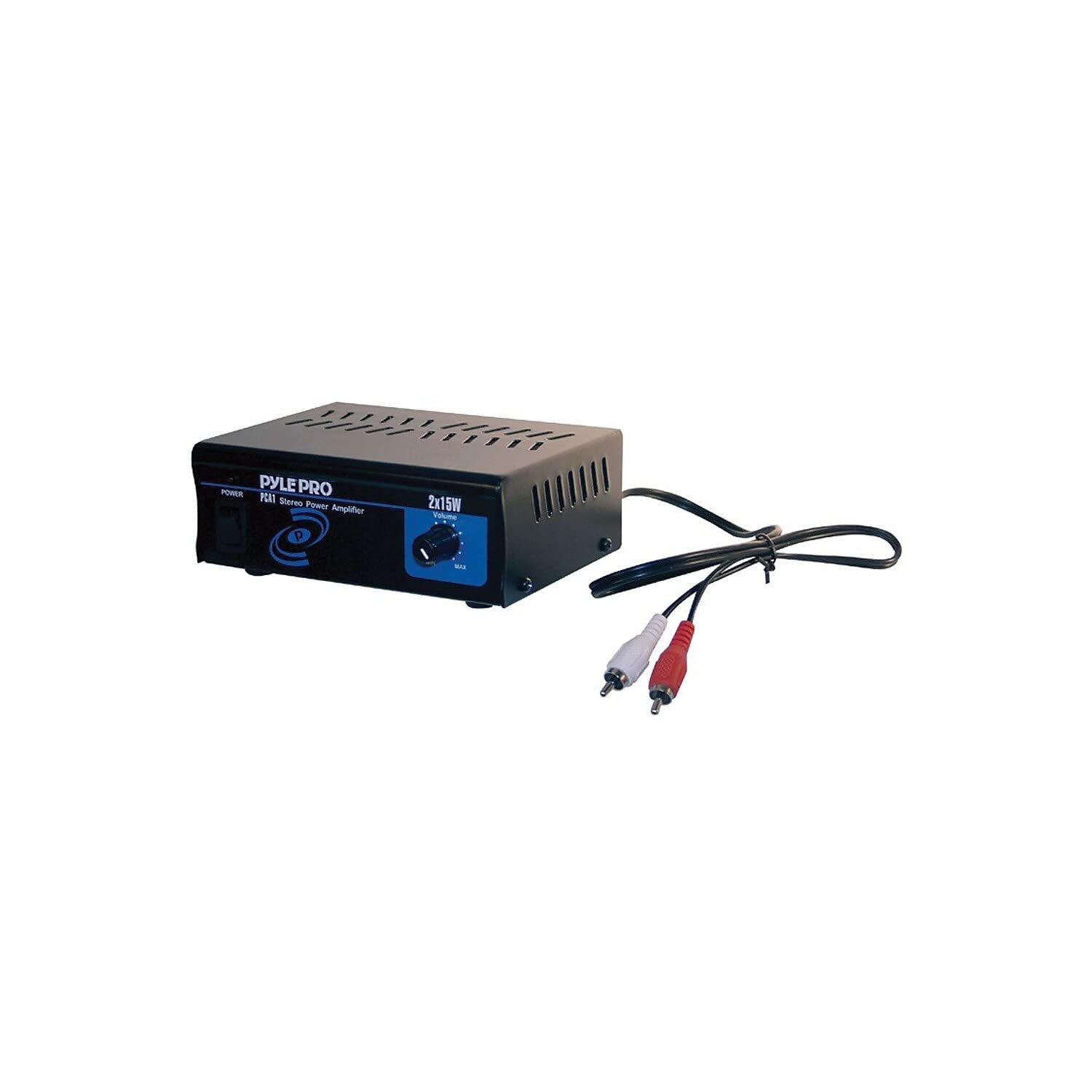
Figure 1: Front and Rear View of the Pyle PCA1 Mini Stereo Power Amplifier. This image displays the compact black amplifier unit with its front panel featuring a volume knob and power indicator, and the rear panel showing the attached RCA input cables and speaker terminals. The power cord is also visible.
4.1 Front Panel Controls
- POWER LED Indicator: Illuminates when the amplifier is powered on.
- VOLUME Knob: Rotates to adjust the overall output volume of the amplifier.
4.2 Rear Panel Connections
- RCA L/R Input Cables: Red and white RCA connectors for connecting your audio source (e.g., CD player, MP3 player, tuner).
- Speaker L/R Terminals: Push-type terminals for connecting passive speakers. Ensure correct polarity (+ to + and - to -).
- 110V/220V Voltage Selector: A switch to select the appropriate operating voltage for your region.
- DC Power Input: Connect the provided power adapter here.
5. Setup and Connections
Follow these steps to set up your Pyle PCA1 amplifier:
- Select Voltage: Locate the 110V/220V voltage selector switch on the rear panel. Use a small tool (like a screwdriver) to set it to the correct voltage for your country/region. Failure to do so may damage the unit.
- Connect Audio Source: Connect the attached RCA L/R input cables from the PCA1 to the audio output of your source device (e.g., CD player, MP3 player, computer sound card, tuner). Ensure the red connector goes to the right channel output and the white connector to the left channel output.
- Connect Speakers: Connect your passive speakers to the L/R speaker terminals on the rear panel.
- Press down on the push-type terminal tab.
- Insert the stripped end of the speaker wire into the opening.
- Release the tab to secure the wire.
- Ensure correct polarity: connect the positive (+) terminal of the amplifier to the positive (+) terminal of the speaker, and the negative (-) terminal of the amplifier to the negative (-) terminal of the speaker.
- Connect Power: Plug the provided power adapter into the DC power input on the rear of the amplifier, then plug the adapter into a suitable wall outlet.
6. Operating Instructions
Once all connections are made, you can begin using your amplifier:
- Power On: Ensure the volume knob is turned down to a low level. The amplifier will power on automatically when connected to power. The POWER LED indicator on the front panel will illuminate.
- Play Audio: Start playing audio from your connected source device.
- Adjust Volume: Slowly rotate the VOLUME knob clockwise to increase the sound level to your desired listening volume.
- Power Off: To turn off the amplifier, simply disconnect the power adapter from the wall outlet.
7. Maintenance
- Cleaning: Disconnect the power before cleaning. Use a soft, dry cloth to wipe the exterior of the unit. Do not use liquid cleaners or aerosol cleaners.
- Storage: If storing the unit for an extended period, disconnect it from the power source and store it in a cool, dry place.
8. Troubleshooting
| Problem | Possible Cause | Solution |
|---|---|---|
| No sound output. |
|
|
| Distorted sound. |
|
|
| Humming or buzzing noise. |
|
|
9. Specifications
| Feature | Specification |
|---|---|
| Output Power | 2 x 15 Watts RMS at 4 Ohms |
| Number of Channels | 2 |
| Input Type | RCA L/R |
| Output Type | Push-type Speaker Terminals |
| Voltage Selector | 110V/220V AC |
| Dimensions (L x W x H) | 4.21" x 5.61" x 2.17" (10.7 x 14.25 x 5.5 cm) |
| Weight | 0.21 lbs (0.095 kg) |
| Model Number | PCA1 |
| Brand | Pyle |
10. Warranty and Support
Pyle products are designed and manufactured to the highest standards. For detailed warranty information or technical support, please refer to the warranty card included with your product or visit the official Pyle website. Do not attempt to repair this unit yourself, as this will void the warranty.
For customer service and support, please visit: www.pyleusa.com


