
Introduction
Thank you for choosing the Sentry HO800 Wireless Headphones. This manual provides essential information for the proper setup, operation, and maintenance of your device. Please read it thoroughly before use to ensure optimal performance and longevity of your headphones.
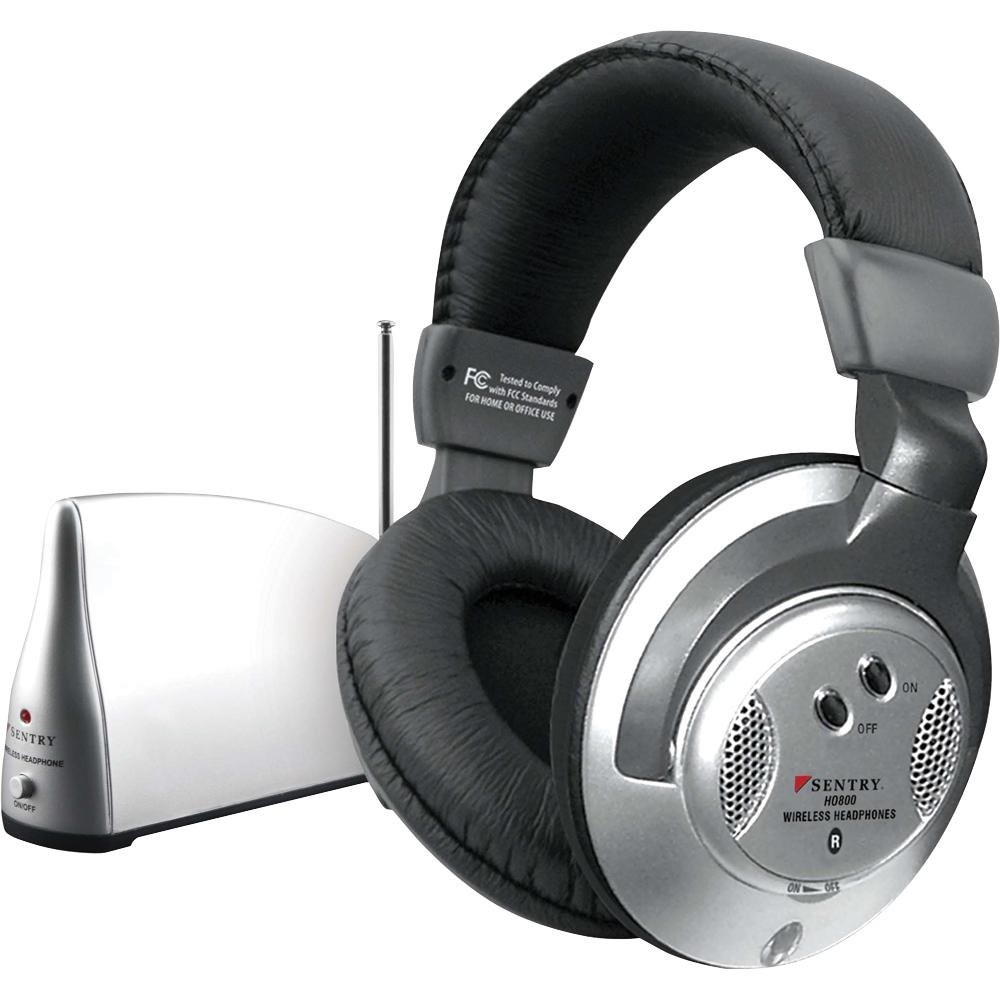
Image: Sentry HO800 Wireless Headphones and Transmitter. The image displays the over-ear headphones in black, alongside the compact wireless transmitter unit.
Package Contents
Ensure all items are present in your package:
- Sentry HO800 Wireless Headphones
- Wireless Transmitter Unit
- Audio Connection Cables (e.g., RCA to 3.5mm adapter, 3.5mm to 3.5mm cable)
Note: Batteries are not included and must be purchased separately. You will need 2 AAA batteries for the headphones and 1 9V battery for the transmitter.
Setup
1. Install Batteries
For the Headphones:
- Locate the battery compartment on one of the headphone earcups.
- Open the compartment cover.
- Insert 2 AAA batteries, observing the correct polarity (+/-).
- Close the battery compartment cover securely.
For the Transmitter:
- Locate the battery compartment on the underside or back of the transmitter unit.
- Open the compartment cover.
- Insert 1 9V battery, observing the correct polarity (+/-).
- Close the battery compartment cover securely.
2. Connect the Transmitter to an Audio Source
The transmitter is compatible with virtually all audio devices. Use the provided cables to connect the transmitter to your desired audio source (e.g., TV, stereo, DVD player, MP3 player, PC).
- For RCA Audio Outputs: Connect the RCA plugs from the transmitter to the corresponding audio output jacks (usually red and white) on your audio source.
- For 3.5mm Headphone Jacks: Use the appropriate adapter cable (e.g., RCA to 3.5mm) to connect the transmitter to the 3.5mm headphone output of your device.
Ensure the audio source is powered on and playing audio.
Operating Instructions
1. Power On
- Turn on the transmitter unit. An LED power indicator on the transmitter should illuminate.
- Turn on the headphones using their power switch.
2. Automatic Signal Lock
The headphones are designed to automatically lock onto the transmitter's signal. Once both units are powered on and the transmitter is receiving audio, the headphones should receive the signal.
3. Adjust Volume
Use the rotary volume control located on the headphones to adjust the listening volume to a comfortable level.
4. Wireless Range
The transmitter broadcasts a signal up to 100 feet (approximately 30 meters) in an open environment. Obstacles such as walls and other electronic devices may reduce the effective range.
5. Power Off
To conserve battery life, turn off both the headphones and the transmitter when not in use.
Maintenance
Cleaning
Wipe the headphones and transmitter with a soft, dry cloth. Do not use liquid cleaners or solvents, as they may damage the finish or internal components.
Battery Replacement
Replace batteries when the sound quality degrades, the LED indicator dims, or the units fail to power on. Always use fresh batteries of the specified type (2 AAA for headphones, 1 9V for transmitter).
Storage
When storing the headphones for an extended period, remove all batteries to prevent leakage and potential damage.
Troubleshooting
- No Sound:
- Ensure both headphones and transmitter are powered on.
- Check that batteries are correctly installed and not depleted.
- Verify the transmitter is properly connected to the audio source.
- Confirm the audio source is playing and its volume is turned up.
- Adjust the volume control on the headphones.
- Static or Poor Sound Quality:
- Move the transmitter closer to the headphones.
- Ensure there are no major obstructions (e.g., thick walls, large metal objects) between the transmitter and headphones.
- Check for interference from other wireless devices. Try repositioning the transmitter.
- Replace batteries in both units.
- Short Wireless Range:
- Ensure the transmitter is placed in an open area, free from obstructions.
- Replace the transmitter's 9V battery.
Specifications
| Model: | HO800 |
| Brand: | SENTRY |
| Manufacturer: | Sentry Industries, Inc. |
| Connectivity Technology: | Wireless (Infrared) |
| Form Factor: | Over Ear |
| Control Type: | Rotary Volume Control |
| Headphone Battery: | 2 x AAA (not included) |
| Transmitter Battery: | 1 x 9V (not included) |
| Wireless Range: | Up to 100 feet (approx. 30 meters) |
| Material: | Plastic |
Warranty and Support
For warranty information or technical support, please refer to the documentation provided with your purchase or contact Sentry Industries, Inc. directly. Keep your proof of purchase for any warranty claims.


