
1. Introduction
Thank you for choosing the Terraillon Lunis Digital Bathroom Scale. This manual provides essential information for the safe and effective use of your new scale. Please read these instructions carefully before use and retain them for future reference.
2. Safety Information
- Always place the scale on a hard, flat surface. Using it on carpet or uneven floors may affect accuracy.
- Do not use the scale on wet or slippery surfaces to prevent falls.
- Do not jump on the scale. Step on and off gently.
- Keep the scale away from water and extreme temperatures.
- This scale is for personal use only and not intended for medical diagnosis or treatment.
- Keep batteries out of reach of children.
3. Package Contents
Please check the package contents to ensure all items are present:
- Terraillon Lunis Digital Bathroom Scale
- Instruction Manual (this document)
4. Setup
- Unpack the Scale: Carefully remove the scale from its packaging.
- Install Batteries:
Locate the battery compartment on the underside of the scale. Open the cover and insert the required batteries, ensuring correct polarity (+/-). Close the battery compartment cover securely.
- Placement: Place the scale on a firm, flat, and stable surface, such as a tiled or wooden floor. Avoid placing it on carpets, rugs, or uneven surfaces, as this can affect accuracy.
- Initial Calibration (First Use):
For the first use, or after moving the scale, it is recommended to calibrate it. Gently press down on the center of the scale with your foot until the display shows "0.0" or activates, then step off. Wait for the display to turn off. The scale is now ready for use.
5. Operating Instructions
- Step On: Gently step onto the center of the scale with bare feet. Stand still and distribute your weight evenly.
- Read Measurement: The display will show your weight. Wait for the reading to stabilize and flash a few times before stepping off.
- Automatic Shut-off: The scale will automatically turn off after a few seconds of inactivity to conserve battery life.
- Changing Weight Units (if applicable): If your scale supports multiple units (e.g., kg, lb, st), there is usually a button on the underside or side of the scale to switch between them. Refer to the specific markings on your scale.
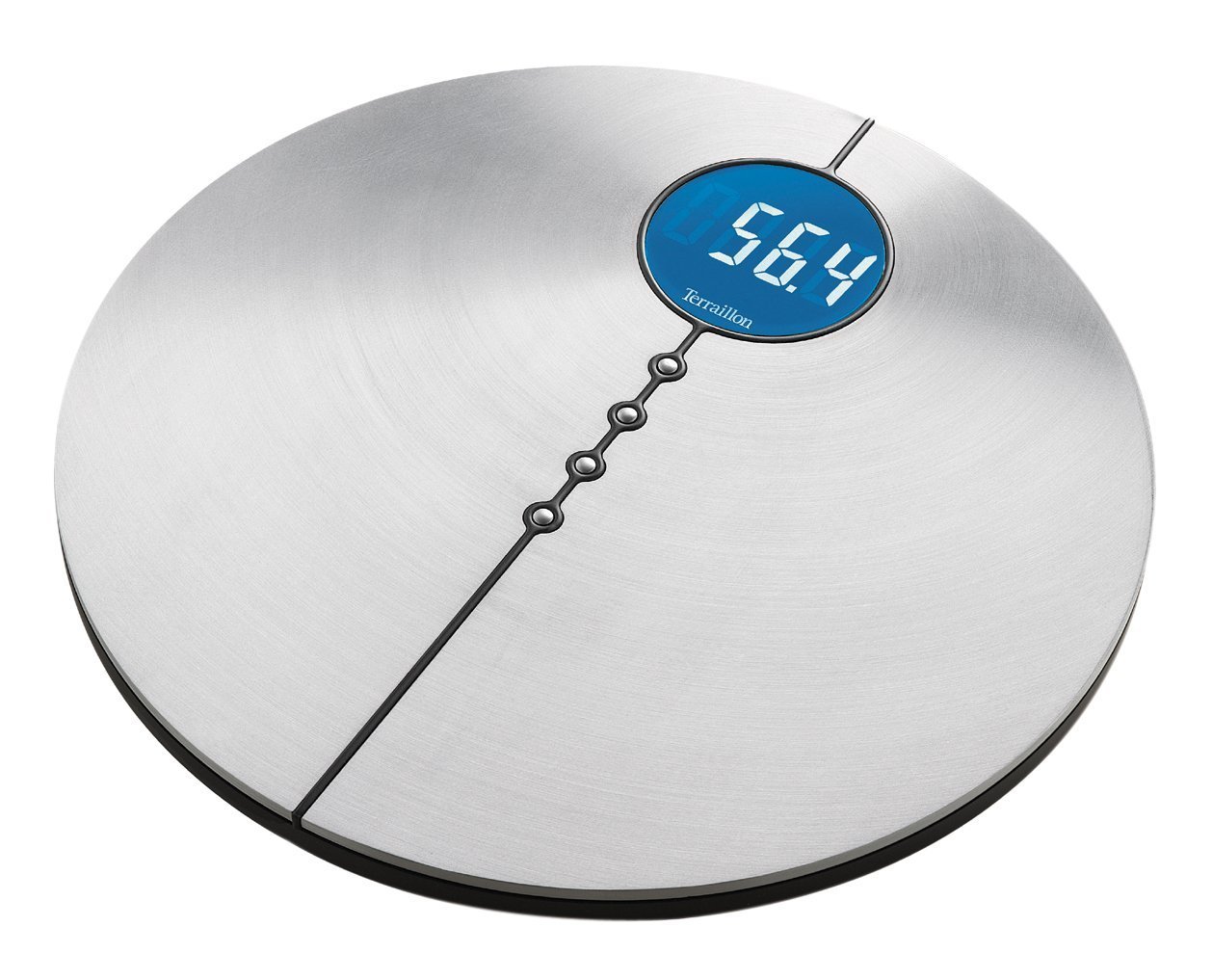
Image: The Terraillon Lunis digital bathroom scale, illustrating its design and display area.
6. Maintenance and Care
- Cleaning: Wipe the scale surface with a damp cloth and mild detergent. Do not use abrasive cleaners or immerse the scale in water.
- Storage: Store the scale in a cool, dry place. Avoid placing heavy objects on it when not in use.
- Battery Replacement: When the display shows "Lo" or becomes dim, replace the batteries. Always replace all batteries at the same time with new ones of the same type.
7. Troubleshooting
| Problem | Possible Cause | Solution |
|---|---|---|
| Scale does not turn on. | Batteries are dead or incorrectly installed. | Check battery polarity or replace with new batteries. |
| "Lo" displayed. | Low battery power. | Replace all batteries. |
| "Err" or "O-Ld" displayed. | Scale overloaded (weight exceeds maximum capacity). | Step off the scale. Ensure weight is within the scale's maximum capacity. |
| Inaccurate readings. | Scale on an uneven surface, not calibrated, or moved recently. | Place scale on a hard, flat surface. Perform initial calibration (step on, step off, wait for "0.0"). Ensure you are standing still. |
8. Specifications
- Brand: Terraillon
- Model Number: LUNIS
- Dimensions: 37 x 36.8 x 5.8 cm (approximately 14.6 x 14.5 x 2.3 inches)
- Product Weight: 2.3 kg (approximately 5.1 lbs)
- ASIN: B000TGIMGY
9. Warranty and Support
For warranty information and customer support, please refer to the warranty card included with your product or visit the official Terraillon website. Keep your proof of purchase for any warranty claims.
You can find more information about Terraillon products and support at their official store: Terraillon Store on Amazon.