
1. Setup and Installation
This section guides you through the initial setup of your Mobile Suit Gundam: MS Sensen 0079 game for the Nintendo Wii console.
1.1 Region Compatibility
Please note that this is a Japan Import game (NTSC-J format). Nintendo Wii consoles are region-locked. Ensure your Wii console is compatible with Japanese region games to avoid playback issues.
1.2 Inserting the Game Disc
- Power on your Nintendo Wii console.
- Open the disc drive cover on the console.
- Carefully insert the Mobile Suit Gundam: MS Sensen 0079 game disc with the label side facing up.
- Close the disc drive cover. The Wii console should automatically detect the game.
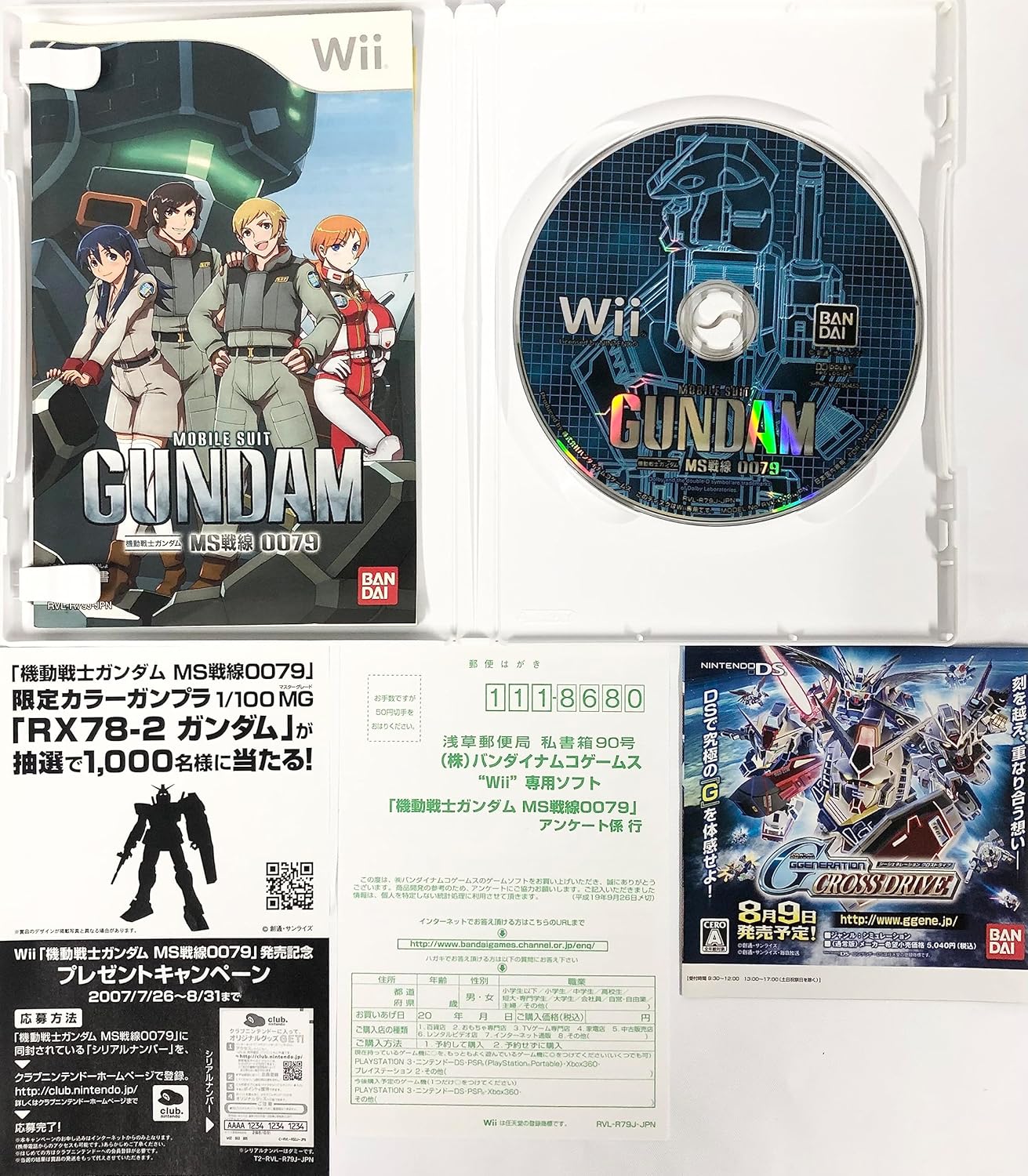
Image: The game's retail packaging and the game disc, illustrating how the product appears. This image also shows promotional material and a Club Nintendo Japan link.
1.3 Starting the Game
- From the Wii Menu, select the 'Disc Channel' icon.
- Confirm the game title 'Mobile Suit Gundam: MS Sensen 0079' is displayed.
- Select 'Start' (はじめる) to launch the game.

Image: The game's initial title screen on the Nintendo Wii, showing options to return to the Wii Menu or start the game.
2. Operating Instructions
This section provides an overview of the game's controls and main features.
2.1 Basic Controls (Wii Remote)
Mobile Suit Gundam: MS Sensen 0079 utilizes the Nintendo Wii Remote for intuitive control of your Mobile Suit. Specific actions are mapped to gestures and button presses.
- Direct Control: Point the Wii Remote at the screen to aim and target enemies.
- Melee Attacks: Perform swinging motions with the Wii Remote to execute close-quarters combat.
- Movement: Use the Nunchuk's analog stick for Mobile Suit movement.
- Sniping: Certain situations allow for precise aiming using a dedicated sniping mode.
2.2 Game Modes
- Story Mode: Experience a narrative campaign set during the One Year War, playing as various Mobile Suit pilots.
- Ace Pilot Mode: Re-enact famous scenes and battles from the Mobile Suit Gundam series, often playing as iconic characters.
- Multiplayer: Engage in battles with other players.
2.3 MS Color Change
Customize your Mobile Suit's appearance by changing its color scheme. This option is typically available in the game's customization or hangar menu.

Image: A detailed overview of gameplay mechanics, including Wii Remote controls for aiming and melee, sniping, MS color change options, and descriptions of various game modes like Story Mode and Ace Pilot Mode.

Image: A screenshot depicting in-game action, showcasing a Mobile Suit in combat within an urban environment.
3. Maintenance
Proper care of your game disc will ensure its longevity and optimal performance.
3.1 Disc Care
- Always hold the disc by its edges or by placing a finger through the center hole. Avoid touching the reflective surface.
- Keep the disc clean. If necessary, gently wipe the disc from the center outwards with a soft, lint-free cloth. Do not use abrasive materials or chemical cleaners.
- Store the disc in its original case when not in use to protect it from dust, scratches, and direct sunlight.
- Avoid bending the disc or placing heavy objects on it.

Image: A close-up view of the game disc, highlighting its reflective surface and center hub, which are important areas for proper handling and care.
4. Troubleshooting
If you encounter issues while playing, refer to the following common problems and solutions.
4.1 Game Not Loading or Freezing
- Check Disc Condition: Inspect the game disc for any visible scratches, smudges, or dirt. Clean the disc as described in the Maintenance section.
- Restart Console: Power off your Nintendo Wii console completely, wait a few seconds, and then power it back on.
- Region Compatibility: As this is a Japan Import, ensure your Wii console is compatible with NTSC-J region games. An incompatible region console will not play the game.
- Wii System Software: Ensure your Wii console's system software is up to date.
4.2 Unresponsive Controls
- Wii Remote Batteries: Check if the batteries in your Wii Remote and Nunchuk are charged or replace them if necessary.
- Re-sync Wii Remote: If the remote is not responding, try re-syncing it with the console. Press the SYNC button on the Wii console (behind the SD card slot cover) and then the SYNC button inside the battery compartment of the Wii Remote.
- Sensor Bar: Ensure the Wii Sensor Bar is properly connected to the console and positioned correctly (above or below your TV). Clean any obstructions between the remote and the sensor bar.
5. Specifications
- Product Title: Mobile Suit Gundam: MS Sensen 0079 [Japan Import]
- Brand: BANDAI
- Manufacturer: Namco
- ASIN: B000T544SA
- Item Model Number: #REF!
- Type of Item: Video Game
- Rated: Everyone
- Platform: Nintendo Wii
- Package Dimensions: 7.5 x 5.4 x 0.6 inches
- Item Weight: 3.17 ounces
- Date First Available: April 26, 2011
6. Warranty Information
Specific warranty details for this Japan Import game are not provided in the available product information. For any warranty-related inquiries, please refer to the original retailer or the manufacturer's official Japanese website.
7. Support
For further assistance or information regarding Mobile Suit Gundam: MS Sensen 0079, please contact the manufacturer or visit their official support channels.
- Manufacturer: BANDAI NAMCO Games Inc.
- Official Website (Japan): http://www.bngi-channel.jp/
- Nintendo Club (Japan): http://club.nintendo.jp/
- General Nintendo Support: Refer to your local Nintendo support website for console-related issues.