
Product Overview
The GERATHERM Classic is a robust clinical analogue thermometer designed for precise body temperature measurement. It is completely mercury-free, utilizing a non-toxic Galistan alloy (Gallium-Indium-Tin) instead. This thermometer requires no batteries, ensuring it is always ready for use and environmentally friendly.

Image: The GERATHERM Classic Analogue Thermometer, showing its clear glass body and green protective case.
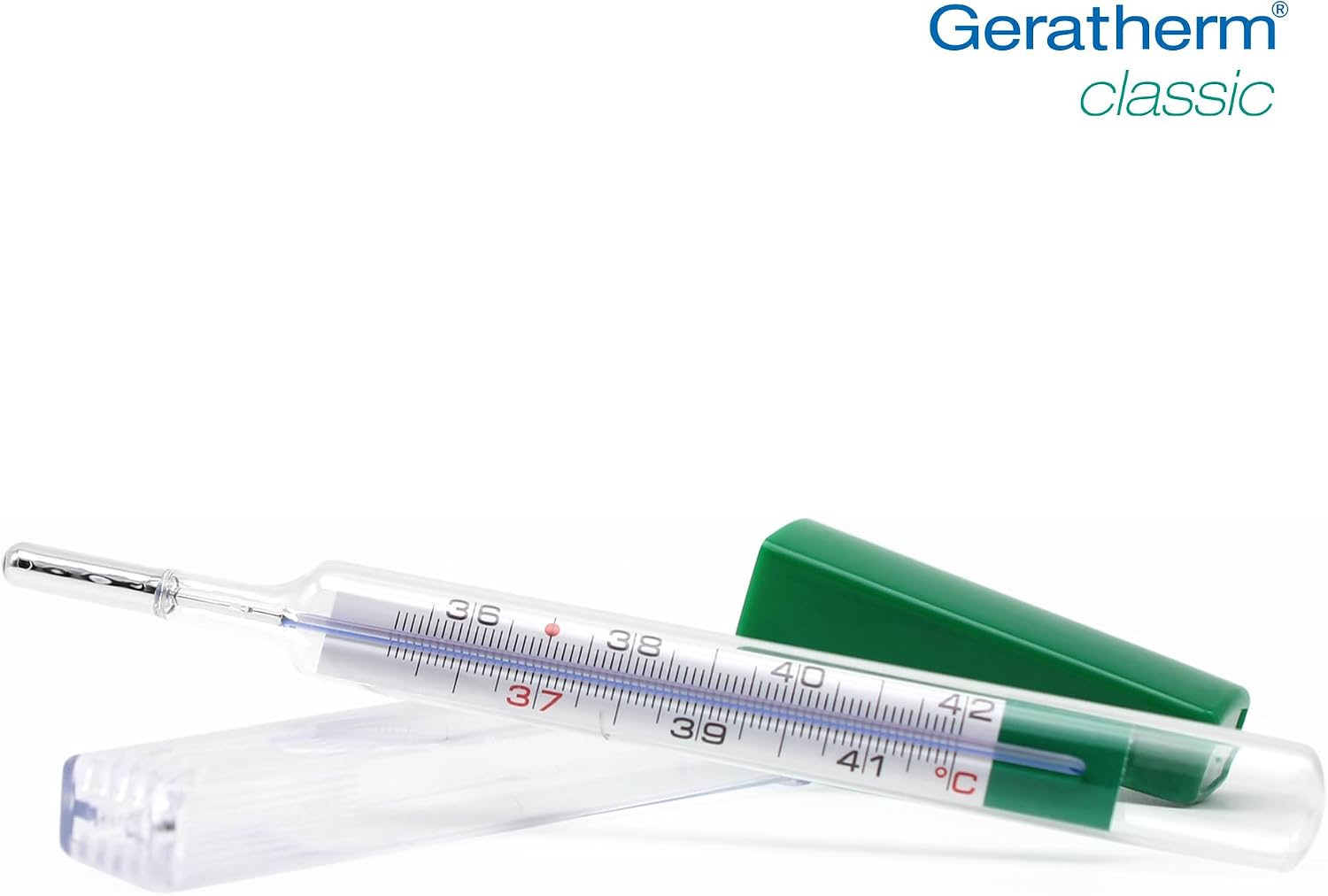
Image: A close-up view of the thermometer's scale, indicating temperature readings in Celsius.
Components
Your GERATHERM Classic Analogue Thermometer package includes the following items:
- Analogue Thermometer: The main device for temperature measurement.
- Protective Case: A clear case with a green cap for safe storage.
- Reset Aid (Easy Flip): A white plastic device designed to assist in resetting the thermometer.

Image: An exploded view showing the thermometer, its protective case, and the 'easy flip' reset aid.
Setup
Unpacking
Carefully remove the thermometer and its accessories from the packaging. Inspect all components for any signs of damage.
Initial Reset
Before first use, or if the Galistan column is not below 36°C, you will need to reset the thermometer. This involves shaking the thermometer vigorously to bring the Galistan liquid down into the bulb. You can use the provided 'easy flip' reset aid for this purpose. Hold the thermometer firmly and swing it with a quick, controlled motion until the liquid column is below the lowest marked temperature.
Operating Instructions
Taking a Measurement
- Ensure the Galistan column is below 36°C. If not, reset the thermometer as described in the 'Initial Reset' section.
- Place the thermometer in the desired measurement location (e.g., under the armpit).
- Hold the thermometer in place for approximately 3 to 4 minutes to allow for an accurate reading.
- Remove the thermometer and read the temperature.
Reading the Temperature
The GERATHERM Classic displays temperature in degrees Celsius (°C). Locate the top of the Galistan column and read the corresponding value on the scale. Each major line represents one degree Celsius, and smaller lines indicate tenths of a degree.
Resetting the Thermometer After Use
After each use, the Galistan column must be brought back down for the next measurement. This is achieved by shaking the thermometer. For easier resetting, place the thermometer into the 'easy flip' reset aid. Hold the aid firmly and swing it with a quick, controlled motion until the Galistan column is below 36°C. This may require several vigorous shakes.
Maintenance
Cleaning
The thermometer can be cleaned with soap and water or a disinfectant solution. It is recommended to hand wash only. Do not use harsh abrasives or solvents that could damage the glass or markings.
Storage
Always store the thermometer in its protective case when not in use. Keep it in a cool, dry place, away from direct sunlight and extreme temperatures. Store out of reach of children due to its glass construction.
Troubleshooting
Difficulty Resetting the Thermometer
If the Galistan column is difficult to shake down, ensure you are using the 'easy flip' reset aid correctly and applying sufficient vigorous motion. Sometimes, a few firm, quick swings are needed. The Galistan alloy has a higher surface tension than mercury, making it slightly harder to reset.
Inaccurate Readings
Ensure the thermometer has been in place for the recommended 3 to 4 minutes to allow the Galistan to fully expand and stabilize. Readings taken too quickly may not be accurate. Also, verify that the thermometer was properly reset before taking a new measurement.
Specifications
- Display Type: Analog
- Measurement Range: 35.5 °C to 42.0 °C
- Response Time: Approximately 240 seconds (4 minutes)
- Accuracy: +0.1°C / -0.15°C
- Filling Material: Galistan (Gallium-Indium-Tin alloy)
- Outer Material: Glass
- Dimensions: 0.39 x 0.59 x 5.12 inches
- Weight: 0.01 ounces
- Power Source: None (Battery-free operation)
- Included Components: Thermometer, Protective Case, Reset Aid
Warranty and Support
For information regarding warranty coverage or technical support, please refer to the manufacturer's official website or contact their customer service department. Keep your purchase receipt as proof of purchase.