
Introduction
Thank you for purchasing the Honeywell HO1100RE 45W Tower Fan. This manual provides essential information for the safe and efficient operation of your new fan. Please read these instructions thoroughly before use and retain them for future reference.
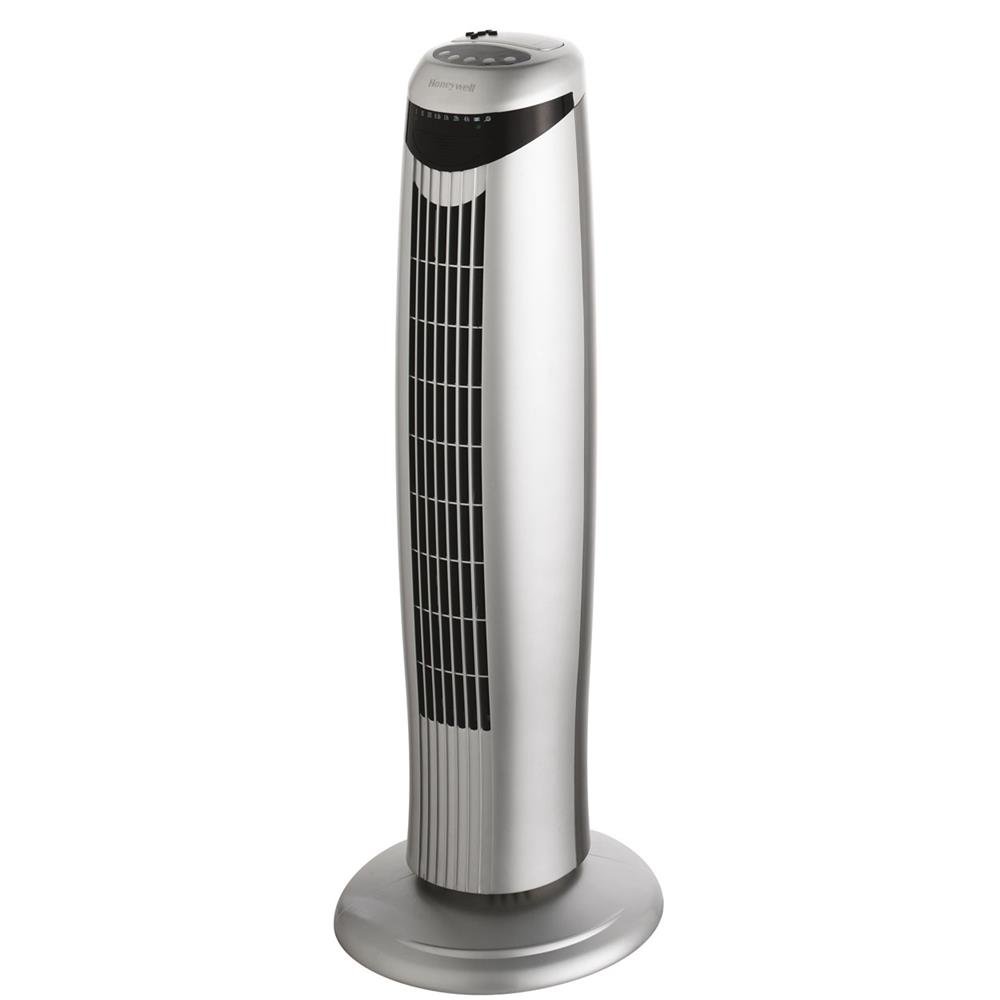
Image: Honeywell HO1100RE 45W Tower Fan, silver color, with control panel visible at the top.
Safety Information
Always observe the following safety precautions to reduce the risk of fire, electric shock, or injury:
- Ensure the fan is placed on a stable, level surface to prevent tipping.
- Do not insert fingers or foreign objects into the fan grille.
- Keep the fan away from water or other liquids. Do not operate in wet environments.
- Unplug the fan from the power outlet before cleaning or performing any maintenance.
- Do not operate the fan with a damaged cord or plug. Contact qualified service personnel for repair.
- This appliance is for indoor use only.
- Keep out of reach of children.
Package Contents
Verify that all items are present in the package:
- Honeywell HO1100RE Tower Fan Unit
- Remote Control
- User Manual (this document)
Setup
- Unpacking: Carefully remove the fan and all accessories from the packaging.
- Base Assembly: The fan features a sturdy base. Ensure it is securely attached.
- Placement: Place the fan on a firm, level surface. Ensure there is adequate space around the fan for optimal airflow and oscillation.
- Power Connection: Plug the power cord into a standard electrical outlet.
Operating Instructions
The Honeywell HO1100RE Tower Fan can be operated using the control panel on the unit or the included remote control.
Control Panel

Image: Close-up view of the top control panel of the Honeywell HO1100RE tower fan, showing buttons and indicator lights.
- Power Button: Press to turn the fan ON or OFF.
- Speed Button: Cycle through fan speeds: Low, Medium, High. The fan also features a "Breeze" mode.
- Oscillation Button: Activate or deactivate the 75° oscillation function.
- Timer Button: Set the automatic shut-off timer from 30 minutes up to 7.5 hours. Press repeatedly to select desired duration.
- Mode Button: Select between standard fan operation and "Breeze" mode, which simulates natural wind patterns.
Remote Control
The remote control duplicates all functions available on the main control panel, allowing convenient operation from a distance. Ensure batteries are correctly installed (not included).
- Power: Turns the fan on/off.
- Speed: Adjusts fan speed (Low, Medium, High, Breeze).
- Oscillation: Controls the fan's oscillating movement.
- Timer: Sets the automatic shut-off timer.
- Mode: Toggles between standard and breeze modes.
A dedicated slot for the remote control is located on top of the fan for storage.
Maintenance
Regular cleaning and maintenance will ensure optimal performance and longevity of your fan.
- Before Cleaning: Always unplug the fan from the power outlet.
- Exterior Cleaning: Wipe the exterior surfaces with a soft, damp cloth. Do not use abrasive cleaners or solvents.
- Grille Cleaning: Use a vacuum cleaner with a brush attachment to remove dust from the air intake and exhaust grilles.
- Storage: If storing the fan for an extended period, clean it thoroughly, place it back in its original packaging, and store in a cool, dry place.
Troubleshooting
| Problem | Possible Cause | Solution |
|---|---|---|
| Fan does not turn on. | No power supply. Power button not pressed. | Ensure the fan is plugged into a working electrical outlet. Press the power button on the unit or remote control. |
| Weak airflow. | Fan speed set too low. Air grilles are obstructed. | Increase the fan speed. Clean the air intake and exhaust grilles. |
| Fan is noisy. | Dust accumulation. Unstable surface. | Clean the fan grilles. Place the fan on a stable, level surface. |
| Remote control not working. | Dead batteries. Obstruction between remote and fan. | Replace batteries in the remote control. Ensure a clear line of sight to the fan's sensor. |
Specifications
| Model Name: | HO-1100RE |
| Brand: | Honeywell |
| Power: | 45 W |
| Airflow: | 1300 m³/h |
| Number of Speeds/Modes: | 4 (Low, Medium, High, Breeze) |
| Oscillation: | 75° |
| Timer: | 30 minutes to 7.5 hours |
| Control Type: | Remote Control, On-unit Buttons |
| Material: | Metal (housing), Plastic (grilles, base) |
| Color: | Silver |
| Weight: | 4.1 kg |
| Dimensions (Height): | 76 cm |
| Usage: | Indoor |
Warranty and Support
The Honeywell HO1100RE Tower Fan comes with a 3-year warranty from the date of purchase. This warranty covers manufacturing defects under normal use.
For warranty claims, technical support, or service inquiries, please contact Honeywell customer service. Refer to the official Honeywell website or your purchase documentation for contact details specific to your region.
Note: The full user manual in PDF format is available for download from the product's official support page.