
1. Introduction
Thank you for choosing the T.I.P. TVX 12000 Submersible Wastewater Pump. This pump is designed for efficient drainage of clear and dirty water, capable of handling solids up to 20 mm. Its robust construction and powerful motor make it ideal for emergency drainage, emptying ponds, pools, and construction pits. Please read this manual carefully before installation and operation to ensure safe and optimal performance.
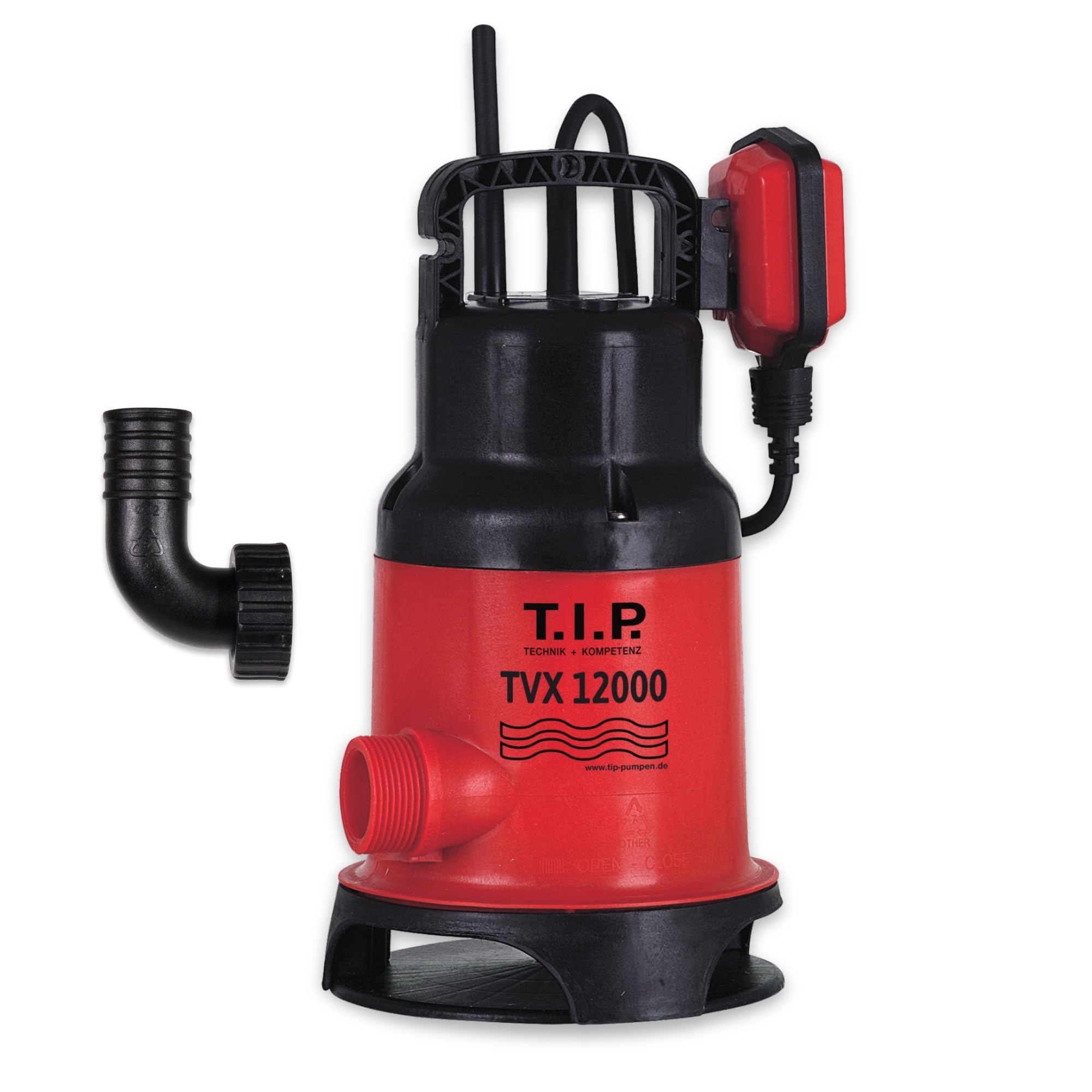
Image 1: A person using the T.I.P. TVX 12000 pump to drain water from a pond.
2. Safety Information
Always observe the following safety precautions to prevent injury and damage to the pump.
- Ensure the power supply matches the pump's specifications (voltage, frequency).
- Do not operate the pump with a damaged power cord or plug.
- Never lift or carry the pump by its power cord. Use the integrated handle.
- Keep children and unauthorized persons away from the operating area.
- Always disconnect the pump from the power supply before performing any maintenance or cleaning.
- Do not pump flammable, explosive, or corrosive liquids.
- Ensure adequate ventilation if operating in confined spaces.
- The maximum liquid temperature for operation is 35 °C.
3. Product Overview and Features
The T.I.P. TVX 12000 is a robust and efficient submersible pump designed for various drainage tasks.
- Powerful Motor: Equipped with a 480 W motor and thermal overload protection.
- Automatic Operation: Features an automatic start and stop function via a variably adjustable float switch.
- Vortex Impeller: The VORTEX turbine prevents pump blockages and ensures low-maintenance operation, processing solids up to 20 mm.
- Durable Construction: Impact-resistant plastic pump body for extended lifespan.
- Versatile Use: Suitable for clear and dirty water, ideal for emptying ponds, pools, construction pits, or emergency drainage.
- Minimum Water Level: Works reliably from a water level of 120 mm.
- Residual Water Level: Leaves approximately 30 mm of residual water after pumping.

Image 2: Visual representation of the T.I.P. TVX 12000 pump's key advantages, including suitability for clear and dirty water, 20mm solid processing, 120mm minimum water level, and robust housing.

Image 3: Detailed view of the T.I.P. TVX 12000 pump, highlighting the Vortex wheel and variably adjustable float switch.
4. Specifications
| Specification | Value |
|---|---|
| Model Number | 30261 |
| Power | 480 W |
| Max. Flow Rate | 10,800 Liters per hour (10.8 m³/h) |
| Max. Delivery Head / Pressure | 6 m / 0.6 bar |
| Max. Immersion Depth | 7 m |
| Max. Particle Size | 20 mm |
| Min. Water Level for Operation | 120 mm |
| Residual Water Level | Approx. 30 mm |
| Cable Length | 10 m |
| Max. Liquid Temperature | 35 °C |
| Pressure Connection | G 1 1/4" (41.91 mm external thread) |
| Dimensions (L x W x H) | 20 x 18 x 31 cm |
| Weight | 3.9 kg |
| Material | Impact-resistant Plastic |

Image 4: Technical drawing showing the dimensions, cable length, and performance metrics of the T.I.P. TVX 12000 pump.

Image 5: Performance curve illustrating the relationship between delivery head and flow rate for the TVX 12000 pump.
5. Setup and Installation
5.1 Connecting the Discharge Hose
The pump features a G 1 1/4" (41.91 mm) external thread pressure connection.
- Direct Connection: A drainage hose can be attached directly to the pump if it has a matching 1 1/4" female thread.
- Elbow Connection: The included connecting elbow (32 mm) allows for a hose to be connected using a hose clamp. Ensure the hose clamp is securely fastened to prevent leaks.
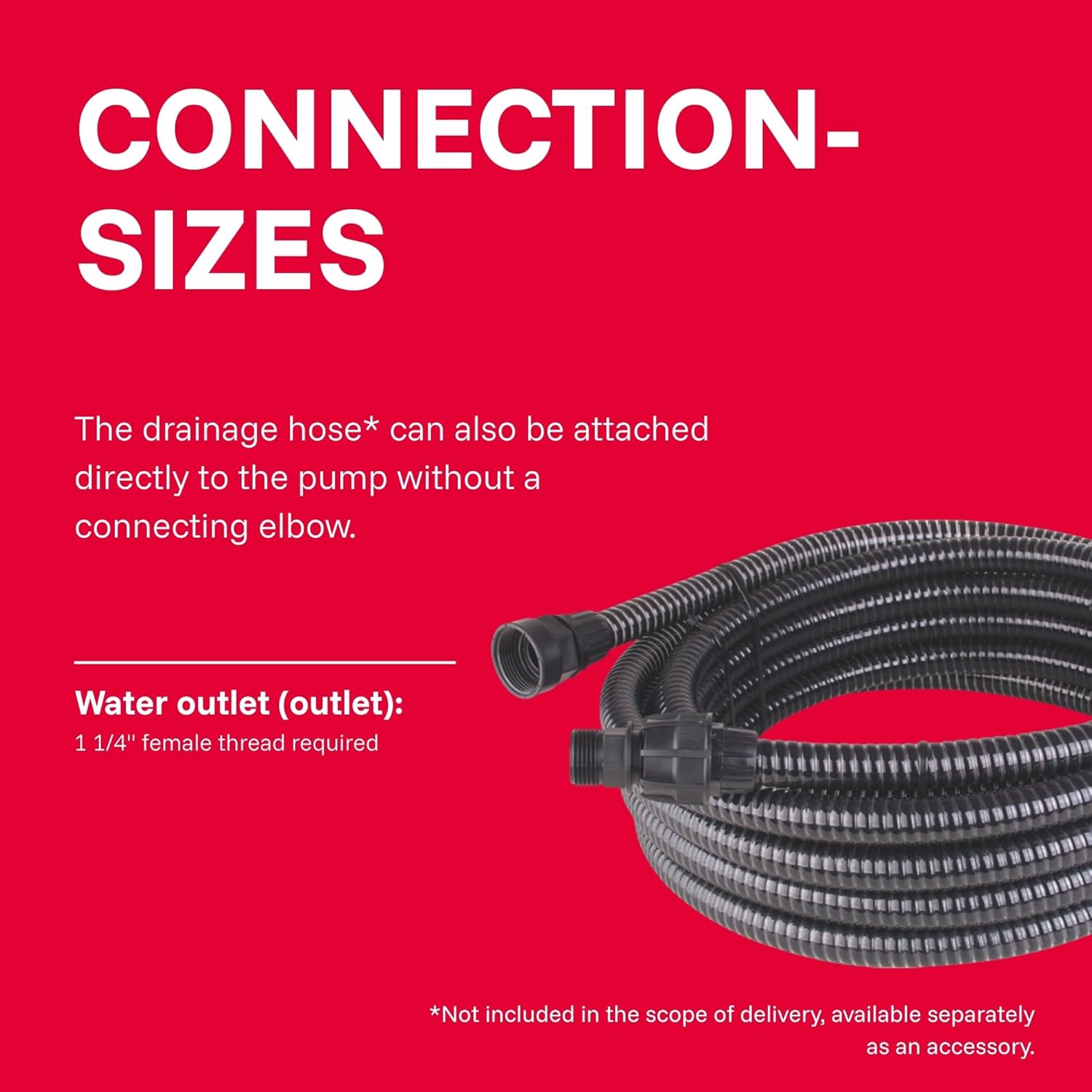
Image 6: Illustration of connecting a drainage hose directly to the pump's outlet.

Image 7: Diagram showing the use of the included elbow for hose attachment with a hose clamp.
5.2 Positioning the Pump
Place the pump on a stable, level surface in the water to be drained. Ensure the pump is fully submerged and not resting on soft sediment that could block the intake. The minimum water level for the pump to operate is 120 mm.

Image 8: Visual guide indicating the minimum water level (120 mm) required for the pump to draw water effectively.
6. Operating Instructions
6.1 Automatic Operation (Float Switch)
The T.I.P. TVX 12000 is equipped with a float switch for automatic operation.
- Adjusting the Float Switch: The float switch cable length can be adjusted to set the desired switch-on and switch-off points.
- Switch-on Point: The pump will start automatically when the water level reaches approximately 33 cm (with the float switch freely floating).
- Switch-off Point: The pump will stop automatically when the water level drops to approximately 15 cm.
- Ensure the float switch can move freely and is not obstructed by walls or other objects.

Image 9: Diagram illustrating the automatic switch-on (33 cm) and switch-off (15 cm) points of the float switch, along with maximum immersion depth and delivery head.
6.2 Manual Operation
For continuous operation or to pump down to the lowest possible residual water level (approx. 30 mm), the float switch can be locked in an upward position.
- To engage manual operation, secure the float switch in its highest position using the integrated locking mechanism or by tying it up.
- Important: When operating manually, the pump will not switch off automatically. Monitor the water level closely to prevent dry running, which can damage the pump. Disconnect power once the desired water level is reached.
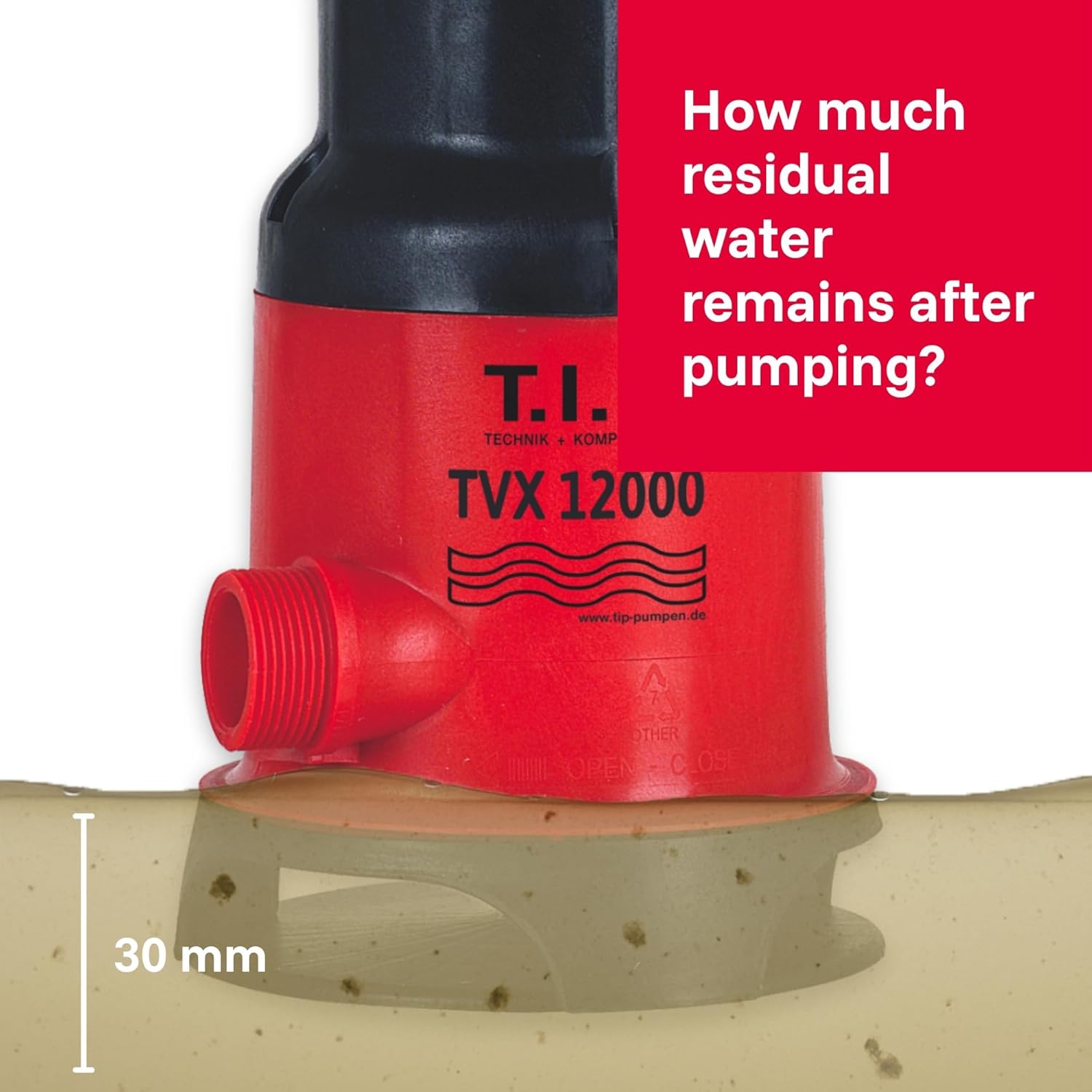
Image 10: Visual representation of the approximate residual water level (30 mm) after pumping in manual mode.
7. Maintenance
Regular maintenance ensures the longevity and efficient operation of your pump.
- Before Maintenance: Always disconnect the pump from the power supply.
- Cleaning: Periodically clean the pump housing and intake area to remove any debris, dirt, or sediment that may have accumulated. The Vortex impeller design helps prevent blockages, but regular checks are recommended, especially when pumping heavily soiled water.
- Float Switch: Ensure the float switch is clean and moves freely.
- Storage: If storing the pump for an extended period, clean it thoroughly and store it in a dry, frost-free location.
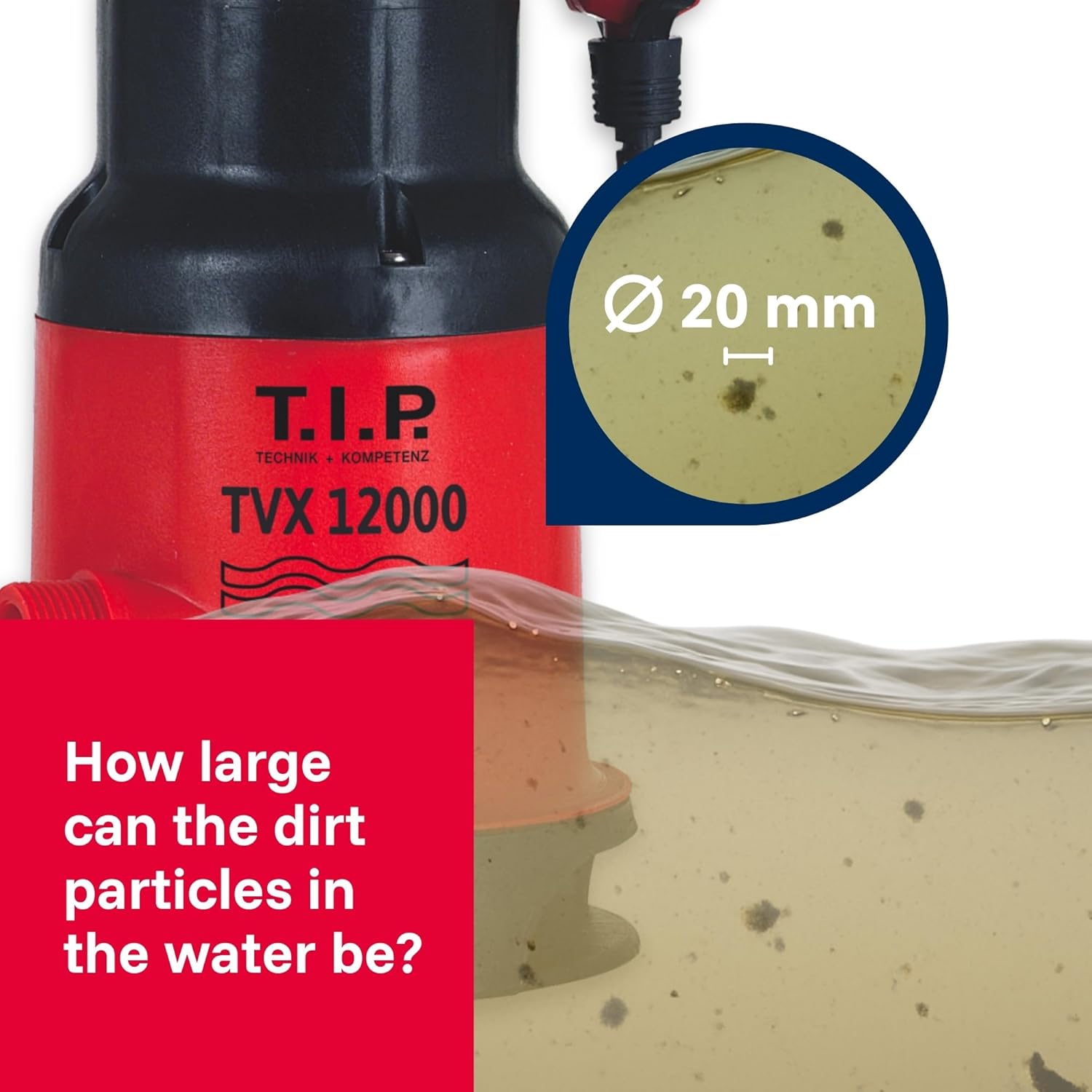
Image 11: Close-up view illustrating the maximum dirt particle size (20 mm) the pump can handle.
8. Troubleshooting
Before contacting customer support, please check the following common issues:
| Problem | Possible Cause | Solution |
|---|---|---|
| Pump does not start. | No power supply. Float switch not activated (water level too low). Thermal overload protection activated. | Check power connection and fuse. Ensure water level is above 33 cm or lock float switch for manual operation. Disconnect power, allow pump to cool down for 30 minutes, then restart. |
| Pump runs but delivers no or low water. | Intake blocked. Air in the pump. Discharge hose kinked or blocked. Water level too low. | Disconnect power and clean intake area. Submerge pump completely and allow air to escape. Check and clear the discharge hose. Ensure water level is sufficient (min. 120 mm). |
| Pump stops unexpectedly. | Water level dropped below switch-off point (automatic mode). Thermal overload protection activated. Power interruption. | Normal operation in automatic mode. Disconnect power, allow pump to cool down, then restart. Check power supply. |
9. Warranty and Support
T.I.P. provides a 10-year spare parts availability guarantee for this product. This ensures that replacement parts will be available for a decade from the date of purchase, supporting the long-term usability and maintenance of your pump.
For further assistance, technical support, or warranty claims, please refer to the contact information provided with your purchase documentation or visit the official T.I.P. website.

Image 12: T.I.P. logo indicating 10 years of spare parts availability.


