
KYOCERA BDX-1
Kyocera Ryobi BDX-1 Cordless Screwdriver Instruction Manual
Model: BDX-1
Introduction
This manual provides instructions for the Kyocera Ryobi BDX-1 Cordless Screwdriver, a compact and lightweight tool designed for various fastening and light drilling tasks. It covers essential information for safe and effective operation, including setup, usage, maintenance, and technical specifications. Please read this manual thoroughly before using the product and keep it for future reference.
Safety Information
Always observe basic safety precautions to reduce the risk of fire, electric shock, and personal injury. Keep the work area clean and well-lit. Do not operate power tools in explosive atmospheres, such as in the presence of flammable liquids, gases, or dust. Keep children and bystanders away while operating a power tool. Use appropriate personal protective equipment, such as safety glasses.
Product Overview
The Kyocera Ryobi BDX-1 is a 3.6V cordless screwdriver designed for portability and ease of use. Its compact size and lightweight design make it suitable for various household and DIY projects.

Figure 1: The Kyocera Ryobi BDX-1 Cordless Screwdriver shown in its charging base, accompanied by a selection of interchangeable screwdriver bits.
Key Features:
- Lightweight design (300g) for comfortable handling.
- Compact size for easy storage and access in tight spaces.
- Rechargeable 3.6V power source.
- Maximum torque of 3 Newton Meters.
- Maximum rotation speed of 180 RPM.
- Includes various screwdriver bits for immediate use.
Setup
1. Charging the Battery
Before first use, fully charge the screwdriver's internal battery. Place the screwdriver into its charging base. The charging indicator light (if present) will illuminate to show charging status. A full charge typically takes approximately 3 hours. Do not overcharge the battery.
2. Installing Screwdriver Bits
- Select the appropriate bit for your screw type and size.
- Insert the bit firmly into the chuck of the screwdriver until it clicks into place.
- To remove, pull the bit straight out from the chuck.
Operating Instructions
Basic Operation
- Ensure the correct bit is securely installed.
- Position the bit onto the screw head.
- Press the trigger switch to activate the screwdriver. The tool will rotate in the forward direction to tighten screws.
- Apply gentle, steady pressure to keep the bit engaged with the screw head.
- Release the trigger switch to stop the rotation.
Applications
The BDX-1 is suitable for various light-duty fastening tasks around the home and for DIY projects.
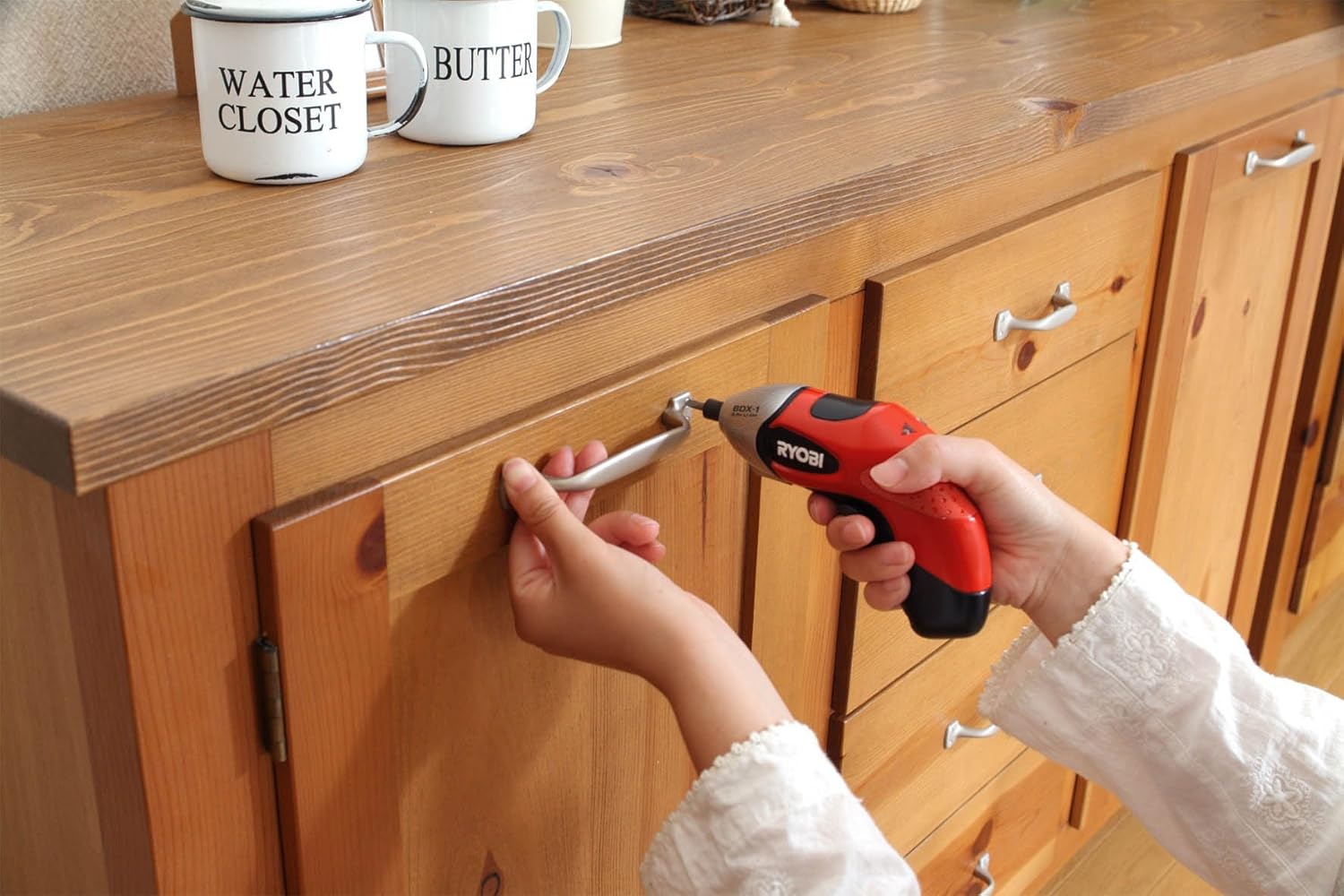
Figure 2: A user tightening a screw to install a handle on a wooden cabinet using the BDX-1 cordless screwdriver.

Figure 3: The BDX-1 screwdriver being used to assemble a small wooden structure, possibly a birdhouse, demonstrating its utility for crafting and assembly tasks.

Figure 4: A user installing a bicycle bell onto handlebars with the BDX-1 screwdriver, highlighting its use for small repairs and accessory installations.

Figure 5: The BDX-1 screwdriver being used to tighten a screw on a cabinet hinge, illustrating its suitability for furniture maintenance.

Figure 6: A user performing a light electrical connection with the BDX-1 screwdriver. Exercise caution and ensure power is disconnected before any electrical work.

Figure 7: The BDX-1 screwdriver in use for installing a wooden shelf onto a wall, demonstrating its capability for home improvement tasks.
Maintenance
Cleaning
Regularly clean the tool with a soft, damp cloth. Do not use harsh chemicals or abrasive cleaners. Keep ventilation openings clear of dust and debris.
Storage
Store the screwdriver and its accessories in a dry, secure location, away from direct sunlight and extreme temperatures. Ensure the battery is partially charged before long-term storage to maintain battery health.
Troubleshooting
If the tool does not operate, check the battery charge level. Ensure the bit is correctly installed. For persistent issues, contact customer support. Do not attempt to disassemble or repair the tool yourself, as this may void the warranty and pose safety risks.
Specifications
| Feature | Specification |
|---|---|
| Brand | KYOCERA |
| Model Number | BDX-1 |
| Power Source | Rechargeable Battery |
| Voltage | 3.6 Volts |
| Max Torque | 3 Newton Meters |
| Max Rotation Speed | 180 RPM |
| Item Weight | 300 g |
| Dimensions (Package) | 21 x 19.8 x 12 cm |
| Color | Red |
| Included Accessories | Screwdriver Bits |
| Rotation Direction | Forward |
Warranty and Support
For warranty information or technical support, please refer to the documentation included with your purchase or visit the official Kyocera website. Keep your proof of purchase for warranty claims.
Product Videos
No official product videos are available for embedding at this time.
Related Documents - BDX-1
 |
Kyocera Brigadier Teardown Guide A comprehensive guide detailing the step-by-step teardown process for the Kyocera Brigadier smartphone, including necessary tools and procedures for component removal. |
 |
Kyocera 7135 Smartphone: Enterprise Resource Guide & Features Comprehensive guide to the Kyocera 7135 smartphone, detailing its features, enterprise solutions, accessories, software, case studies, and FAQs for business professionals. |
 |
KYOCERA Net Manager Embedded: Installation and User Guide Comprehensive guide to installing, configuring, and using the KYOCERA Net Manager Embedded terminal software for managing print jobs, accounting, and device operations on Kyocera multifunction printers. |
 |
Kyocera Cloud Print and Scan Software Information - Version 1.15.0 Explore the latest software information for Kyocera Cloud Print and Scan (KCPS) version 1.15.0. This document details new features, system requirements, supported models, and licensing for Kyocera's cloud print and scan solution. |
 |
Kyocera Cloud Print and Scan Software Information - Version 1.14.0 Detailed software information for Kyocera Cloud Print and Scan (KCPS) version 1.14.0, covering system overview, new features, specifications, licensing, and supported models. |
 |
Kyocera Cloud Print and Scan: User Startup Guide (v1.16) Get started with Kyocera Cloud Print and Scan (KCPS) v1.16. This user startup guide covers essential setup, registration, printing, scanning, and authentication for secure document management on Kyocera MFPs. |
Ask a question about this manual
Ask about setup, troubleshooting, compatibility, parts, safety, or missing instructions. Manuals+ will review the question and use this page’s manual context to help answer it.