
1. Introduction
The Honeywell Ademco 4208U is an eight-zone universal expander designed to increase the zone capacity of compatible ADEMCO control panels. This device integrates with V-Plex polling loop systems, allowing for the addition of eight expansion zones. This manual provides essential information for the proper installation, configuration, and maintenance of your 4208U expander.
2. Safety Information
- Installation should only be performed by qualified personnel.
- Disconnect all power to the control panel before installing or servicing the 44208U expander.
- Observe all local and national electrical codes.
- Avoid exposing the device to moisture or extreme temperatures.
- Do not attempt to repair the device yourself; refer to qualified service personnel.
3. Package Contents
Verify that all items are present before beginning installation:
- Honeywell Ademco 4208U 8 Zone Universal Expander module
- Mounting hardware (screws, standoffs)
- Installation instructions/documentation
4. Product Overview
The 4208U expander provides eight additional zones for your security system, integrating seamlessly with ADEMCO control panels that utilize the V-Plex polling loop. Key features include:
- Cover Tamper Protection: Ensures security by detecting unauthorized access to the module.
- DIP Switches: Used for setting zone numbers or serial numbers, and configuring programmable loops.
- Programmable Loops A & B: Allows for fast response times for critical zones.
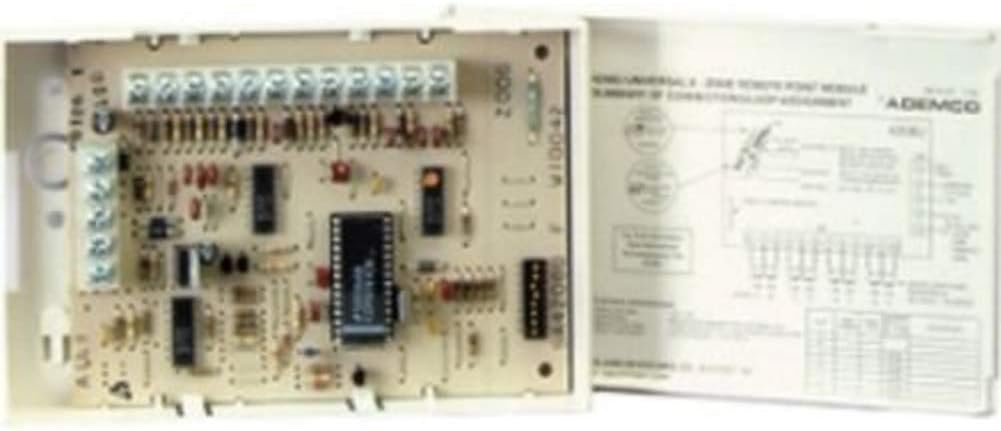
Image 1: Honeywell Ademco 4208U module showing the circuit board with terminal blocks, DIP switches, and integrated components, alongside a wiring diagram for installation reference.
5. Setup and Installation
5.1 Mounting
- Select a suitable location within the control panel enclosure or a separate secure enclosure.
- Ensure adequate space for wiring and ventilation.
- Use the provided mounting hardware to securely fasten the 4208U module.
5.2 Wiring
The 4208U connects to the control panel's V-Plex polling loop. Refer to the control panel's installation manual for specific polling loop terminal locations.
- Connect the 4208U's data input/output terminals to the V-Plex polling loop terminals on the control panel.
- Ensure proper polarity for power connections (typically +12VDC and GND).
- Wire your zone devices (e.g., door contacts, motion sensors) to the designated zone input terminals on the 4208U. Each zone requires appropriate end-of-line (EOL) resistors as specified by your control panel.
5.3 DIP Switch Configuration
The 4208U features DIP switches for configuring its operation. These switches are used to assign unique zone numbers or serial numbers to the expander and to program the characteristics of loops A and B.
- Consult the detailed wiring diagram and the control panel's programming guide for the correct DIP switch settings for your specific system configuration.
- Incorrect DIP switch settings can prevent the expander from communicating with the control panel or cause incorrect zone reporting.
6. Operation
Once properly installed and configured, the 4208U expander operates transparently with your ADEMCO control panel. The eight zones connected to the expander will function as additional zones on your main alarm system, responding to inputs from connected sensors and reporting their status to the control panel.
- Zone status (open/closed, alarm) is communicated via the V-Plex polling loop.
- Programming of zone types and attributes is performed at the main control panel.
7. Maintenance
The Honeywell Ademco 4208U is designed for reliable, long-term operation with minimal maintenance. Regular checks should be part of your overall security system maintenance routine.
- Periodically inspect wiring connections for tightness and corrosion.
- Ensure the module's cover is securely closed to maintain tamper protection.
- Keep the area around the module clean and free of dust or debris.
8. Troubleshooting
If you encounter issues with your 4208U expander, refer to the following table for common problems and solutions. Always consult your main control panel's manual for system-specific troubleshooting.
| Problem | Possible Cause | Solution |
|---|---|---|
| Zones not reporting | Incorrect DIP switch settings | Verify DIP switch settings against the control panel's programming guide. |
| Zones not reporting | Wiring error or loose connection | Check all wiring connections to the control panel and zone devices. Ensure proper polarity. |
| Zones not reporting | Missing or incorrect EOL resistors | Ensure correct EOL resistors are installed on all zone inputs as required by the control panel. |
| Module not powered | No power from polling loop | Check power connections from the control panel to the 4208U. Verify control panel power supply. |
| Tamper fault indication | Module cover not closed properly | Ensure the 4208U cover is fully closed and secured. |
9. Specifications
| Feature | Detail |
|---|---|
| Model Name | 4208U |
| Manufacturer | Ademco Honeywell |
| Number of Zones | 8 expansion zones |
| Compatibility | ADEMCO controls supporting V-Plex polling loop devices |
| Special Features | Cover tamper protection, DIP Switches for zone/serial numbers, Programmable loops A & B for fast response |
| Product Dimensions | 6.69 x 4.37 x 1.54 inches |
| Item Weight | 9.1 ounces |
| UPC | 781410006560 |
10. Warranty Information
This Honeywell Ademco 4208U 8 Zone Universal Expander is covered by a limited manufacturer's warranty. For specific details regarding warranty terms, duration, and claim procedures, please refer to the warranty documentation included with your product or visit the official Honeywell security products website. Keep your proof of purchase for warranty claims.
11. Support Information
For technical assistance, troubleshooting beyond this manual, or service inquiries, please contact Honeywell customer support. Support contact information can typically be found on the Honeywell website or in the documentation provided with your security system control panel.
- Online Resources: Visit the official Honeywell Security website for FAQs, additional manuals, and software updates.
- Professional Assistance: If you are unsure about any installation or programming steps, it is recommended to consult with a certified security system professional.