
Casio A-158WA-1
Casio A158WA Series Digital Watch User Manual
Model: A-158WA-1
Brand: Casio
1. Introduction
Thank you for choosing the Casio A158WA-1 Digital Watch. This classic timepiece combines vintage aesthetics with practical digital functions, including a stopwatch, daily alarm, and LED light. Designed for everyday wear, it offers reliable timekeeping and water resistance for daily splashes. This manual provides detailed instructions to help you get the most out of your watch.
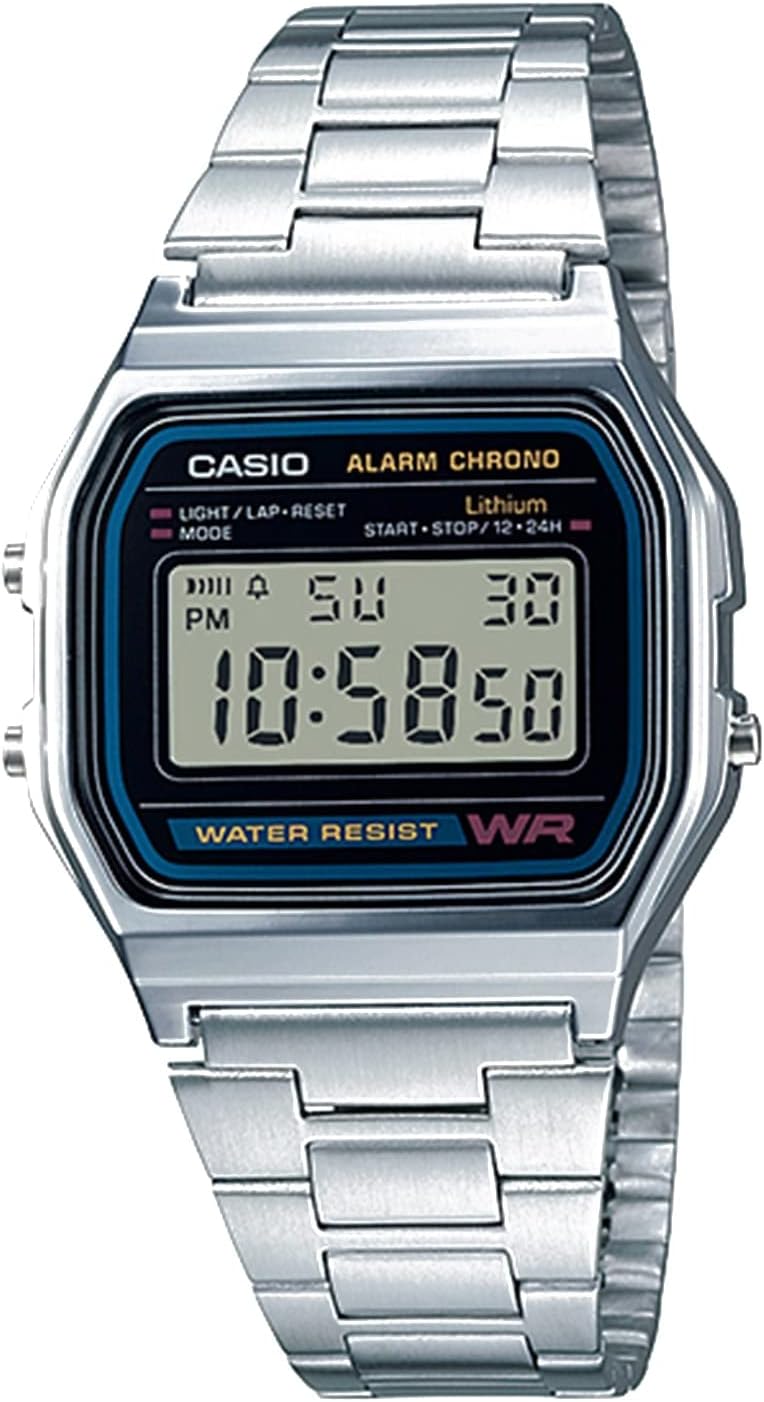
Figure 1: Front view of the Casio A158WA-1 Digital Watch, showcasing its digital display and classic silver-tone design.
2. Setup
2.1 Setting the Time and Date
- In the normal timekeeping mode, press the Mode button (bottom left) repeatedly until the seconds start flashing.
- Press the Light/Lap/Reset button (top left) to reset the seconds to 00.
- Press the Mode button again to move to the hour setting. Use the Start/Stop/12-24h button (top right) to adjust the hour. Note the 'P' indicator for PM.
- Repeat the process for minutes, month, date, and day of the week.
- Once all settings are correct, press the Mode button to return to normal timekeeping.
2.2 Adjusting the Bracelet
The stainless steel bracelet can be adjusted to fit your wrist. Locate the clasp and lift the small lever. Slide the clasp along the bracelet to the desired position and press the lever down firmly to secure it. Ensure it clicks into place to prevent accidental opening.

Figure 2: The Casio A158WA-1 Digital Watch in a lifestyle setting, highlighting its compact size and classic appeal.
3. Operating Instructions
3.1 Stopwatch Function
- From normal timekeeping mode, press the Mode button twice to enter stopwatch mode. The display will show '00:00:00'.
- Press the Start/Stop/12-24h button (top right) to start the stopwatch.
- Press the Start/Stop/12-24h button again to stop the stopwatch.
- Press the Light/Lap/Reset button (top left) to reset the stopwatch to '00:00:00'.
3.2 Daily Alarm
- From normal timekeeping mode, press the Mode button once to enter alarm mode. The display will show the alarm time.
- Press the Light/Lap/Reset button (top left) to turn the alarm ON/OFF. An alarm indicator will appear when the alarm is active.
- To set the alarm time, press the Start/Stop/12-24h button (top right) to adjust the hour, then press Mode to move to minutes and adjust.
- Press the Mode button to return to normal timekeeping.
3.3 LED Light
Press the Light/Lap/Reset button (top left) in any mode to illuminate the display. The light is designed for low-light conditions and may appear dim in bright environments.
4. Maintenance
4.1 Water Resistance
The Casio A158WA-1 is water resistant. This means it can withstand splashes, rain, or brief immersion in water. It is not suitable for swimming, showering, or diving. Avoid operating buttons while the watch is wet to prevent water ingress.
4.2 Cleaning
To clean your watch, wipe it with a soft, dry cloth. For stubborn dirt, a slightly damp cloth can be used, followed by immediate drying. Avoid using chemical cleaners or abrasive materials, as these can damage the watch's finish.
4.3 Battery Life
The watch is equipped with a long-life battery, typically lasting up to 7 years. When the display becomes dim or functions become erratic, it may be time for a battery replacement. It is recommended to have the battery replaced by a qualified watch technician to ensure water resistance is maintained.
5. Troubleshooting
- Display is blank or dim: The battery may be low or depleted. Replace the battery.
- Time is incorrect: Re-set the time and date following the instructions in Section 2.1. Ensure AM/PM is correctly set.
- Alarm does not sound: Check if the alarm is activated (alarm indicator on display). Ensure the alarm time is set correctly.
- Buttons are unresponsive: Ensure the watch is not wet. If the issue persists, a reset may be required (consult a service center) or the battery may be low.
6. Specifications
| Feature | Detail |
|---|---|
| Model Number | A158W-1 (A-158WA-1 variant) |
| Display Type | Digital |
| Case Dimensions | 33 mm |
| Water Resistance | Yes (splashes/brief immersion) |
| Functions | Time, Date, Day, Daily Alarm, 1/100 Sec Stopwatch, LED Light |
| Battery Life | Approx. 7 years |
| Accuracy | ±30 seconds per month |
| Material | Resin (case), Stainless Steel (band) |
7. Warranty and Support
7.1 Warranty Information
Your Casio A158WA-1 Digital Watch comes with a manufacturer's warranty covering defects in materials and workmanship. Please refer to the warranty card included with your purchase for specific terms, conditions, and duration. Keep your proof of purchase for warranty claims.
7.2 Customer Support
For further assistance, technical support, or service inquiries, please visit the official Casio website or contact their customer service department. You can also refer to the comprehensive User Manual (PDF) for additional details.