
1. Safety Information
Please read all instructions carefully before using this fan and retain for future reference. Always follow basic safety precautions when using electrical appliances to reduce the risk of fire, electric shock, and injury to persons.
- Do not operate any fan with a damaged cord or plug. Discard fan or return to an authorized service facility for examination and/or repair.
- Do not run cord under carpeting. Do not cover cord with throw rugs, runners, or similar coverings. Arrange cord away from traffic area and where it will not be tripped over.
- Always unplug the fan before moving, cleaning, or servicing.
- Do not insert fingers or foreign objects into any opening of the fan.
- This fan is intended for indoor use only. Do not use outdoors or in wet locations.
- Keep the fan away from curtains, drapes, and other fabrics that could be drawn into the fan.
- WARNING: This product can expose you to chemicals including lead, which is known to the State of California to cause cancer and birth defects or other reproductive harm. For more information go to www.P65Warnings.ca.gov.
2. Product Overview
The Comfort Zone CZ161WT is a 16-inch oscillating table fan designed to provide powerful and quiet cooling for small to medium rooms. It features a versatile three-speed air output, adjustable tilt, and an oscillating head for increased air circulation.
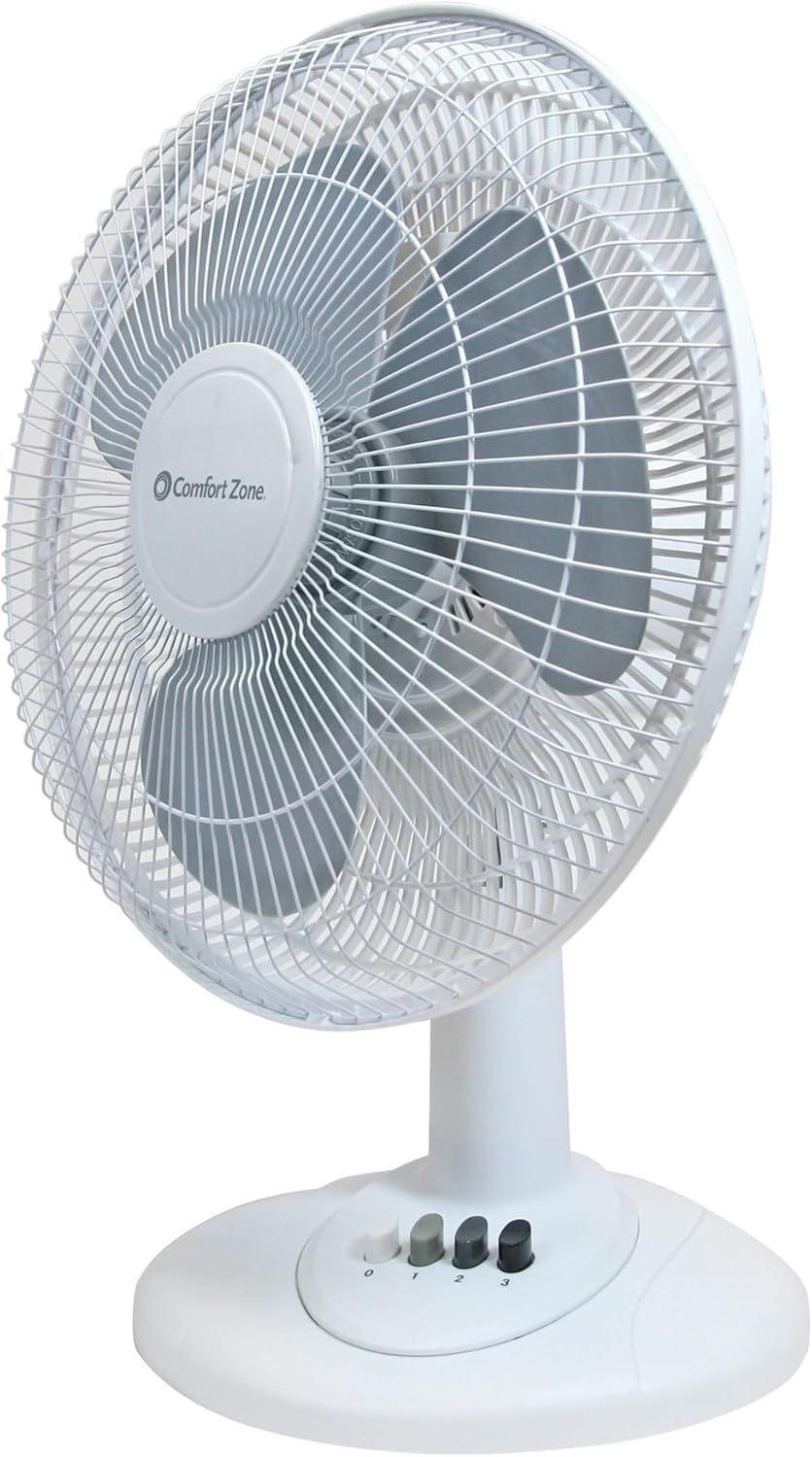
Image: Front view of the Comfort Zone CZ161WT 16-inch Oscillating Table Fan in white.
Key Features:
- Adjustable Speed Settings: Three distinct speed options (low, medium, high) for customized airflow.
- Wide Coverage and Adjustable Airflow: Oscillating feature distributes air throughout the room, and adjustable tilt allows precise airflow direction.
- Whisper-Quiet Operation: Engineered with a quiet motor for a peaceful environment.
- Built to Last and Ensure Safety: Robust construction with a protective metal grill for durability and safety.
- Effortless Assembly: Simple setup process for immediate use.
3. Setup
The Comfort Zone CZ161WT table fan requires no assembly and is ready to use right out of the box. Simply place the fan on a stable, flat surface in your desired location.

Image: Diagram showing the dimensions of the Comfort Zone CZ161WT fan (17"D x 17"W x 8"H).
- Unpack the fan and remove all packaging materials.
- Place the fan on a firm, level surface. Ensure it is not near any loose fabrics or objects that could obstruct airflow or be drawn into the fan blades.
- Plug the power cord into a standard 120V AC electrical outlet.
4. Operating Instructions
The fan features convenient push-button controls located on the base for easy operation.

Image: Close-up of the fan base showing the push-button controls for power mode select and oscillation.
Speed Control:
- Press the '1' button for Low speed.
- Press the '2' button for Medium speed.
- Press the '3' button for High speed.
- Press the '0' button to turn the fan OFF.
Oscillation Function:
To activate the oscillation feature, push down the oscillation knob located on top of the motor housing. The fan head will then sweep from side to side, distributing air across a wider area.

Image: The fan oscillating, showing the wide range of air distribution.
To stop oscillation, pull the oscillation knob up. The fan will then blow air in a fixed direction.
Adjustable Tilt:
The fan head can be tilted up or down to direct airflow precisely where needed. Gently push or pull the fan head to adjust its angle.

Image: Icon representing adjustable tilt feature.
5. Maintenance and Care
Regular cleaning and proper storage will help maintain the fan's performance and extend its lifespan.
Cleaning:
- Always unplug the fan from the power outlet before cleaning.
- Use a soft, damp cloth to clean the exterior surfaces of the fan. Do not use harsh chemicals or abrasive cleaners.
- To clean the fan blades, carefully remove the front grill (refer to assembly instructions if needed, though this model is pre-assembled). Wipe the blades with a soft cloth. Ensure all parts are dry before reassembling and operating.
- Do not immerse the fan in water or allow water to drip into the motor housing.
Storage:
When not in use, store the fan in a cool, dry place. It is recommended to store it in its original packaging to protect it from dust and damage.
6. Troubleshooting
If your fan is not operating correctly, please check the following common issues before contacting support.
| Problem | Possible Cause | Solution |
|---|---|---|
| Fan does not turn on | No power to the unit | Ensure the fan is plugged into a working electrical outlet. Check the circuit breaker. |
| Weak airflow | Fan blades or grill are dirty | Unplug the fan and clean the blades and grill as described in the Maintenance section. |
| Fan is noisy | Loose parts or obstruction | Unplug the fan and check for any loose parts or foreign objects. Ensure the fan is on a stable, level surface. |
| Oscillation not working | Oscillation knob is not engaged | Push down the oscillation knob firmly to engage the oscillation function. |
7. Specifications
| Feature | Detail |
|---|---|
| Brand | Comfort Zone |
| Model Name | CZ161WT |
| Electric Fan Design | Table Fan |
| Color | White |
| Product Dimensions | 17"D x 17"W x 8"H |
| Item Weight | 5.6 Pounds |
| Power Source | Corded Electric |
| Wattage | 41.3 watts |
| Voltage | 120V |
| Noise Level | 53 dB |
| Number of Blades | 3 |
| Air Flow Capacity | 388 Cubic Feet Per Minute |
| Speed | 1200 RPM (Max) |
| Control Method | Push Button |
| Included Components | CZ161WT Table Fan, Cord, Product Manual |
| Indoor/Outdoor Usage | Indoor |
| Finish Type | Glossy |
| Blade Material | Plastic |
8. Warranty and Support
Warranty:
This Comfort Zone fan is covered by a 1-year limited warranty from the date of purchase. This warranty covers defects in materials and workmanship under normal use. It does not cover damage resulting from misuse, accident, alteration, or unauthorized repair.
Customer Support:
For technical assistance, troubleshooting, or warranty claims, please contact Comfort Zone customer service. Refer to the product packaging or the official Comfort Zone website for the most current contact information.
You can also visit the Comfort Zone store on Amazon for more product information and support: Comfort Zone Store


