1. Introduction
Thank you for choosing the Severin MW 7803 Microwave Oven. This manual provides essential information for the safe and efficient operation, maintenance, and troubleshooting of your appliance. Please read these instructions carefully before use and keep them for future reference.
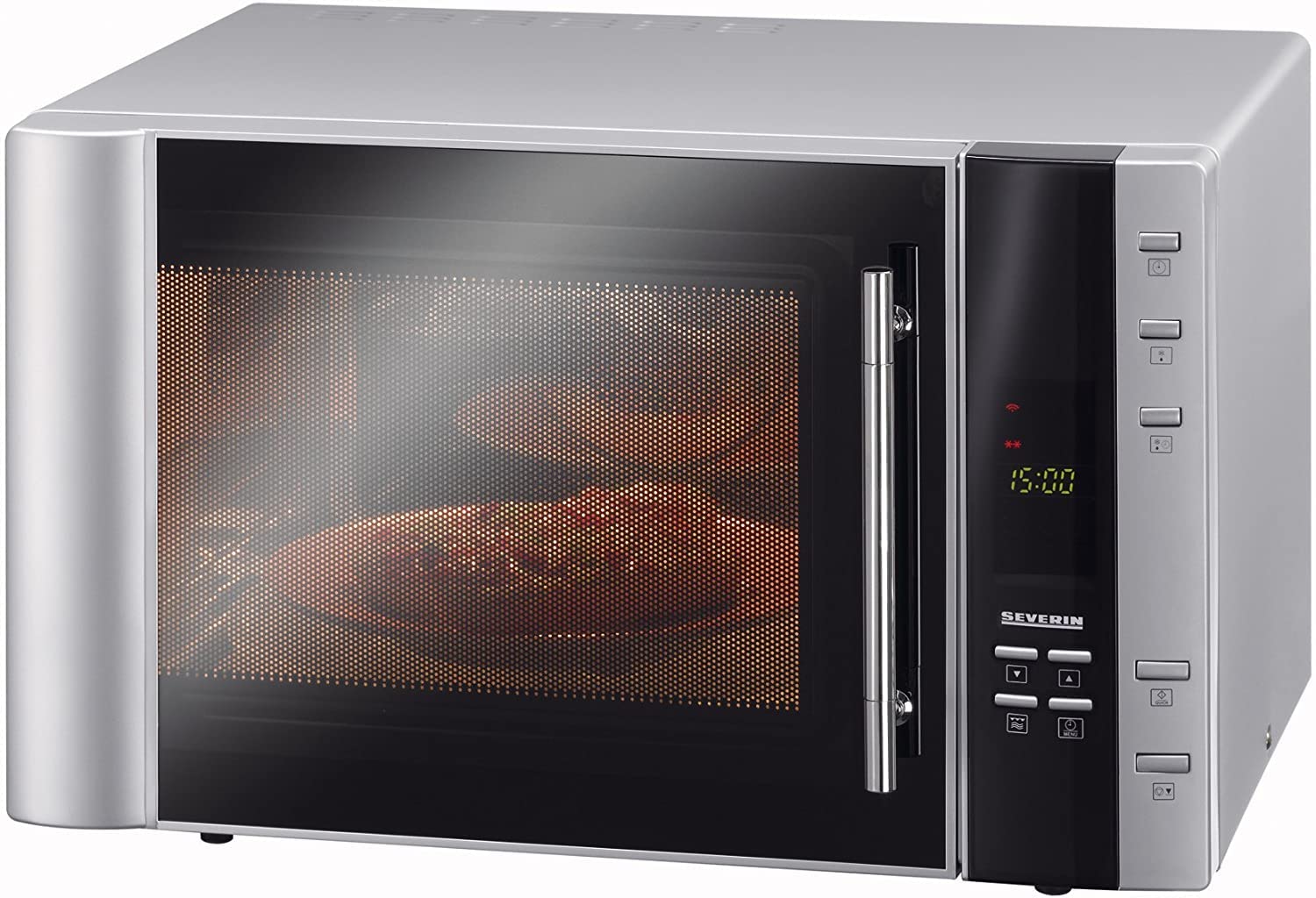
Figure 1: Front view of the Severin MW 7803 Microwave Oven. This image displays the stainless steel exterior and control panel.
2. Safety Instructions
Always follow basic safety precautions when using electrical appliances to reduce the risk of fire, electric shock, injury, or exposure to excessive microwave energy.
- Do not attempt to operate this oven with the door open as this can result in harmful exposure to microwave energy.
- Do not place any object between the oven front face and the door, or allow soil or cleaner residue to accumulate on sealing surfaces.
- Do not operate the oven if it is damaged. It is particularly important that the oven door closes properly and that there is no damage to the: (1) door (bent), (2) hinges and latches (broken or loosened), (3) door seals and sealing surfaces.
- The oven should not be adjusted or repaired by anyone except properly qualified service personnel.
- Ensure proper ventilation around the appliance.
- Do not heat liquids or other foods in sealed containers since they are liable to explode.
- Only use utensils that are suitable for microwave ovens.
3. Setup and Installation
- Unpacking: Carefully remove the microwave oven from its packaging. Retain all packaging materials for potential future transport or return. Remove any protective film or stickers from the appliance.
- Placement: Place the oven on a flat, stable, heat-resistant surface. Ensure there is adequate space for ventilation: at least 20 cm (8 inches) above the oven, 10 cm (4 inches) at the rear, and 5 cm (2 inches) on each side. Do not block any ventilation openings.
- Power Connection: Plug the power cord into a grounded electrical outlet that matches the voltage and frequency specified on the appliance's rating label. Do not use extension cords or adapters.
- Turntable Installation: Place the turntable ring inside the oven cavity, then place the glass turntable plate on top of the ring, ensuring it sits securely in the center.

Figure 2: Interior view of the microwave oven, showing the glass turntable and the included grill rack. The spacious interior accommodates large dishes.
4. Operating Instructions
The Severin MW 7803 offers multiple cooking functions: Microwave, Grill, and Convection (Hot Air). Familiarize yourself with the control panel for optimal use.
4.1. Control Panel Overview
The control panel typically features a digital display, function selection buttons, power level settings, time adjustment, and a start/pause button. Refer to the specific icons on your appliance for exact button functions.

Figure 3: Close-up of the digital display, indicating a setting or remaining time. The display provides clear feedback during operation.
4.2. Microwave Cooking
- Place food in a microwave-safe container on the glass turntable.
- Close the oven door securely.
- Select the "Microwave" function.
- Adjust the power level (e.g., 900W for full power, or lower for defrosting/gentle heating).
- Set the desired cooking time using the time adjustment controls.
- Press the "Start" button to begin cooking.
4.3. Grill Function
Use the grill function for browning and crisping food. The included grill rack can be used to elevate food closer to the heating element.
- Place food on the grill rack, which should be placed on the turntable.
- Close the oven door.
- Select the "Grill" function.
- Set the desired grilling time.
- Press "Start". Monitor food closely to prevent burning.
4.4. Convection (Hot Air) Function
The convection function circulates hot air, similar to a conventional oven, ideal for baking and roasting.
- Place food in an oven-safe dish on the turntable or grill rack.
- Close the oven door.
- Select the "Convection" function.
- Set the desired temperature (e.g., 140°C as shown in Figure 4).
- Set the cooking time.
- Press "Start". The oven may preheat before cooking begins.

Figure 4: The digital display indicating a convection temperature setting of 140°C. This shows the oven's capability for precise temperature control.
4.5. Combined Functions
The Severin MW 7803 allows for programming sequential functions, such as defrosting followed by microwave cooking, or microwave cooking followed by grilling. Consult your appliance's specific programming guide for detailed steps on setting up combined cooking modes.
5. Maintenance and Cleaning
Regular cleaning and maintenance will ensure the longevity and optimal performance of your microwave oven.
- Before Cleaning: Always unplug the appliance from the power outlet and allow it to cool down completely.
- Interior Cleaning: Wipe the interior cavity with a damp cloth and mild detergent after each use. For stubborn food splatters, place a bowl of water with lemon slices inside and microwave for a few minutes to loosen residue, then wipe clean.
- Exterior Cleaning: Clean the exterior surfaces with a soft, damp cloth. Do not use abrasive cleaners or harsh chemicals, as these can damage the stainless steel finish.
- Door and Seals: Regularly clean the door, door seals, and adjacent parts to remove any food spills. This helps maintain proper door closure and safe operation.
- Turntable: The glass turntable and turntable ring can be removed and washed in warm, soapy water or in a dishwasher. Ensure they are completely dry before placing them back in the oven.
6. Troubleshooting
If you encounter issues with your Severin MW 7803, refer to the following common problems and solutions. If the problem persists, contact qualified service personnel.
| Problem | Possible Cause | Solution |
|---|---|---|
| Oven does not start | Power cord not plugged in; Door not closed properly; Fuse blown or circuit breaker tripped. | Ensure power cord is securely plugged in; Close door firmly; Check household fuse/circuit breaker. |
| Food not heating | Incorrect power level or cooking time set; Door not closed properly; Microwave-safe container not used. | Adjust power level and time; Ensure door is fully closed; Use appropriate cookware. |
| Turntable not rotating | Turntable not correctly placed; Obstruction under turntable; Motor malfunction. | Reposition turntable and ring; Remove any obstructions; Contact service if motor issue suspected. |
| Unusual noise during operation | Food container touching oven walls; Turntable not seated correctly. | Ensure container clears walls; Adjust turntable position. |
7. Specifications
| Feature | Specification |
|---|---|
| Brand | SEVERIN |
| Model Number | MW 7803 |
| Capacity | 30 Liters |
| Microwave Power | 900 watts |
| Product Dimensions (L x W x H) | 52.3 x 50.5 x 32.5 cm |
| Product Weight | 18.15 kg |
| Functions | Microwave, Grill, Convection (Hot Air) |
8. Warranty and Support
For warranty information, please refer to the warranty card included with your purchase or visit the official SEVERIN website. Keep your proof of purchase for any warranty claims.
For technical support or service inquiries, please contact SEVERIN customer service. Contact details can typically be found on the manufacturer's website or in the product packaging.


