
Introduction
Thank you for choosing the INLAND ProHT Dynamic Stereo Headphones, Model 87050. These headphones are engineered to deliver clear, full-dimension stereo sound from various digital audio sources. This manual provides essential information for setup, operation, maintenance, and troubleshooting to ensure optimal performance and longevity of your headphones.
Product Overview
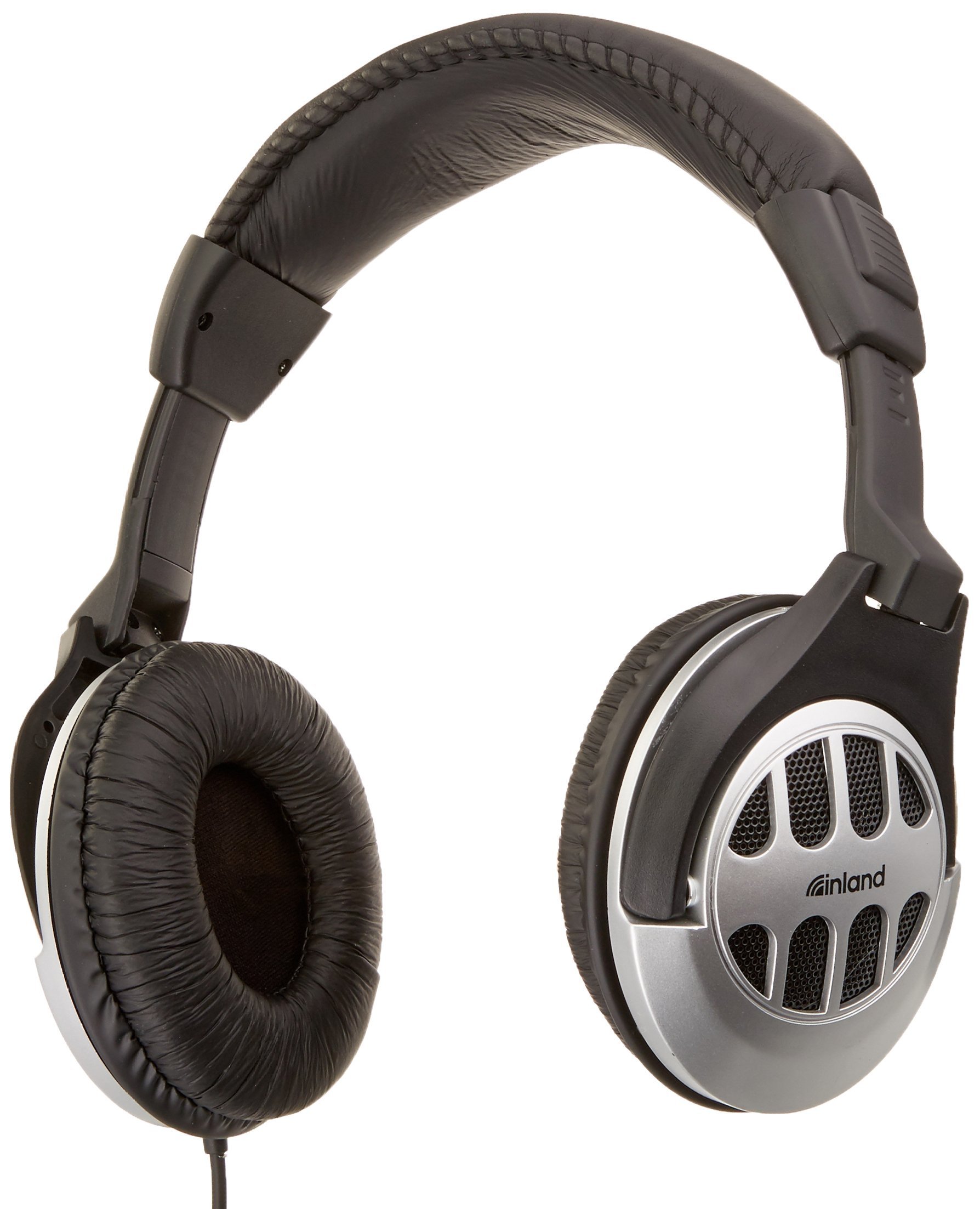
Figure 1: INLAND ProHT Dynamic Stereo Headphones (Model 87050). This image displays the black over-ear headphones with their adjustable headband, cushioned ear cups, and the attached audio cable featuring an in-line volume control.
Key Features
- Dynamic Stereo Sound: Designed for clear audio reproduction from digital sources.
- Comfort-Fit Design: Features an adjustable headband and extra-large, soft cushioned ear pads for extended listening comfort.
- In-line Volume Control: Conveniently adjust audio levels directly from the cable.
- Universal Connectivity: Equipped with a standard 3.5mm miniature jack for broad compatibility.
- Durable Construction: Made from lightweight, durable plastic.
- Long Cable: Includes a 6-foot cord for flexible use.
- 40mm Drivers: Provides robust sound delivery.
Setup
- Unpack the Headphones: Carefully remove the headphones from their packaging.
- Connect to Audio Source: Insert the 3.5mm miniature jack into the headphone port of your audio device (e.g., computer, smartphone, tablet, stereo system). Ensure the connection is secure.
- Adjust Headband: Place the headphones on your head. Adjust the headband by sliding the ear cups up or down until they rest comfortably over your ears. The headband should fit snugly without causing excessive pressure.
- Position Ear Pads: Ensure the soft cushioned ear pads fully cover your ears for optimal sound and comfort.
Operating Instructions
- Power On/Off: These headphones do not require external power. They are operational once connected to an audio source.
- Volume Control: Use the in-line volume control located on the headphone cable to adjust the audio output level. Slide the control up to increase volume and down to decrease it. You may also adjust the volume directly on your audio source device.
- Listening: Begin playing audio from your connected device. Adjust the volume to a comfortable listening level. Prolonged listening at high volumes can cause hearing damage.
Maintenance
- Cleaning:
- Wipe the exterior surfaces of the headphones with a soft, dry cloth.
- For ear pads, use a slightly damp cloth with mild soap if necessary, then wipe dry immediately. Avoid excessive moisture.
- Do not use harsh chemicals, solvents, or abrasive cleaners.
- Storage: Store the headphones in a clean, dry place away from extreme temperatures and direct sunlight. Avoid tangling the cable.
- Cable Care: Do not pull on the cable to disconnect the headphones. Always grasp the 3.5mm jack directly. Avoid sharp bends or kinks in the cable.
Troubleshooting
| Problem | Possible Cause | Solution |
|---|---|---|
| No sound or low volume |
|
|
| Distorted sound |
|
|
| Uncomfortable fit |
|
|
Specifications
- Brand: INLAND
- Model Number: 87050
- Connectivity Technology: Wired
- Headphones Jack: 3.5 mm Jack
- Driver Size: 40mm
- Ear Placement: Over Ear
- Form Factor: Closed-back
- Control Type: In-line Volume Control
- Cable Length: Approximately 6 feet (1.8 meters)
- Material: Plastic
- Color: Black
- Item Weight: 0.35 Pounds (approximately 159 grams)
- Age Range Description: Adult
Warranty and Support
Warranty Information
The INLAND ProHT Dynamic Stereo Headphones (Model 87050) are backed by a 1-Year Limited Warranty. This warranty covers manufacturing defects under normal use. Please retain your proof of purchase for warranty claims.
Customer Support
For technical assistance or warranty inquiries, please refer to the contact information provided with your product packaging or visit the official INLAND website. Specific contact details are not provided in this manual.