1. Introduction
This manual provides essential information for the proper installation, operation, maintenance, and troubleshooting of your ATP Automotive Y-805 Speedometer Cable. Please read these instructions carefully before proceeding with installation or use to ensure optimal performance and longevity of the product.
2. Product Overview
The ATP Automotive Y-805 Speedometer Cable is designed to connect your vehicle's speedometer to its transmission, transmitting rotational speed to provide accurate vehicle speed readings. This cable is engineered to meet or exceed original equipment specifications, ensuring reliable and durable performance. It includes cable lubricant for proper installation.

Image 1: The ATP Automotive Y-805 Speedometer Cable in its coiled state, illustrating its overall length and design.
3. Installation
Proper installation is crucial for the correct function of the speedometer cable. If you are unsure about any step, it is recommended to consult a qualified automotive technician.
3.1 Safety Precautions
- Ensure the vehicle is parked on a level surface with the parking brake engaged.
- Disconnect the negative terminal of the vehicle's battery to prevent electrical hazards.
- Wear appropriate personal protective equipment, including gloves and eye protection.
3.2 Installation Steps
- Locate and Disconnect Old Cable: Identify the existing speedometer cable connection at both the transmission and the back of the speedometer instrument cluster. Carefully disconnect the old cable, noting its routing path.
- Inspect and Prepare: Before installing the new cable, inspect both ends for any damage. Ensure the cable is the correct length for your vehicle application.
- Lubricate the Inner Cable: Apply the included cable lubricant along the entire length of the inner cable. This step is critical for smooth operation and to prevent sticking or jumping of the speedometer needle.
- Connect to Transmission: Carefully connect one end of the new speedometer cable to the transmission output. Ensure it is securely fastened.
- Route the Cable: Route the new cable along the same path as the original, ensuring it is clear of moving parts, sharp edges, and high-heat components like the exhaust system. Secure it with any original clips or ties. Avoid sharp bends or kinks in the cable.
- Connect to Speedometer: Connect the other end of the cable to the back of the speedometer instrument cluster. Ensure a firm connection.
- Reconnect Battery and Test: Reconnect the vehicle's battery. Start the vehicle and perform a test drive to verify the speedometer is functioning correctly, displaying accurate and smooth readings.
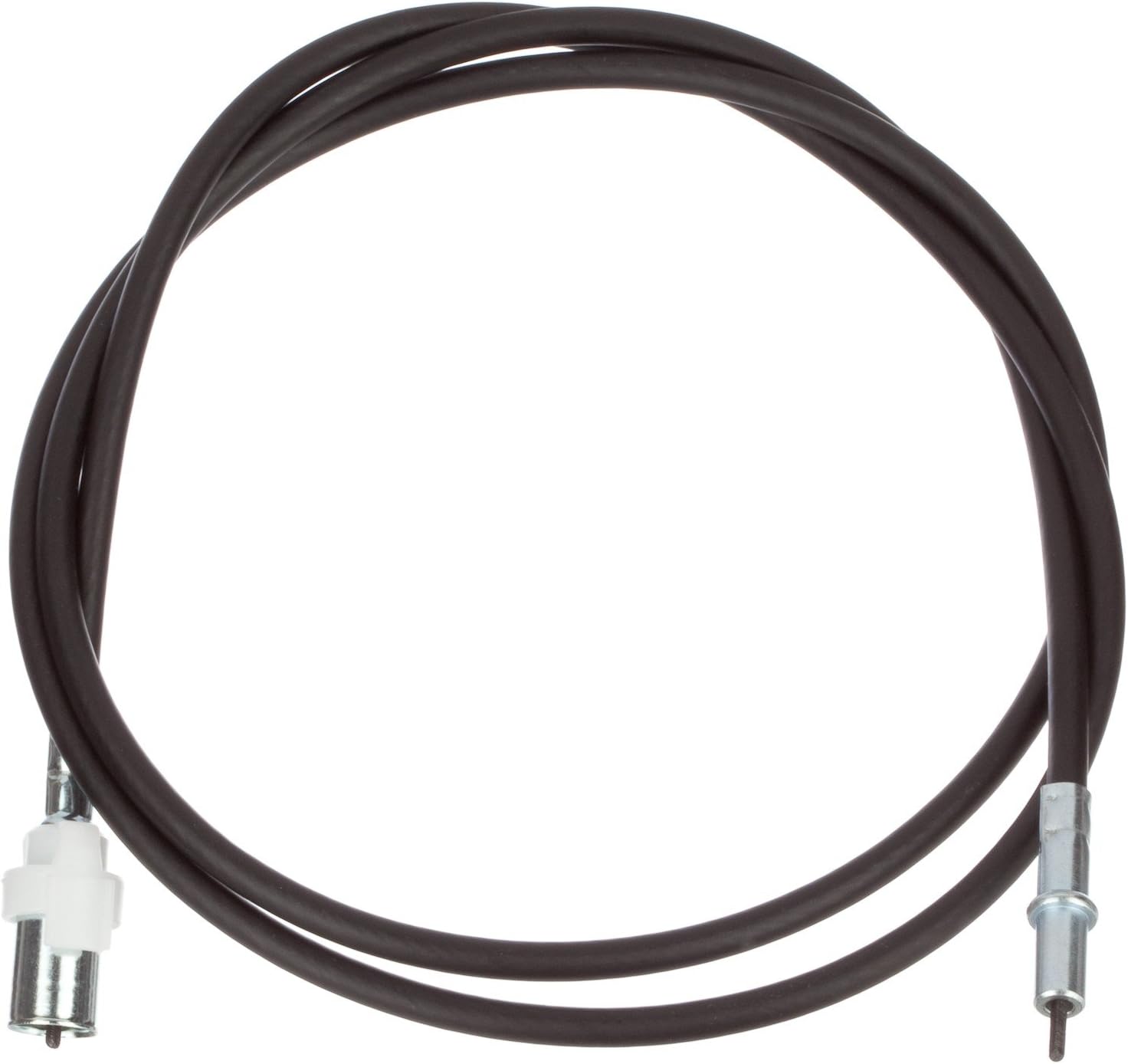
Image 2: A close-up view of the connection ends of the ATP Automotive Y-805 Speedometer Cable, showing the specific connectors for installation.
4. Operation
Once installed, the ATP Automotive Y-805 Speedometer Cable operates automatically as the vehicle moves. A properly functioning cable will provide a smooth, consistent, and accurate indication of vehicle speed on the speedometer gauge. There are no user-adjustable settings for the cable itself.
5. Maintenance
While speedometer cables are generally low-maintenance, periodic inspection can extend their lifespan and prevent issues.
- Routine Inspection: Periodically check the cable's routing to ensure it remains clear of hot components (like exhaust pipes) and moving parts. Verify that all connections are secure.
- Lubrication: If the speedometer needle begins to show signs of erratic movement or noise, re-lubricating the inner cable with a suitable cable lubricant may resolve the issue. This typically requires disconnecting one end of the cable.
- Damage Check: Look for any signs of physical damage to the outer casing, such as cracks, fraying, or melting, which could indicate internal damage or improper routing.
6. Troubleshooting
If you experience issues with your speedometer after installing the ATP Automotive Y-805 Speedometer Cable, consider the following troubleshooting steps:
| Symptom | Possible Cause | Solution |
|---|---|---|
| Speedometer needle sticks or jumps erratically | Lack of lubrication, cable binding, incorrect cable length, internal cable damage. | Ensure inner cable is adequately lubricated. Check cable routing for sharp bends or obstructions. Verify correct cable length for vehicle. If issues persist, cable may be damaged internally and require replacement. |
| Clicking or grinding noise from cable | Insufficient lubrication, internal cable wear or damage. | Re-lubricate the inner cable. If noise continues, the cable may be worn and require replacement. |
| No speedometer movement | Cable disconnected at transmission or speedometer, broken inner cable, faulty speedometer head, faulty transmission sensor. | Check both ends of the cable for secure connections. Inspect the inner cable for breakage. If cable is intact and connected, the issue may lie with the speedometer unit or transmission sensor. |
| Cable does not fit or is too long/short | Incorrect part number for vehicle application. | Verify the ATP Y-805 is the correct speedometer cable for your specific vehicle make, model, and year. Consult vehicle manufacturer specifications or an automotive parts catalog. |
7. Specifications
- Brand: ATP Automotive
- Model Number: Y-805
- Material: Plastic (outer casing)
- Product Dimensions: Approximately 12.5 x 11.25 x 1.5 inches (packaged)
- Item Weight: Approximately 9.6 ounces
- UPC: 740993032762
- Includes: Cable Lube
8. Warranty and Support
For information regarding the warranty of your ATP Automotive Y-805 Speedometer Cable, please refer to the official ATP Automotive website or contact their customer support directly. Keep your purchase receipt as proof of purchase.
For technical assistance or further inquiries, please contact ATP Automotive customer service through their official channels.