
1. Introduction
The Sun Company MagniComp is a compact and versatile outdoor tool designed for convenience and utility. It integrates a liquid-filled compass, a 3x fold-away magnifying glass, and a sturdy aluminum carabiner into a single unit. This manual provides essential information for the proper use and care of your MagniComp.
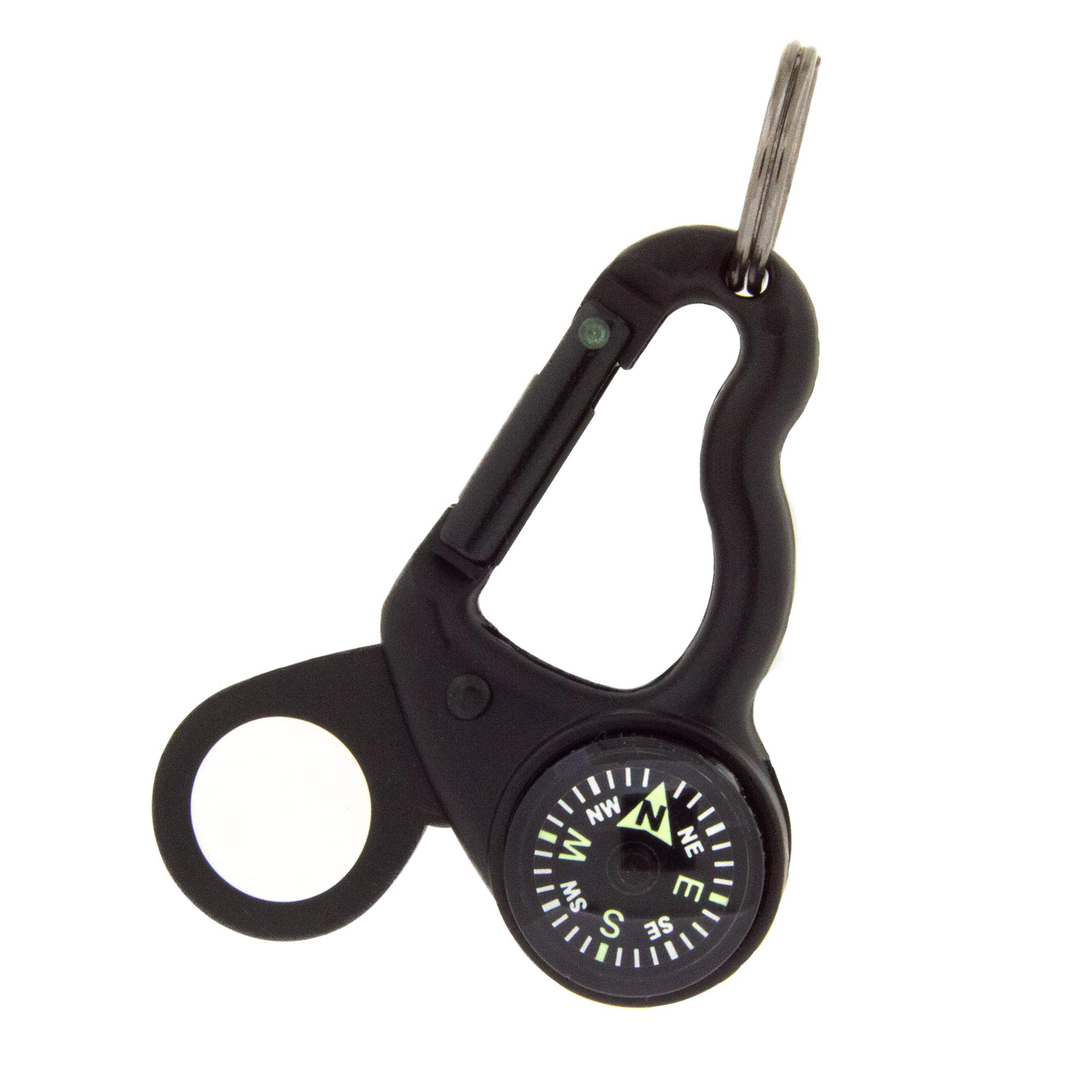
Figure 1.1: The Sun Company MagniComp, featuring its integrated compass and carabiner design.
2. Product Features
- 3x Magnifier: The fold-away magnifying glass provides 3 times magnification for detailed viewing.
- Fold-away Design: The magnifier can be folded away to protect it from scratches when not in use.
- Carabiner Clip: An aluminum carabiner allows for easy attachment to gear such as backpacks, jackets, or keychains.
- Luminous, Liquid-filled Compass: A high-quality, liquid-filled compass ensures smooth rotation and accurate readings. It also glows for up to an hour in low-light conditions after exposure to light.
- Brass Split Ring: Includes a durable brass split ring for attaching keys or zipper pulls.
- Durable Construction: Made with sturdy aluminum for long-lasting use.

Figure 2.1: Diagram illustrating the key components of the MagniComp: brass split ring, sturdy aluminum carabiner, luminous and liquid-filled compass, and fold-away magnifying glass.
3. Setup
The Sun Company MagniComp comes pre-assembled and ready for immediate use. No complex setup is required.
- Unpack: Carefully remove the MagniComp from its packaging.
- Inspect: Check the device for any visible damage or defects.
- Attach: Use the integrated carabiner or the brass split ring to attach the MagniComp to your desired gear, such as a backpack, belt loop, or keychain.

Figure 3.1: The MagniComp conveniently clipped to a backpack, ready for outdoor activities.
4. Operating Instructions
4.1 Using the Compass
The MagniComp features a liquid-filled compass for accurate directional readings.
- Hold Level: For accurate readings, hold the MagniComp as level as possible.
- Orient Yourself: The compass needle will point to magnetic north. Rotate the MagniComp until the 'N' (North) on the compass dial aligns with the needle.
- Identify Directions: Once aligned, you can identify North (N), South (S), East (E), West (W), and intermediate directions (NE, SE, SW, NW).
- Luminous Feature: To activate the luminous feature, expose the compass to a light source for a few minutes. It will glow in the dark for up to one hour, aiding navigation in low-light conditions.

Figure 4.1: A detailed view of the liquid-filled compass, showing directional markings.
4.2 Using the Magnifier
The integrated 3x magnifying glass is useful for examining small details.
- Unfold: Gently pivot the magnifying glass out from its folded position until it is fully extended.
- Position: Hold the magnifier over the object you wish to examine, adjusting the distance until the object is in focus.
- Fold Away: When finished, carefully fold the magnifying glass back into its housing to protect the lens from scratches.

Figure 4.2: The MagniComp from the back, showing the 3x magnifying glass in its folded-out position.
4.3 Using the Carabiner
The aluminum carabiner provides a convenient way to carry your MagniComp.
- Attachment: Open the spring-loaded gate of the carabiner and clip it onto a loop, strap, or ring on your gear.
- Security: Ensure the gate closes securely after attachment.
- Important Safety Note: This carabiner is designed for carrying lightweight items and is NOT intended for climbing, load-bearing, or safety-critical applications. It has no load-bearing capacity.
5. Maintenance
- Cleaning: Wipe the MagniComp with a soft, damp cloth to remove dirt or dust. For the magnifier lens, use a lens cleaning cloth to avoid scratches.
- Storage: Store the MagniComp in a dry place, away from extreme temperatures and direct sunlight, when not in use. Ensure the magnifier is folded away to protect the lens.
- Avoid Strong Magnets: Keep the compass away from strong magnetic fields, as this can temporarily affect its accuracy.
6. Troubleshooting
| Problem | Possible Cause | Solution |
|---|---|---|
| Compass needle is stuck or slow to respond. | Not held level; nearby magnetic interference; air bubble in liquid. | Ensure the compass is held perfectly level. Move away from electronic devices or metal objects. Small air bubbles are normal and do not affect accuracy. |
| Magnifier lens is scratched or dirty. | Improper cleaning; not folded away during storage. | Clean gently with a lens cloth. Always fold the magnifier into its housing when not in use to prevent scratches. |
| Carabiner gate does not close properly. | Debris in the hinge; spring mechanism issue. | Inspect for and remove any debris. If the issue persists, the carabiner may be damaged and should not be relied upon for attachment. |
7. Specifications
| Feature | Detail |
|---|---|
| Brand | Sun Company |
| Model Name | MagniComp |
| Manufacturer Model Number | 813 |
| Product Number | 44071 |
| UPC | 792758813000 |
| Material | Aluminum (carabiner), Plastic (compass/magnifier housing) |
| Magnification | 3x |
| Compass Type | Luminous, Liquid-filled |
| Weight | Approximately 0.04 pounds (0.64 ounces / 18 grams) |
| Special Feature | Fold-away design |
| Load Bearing | None (Not for climbing or heavy loads) |
8. Warranty and Support
There is no specific warranty content provided for this product in the available information. For any product-related inquiries, support, or concerns, please contact Sun Company directly through their official website or the retailer from whom the product was purchased.
Please retain your purchase receipt as proof of purchase for any potential support claims.