1. Introduction
This manual provides essential information for the proper installation, operation, and maintenance of your Honeywell T87F 2873 The Round 24V Thermostat. This thermostat is designed for low voltage heating-only systems. Please read these instructions carefully before proceeding with installation or operation to ensure safe and efficient use.
2. Safety Information
- Always turn off power to the heating system at the main fuse or circuit breaker panel before installing or servicing the thermostat.
- This thermostat operates on 24 Volts. Do not use with line voltage systems (120V or 240V).
- Installation should be performed by a qualified technician if you are unsure about electrical wiring procedures.
- Ensure all wiring connections are secure and comply with local electrical codes.
3. Package Contents
Verify that your package contains the following items:
- Honeywell T87F 2873 The Round 24V Thermostat Unit
- Mounting Hardware (screws, wall anchors)
- Instruction Manual (this document)

Figure 1: Honeywell T87F 2873 The Round 24V Thermostat and its packaging. This image displays the Honeywell T87F 2873 The Round 24V Thermostat alongside its product box. The thermostat is a silver, round unit with a mechanical dial for temperature adjustment. The box indicates 'TRADELINE Honeywell T87F 2873 The Round HEATING-COOLING LOW VOLTAGE THERMOSTAT'.
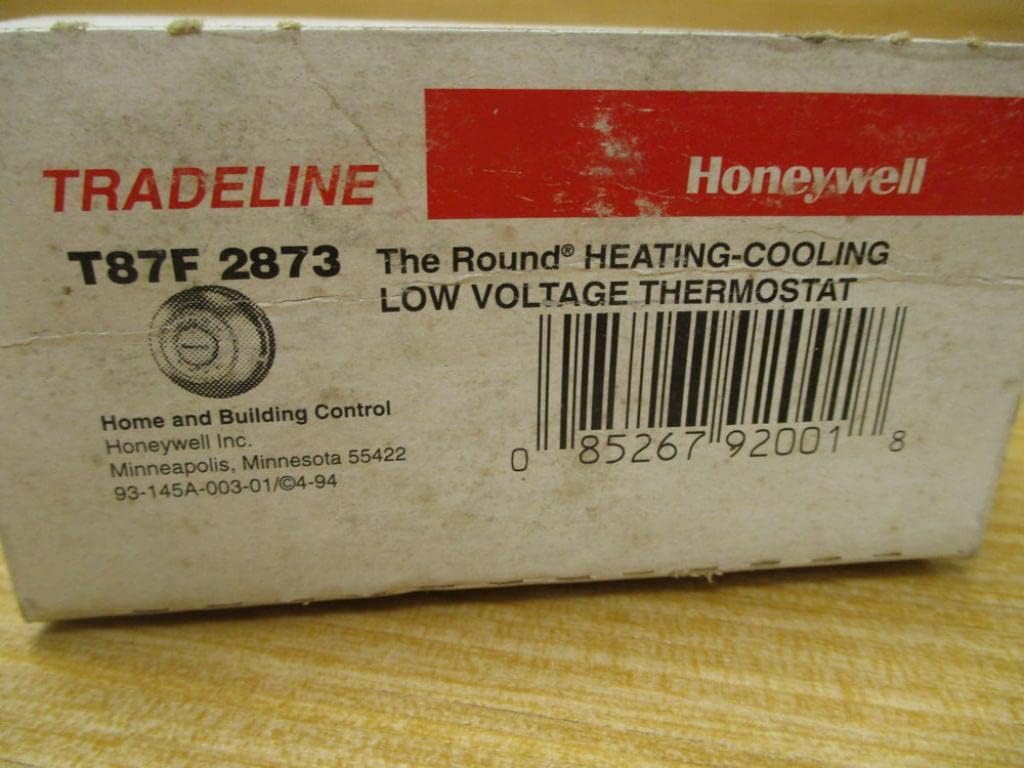
Figure 2: Close-up of Honeywell T87F 2873 Thermostat packaging. A detailed view of the Honeywell T87F 2873 Thermostat packaging. The label clearly shows 'TRADELINE Honeywell T87F 2873 The Round HEATING-COOLING LOW VOLTAGE THERMOSTAT' and the UPC barcode '085267920018'.
4. Installation and Setup
4.1 Mounting the Thermostat
- Power Off: Before beginning, ensure the power to your heating system is turned off at the circuit breaker.
- Remove Old Thermostat (if applicable): Carefully remove your old thermostat from the wall. Note the wiring connections.
- Separate Base Plate: The Honeywell T87F 2873 thermostat consists of a main unit and a separate wall-mount base plate. Gently twist or pull the main unit from the base plate.
- Position Base Plate: Hold the base plate against the wall at the desired location. Mark the positions for the mounting screws.
- Drill Holes: Drill pilot holes if necessary, and insert wall anchors if mounting into drywall.
- Secure Base Plate: Feed the thermostat wires through the opening in the base plate and secure the base plate to the wall using the provided screws.
4.2 Wiring Connections
The T87F 2873 is a low voltage, heat-only thermostat. Typical wiring involves two wires. Refer to your heating system's manual for specific wiring diagrams if needed.
- Connect the two low-voltage wires from your heating system to the terminals on the thermostat's base plate. Ensure connections are tight.
- This thermostat is designed for 24V systems. Do not connect to higher voltage circuits.

Figure 3: Rear view of the Honeywell T87F 2873 The Round Thermostat base. The back of the Honeywell T87F 2873 The Round Thermostat base, revealing the internal wiring connections and mounting points. The base is designed for wall mounting and shows 'HONEYWELL MPLS MN USA' molded into the plastic.
4.3 Attaching the Thermostat Unit
- Once wiring is complete and secure, carefully align the main thermostat unit with the base plate.
- Gently push or twist the main unit onto the base plate until it clicks securely into place.
- Restore Power: Turn the power back on to your heating system at the main fuse or circuit breaker panel.
5. Operation
The Honeywell T87F 2873 thermostat features a simple mechanical dial for temperature control.
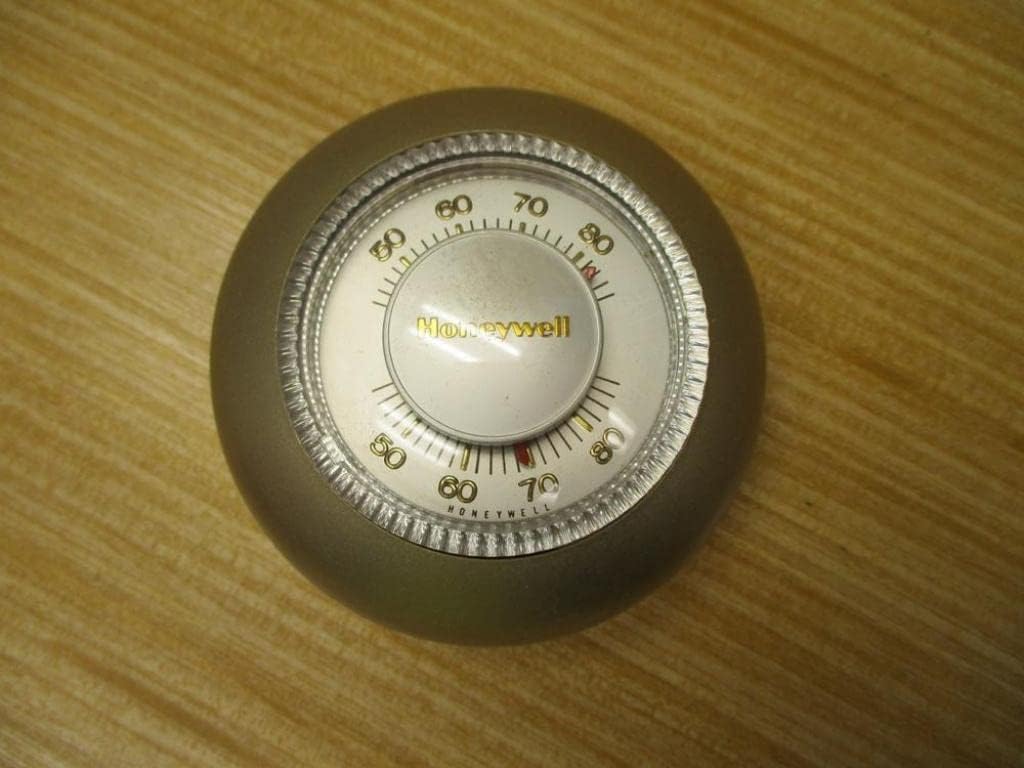
Figure 4: Front view of the Honeywell T87F 2873 The Round Thermostat dial. This image shows the front face of the Honeywell T87F 2873 The Round Thermostat. It features a silver mechanical dial with temperature markings from 50 to 90 degrees Fahrenheit, and the Honeywell logo in the center.
5.1 Setting the Temperature
- To adjust the desired room temperature, rotate the outer silver ring of the thermostat.
- Align the red indicator line on the inner dial with your desired temperature setting.
- The thermostat will activate your heating system when the room temperature falls below your set point and turn it off when the temperature reaches the set point.
6. Maintenance
6.1 Cleaning
- To clean the thermostat, gently wipe the exterior with a soft, damp cloth.
- Do not use abrasive cleaners, solvents, or chemical sprays, as these can damage the thermostat's finish or internal components.
- Ensure no moisture enters the internal components.
7. Troubleshooting
If you experience issues with your thermostat, refer to the following common problems and solutions:
| Problem | Possible Cause | Solution |
|---|---|---|
| No heat or heating system not responding |
|
|
| Inaccurate temperature reading |
|
|
8. Specifications
| Feature | Detail |
|---|---|
| Brand | Honeywell |
| Model Number | T87F2873 |
| Controller Type | Mechanical knob |
| Color | Silver |
| Temperature Control Type | Manual |
| Connectivity Technology | Wired |
| Power Source | Hardwire |
| Voltage | 24 Volts |
| Shape | Round |
| Mounting Type | Wall Mount |
| Item Weight | 4 ounces |
| Product Dimensions | 4 x 4 x 2 inches |
| UPC | 085267920018 |
9. Warranty and Support
For warranty information or technical support, please refer to the official Honeywell website or contact Honeywell customer service. You can also visit the Honeywell Store on Amazon for additional resources.


