
Introduction
The Lightning Reaction Reloaded is an interactive game designed to test reaction times among 2 to 4 players. This manual provides essential information for safe setup, operation, and maintenance of the device.
Important Safety Information
WARNING: This is not a toy. Emits an electric shock. Keep out of reach of children. Not suitable for children under 14 years of age. This product emits an electric shock and may interfere with electrical devices such as pacemakers. Do not use if you suffer from epilepsy, a heart condition, or any similar or related illness. Do not use if you are pregnant.
Setup
- Battery Installation: The Lightning Reaction Reloaded requires 3 AAA batteries (not included). Locate the battery compartment on the underside of the main unit. Open the compartment, insert the batteries according to the polarity indicators, and securely close the cover.
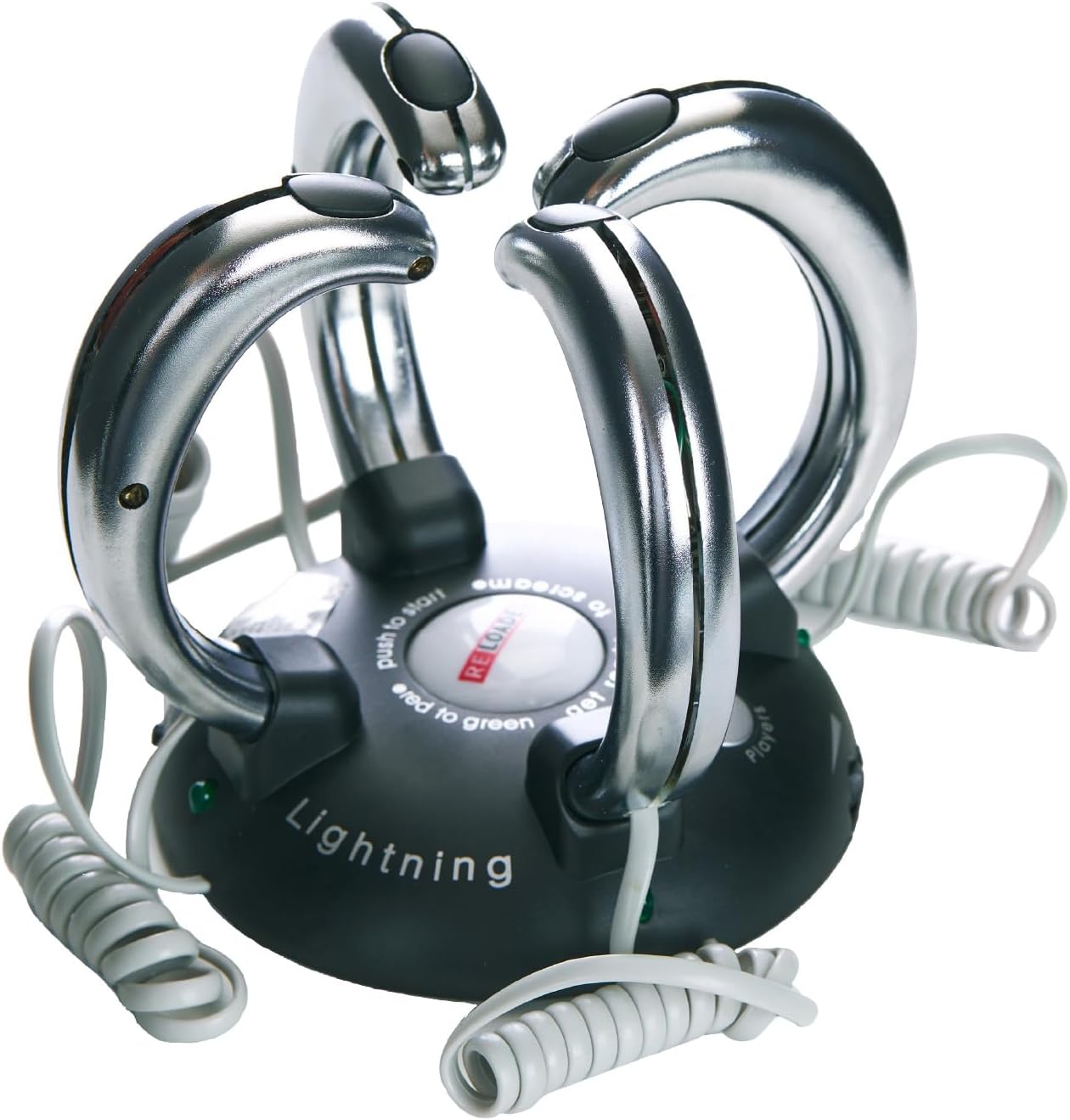
- Placement: Place the main unit on a stable, flat surface. The unit features suction cups on its base to help secure it during play. Ensure all players can comfortably reach a handle.

Operating Instructions
Game Modes and Intensity
The game offers variable shock control and different game functions. Adjust these settings using the switches on the main unit.
- Game Function Switch: Select between 'Normal 1 Shock' (the last player to react gets shocked) or 'Extreme 3 Shock' (the first player to react avoids the shock, while others receive it).
- Shock Intensity Dial: Adjust the intensity of the electric shock from Low to High. It is recommended to start at a lower setting, especially for new players.

How to Play
- Each player grasps one of the metal handles from the base.
- Press the large central button labeled "RELOADED" to start the game. The red light will blink, and suspenseful music will play.
- Wait for the red light to turn green.
- As soon as the light turns green, press the trigger button on your handle as quickly as possible.
- The player(s) who react too slowly or too early will receive an electric shock, depending on the selected game mode.

Demonstration Video
Maintenance
- Keep the device clean and dry. Wipe with a soft, dry cloth.
- Store in a cool, dry place away from direct sunlight and extreme temperatures.
- Remove batteries if the device will not be used for an extended period to prevent leakage.
Troubleshooting
- Device Not Turning On: Check if the batteries are correctly installed and not depleted. Replace with fresh AAA batteries if necessary.
- No Shock or Weak Shock: Ensure the shock intensity dial is set to an appropriate level. Verify that players are holding the handles firmly and making good contact with the metal surfaces.
- Game Malfunction: If the game behaves unexpectedly, turn it off, remove the batteries, wait a few minutes, and then reinsert the batteries and restart the device.
Specifications
| Feature | Detail |
|---|---|
| Product Dimensions | 5 x 5 x 5.5 inches |
| Item Weight | 10.6 ounces |
| Model Number | PP0377 |
| Recommended Age | 14 years and up |
| Batteries Required | 3 AAA batteries (not included) |
| Manufacturer | Squirrel Products |
Warranty and Support
For warranty information or technical support, please refer to the product packaging or contact the manufacturer directly. Keep your purchase receipt for proof of purchase.