
AFF 3900A
AFF 3900A Pallet Jack User Manual
Model: 3900A
Introduction
This manual provides essential information for the safe and efficient operation, maintenance, and troubleshooting of your AFF 3900A Pallet Jack. Please read this manual thoroughly before operating the equipment to ensure proper use and to prevent injury or damage.

Figure 1: The AFF 3900A Pallet Jack, a heavy-duty material handling tool.
Safety Information
WARNING: Failure to follow these safety instructions may result in serious injury or death.
- Always wear appropriate personal protective equipment (PPE), including safety shoes and gloves.
- Do not exceed the rated load capacity of 5,500 lbs (2.75 tons). Overloading can cause equipment failure and injury.
- Ensure the load is centered and stable on the forks before lifting or moving.
- Operate the pallet jack on level, stable surfaces only. Avoid inclines, declines, or uneven terrain.
- Keep hands and feet clear of moving parts, especially during lifting and lowering operations.
- Never use the pallet jack to transport personnel.
- Inspect the pallet jack for damage or wear before each use. Do not operate if damaged.
- Be aware of your surroundings and clear the path of any obstacles or personnel before moving a load.

Figure 2: Important safety and capacity information is located on the product label.
Setup
The AFF 3900A Pallet Jack typically arrives pre-assembled or requires minimal assembly of the handle. Follow these steps for initial setup:
- Unpacking: Carefully remove the pallet jack from its packaging. Inspect for any shipping damage.
- Handle Assembly (if required): If the handle is not pre-attached, align the handle base with the pump mechanism and secure it using the provided pins or bolts. Refer to the assembly diagram if included with your specific unit.
- Check Hydraulic Fluid: Verify the hydraulic fluid level. The fluid reservoir is usually located near the pump. Ensure it is at the recommended level. If low, add appropriate hydraulic fluid.
- Bleed Air from System: If the forks do not lift or lower smoothly, there may be air in the hydraulic system. To bleed, place the control lever in the 'Lower' position and pump the handle several times.
Operating Instructions
Proper operation ensures safety and extends the life of your pallet jack.
Control Lever Positions
The control lever on the handle has three main positions:
- UP (Lift): Pull the lever fully upwards. Pumping the handle in this position will raise the forks.
- NEUTRAL (Drive): Place the lever in the middle position. This allows the forks to remain at their current height while the pallet jack can be moved.
- DOWN (Lower): Push the lever fully downwards. This will lower the forks.

Figure 3: The control lever on the handle allows for easy operation of the lift, neutral, and lower functions.
Moving a Pallet
- Positioning: Ensure the forks are fully lowered. Approach the pallet squarely, aligning the forks with the pallet openings.
- Engaging the Pallet: Push the pallet jack forward until the forks are fully inserted into the pallet.
- Lifting the Load: Pull the control lever to the 'UP' position. Pump the handle repeatedly until the pallet is lifted clear of the floor.
- Moving the Load: Place the control lever in the 'NEUTRAL' position. Use the handle to pull or push the pallet jack to its destination. The polyurethane-coated steel wheels and 180-degree steering arc provide easy movement and maneuverability.
- Lowering the Load: Once at the destination, push the control lever to the 'DOWN' position. The forks will slowly lower the pallet to the floor.
- Disengaging the Pallet: Once the forks are fully lowered, pull the pallet jack away from the pallet.
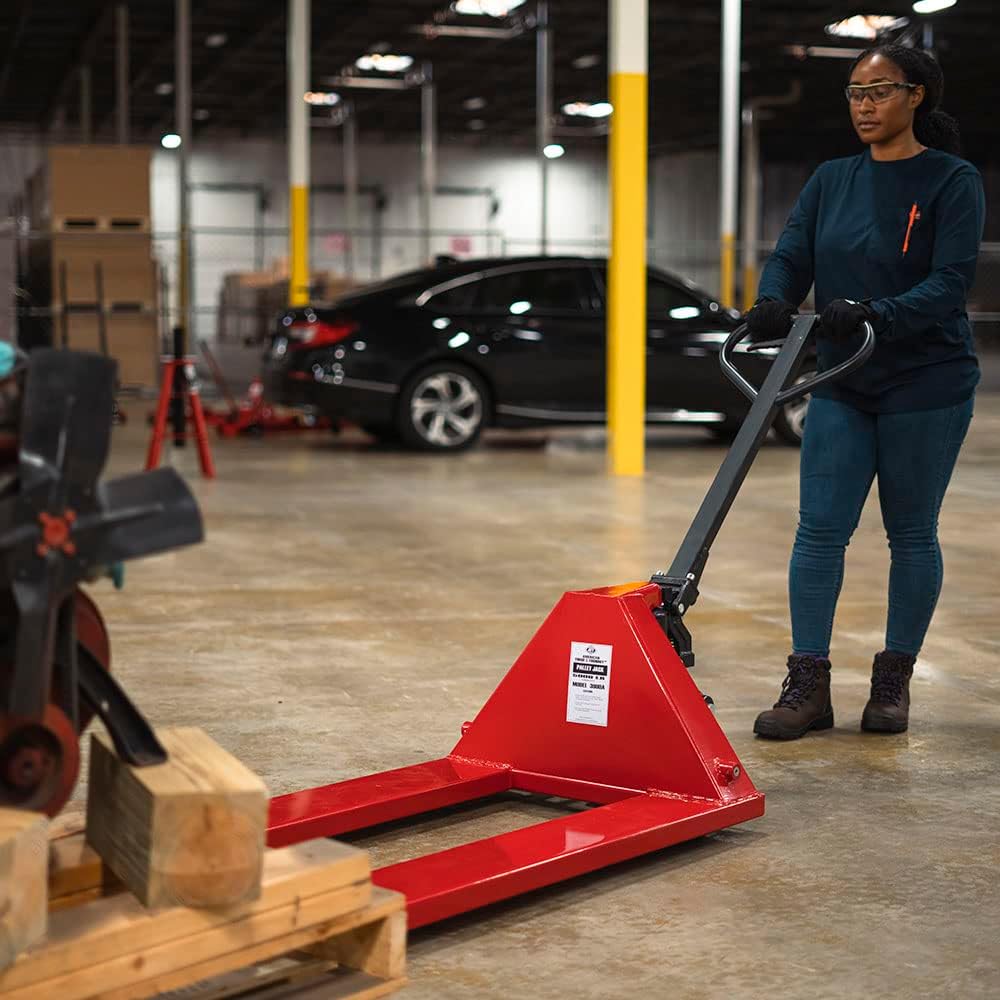
Figure 4: A person operating the AFF 3900A Pallet Jack, demonstrating its ease of use for moving heavy loads.
Maintenance
Regular maintenance is crucial for the longevity and safe operation of your AFF 3900A Pallet Jack.
- Cleaning: Keep the pallet jack clean, especially the wheels and hydraulic components, to prevent dirt and debris from affecting performance.
- Lubrication: Periodically lubricate all moving parts, including pivot points, wheel bearings, and the handle mechanism, with a suitable grease or oil.
- Hydraulic Fluid: Check the hydraulic fluid level every 3-6 months, or more frequently with heavy use. Top up with high-quality hydraulic oil if necessary. German-made hydraulic seals ensure leak-free operation, but fluid levels should still be monitored.
- Wheel Inspection: Inspect the polyurethane-coated steel wheels and entry rollers for wear, damage, or debris. Replace worn wheels to ensure smooth movement.
- General Inspection: Regularly check all bolts, nuts, and fasteners for tightness. Tighten any loose components. Inspect the frame for any signs of cracks or damage.
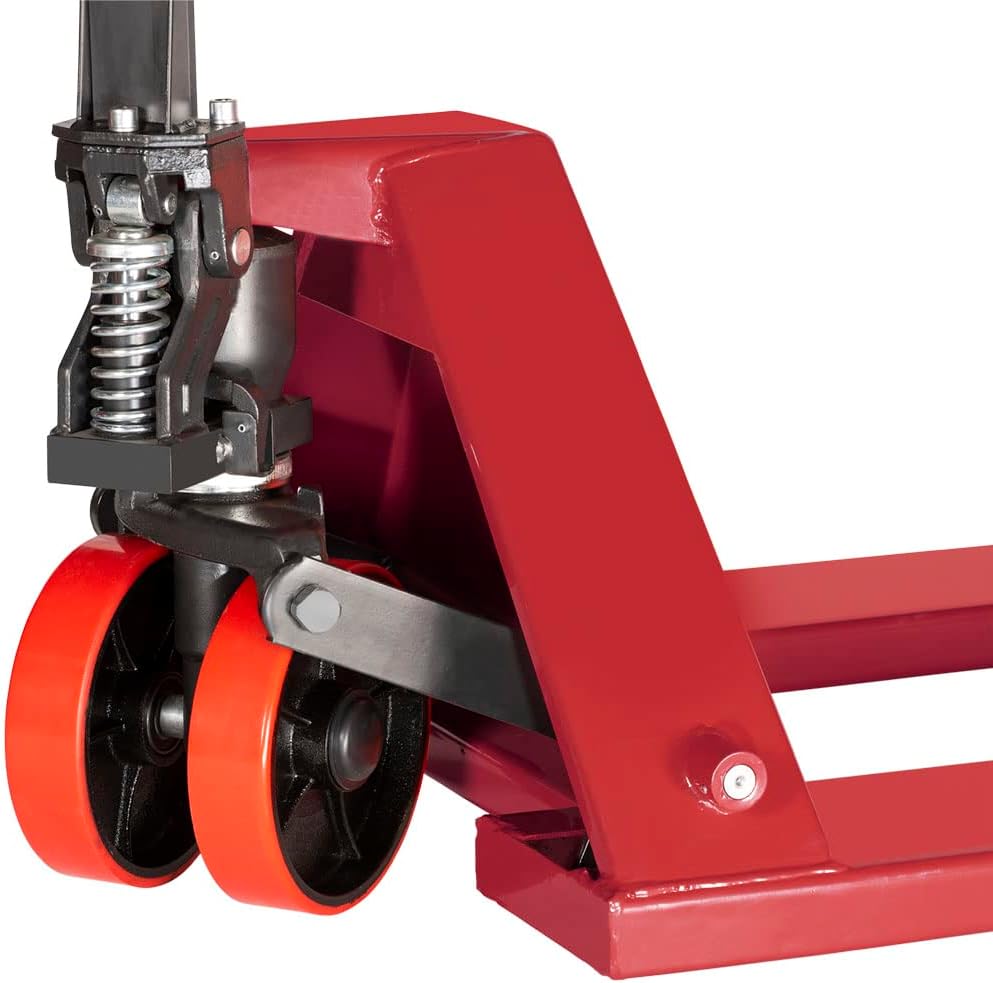
Figure 5: Close-up view of the durable polyurethane-coated steel wheels, which should be regularly inspected for wear.
Troubleshooting
Here are some common issues and their potential solutions:
| Problem | Possible Cause | Solution |
|---|---|---|
| Forks do not lift. | Low hydraulic fluid level, air in hydraulic system, relief valve stuck open. | Check/add hydraulic fluid. Bleed air from system (see Setup). Inspect relief valve. |
| Forks do not lower. | Control lever not in 'DOWN' position, lowering valve stuck. | Ensure lever is fully down. Check for obstructions or damage to lowering valve. |
| Difficult to steer or move. | Damaged or worn wheels, debris in wheels/bearings, overloaded. | Inspect and clean/replace wheels. Reduce load if exceeding capacity. |
| Hydraulic fluid leaks. | Damaged seals or fittings. | Contact qualified service personnel for seal replacement or repair. |
Specifications
| Feature | Specification |
|---|---|
| Model Number | 3900A |
| Load Capacity | 5,500 lbs (2.75 tons) |
| Minimum Fork Height | 3 inches |
| Maximum Fork Height | 7.75 inches |
| Fork Dimensions (L x W) | 48 inches x 27 inches (overall platform) |
| Steering Arc | Full 180 degrees |
| Wheel Material | Polyurethane-coated steel |
| Frame Material | High tensile steel |
| Item Weight | 213 pounds |
| Product Dimensions (L x W x H) | 60.5 x 48 x 27 inches |
Warranty and Support
For warranty information, service, or to purchase replacement parts, please contact AFF customer support. Refer to the product packaging or the official AFF website for the most current contact details.
You can also visit the AFF Store on Amazon for additional product information and support resources.
Related documents3900A

Ask a question about this manual
Ask about setup, troubleshooting, compatibility, parts, safety, or missing instructions. Manuals+ will review the question and use this page’s manual context to help answer it.