
Introduction
This manual provides essential instructions for the safe and effective use of your Sakar BP5001CL 1800 mAh Replacement Battery. Please read this guide thoroughly before using the product to ensure optimal performance and longevity.
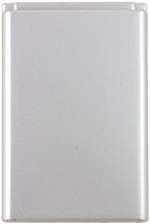
Image: Front view of the Sakar BP5001CL 1800 mAh Replacement Battery, a rectangular silver-colored battery pack.
Product Overview
The Sakar BP5001CL is a high-capacity 1800 mAh Lithium-Ion replacement battery designed for compatible digital cameras, specifically as a replacement for the Kodak KLIC 5001 battery. It provides reliable power for extended shooting sessions.

Image: Side view of the Sakar BP5001CL battery, showing its slim profile.
Setup and Installation
- Identify Battery Compartment: Locate the battery compartment on your compatible camera. Refer to your camera's user manual for specific instructions.
- Open Compartment: Open the battery compartment door.
- Insert Battery: Align the Sakar BP5001CL battery according to the polarity indicators (+ and -) inside the compartment. Gently push the battery into place until it clicks securely.
- Close Compartment: Close the battery compartment door firmly.
Note: Ensure the battery is inserted correctly to prevent damage to the battery or device.
Operating Instructions
Initial Charging
For first-time use, fully charge the battery before operation. Connect your camera or an external battery charger to a power source and insert the battery. Charging indicators on your device or charger will typically show charging status.
Regular Use
- Charging: Always use a charger compatible with Lithium-Ion batteries. Overcharging or using incompatible chargers can damage the battery.
- Discharging: It is generally recommended to fully discharge and recharge Lithium-Ion batteries periodically to maintain battery health, though not strictly necessary for every cycle.
- Temperature: Operate the battery within recommended temperature ranges (typically 0°C to 40°C or 32°F to 104°F) for optimal performance.
Maintenance and Storage
- Cleaning: Keep battery contacts clean using a dry, soft cloth. Avoid using liquids or abrasive cleaners.
- Storage: If storing the battery for an extended period, charge it to approximately 50-60% capacity and store it in a cool, dry place away from direct sunlight and extreme temperatures.
- Avoid Damage: Do not drop, puncture, or disassemble the battery. Avoid exposing it to water or fire.
- Disposal: Dispose of depleted or damaged batteries according to local regulations for Lithium-Ion batteries. Do not dispose of in household waste.
Troubleshooting
| Problem | Possible Cause | Solution |
|---|---|---|
| Battery not charging | Incorrect insertion; faulty charger; dirty contacts; battery damage. | Ensure correct polarity; try a different charger; clean battery contacts; replace battery if damaged. |
| Short operating time | Battery not fully charged; aging battery; extreme operating temperatures. | Fully charge the battery; consider replacing an old battery; operate within recommended temperature ranges. |
| Battery not recognized by device | Incorrect insertion; dirty contacts; device incompatibility. | Reinsert battery correctly; clean contacts; verify device compatibility with KLIC 5001 type batteries. |
Specifications
- Model: BP5001CL
- Battery Type: Lithium Ion
- Capacity: 1800 mAh
- Replacement for: Kodak KLIC 5001
- Manufacturer: DIGITAL CONCEPTS (Brand: Sakar)
Note: For precise physical dimensions and weight, please refer to the product packaging.
Warranty and Support
Sakar products are manufactured to high-quality standards. For information regarding warranty coverage, technical support, or service, please refer to the warranty card included with your purchase or visit the official Sakar website. Keep your proof of purchase for warranty claims.
Online Support: Visit the Sakar Store on Amazon
