1. Introduction
This manual provides essential instructions for the installation, operation, and maintenance of your Nortel WLAN Access Port 2230 Wireless Access Point. Please read this manual thoroughly before using the device to ensure proper setup and functionality. Retain this manual for future reference.
2. Product Overview
The Nortel WLAN Access Port 2230 is a networking device designed to provide wireless connectivity, extending your network's reach and allowing wireless devices to connect to your wired infrastructure.
2.1 Key Features
- Designed for wireless network access.
- Robust networking device for various environments.
2.2 Package Contents
Verify that your package contains the following items:
- Nortel WLAN Access Port 2230 Wireless Access Point
- Power Adapter
- Power Cord
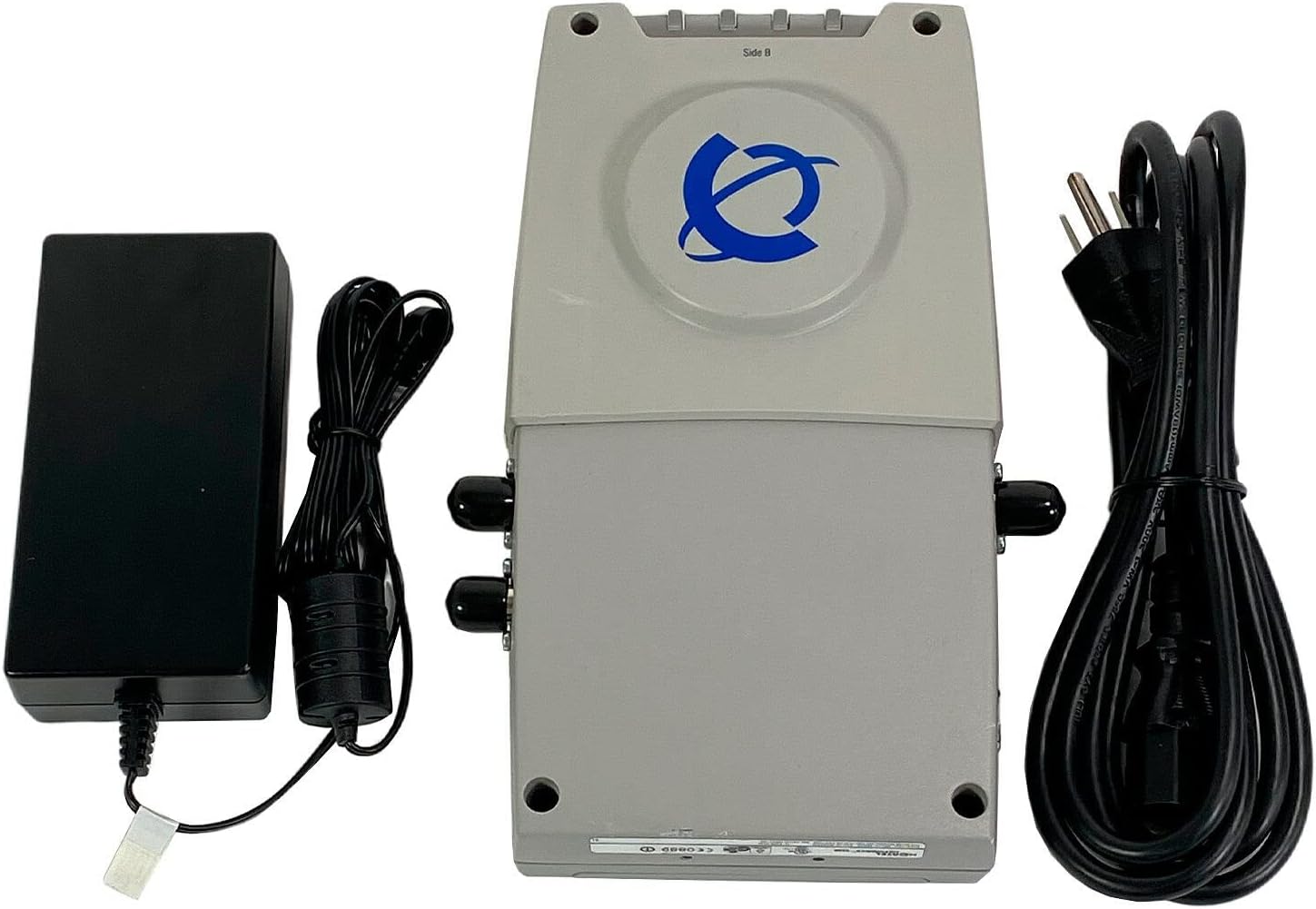
This image displays the Nortel WLAN Access Port 2230, its power adapter, and the accompanying power cord. The access point is a light gray rectangular device with the Nortel logo on top. To its left is the black power adapter, and to its right is the coiled black power cord.
3. Setup Instructions
3.1 Unpacking
- Carefully remove all components from the packaging.
- Inspect the device and accessories for any signs of damage. If any damage is found, contact your vendor immediately.
3.2 Connecting the Power Adapter
- Connect the power adapter cable to the power input port on the Nortel WLAN Access Port 2230.
- Plug the power cord into the power adapter.
- Insert the other end of the power cord into a standard electrical outlet.
3.3 Network Connection
- Connect an Ethernet cable from your network switch or router to the LAN port on the Access Point.
- Ensure the cable is securely seated in both ports.
3.4 Initial Configuration
After connecting the power and network cables, the device will power on. Refer to the separate configuration guide or the manufacturer's website for detailed instructions on accessing the device's management interface and configuring wireless settings, security protocols, and other network parameters.
4. Operating Instructions
4.1 Powering On/Off
- Power On: Connect the power adapter to the device and a power outlet. The device will automatically power on.
- Power Off: Disconnect the power adapter from the electrical outlet.
4.2 Status Indicators
The Access Point typically features LED indicators to display its operational status. Consult the device's specific LED guide (often found on the device itself or in a separate quick start guide) to understand the meaning of different light patterns (e.g., power, network activity, wireless status).
4.3 Basic Operation
Once configured, the Access Point will broadcast a wireless network (SSID). Wireless client devices (laptops, smartphones, tablets) can then detect and connect to this network using the configured security key (if any). The Access Point acts as a bridge, allowing these wireless clients to access the wired network and the internet.
5. Maintenance
5.1 Cleaning
- Ensure the device is powered off and unplugged before cleaning.
- Use a soft, dry cloth to wipe the exterior of the device.
- Do not use liquid cleaners, aerosols, or solvents, as these may damage the casing or internal components.
5.2 Firmware Updates
Periodically check the Nortel support website for firmware updates. Firmware updates can provide performance improvements, new features, and security enhancements. Follow the instructions provided with the firmware update package carefully.
5.3 Environmental Considerations
- Operate the device within its specified temperature and humidity ranges.
- Avoid placing the device in direct sunlight or near heat sources.
- Ensure adequate ventilation around the device to prevent overheating.
6. Troubleshooting
If you encounter issues with your Nortel WLAN Access Port 2230, try the following troubleshooting steps:
- No Power: Ensure the power adapter is securely connected to both the device and a working electrical outlet. Try a different outlet.
- No Network Connection: Verify that the Ethernet cable is properly connected to the Access Point and your network switch/router. Check the status of your main network connection.
- Wireless Clients Cannot Connect: Confirm that the Access Point is powered on and its wireless function is enabled. Check the SSID and password/security key on your client devices. Ensure the Access Point's wireless settings (e.g., channel, mode) are compatible with your client devices.
- Poor Wireless Signal/Performance: Relocate the Access Point to a more central location, away from obstructions and sources of interference (e.g., microwaves, cordless phones). Check for firmware updates.
- Device Unresponsive: Try power cycling the device by unplugging it from the power outlet for 10 seconds and then plugging it back in.
If problems persist after attempting these steps, contact Nortel technical support or your network administrator for further assistance.
7. Specifications
| Feature | Detail |
|---|---|
| Product Type | Networking Device (Wireless Access Point) |
| Model Number | DR4001069 |
| Brand | Nortel |
| Manufacturer | Nortel Networks |
| Product Dimensions | 5.5 x 9 x 1.7 inches |
| Item Weight | 1.5 pounds |
| ASIN | B0002WPSEY |
| Language | English |
| Date First Available | August 17, 2004 |
8. Warranty and Support
For information regarding warranty coverage, technical support, or service, please refer to the documentation provided with your purchase or visit the official Nortel Networks website. Contact details for customer support are typically available on the manufacturer's website.


